Free tools Windows power users keep installed
One-click scans. No signup required.
Yes, one AI coding CLI can ask another to review a change, but neither Codex CLI nor Claude Code documents a built-in handoff to the other vendor’s tool. You build the link yourself: export the change as a file, give the second tool a review prompt with the context it needs, and run it under permissions you configured in advance. Whether a cross-model review catches more problems is still open. The most relevant controlled study is a 2026 preprint on benchmark tasks, and it does not settle the question for everyday production code. This article explains the setup, the permission boundary that catches most people out, and the checks to run before you trust a finding. It does not report outcomes from a personal test run.
What each tool is documented to do
OpenAI describes Codex CLI as a terminal workflow for working on a local repository. Its documentation says users can “Inspect code, make changes, run commands, and automate repeatable work without leaving your terminal.” The same page covers scripting, CI use, and local code review, and it shows commands and diffs as they appear. OpenAI recommends creating Git checkpoints before and after a task so that changes can be reverted (OpenAI, Codex CLI documentation).
As an Amazon Associate I earn from qualifying purchases.
Anthropic describes Claude Code as a command-line agent that “runs in your terminal, reads your repository, edits files, executes commands, and requests confirmation before performing potentially destructive actions” (Anthropic Support, “Claude Code: Common developer use cases,” April 15, 2026).
The Tool Desk
Outbyte PC Repair FREERepair Windows errors before they cause bigger problemsFix Now →Outbyte Driver Updater FREEFix the driver behind crashes, sound loss and screen glitchesFind Drivers →Both are product descriptions. Neither page describes calling the other vendor’s CLI as a reviewer, so a cross-tool review is a setup you assemble from ordinary parts.
#1 Best Overall

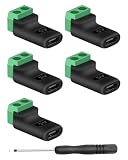
- Product Dimensions: You will receive 5 USB-C connector. Current: Maximum support 3A current; dimensions approximately 0.98x0.39 inches/25x10mm. The quantity is ample and sufficient for your daily needs.
- Reliable Materials: The USB-C adapter is made of plastic and brass, providing insulation. The metal construction is robust and stury for long-term use. It is for powering devices only and not for data transfer.
- Practical Design: This USB-C breakout features a solderless design, requiring no soldering tools. It's simple to use; a screwdriver is all you need for easy wiring, saving installation time and effort. Disassembly is also very convenient.
- Easy DIY: The loose USB-C port fix charging plug is clearly marked with positive "+" and negative "-" for easy soldering. It is compatible with USB interfaces and Type-C adapter boards.
- Versatile Use: This USB-C male to male adapter can be used to repair most USB-C devices, such as mobile phones, game consoles, tablets, speakers, LED lights, small household appliances, etc.
Why scraping the terminal is the wrong handoff
The obvious shortcut is to copy what appeared on screen and paste it into the second tool. That loses information. Terminal output mixes color codes, progress indicators, wrapped lines, truncated diffs, prompts, and confirmation text. The second tool then sees a rendering of the change rather than the change itself, and it cannot tell where one file ends and the next begins.
A better handoff writes each input to a file and points the reviewer at those files. Use the following sequence.
Rank #2
- 【USBC to Solderless Terminal】This USB C to 2pin screw terminal adapter is designed to repair damaged usb-c plugs, extend usbc cable lengths, or add/replace usb c ports on your devices. Its solder free design eliminates the need for tedious welding, simplifying the connection and saving you time
- 【Charging Only】This Type C to 2 pin solderless terminal supports 5V 3A charging output but does not support data transfer
- 【Easy to use】No soldering is required, simply use a screwdriver to complete the wiring in minutes. With its user-friendly solderless design, this usb c to screw terminal stands out as the ideal option for DIY project
- 【Wiring】The solderless type c connectors are clearly marked with positive ("+") and negative ("-") indicators for hassle-free connections
- 【Wide Application】Type c male to screw terminal is compatible with phones, tablets, chargers, power banks and any devices with a usb-c port. The solderless terminal can also connect with USB cables, non-smart devices, small appliances and more
- Record a checkpoint. Commit the work, or confirm it is committed, before any tool touches the code. This follows OpenAI’s checkpoint advice and gives you a clean revert point.
- Export the diff. Run
mkdir -p reviewand thengit diff main...HEAD > review/change.diff. Replacemainwith your base branch. - Export test output. Run your project’s test command and save both streams, for example
pytest > review/tests.txt 2>&1. Store the output as text, not as a copied screen. - Write the review prompt. Create
review/prompt.mdwith the requirement the change is meant to satisfy, the files the reviewer should read beyond the diff, and an explicit instruction not to modify any file. - Invoke the reviewer non-interactively. Point the second tool at the three files and use its non-interactive mode. Check its permission setup first; the next section explains why.
- Save the output as a file. Write the findings to
review/findings.md. Do not apply them automatically. - Verify each finding. Mark each one as confirmed or rejected, using a failing test, a static check, or direct reading of the code.
- Checkpoint again after you accept and apply changes, so the reviewed state and the revised state are both recoverable.
Context decides what the reviewer can see
Anthropic’s example of a pull-request review workflow uses the diff, review comments, CI status, and the full repository context. The point of that example is that a useful review depends on more than a fragment. A reviewer that sees only the changed lines cannot check callers, tests that exercise the change, or the requirement it is supposed to meet (Anthropic Support, April 15, 2026).
In practice, the prompt file should name the requirement, list the callers or modules the reviewer must open, and include the test output from step three. If the reviewer reports a problem in code that is not in the diff, check whether it was given the file at all before you check the code.
Rank #3

- USB C Screw Terminal Connector: with solderless design, the wiring end with screw terminals, no soldering is needed, just a screwdriver can easily complete the wiring and disassembly is also convenient.
- USB C Screw Terminal Block Connector: this usb type c screw terminal adapter is made of PVC rubber + copper, mainly used to power many devices, not for data transmission.
- USB C Breakout Screw Terminal: type c male plug into charger, charging treasure, cell phone and other smart devices, take 5V output to the green solderless terminal positive and negative to power other devices. Also the green solderless terminals connect positive and negative outputs to type c plugs to power non-smart devices, small appliances and other devices
- Connection: Can extend the length of the USB C cable,ideal for you electronic DIY projects and test the equipment that with USB C interface ports.
- Usage: 2 pin green wiring terminal, copper material, DC: 5V/3A, wiring range: 30 ~ 16awg, pin: 2 channels / pin (negative pole of power supply and shield are connected together).
Permissions: approvals do not carry into a non-interactive run
This is where most composed workflows fail. Anthropic’s Claude Code FAQ says approvals last for the current session by default, and that interactive approvals do not carry over to non-interactive runs (Anthropic Support, Claude Code user FAQ). A reviewer launched from a script cannot rely on a permission you clicked through earlier in a different session. It either runs with permissions configured ahead of time or stops and waits.
Two consequences follow. First, decide before the run what the reviewer may read, edit, and execute. A review that only needs to read the repository should be configured that way. Second, the approval interface of one tool does not govern the other. Each process receives the permissions defined for it, and the parent tool’s prompts do not reach the child.
Rank #4

- COMPLETE KIT INCLUDED:Includes 3 male and 3 female USB C to 2pin terminal adapter. Offers ample quantity for multiple projects, allowing repeated repairs or creations of USB Type C charging cables. Cost-effective set for all your charging needs
- Secure & sturdy:Built with robust ABS and copper materials for stable, secure connections that resist detachment. Simple screw-terminal design enables tool-free wiring, making USB C solderless connector setup effortless. Ensures reliable power delivery for DIY electronic projects
- SOLDERLESS DESIGN:Features a solderless construction requiring only a screwdriver for quick wire connection. Eliminates soldering hassles, saves time, and simplifies DIY repairs or custom USB C cable creation. Sturdy ABS and copper build ensures stable, long-lasting performance
- SUPPORTS FAST CHARGING:Delivers reliable 5V/3A charging for phones, game consoles, and small appliances. Provides efficient power supply, USB C screw terminal adapter is nice for repairing or extending USB Type C charging cables. Ensures safe, consistent charging without data transfer capability
- UNIVERSAL COMPATIBILITY:Compatible with various devices: phones, headphones, LED lights, and household appliances. USBC solder free adapter cable is nice for DIY enthusiasts and technicians to quickly repair or customize USB C charging cables. Enhances convenience for daily charging solutions
Anthropic’s power-user guidance describes a permission system with prompt-injection detection, static analysis, sandboxing, and human oversight, along with hooks for logging shell commands or running deterministic checks (Anthropic Support, Claude Code power user tips). Hooks are the practical way to record what a reviewer ran, and deterministic checks such as a linter or test suite give you results that do not depend on the reviewer’s judgment.
Do these 3 things before closing this tab:
1Fix the driver behind crashes, sound loss and screen glitches2Repair Windows errors before they cause bigger problems3Scan for outdated or missing drivers - takes under a minuteTroubleshooting a cross-tool review
| Symptom | Likely cause | What to do |
|---|---|---|
| The reviewer stops and waits for approval | A non-interactive run cannot use an approval given in an interactive session | Configure the reviewer’s permissions before the run and test that config on a throwaway branch |
| Findings cite functions or files that do not exist | The diff or prompt was truncated, or the reviewer was not given the file | Check the size of review/change.diff and add the missing files to the prompt |
| Saved output contains color codes or broken lines | Terminal output was captured instead of structured output | Redirect the reviewer’s output to a file, and strip formatting only if it is still needed |
| Files changed after a review you asked to be read-only | The reviewer had write access | Restore from the checkpoint commit from step one, then tighten the reviewer’s permissions |
| Confident findings that fail when tested | A review finding is a claim to verify, not a verified fact | Reject the finding and record it, so you can see the reviewer’s error rate on your own code |
Comparing a cross-model review on the five axes that matter
Before deciding whether a second tool is worth the extra step, record these five things for each run. The right-hand column shows what the published material establishes and what it does not.
Best Value

- Precise Specifications: The USB Type-C solderless connector features a dual-channel pin design, internally connecting the negative power terminal and the shielding layer to ensure stable output and compatibility with most common DIY and repair cable gauges.
- Solder-Free Design: The screw terminal adapter requires no soldering; simply tighten the terminals with a screwdriver for quick wiring. Disassembly is equally simple, saving installation time.
- Rugged and Durable: Made of PVC + copper, the USB Type-C screw terminal adapter is robust and wear-resistant, providing a reliable 5V/3A power output for device charging but does not support data transfer.
- Versatile Applications: The USB Type-C screw terminal adapter extends USB-C cable length, suitable for DIY electronics projects and can also be used for charging mobile phones and LED lights.
- Easy to Use: The USB Type-C screw terminal solderless plug features clearly marked positive (+) and negative (-) terminals to avoid wiring errors and can power non-smart devices and small household appliances.
| Axis | What to record | What the sources establish |
|---|---|---|
| Review context | Whether the reviewer received the diff, surrounding files, the requirement, and test or CI output | Anthropic’s pull-request example uses the diff, review comments, CI status, and repository context (Anthropic Support, April 15, 2026) |
| Independent perspective | Which model wrote the change and which reviewed it | A different model may critique differently, but model diversity alone does not show higher accuracy (arXiv preprint 2607.21656) |
| Verifiability | Whether each finding was confirmed by a test, static check, or direct inspection | OpenAI describes local review before a commit or pull request (OpenAI, Codex CLI documentation). The sources do not establish that AI review replaces human verification |
| Time and cost | Minutes per run, and the number of extra steps added to your loop | The preprint frames time and cost as motivations for its study. The sources do not establish the value trade-off for a particular developer |
| Permissions and invocation | Read, edit, and execute rights for the reviewer; approval mode; whether the run is interactive | Anthropic’s FAQ separates interactive approvals from non-interactive runs (Anthropic Support, Claude Code user FAQ) |
What the 2026 preprint shows, and what it does not
The preprint “Cross-Model LLM Code Review: Should you use Claude to review Codex or vice versa?” is the only controlled comparison in the sources reviewed. Its abstract describes a controlled experiment on 116 recent hard and medium LiveCodeBench tasks, across six conditions: solo baselines, cross-model orderings, and same-model comparisons (arXiv, 2026).
Three limits matter. The tasks are benchmark problems, not a sample of production code review. The abstract alone does not justify broad claims about production review, general model reliability, or a universally preferred ordering of reviewer and author. Before drawing any conclusion, read the full paper’s reported results and its stated limitations, and check whether they match the kind of code you maintain.
The practical takeaway is narrower than the title suggests. A cross-tool review is a reasonable extra opinion when the handoff is built from files, the reviewer’s permissions are set in advance, and every finding is tested before it is applied.
Quick Recap
Product prices and availability are accurate as of the date/time indicated and are subject to change. Any price and availability information displayed on Amazon at the time of purchase will apply.




