Yes—Samsung has made standalone DVD players, and several of its Blu-ray players also play DVDs. Whether you can buy a new Samsung unit today depends on your country and current stock; the available evidence does not establish a worldwide end-of-production date.
Has Samsung made DVD players?
Yes. Samsung’s UK support archive includes the DVD-SH875M, a standalone DVD player. That legacy support page confirms Samsung made DVD equipment, but it does not indicate that the model is currently sold. Samsung UK’s DVD-SH875M support page
As an Amazon Associate I earn from qualifying purchases.
Samsung also made Blu-ray players with DVD playback. These can be an option for someone who wants to keep watching DVDs, provided the specific model supports the discs and connects to the television.
Outdated Drivers Are Slowing You Down
One free scan finds every outdated or missing driver and matches the right update for your exact hardware.Free scan · exact hardware matchWindows Errors? Fix Them Before They Spread
Repair common Windows errors and clear accumulated junk for a smoother, more stable PC - no reinstall needed.Free scan · no reinstallCan you buy a new Samsung DVD player now?
Availability depends on the market, model and seller. Samsung UK’s BD-H6500 product page labels that specific Blu-ray/DVD player “No longer available.” That status applies to the UK listing for that model; it does not prove that Samsung announced a global discontinuation or establish when production ended. Samsung UK BD-H6500 product page
#1 Best Overall

- Full HD 1080p Playback via HDMI - This Blu-ray player supports full HD 1080p Blu-ray disc playback from its HDMI output
- Built-In Wi-Fi - With built-in Wi-Fi, you can access all your Smart Blu-ray features and apps wirelessly. Sync and stream content to other devices as well, such as PCs, smartphones, tablets and cameras using Samsung AllShare content sharing technology
- DVD Upscaling to Near HD Quality - With HD Upconversion, non-HD video is automatically enhanced to bring it to near-HD quality. You can watch your favorite DVD movies with greater detail and clarity
- HDMI - Connect your TV and audio systems for high quality audio and an enhanced entertainment experience when watching your favorite movies, shows and sports
A Samsung Members community user wrote in February 2024 that Samsung no longer sold Blu-ray/DVD players. This is a community member’s report, not a corporate announcement, so it should not be treated as a definitive statement about availability in every country. Samsung Members community discussion
Which Samsung models are documented to play DVDs?
Samsung’s product records provide examples of Blu-ray players that also support DVD playback. The records establish those models’ capabilities, not their present availability or compatibility with every disc.
Rank #2

- Enjoy Blu-ray Disc movies in Full HD as well as DVD discs
- Upscale your DVDs to near HD quality
- Easy set-up with included HDMI cord
- Boot up in less than a second with super quick start mode
- Keep things simple with the new user-friendly interface
| Model | Device type | DVD evidence | Availability context |
|---|---|---|---|
| DVD-SH875M | Standalone DVD player | Listed in Samsung UK’s legacy support archive. | Legacy support listing; current sales are not established. Samsung UK support |
| BD-H6500 | Blu-ray and DVD player | Samsung UK describes the product as a Blu-ray & DVD player. | The Samsung UK page marks this model “No longer available.” Samsung UK product page |
| BD-J4500R | Blu-ray player | Samsung Germany lists Blu-ray, DVD and CD playback, as well as DVD upscaling. | The cited specification does not establish current stock. Samsung Germany product page |
| BD-J5100/ZA | Blu-ray player | Samsung’s US specification sheet lists DVD-Video, DVD±R and DVD±RW. | Archived US specification; current stock is not established. Samsung US specification sheet |
| BD-J7500/ZA | Blu-ray player | Samsung’s US specification sheet lists DVD-Video, DVD±R and DVD±RW. | Archived US specification; current stock is not established. Samsung US specification sheet |
What to check before buying a replacement
Do not rely on a listing that says only “Blu-ray player.” Verify the exact model and its compatibility with your discs and television before purchasing.
Quick wins for a faster PC:
Fix the driver behind crashes, sound loss and screen glitchesFind Drivers →Repair Windows errors before they cause bigger problemsFix Now →Scan for outdated or missing drivers - takes under a minuteDriver Scan →- Disc formats: Check that the model supports the type of disc you own, such as DVD-Video or recordable DVD±R/DVD±RW formats.
- Region: Confirm the player’s DVD region compatibility matches your discs. The cited Samsung specifications do not establish compatibility with every region-coded disc.
- Television connection: Check the player’s output and your TV’s available inputs, including whether both support HDMI if that is the connection you plan to use.
- Condition and returns: For used or refurbished hardware, inspect the condition, seller reliability and return terms; older models may not be readily available new.
- Support and remote: Check whether support materials or a replacement remote are available for the exact model. A remote should not be assumed compatible based on brand alone.
How to identify a Samsung player you already own
Look at the label on the back of the unit for its model and serial numbers. Samsung’s support guidance identifies the rear label as the place to find them. Use the model number to check the manual, supported disc formats and any replacement-part information. Samsung support: locating model and serial numbers
Quick Recap
Best Value

- 𝗨𝗡𝗣𝗔𝗥𝗔𝗟𝗟𝗘𝗟𝗘𝗗 𝟭𝟬𝟴𝟬𝗣 𝗛𝗗𝗠𝗜 𝗩𝗜𝗗𝗘𝗢: Seamlessly connects to your smart TV, monitor, or projector via HDMI and AV cables. Elevate your DVD collection with stunning high-definition visuals and immersive audio, making every movie night a cinematic delight.
- 𝗥𝗘𝗚𝗜𝗢𝗡-𝗙𝗥𝗘𝗘, 𝗨𝗡𝗜𝗩𝗘𝗥𝗦𝗔𝗟 𝗖𝗢𝗠𝗣𝗔𝗧𝗜𝗕𝗜𝗟𝗜𝗧𝗬: Our robust HDMI DVD player offers extensive compatibility with a wide array of media devices. This multi-region DVD player effortlessly handles DVD, DVD-R, and DVD-RW disc formats, as well as all CD and USB video formats.
- 𝗙𝗔𝗦𝗧, 𝗟𝗖𝗗 𝗗𝗜𝗦𝗣𝗟𝗔𝗬, 𝗟𝗢𝗪-𝗡𝗢𝗜𝗦𝗘: Elevate your entertainment experience with our compact TV DVD player, boasting lightning-fast loading speeds, top-tier reading capabilities, convenient memory playback, a vibrant LCD screen, and remarkably quiet operation.
- 𝗨𝗦𝗕, 𝗛𝗗𝗠𝗜, 𝗥𝗖𝗔, 𝗥𝗘𝗠𝗢𝗧𝗘: Our DVD player includes a HDMI cable, RCA AV cables and a USB port for versatile media playback. It's equipped with a full format remote, allowing you to access functions such as rewind, zoom, slow motion, and customisation of visual and audio settings.
- 𝗪𝗛𝗔𝗧'𝗦 𝗜𝗡 𝗧𝗛𝗘 𝗕𝗢𝗫: This package contains 1x DVD Player, 1x AV Cable, 1x Power Cable, 1x Remote Control, 1x HDMI Cable and a user manual. Dimensions: 28.86 x 7.48 x 1.77in - Weight: 1.6 pounds.
Rank #4

- 1080p HDMI Upscaling - Upscales standard-definition DVD content to Full HD using advanced picture enhancement and progressive scan technology, delivering a clearer and more immersive viewing experience—perfect for your home theater setup.
- Multi-Region DVD Playback - Plays DVDs from all regions (1–6) and supports both PAL and NTSC video standards for worldwide compatibility.
- Multi-Format Compatibility - Supports video discs including DVD, DVD+R/R DL, DVD+RW, DVD-R/R DL, DVD-RW, SVCD, VCD; audio discs including CD, CD-R, and CD-RW; plus MP3, WMA, and JPEG file formats. Note: Not compatible with Blu-ray discs.
- USB Port - Plays MP3/WMA audio and JPEG image files directly from USB flash drives. Supports drives up to 128GB (FAT32 format only; NTFS and exFAT are not supported).
- Easy Setup - Connects easily to your Smart TV, HDTV, or projector via HDMI for high-quality digital audio and video through a single cable. Also includes RCA AV output for older TVs and a coaxial digital audio output for connection to a multi-channel home audio system (coaxial cable not included).
Rank #3
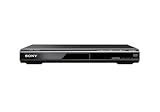
- Multi-format DVD and CD media playback
- Control TV functions using the multi-brand remote
- Upscale DVDs to near HD quality via an HDMI output
- Pic Navi title/chapter viewer and high-speed search function
Product prices and availability are accurate as of the date/time indicated and are subject to change. Any price and availability information displayed on Amazon at the time of purchase will apply.




