A triple-level cell (TLC) is a NAND flash memory cell that stores three bits of data. Because three bits can be arranged in eight different combinations, each TLC cell can hold one of eight possible states. That is the whole definition; the rest of this article explains what it means for the storage you buy and where its limits lie.
What “three bits per cell” actually means
TLC refers to the number of bits stored inside a single NAND flash memory cell. It does not mean three cells, three layers, or three separate storage areas. Samsung Semiconductor describes TLC as three bits per cell in its storage technology overview, and Micron Technology uses the same definition in its NAND presentation, which was updated in January 2025. Samsung’s overview does not show a publication date on the page as accessed.
As an Amazon Associate I earn from qualifying purchases.
Why three bits means eight states
A flash cell records data by holding a controlled amount of electrical charge. Each distinct charge level corresponds to a bit pattern. One bit needs two levels, two bits need four, and three bits need eight. Micron’s presentation illustrates this with eight charge states for TLC. The controller reads the cell by determining which of those levels it currently holds, so every extra bit doubles the number of levels the cell must reliably distinguish.
Do these 3 things before closing this tab:
1Fix the driver behind crashes, sound loss and screen glitches2Repair Windows errors before they cause bigger problems3Scan for outdated or missing drivers - takes under a minuteHow TLC compares with SLC, MLC and QLC
NAND flash is classified by bits per cell. The table below shows the standard progression, with the number of charge states each level implies.
#1 Best Overall

- Supports up to Ultra DMA transfer mode 4
- Up to 32GB storage capacity
- Up to 50 MB/s Read; 20 MB/s write
- Mlc NAND flash memory
- Ideal for entry-level DSLRs
| Cell type | Bits per cell | Possible states per cell | General tendency (Samsung comparison) |
|---|---|---|---|
| SLC (single-level cell) | 1 | 2 | Fastest processing; lowest density |
| MLC (multi-level cell) | 2 | 4 | Between SLC and TLC |
| TLC (triple-level cell) | 3 | 8 | Higher density; slower processing than SLC and MLC |
| QLC (quad-level cell) | 4 | 16 | Highest density of these four; relatively slower processing |
Samsung’s comparison describes TLC and QLC as storing larger data volumes with relatively slower processing than SLC and MLC. Storing more bits per cell can increase density and make a given capacity less expensive to produce, while building fast performance into a high-density cell becomes more technically complex. These are broad technology-level trends, not guarantees about any particular drive.
What the cell type does not tell you about an SSD
A TLC label is a useful starting point, but it cannot rank one solid-state drive against another. Several factors matter at least as much:
Rank #2
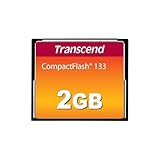
- Perfect for entry level DSLRs
- Manufactured with brand-name MLC NAND Flash chips
- Support up to Ultra DMA transfer mode 4
- Built-in Error Correcting Code (ECC) to detect and correct transfer errors
- Up to 50 MB/s read; 20 MB/s write
- Performance: Controller design, firmware, cache or buffer behavior, and interface all affect real speed.
- Endurance: Rated write endurance varies by product and is set by the manufacturer’s specifications, so no single figure applies to every TLC drive.
- Warranty: Warranty terms are published per product and are the right place to confirm coverage.
- Workload fit: A drive suited to occasional file storage may be a poor choice for sustained heavy writes, and the reverse is also true.
When you evaluate a model, read its specification sheet and warranty first, then use the cell type to understand the density and cost trade-off behind them.
Outdated Drivers Are Slowing You Down
One free scan finds every outdated or missing driver and matches the right update for your exact hardware.Free scan · exact hardware matchWindows Errors? Fix Them Before They Spread
Repair common Windows errors and clear accumulated junk for a smoother, more stable PC - no reinstall needed.Free scan · no reinstallWhere TLC NAND appears
NAND flash is used in SSDs, memory cards and USB flash drives. A TLC NAND SSD is a common consumer example, and many product listings state the NAND type in their specifications. Two drives labelled TLC can still differ considerably, so treat the label as one input among several.
Rank #3

- Internal memory: 1024 MB
- Flash card Type: CompactFlash (CF)
- Dimensions W x d x H: 42.8 x 36.4 x 3.3 mm
- Weight: 11.4 g
- Width: 36.4 mm
”
Independent reader supportYour contribution helps us test, update, and keep practical guides available for everyone.The Bottom Line
TLC is NAND flash storing three bits per cell, giving eight possible states. It offers higher density at the cost of some speed and endurance compared with SLC and MLC, but the actual performance and warranty of any drive depend on its own specifications.
Quick Recap
Best Value

- 2 Pack CF Memory Card 2GB
- Supports the Video Performance Guarantee specification for professional-quality video (VPG-65)
- Designed for older DSLR cameras, professional photography equipment, HD camcorders, and CompactFlash Type I compatible devices.
- FAT16 pre-formatted. Interface specifications: 50 pin hole interface Dimensions: 43 mm x 36 mm x 3.3 mm.
- CF memory card utilize the most reliable SLC NAND flash memory chips, specifically designed for harsh environments. Featuring a wide operating temperature range (-25°C to 85°C), they are ideally suited for demanding photography in harsh weather conditions
Rank #4

- Exceptional Shot to Shot Performance - Read speeds of up to 120MB/s and write speeds of up to 85MB/s
- Professional-Grade Video Capture - VPG-20 ensures sustained data recording rate of 20MB/s for a smooth and unbroken video stream
- Durable Design - Backed by rigorous stress, shock, and vibration testing and includes RTV silicone coating for protection against shock and vibration
Product prices and availability are accurate as of the date/time indicated and are subject to change. Any price and availability information displayed on Amazon at the time of purchase will apply.




