Neither distributed antenna systems (DAS) nor small cells are universally better for indoor mobile coverage. DAS is often worth evaluating for large or complex buildings that need coverage across many areas and support for multiple operators. Small cells may suit more localized coverage or capacity needs, depending on the carrier and neutral-host arrangements. The right choice depends on the building, the radio design, carrier participation, infrastructure and who will operate the system.
How DAS and small cells work
A distributed antenna system (DAS) connects remote nodes with antennas to a central hub, typically over fiber. Radio transceivers at the hub process or control signals distributed through the building. In the Federal Communications Commission’s architectural comparison, small cells instead place radio transceivers at individual nodes. The functional distinction is where radio equipment is located and how signals are distributed; product labels can vary. The FCC’s 2013 description of the architectures is useful for understanding that distinction, not for determining current prices or product performance.
As an Amazon Associate I earn from qualifying purchases.
Ericsson describes indoor small cells as digital systems that put radio processing closer to users and presents this as beneficial for performance and deployment. That is a manufacturer’s positioning, not an independent, like-for-like test proving small cells outperform DAS in every building. Ericsson’s indoor-coverage overview provides its product perspective.
What’s actually slowing this PC down?
Pick the symptom - the matching free tool is one click away.
What determines which approach fits a building?
Coverage footprint and interior layout
Start with the places that need service: floors, rooms, corridors, basements and other difficult interior areas. DAS distributes antennas through a facility, while small cells serve defined areas from distributed radio nodes. A broad, complex footprint may make DAS a sensible option to assess; a smaller set of specific areas may point toward small cells. Neither description replaces an engineered design for the actual building.
#1 Best Overall

- 📶 𝐁𝐨𝐨𝐬𝐭 𝐒𝐢𝐠𝐧𝐚𝐥 - HiBoost cell phone signal booster for 2000 Sq.ft. Enjoy lag-free cell phone signal, faster internet connections for streaming, faster to download and upload. High power outside antenna, receive longer distance signal. (It requires at least one bar of signal for the cell phone booster to enhance the signal.)
- 📶 𝐖𝐨𝐫𝐤𝐬 𝐎𝐧 𝐀𝐥𝐥 𝐔.𝐒. 𝐂𝐚𝐫𝐫𝐢𝐞𝐫𝐬 - HiBoost cell phone booster for home works on all cellular service providers - Verizon, AT&T, Sprint, T-Mobile, Straight Talk, and U. S. Cellular. Supports bands of 700-750MHz (band 12, 13, 17), 800-850MHz (band 5), 1900MHz (band 2/25) and 1700~2100MHz (band 4).
- 📶 𝟓𝐆 𝐂𝐨𝐦𝐩𝐚𝐭𝐢𝐛𝐥𝐞 - HiBoost cell booster for home compatible with the latest 5G and 4G LTE technology, supports multiple devices simultaneously. The lte cell booster aid to eliminate weak signal areas, continuously provide you with a reliable cellular connection so that no more dropped calls when you at home
- 📶 𝐔.𝐒. 𝐋𝐨𝐜𝐚𝐥 𝐂𝐮𝐬𝐭𝐨𝐦𝐞𝐫 𝐒𝐮𝐩𝐩𝐨𝐫𝐭 - You can easily get help from installation to use. 30-Day Money Back, 3-Year Warranty - within 3 years of receipt of delievery, for any quality issue, simply reach us and we'll solve it. HiBoost cellular service booster meet all FCC guidelines, there is no need to ask the cellular provider for their consent, no monthly subscription fees required
- 📶 𝐋𝐂𝐃 𝐚𝐧𝐝 𝐀𝐏𝐏 𝐌𝐨𝐧𝐢𝐭𝐨𝐫 𝐇𝐞𝐥𝐩 𝐄𝐚𝐬𝐲 𝐈𝐧𝐬𝐭𝐚𝐥𝐥𝐚𝐭𝐢𝐨𝐧 - The color LCD screen on the cellular boosters clearly shows the real-time signal strength, you can cooperate with a partner to locate the best installation point of the outside antenna accurately, or you can achieve the same purpose through the HiBoost Signal Supervisor APP on your own, then place the booster with whip antenna on any desktop you want to get the ideal signal boost
Coverage problem versus capacity problem
Weak signal and network congestion are different problems. Coverage is about whether usable signal reaches an area; capacity is about whether the system can serve the expected traffic there. A busy auditorium, for example, may need a capacity-focused design even if signal is already present. Ask each bidder to state which problem the design addresses and how its proposed system meets the building’s coverage and traffic targets. The FCC notes that coverage, capacity and economics can favor different architectures in different situations.
Operators, bands and generations
List the mobile operators, frequency bands and network generations the building needs to support. DAS can often accommodate multiple providers, but the specific design and carrier participation must be confirmed. Small-cell deployment and neutral-host participation likewise depend on carrier and spectrum arrangements; the label “small cell” alone does not establish that every operator will be supported. Get written confirmation from the relevant operators and integrator for the proposed equipment and bands.
Rank #2
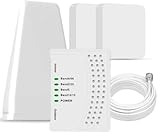
- 5G COMPATIBILITY:Cell phone signal booster is a newly designed signal boosters with intelligent functions, It can enhance indoor signal, such as voice, data in home and office etc, so as to reduce the problem of call interruption, poor signal, can help improve voice quality, faster internet speed and wider coverage, it can cover up to 7000sq.ft coverage, with 70dB Gain, Support all US and Canadian carriers U.S. Cellular, etc. Cover 3G, 4G LTE, and 5G compatible.
- 5G Compatible:Cell phone booster support 5G and deliver amazing speeds; Only 5G that carriers have deployed in large numbers in existing 4G brands through DSS (Dynamic Spectrum Sharing), the FCC has not yet allowed the new mmWave 600MHz cellular enhancers, so if you must use 5G, Make sure your area has 5G services in the existing 4G band before you purchase.
- Advanced Features: Cell signal booster comes with advanced features like Automatic Gain Control, Self-oscillation Elimination to detect the level of an incoming signal and adjusts itself for the best performance. With Good Looking and high quality LED screen, Wireless connects multiple devices, Automatic gain control, this booster has strong anti-interference and low noise characteristic function.
- FCC & IC Certified: :Cell booster complies with all FCC and IC guidelines and meet the requirements of application standards,does not interrupt or compromise any carrier's signal to and from the cell tower.
- If you have any installation or other problems with your item, please contact with us anytime.
Building infrastructure and installation constraints
Have an engineering survey check available fiber or other backhaul, cable routes, equipment space, power and installation constraints. DAS’s hub-and-transport architecture makes those matters part of the design. Requirements vary by building and proposal, so a generic checklist cannot establish whether existing infrastructure is sufficient.
Do these 3 things before closing this tab:
1Fix the driver behind crashes, sound loss and screen glitches2Clear out junk files and repair common Windows errors3Scan for outdated or missing drivers - takes under a minuteOwnership and ongoing operations
Establish who will fund, own, operate and maintain the system: the building owner, a carrier or a neutral-host provider. These arrangements can affect which designs are practical. CTS describes both DAS-based and MORAN-based small-cell neutral-host service models; its guidance is provider-authored, and suitability depends on site and commercial requirements. CTS’s neutral-host service overview describes those models.
Rank #3

- Product Function— The cell phone amplifier boosts weak signal in 1-2 rooms, up to 5000 sq ft inside any home & office. This results in fewer dropped calls, improved battery life, higher audio quality, and faster data and streaming for All U.S. Cellular and many more And boosts 5G/4G LTE voice, text and data signals for all North American cell carriers, including Verizon’s 5G Nationwide data signals..Maximum Gain: 65 dB,Maximum Outpower: 17 dBm
- 5G Compatible:Cell phone booster support 5G and deliver amazing speeds; Only 5G that carriers have deployed in large numbers in existing 4G brands through DSS (Dynamic Spectrum Sharing), the FCC has not yet allowed the new mmWave 600MHz cellular enhancers, so if you must use 5G, Make sure your area has 5G services in the existing 4G band before you purchase.
- Coverage Area— The indoor coverage area that cell booster varies based on existing signal at the exterior antenna location: :1-2Bars~ 800 square feet, 3-4 bars ~ 3000 square feet, 5Bars~ 5000 square feet, and the signal booster will not work if there is no signal available to boost it at the external antenna location.
- Eay Installation Keep the power is off during installing/adjusting antennas. Simply set up the outdoor Log-periodic antenna, and place signal booster where you want. Make sure the distance between the outdoor antenna and indoor antenna should be about 32ft. Following the user manual, you can easily set it up.
- FCC & IC Certified: :Cell booster complies with all FCC and IC guidelines and meet the requirements of application standards,does not interrupt or compromise any carrier's signal to and from the cell tower.
Expansion and lifecycle
Ask how the design would add zones, operators, bands or capacity, and what equipment or cabling changes expansion would require. A “5G” label by itself does not guarantee a particular capacity level or future compatibility. Request a written bill of materials and a documented upgrade path rather than relying on a technology label.
Practical rule of thumb
- Assess DAS for broad coverage across a large or complex venue, particularly when multi-operator support and centralized signal distribution matter.
- Assess small cells for localized coverage or capacity needs when the carrier or neutral-host model supports the proposed distributed radio system.
- Compare both when either could fit. Give bidders the same building assumptions, operator requirements and capacity targets so their designs and costs can be compared on equivalent terms.
These are screening heuristics, not a substitute for a radio design. CTS, an integrator, also frames selection around facility needs and carrier requirements. CTS’s DAS and small-cell guidance offers its selection perspective.
Rank #4
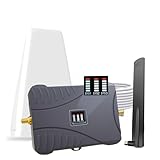
- Product Function— The cell phone amplifier boosts weak signal in 1-2 rooms, up to 2000 sq ft inside any home & office. This results in fewer dropped calls, improved battery life, higher audio quality, and faster data and streaming for All U.S. Cellular and many more And boosts 5G/4G LTE voice, text and data signals for all North American cell carriers, including Verizon’s 5G Nationwide data signals..Maximum Gain: 70 dB,Maximum Outpower: 17 dBm
- 5G Compatible:Cell phone booster support 5G and deliver amazing speeds; Only 5G that carriers have deployed in large numbers in existing 4G brands through DSS (Dynamic Spectrum Sharing), the FCC has not yet allowed the new mmWave 600MHz cellular enhancers, so if you must use 5G, Make sure your area has 5G services in the existing 4G band before you purchase.
- Coverage Area— The indoor coverage area that cell booster varies based on existing signal at the exterior antenna location: :1-2Bars~ 300 square feet, 3-4 bars ~ 800 square feet, 5Bars~ 2,000 square feet, and the signal booster will not work if there is no signal available to boost it at the external antenna location.
- Eay Installation Keep the power is off during installing/adjusting antennas. Simply set up the outdoor Log-periodic antenna, and place signal booster where you want. Make sure the distance between the outdoor antenna and indoor antenna should be about 32ft. Following the user manual, you can easily set it up.
- FCC & IC Certified: :Cell booster complies with all FCC and IC guidelines and meet the requirements of application standards,does not interrupt or compromise any carrier's signal to and from the cell tower.
How to compare proposals and costs
The available evidence does not establish a general cost winner or a like-for-like performance advantage. The FCC’s 2013 order notes that economics and coverage or capacity requirements can favor different solutions; it should not be read as current pricing guidance. Do not rely on generic installation-cost, capacity or payback claims without a dated, comparable study or a proposal for your site.
Ask each vendor or integrator to document the same assumptions and separate these cost categories:
Best Value

- 【Ready for 5G】- The booster is designed for the largest cell carriers - Verizon and AT&T, boosts 4G LTE and 5G signal for all cellular devices operating on band 12, band 13 and band 17. Note: The booster only supports 5G band that largely deployed in current bands 12, 17 and 13 by Dynamic Spectrum Sharing by carriers. If you need a 5G cell booster, please ensure that you have a 5G phone and your carrier has deployed 5G in the 4G band of 12,13 and 17 before purchase.
- 【Advanced Features & Smart Device】- The booster uses AGC(Automatic Gain Control) function, which can intelligently detect the existing signal strength, and adjust itself for best performance, then reflect its working condition through LED indicator. Buy it once, and boost for life.
- 【Better Data & VoLTE】- Enhances 4G LTE data speed signals and volte, enjoy faster uploads and downloads to stream videos smoothly in your house, office, cottage, cabin, camper, basement etc., get rid of expensive monthly internet fees. Supports multiple users simultaneously.
- 【Powerful Antennas & Large Coverage】-This booster comes with high gain directional antenna, allow you to point it to the nearest signal tower more accurate and get more signals, expanding the indoor coverage up to 4,500sq ft. DIY Installation.
- 【Reliable Service Guarantee】- FCC Certified, 30-day return, 3-month replacement, Up to 3-year manufacturer repair, lifetime professional technical Support.
- Initial infrastructure and installation
- Carrier integration and any related requirements
- Ongoing operation and maintenance
- Future expansion, including likely hardware and cabling changes
Also request the proposed coverage areas, capacity target, supported operators and bands, equipment list, responsibilities and upgrade path in writing. A proposal that omits these details is difficult to compare fairly with another architecture.
What to confirm before choosing
- Map the areas where coverage is inadequate and identify busy locations where capacity may be the issue.
- Specify the operators, bands and network generations required, then confirm carrier acceptance for the proposed design.
- Arrange a site survey covering radio needs, backhaul, cabling paths, power and equipment space.
- Ask qualified bidders to price the same requirements and disclose the assumptions behind their designs.
- Assign ownership, operation and maintenance responsibilities, and obtain a written expansion plan.
Confirm current equipment, carrier acceptance, bands and commercial terms with the relevant operator and integrator for the building’s location. Industry frameworks also address both DAS and neutral-host small-cell solutions; the Mobile UK specification is one example, but its scope should not be treated as universal across geographies. Mobile UK’s Joint Operators Technical Specification resources.
Quick Recap
Product prices and availability are accurate as of the date/time indicated and are subject to change. Any price and availability information displayed on Amazon at the time of purchase will apply.




