Recommended Free Tools
Counter-Strike 1.6 (GoldSrc/HLDS) uses port 27015 by default. Forward UDP 27015 from your router to the server computer’s fixed LAN address for game traffic. Add TCP 27015 when you use RCON or a setup that requires TCP compatibility. The same port must be configured consistently in HLDS, the router, the operating-system firewall, and the address players enter.
Godlike.Host offers hosted CS 1.6 servers with its own game panel, SFTP access and free DDoS protection, if you would rather not host it yourself.
For Internet hosting, start HLDS with +sv_lan 0. Players outside your home network connect to your public address and port; players on the same LAN usually need the server’s private address instead.

As an Amazon Associate I earn from qualifying purchases.
CS 1.6 ports at a glance
| Purpose | Protocol | Default port | What to configure |
|---|---|---|---|
| Gameplay and client connections | UDP | 27015 | Forward the router’s external UDP 27015 to the server’s LAN IP and allow it through the host firewall. |
| RCON or TCP compatibility | TCP | 27015 | Add a TCP forwarding and firewall rule when your RCON arrangement or client environment needs it. |
| Alternative server port | UDP, plus TCP if required | Any available port you select | Set -port N in HLDS and use the same number in NAT, firewall rules, and player connection addresses. |
Valve’s GoldSrc command-line documentation describes 27015 as the default client-connection port. Steam’s dedicated-server guidance likewise identifies local UDP 27015 as the normal gameplay port and local TCP 27015 as the default RCON port for dedicated or listen servers.
What the CS 1.6 server port does
A port is a numbered endpoint that lets network traffic reach a particular service on a computer. Your router has one public address, while devices inside the home usually have private addresses such as 192.168.1.100. Port forwarding tells the router where traffic arriving on a public port should go.
#1 Best Overall

- Size & Package: The size of counter strike neon sign is 31*39cm (12*15inches). The package includes 1 sign and 1 hanging chain
- Special Design: WonderfulLife CS logo neon sign features vibrant color combinations and adds a funky vibe to your game zone and will catch the attention of anyone who enters
- Easy to Use: Two pre-drilled holes on the high-quality clear backplate for easy hanging with included hanging chain. The 150 cm (60 inches) long USB wire with an on/off switch makes it easy to use.
- Safety & Premium Quality: Made of polystyrene, safe and durable, with no noise, no heat, and no risks of glass breakage. Features 50,000 hours expected life. LED neon light is designed with 5V low voltage and is energy-saving
- Versatile Gaming Decor: This Counter Strike neon sign is suitable for decorating man caves, gaming rooms, internet bars, or bedrooms, creating an immersive gaming atmosphere with its bright LED illumination
HLDS listens on the port selected with -port. If you do not specify that option, the documented default is 27015. The port is not tied to a particular map or mod; a server running de_dust2, a custom map, or a mod still uses the configured HLDS port.
Why UDP is the important rule
Real-time gameplay traffic is normally sent over UDP 27015. UDP avoids the connection-management overhead of TCP and is the traffic your friends need to reach the game server. A router rule that opens only TCP commonly leaves the server unreachable even though a port-checking tool reports that TCP is available.
Free tools Windows power users keep installed
One-click scans. No signup required.
When TCP 27015 matters
Steam’s port documentation assigns local TCP 27015, by default, to the RCON side of dedicated or listen servers. For a traditional CS 1.6 installation, enable TCP 27015 when you use RCON through that path or when a particular client, administration tool, or compatibility setup explicitly requires it. Do not assume that opening TCP alone replaces the UDP gameplay rule.
Requirements before you forward anything
- An HLDS installation with the
cstrikegame files and a map available to start. - Administrative access to the router or NAT gateway.
- Administrative access to the computer’s firewall.
- A stable LAN address for the server computer. A DHCP reservation in the router is usually easier to maintain than allowing the address to change.
- A way to test from outside your home network, such as a friend’s connection or a phone using mobile data.
Identify whether your Internet connection gives the router a public IPv4 address. If the router itself is behind carrier-grade NAT or another upstream router, a forwarding rule on the inner router may not be sufficient.
How to open port 27015 for an HLDS server
1. Give the server computer a stable LAN address
Find the computer’s current private address in the operating system’s network settings. Then reserve that address in the router’s DHCP settings, or configure a static internal address using values appropriate for your network. The forwarding rule must always point to this same address.
For example, if the server is currently 192.168.1.100, record that address before creating the rule. If the router later gives the computer 192.168.1.117, the old rule will still exist but will point to the wrong device.
2. Start HLDS in Internet mode
Use +sv_lan 0 for Internet hosting. A typical Windows console launch is:
hlds.exe -console -game cstrike +sv_lan 0 +map de_dust2You can make the default explicit by adding -port 27015:
hlds.exe -console -game cstrike -port 27015 +sv_lan 0 +map de_dust2On Linux, use the equivalent hlds_run command with the same game, port, and sv_lan arguments. The executable path and launch wrapper vary by installation, but the networking options remain the same.
Rank #2

- track scores during board games with this compact counter, featuring a user friendly design and srong construction for seamless gameplay
- Ideal for families, educators, trainer, and gaming enthusiasts seeking a stable tool to monitor points across board games, sports, or classroom activities
- enhances game night, tournaments, or training meeting with this versatile counter that simplifies scorekeeping while maintaining focus on strategy and fun
- The lightweight, portable scorekeeper clear numeric displays and buttons, ensuring quick adjustments and accurate tallying in fast paced scenarios
- Built from recyclable, this multipurpose tabletop game accessory combines practicality with for environmentally awake users
+sv_lan 1 is for LAN-only play. If it is enabled accidentally, Internet clients will not be able to use the server even when NAT and firewall rules are correct.
Quick wins for a faster PC:
Clear out junk files and repair common Windows errorsFree Scan →Fix the driver behind crashes, sound loss and screen glitchesFind Drivers →3. Create the router port-forwarding rule
Routers call this feature “Port Forwarding,” “NAT Forwarding,” or “Port Range Forwarding.” Create a rule with these values:
- Destination or internal host: the server computer’s reserved LAN address, such as
192.168.1.100. - External or public port:
27015. - Internal or private port:
27015. - Protocol: UDP.
If RCON or compatibility requires TCP, create a second rule for TCP 27015 to the same internal address and port. Some router interfaces let you select “Both” or “TCP/UDP”; separate rules make troubleshooting clearer when the interface permits them.
Leave unrelated ports closed. Forwarding a range when only one port is needed increases the number of exposed endpoints without helping the game server.
4. Allow HLDS through the host firewall
A router rule cannot bypass the firewall on the server computer. Create inbound rules for the HLDS executable or for the selected port: allow UDP 27015, and allow TCP 27015 only when your RCON or compatibility setup needs it. Apply the rule to the network profile used by the server.
The Tool Desk
Outbyte PC Repair FREERepair Windows errors before they cause bigger problemsFix Now →Outbyte Driver Updater FREEScan for outdated or missing drivers - takes under a minuteDriver Scan →On Windows, the relevant controls are under Windows Defender Firewall with Advanced Security and its Inbound Rules area. On Linux or another Unix-like system, add equivalent inbound rules to the firewall framework enabled on that machine. After changing the rule, restart HLDS if the firewall prompts for a new application permission.
5. Give each player the correct address
Internet players use the public address of your connection followed by the port, for example:
203.0.113.10:27015The address above uses a documentation-only public range. Replace it with your actual public address or hostname.
Players on the same router should normally use the server’s private address:
What’s actually slowing this PC down?
Pick the symptom - the matching free tool is one click away.
192.168.1.100:27015Many consumer routers do not support NAT loopback, also called hairpin NAT. In that case, the public address works for people on the Internet but fails for a player sitting on the same LAN. That behavior does not by itself prove that forwarding is broken.
6. Change the port only as a coordinated change
If 27015 is already occupied or unavailable, choose another unused port and pass it to HLDS:
hlds.exe -console -game cstrike -port 27020 +sv_lan 0 +map de_dust2The number in this example is only an example of a different choice. Replace 27020 with the port you actually select. Then update every related setting:
- HLDS’s
-port Nargument. - The router’s external and internal forwarding values.
- The host firewall’s UDP rule, and TCP rule if required.
- The address players enter, such as
public-address:N. - Any server browser, launcher, RCON tool, or startup script that stores the old port.
Changing only one of these locations creates a predictable mismatch: HLDS listens on one number while traffic is forwarded to another.
How to verify that the server is reachable
Check HLDS first
- Confirm the launch line contains
+sv_lan 0for Internet play. - Confirm that the intended map loads and that HLDS reports no port-binding error.
- Check the server’s listening sockets with the operating system’s network tools and verify the selected UDP port.
- If another process owns 27015, stop that process or move HLDS to an available port and update all related rules.
Test from the same LAN
From another computer on the home network, connect to the private address and port, for example 192.168.1.100:27015. This test checks HLDS and the host firewall but does not prove that the public NAT rule works.
Test from a genuinely external network
Use a friend’s Internet connection or a device on mobile data. Connect to the public address and port. Testing from inside the same router can fail because of missing NAT loopback even when external clients can connect successfully.
Interpret port-checking results carefully
Many generic port-checking sites test TCP only. A “closed” TCP result does not establish that UDP gameplay is unavailable, and an “open” TCP result does not confirm that HLDS is reachable over UDP. Test with an actual external game connection or a tool that specifically supports the protocol you are diagnosing.
Do these 3 things before closing this tab:
1Fix the driver behind crashes, sound loss and screen glitches2Clear out junk files and repair common Windows errors3Scan for outdated or missing drivers - takes under a minuteWhy friends cannot see or join the server
HLDS is in LAN mode
Check the server console or configuration for sv_lan. Internet hosting requires a value of 0. Restart HLDS after correcting the launch option if the running server does not update it.
The forwarding target changed
Compare the router rule’s destination with the server computer’s current LAN address. A stale DHCP lease is one of the most common causes of a rule that appears correct but reaches the wrong device. Reserve the address so the problem does not recur.
Rank #4
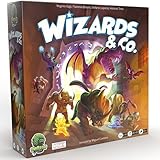
- FUN FANTASY THEME: Immerse yourself in a vibrant fantasy world with stunning monster artwork by Miguel Coimbra (7 Wonders, Small World). Captivating illustrations bring creatures to life, adding depth to every encounter.
- STRIKE & COUNTER-STRIKE: Engage in intense dungeon showdowns, deploying your creatures strategically to outmaneuver opponents. Each battle is a high-stakes test of tactics, as you anticipate strikes and counter-strikes.
- BLENDS EUROGAME MECHANISMS: Eurogame strategies with ruthless take-that action, offering a perfect balance of thoughtful planning and fierce competition. Outsmart your opponent while dealing merciless blows to secure victory.
- RANDOMIZED ENCHANTMENTS: Each game is unique with randomized enchantments, ensuring no two plays are ever the same. This mechanic adds endless replayability, keeping gameplay fresh, unpredictable, and full of surprises.
- COLLECT POWERFUL ARTIFACTS: Gather rare and powerful artifacts throughout the game, each granting unique abilities. Strategically collecting these treasures is key to gaining the advantage and securing ultimate victory.
The router rule uses TCP only
Gameplay requires UDP 27015. Add or correct the UDP rule. Keep TCP as a separate addition for RCON or a known compatibility need.
The host firewall is blocking HLDS
Temporarily disabling a firewall can be a diagnostic step only on a controlled network; do not leave the computer exposed. The durable fix is an inbound rule for the selected HLDS port or executable, with the correct protocol and network profile.
There are two routers
If an Internet modem/router feeds a second router, both devices may perform NAT. Forward the selected port through the upstream device to the second router, then from the second router to the server, or place the downstream router in an appropriate bridge or access-point arrangement. The exact menus vary by equipment.
Your connection uses carrier-grade NAT
With carrier-grade NAT, the address shown by the inner router is not a directly reachable public IPv4 address. You generally cannot accept unsolicited inbound connections by configuring the home router alone. Ask the provider for a public IPv4 address, use a relay-based networking mode supported by the game build, or use a managed game host.
Players are testing with the wrong address
Same-LAN players should try the private address; Internet players should use the public address. If a hostname is involved, verify that it resolves to the current public address and that the port is included when it is not 27015.
Independent reader supportYour contribution helps us test, update, and keep practical guides available for everyone.Can you host CS 1.6 without port forwarding?
Valve documents Steam Networking support for Counter-Strike and other GoldSrc games. On supported current builds and networking modes, Steam Datagram Relay can provide self-hosting without accepting inbound connections on your router. This is not a universal switch for every historical CS 1.6 installation: verify that the exact build and mode you run support the relay path before deleting existing NAT or firewall rules.
| Consideration | Direct port forwarding | Steam Networking or relay mode |
|---|---|---|
| Compatibility | Works with traditional HLDS networking when the server and clients can reach the public address. | Depends on the GoldSrc build and networking mode supporting Steam Networking. |
| Network path | Clients connect directly to the host connection; home-upload quality and routing affect results. | Traffic may use a relay path; latency and route depend on relay availability and location. |
| Discoverability | Players need the public address, a server listing, or a hostname that points to it. | Discovery and joining depend on the supported Steam integration. |
| Administrative control | You control the router rule, exposed ports, firewall, and HLDS process. | You trade some direct-network control for the relay service’s connection handling. |
| Inbound exposure | Requires an inbound forwarding rule and a reachable public address. | Can avoid inbound forwarding when the supported relay mode is active. |
| Failure mode | Breaks when NAT, firewall, address changes, or upstream filtering blocks the port. | Breaks when the build is unsupported or relay service availability prevents a session. |
Self-hosting versus managed hosting
Both approaches can run a CS 1.6 server, but they solve different operational problems.
| Factor | Self-hosting at home | Managed game hosting |
|---|---|---|
| Setup effort | You configure HLDS, a stable LAN address, NAT, firewall rules, updates, and testing. | The provider usually supplies a preconfigured public server; exact setup varies. |
| Control and modding | Full control of files, launch options, maps, and server-side modifications. | Control depends on the provider’s panel, allowed files, and support policy. |
| Uptime | Limited by your computer, power, operating system, and home connection. | Designed for continuous operation, subject to the provider’s service terms. |
| Home-network exposure | Requires an inbound rule on your home router and host firewall. | The game host is outside your home network. |
| Recurring cost | No hosting subscription is required, although electricity and Internet service still apply. | A recurring provider charge applies; the amount depends on location and resources. |
| Public IP and forwarding | Normally requires a reachable public address and port forwarding, unless a supported relay mode is used. | The provider supplies the public endpoint, so home-router forwarding is generally unnecessary. |
Choose self-hosting when you need maximum file-level control and can maintain the network. Choose managed hosting when consistent availability, a data-center connection, or avoiding home-router configuration matters more than running the machine yourself.
Quick Recap
Security and maintenance after opening the port
- Forward only the port you use. Do not expose broad port ranges for convenience.
- Allow TCP 27015 only when RCON or a documented compatibility requirement makes it necessary.
- Use a strong, unique RCON password and avoid sharing administrative credentials in public chat.
- Keep HLDS, the operating system, and server modifications updated through trusted distribution channels.
- Monitor the server after changing maps, plugins, or startup scripts; a modification can alter which process owns the port.
- Remove obsolete forwarding and firewall rules when you retire the server or change to another port.
Quick decision checklist
- Is HLDS listening on 27015, or on the alternate number you selected?
- Is
sv_lanset to0for Internet play? - Does the router forward UDP to the server’s current reserved LAN address?
- Is TCP forwarded only if your RCON or compatibility setup needs it?
- Does the host firewall allow the same protocol and port?
- Are LAN players using the private address and Internet players using the public address?
- Are you testing from outside the home network?
- Is another router or carrier-grade NAT upstream?
- If you changed the port, did you change HLDS, NAT, firewall, and player addresses together?
- If you are avoiding forwarding with Steam Networking, is your exact GoldSrc build and networking mode supported?
Product prices and availability are accurate as of the date/time indicated and are subject to change. Any price and availability information displayed on Amazon at the time of purchase will apply.




