To connect a Samsung TV to Wi‑Fi, open the TV’s network settings, choose your wireless network, and enter its password with the remote. Have the network name (SSID) and password ready; the exact menu labels vary by model year, software, and market.
Connect your Samsung TV to Wi‑Fi
-
On the TV remote, open Settings > General > Network > Open Network Settings. This is the common path shown in Samsung’s US instructions.
As an Amazon Associate I earn from qualifying purchases.
-
Choose Wireless if prompted, then select your Wi‑Fi network name from the list.
Do these 3 things before closing this tab:
1Fix the driver behind crashes, sound loss and screen glitches2Clear out junk files and repair common Windows errors3Scan for outdated or missing drivers - takes under a minuteSpecial offer. See more information about Outbyte and uninstall instructions. Please review EULA and Privacy policy. -
Use the on-screen keyboard to enter the Wi‑Fi password, then confirm. Passwords are case-sensitive, so check capitalization and any special characters.
#1 Best Overall
 Samsung WIS09ABGN LinkStick Wireless LAN Adapter (Old Version)
- Compatible with IEEE 802.11a/b/g and 802.11n draft 2.0
- Supports ConnectShareTM
- Security (64/128bit WEP, WPA/WPA2)
- Supports '09 & '10 Samsung TVs with SAMSUNG SMART TV, AllShareTM OR InfoLink
- Support '09 & '10 Samsung Blu-ray Disk Players with BD Live
-
Wait for the TV to display the connection result.
On some newer interfaces, the path is Settings > All Settings > Connection > Network > Open Network Settings. Samsung Canada documents this route. If the menus on your TV differ, consult the e‑manual for your specific model rather than assuming every Samsung TV uses the same labels.
If your TV won’t find your Wi‑Fi network or connect
Work through these checks in order to distinguish a TV issue from a router or internet problem.
Rank #2

- Wireless Display:This wireless display adapter can wirelessly monitor or stream to your TV/projector/monitor. Make your TV a smart TV. Easily share videos, photos, movies to the big screen. (Note: Not applicable to projectors)
- Easy to use: No apps and drivers required. 3 steps: Plug in your connection mirror using Miracast, DLNA and Airplay modes. Recognizes your IP address and automatically matches the local language.
- Versatile: Watch with your family at home - mirror your screen to your TV and share photos, videos, movies wirelessly. Take it with you when you travel and share your phone to your TV anytime. Watch meetings with colleagues - wirelessly mirror your screen to projectors, documents and other content. Watch with students mirroring the screen in class and share content wirelessly.
- Applicable models: When your mobile device is upgraded to the latest version, this dongle can be upgraded to the latest version in time for compatibility. Supports Airplay, Miracast, DLNA protocols, i.e. iOS 9.0+, Macbook series and Android 5.0+ devices.
- Note:Regular update Only our company can do it in time in the market. We will update the firmware regularly from our cloud server to add features and improve compatibility, connect this dongle to your wifi and upgrade it automatically so that this dongle is always compatible with the latest version of iOS/Android/Windows devices.
1. Check the network and password
-
Confirm that the network name and password are correct, then try entering the password again.
Quick wins for a faster PC:
Repair Windows errors before they cause bigger problemsFix Now →Scan for outdated or missing drivers - takes under a minuteDriver Scan →Special offer. See more information about Outbyte and uninstall instructions. Please review EULA and Privacy policy. -
Test the same Wi‑Fi network with another device. If that device also cannot connect, the issue may be with the router or internet service rather than the TV.
Rank #3
Sale Ethernet LAN to WiFi Wireless Adapter for 2.4GHZ 300Mbps, RJ45 Cable Extender, Installation Required
- ✅ [ 2.4GHz only to have WiFi Bridge/Repeater ] This small adapter works with 2.4GHz WiFi to act as a WiFi to LAN bridge (WiFi to Ethernet) or repeater, it can function as WiFi to Wired ( WiFi to Ethernet) at maximum speed of 300Mbps while supporting IEEE 802.11b/g/n. Its small built makes it handy for travelling or easy access in small areas. It requires instatllation, please read carefully the instruction and also check the videos in this listing.
- ✅ [ USB port is for power only ] the adapter's USB port is for power only and does not provide data, so please do not use USB port as data port, also we do not recommend to connect it to TV's USB port since some TVs pick it up as data adapter, unless you go to TV setting and make network connection as Wired. The data port is its Ethernet port and you can use it for LAN or wired data connection.
- ✅ Reeception is up to 50m ( 150ft) in OPEN AREA without obstacles, otherwise there will be signal drop per obstacle such as wall depending on the environement. We recommend to install it close by router, then move it and check the connection strength, it will blink in blue if the connection is weak.
- ✅ Since it can transfer WiFi data to its Ethernet ( LAN ) port therefore there are many applications for this adapter, since some devices do not have internal WiFi adapter (or theirs is faulty) therefore you can use this adapter instead.
- ✅ [ Repeater at 2.4Ghz up to 300Mbps speed ] It can work as WiFi Extender/Repeater as well at 2.4Ghz up to 300Mbps. Please note after installation there is no access to its configuration unless resetting it, after reset it goes back to factory setting and it must be reinstalled and configured as per instruction provided along with it, or you can follow the videos provided in this listing.
2. Check signal and network band
Make sure the TV is within useful wireless range of the router. If the network does not appear, check that the TV supports the band used by the router. Samsung US Support says the 2018 NU7100/NU710D, NU7200, and NU7300/NU730D models support only 2.4 GHz networks and will not detect 5 GHz networks. This limitation applies to those named models, not to Samsung TVs generally.
3. Use Network Status to locate the break
Open the TV’s network status screen from its network settings. Samsung’s troubleshooting guidance uses Network Status to help distinguish a problem between the TV and router from one between the router and internet. If the TV reaches the router but not the internet, check the router or service connection; if it cannot reach the router, focus on Wi‑Fi range, credentials, and the TV’s network connection.
Rank #4
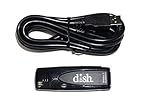
- Allows wireless internet connectivity for Dish Network Models 722, 722k, 622, 222, 222k and 922 Sling Loaded receivers to the Internet without having to run any cables
- place wifi adapter in USB port of your receiver and follow prompts on the screen.
4. Reset the TV’s network settings if basic checks fail
A network reset clears the TV’s network configuration, so you will need to connect it to Wi‑Fi again afterward. Samsung’s menu paths differ by model year:
-
2022-and-newer models: Settings > All Settings > Connection > Network > Reset Network.
Best Value
 HRpart 4K Wireless Display Adapter for TV, Screen Mirroring iOS Android | Wireless display adapter enables screen mirroring from iOS, Android and Windows devices to TV, monitor or projector.
- Wireless 4K Display Adapter enables screen mirroring of photos, videos and documents from compatible devices to TVs, monitors and projectors for home, office and presentations.
- Dual Casting Modes: Direct Mirror and DLNA mode. Direct mode supports fast screen mirroring, DLNA mode works via router for stable extended use.
- Easy Plug & Play Setup: No app or Bluetooth required. Connect the adapter to your display and power it via USB port for quick setup.
- Dual-band 2.4G and 5G WiFi ensures stable screen mirroring for presentations, video and online meetings.
- Note: Some subscription-based video apps may be restricted due to copyright protection. 4K output depends on both source device and display capability.
-
2021-and-older models: Settings > General > Network > Reset Network.
These paths are from Samsung’s network-reset guidance updated August 29, 2026. Use your model’s e‑manual if its menus do not match.
Independent reader supportYour contribution helps us test, update, and keep practical guides available for everyone.When to use a wired connection
If Wi‑Fi remains unavailable, Ethernet is an alternative rather than a requirement for wireless setup. Samsung documents connecting an Ethernet cable to the TV’s LAN port or applicable One Connect Box. Check which connection your model has and whether a cable can reach both the TV and router. Samsung’s cited guides do not establish that wired internet is universally faster or better than Wi‑Fi.
Recommended Free Tools
Quick Recap
Product prices and availability are accurate as of the date/time indicated and are subject to change. Any price and availability information displayed on Amazon at the time of purchase will apply.




