Configuring an AMD discrete graphics card setup to run in CrossFire mode is mostly about meeting the right hardware/driver conditions and then confirming the feature actually engaged. If any prerequisite is missing—mismatched GPUs, unsupported cards/bridges, or a game that doesn’t use CrossFire—your settings won’t magically create scaling.
This guide walks you through the full process on Windows 10 or Windows 11 using AMD Adrenalin, including how to enable CrossFire, how to verify it’s active, and what to do when it won’t turn on. It also calls out the practical reality: CrossFire support varies by GPU generation and game support has narrowed over time.
As an Amazon Associate I earn from qualifying purchases.
What CrossFire Actually Does (and When It Won’t)
CrossFire is AMD’s multi-GPU rendering mode where two compatible AMD Radeon GPUs coordinate to render a frame. In the best cases, you get higher frame rates or smoother performance; in many cases, you get small gains or none because the game doesn’t support CrossFire scaling.
Quick wins for a faster PC:
Clear out junk files and repair common Windows errorsFree Scan →Scan for outdated or missing drivers - takes under a minuteDriver Scan →Two common reasons CrossFire “fails” in 2024–2026 setups: (1) your specific card combination or interconnect isn’t supported for CrossFire in the way you expect, and (2) the game doesn’t include CrossFire-friendly rendering paths. Even with CrossFire enabled globally, many modern titles effectively behave like single-GPU for performance scaling.
#1 Best Overall
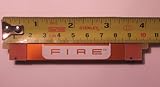
- Brand New CrossFire Bridge Interconnect Cable
- About 100mm (10cm) from end to end
- Using this bridge enables you to seperate your cards farther in the case for better heat dispate.
Prerequisites: Hardware, Slot Layout, and Display Cables
Before you touch settings, verify the physical and electrical requirements. CrossFire depends on a compatible multi-GPU arrangement, proper cooling/slot usage, and correct display output routing.
GPU pairing and compatibility
CrossFire typically requires two AMD Radeon GPUs from the same family/series and often the same VRAM size. Mixing different GPU models can reduce compatibility and may prevent CrossFire activation altogether (even if both GPUs show up in Device Manager).
Physical interconnect/bridge vs connector type
Older AMD CrossFire implementations used bridge hardware for bandwidth between cards. Some newer/low-end configurations and platform-specific combinations may not support bridge-style CrossFire, and AMD driver support may vary by GPU generation.
If your cards came with an AMD CrossFire bridge, use it when your GPU generation requires it. If you don’t have a bridge and your cards expect one, CrossFire may not function as intended.
Motherboard slot layout and airflow
- Use the motherboard slots recommended by your motherboard manual for multi-GPU (often the two primary x16 mechanical slots).
- Avoid covering key airflow paths; two-slot cards stacked tightly can throttle and destabilize gaming workloads.
- Confirm power connectors are fully seated (some dual-GPU rigs fail under load, not at idle).
Display cables: connect to the right outputs
For many CrossFire setups, it’s best to connect at least one display to the primary GPU (the one AMD recognizes as the main adapter). If you plug monitors into different GPUs, behavior can change depending on driver version and game profile.
Rule of thumb: use the GPU that appears as the primary display adapter in Windows and AMD Adrenalin.
Confirm Your GPUs and Driver State
Before enabling anything, confirm Windows sees both GPUs and check whether they’re healthy.
Outdated Drivers Are Slowing You Down
One free scan finds every outdated or missing driver and matches the right update for your exact hardware.Free scan · exact hardware matchWindows Errors? Fix Them Before They Spread
Repair common Windows errors and clear accumulated junk for a smoother, more stable PC - no reinstall needed.Free scan · no reinstallCheck both adapters in Windows
- Press Win + X and open Device Manager.
- Expand Display adapters.
- Confirm you see two AMD Radeon entries (or two Radeon entries if one is iGPU + Radeon).
Check driver versions
- In Device Manager, right-click each Radeon adapter → Properties.
- Go to Driver tab.
- Note the driver version and provider.
For a clean CrossFire experience, both GPUs should run the same AMD driver package.
Optional: confirm WDDM mode and hardware acceleration
- Open Settings → System → Display.
- Scroll and open Graphics (Windows 11) or Advanced display (Windows 10).
- Verify the game uses the Radeon GPUs as intended.
This doesn’t guarantee CrossFire, but it prevents basic misrouting.
Install or Clean Install AMD Adrenalin Drivers
CrossFire settings are sensitive to driver state. If you upgraded drivers over time or swapped GPUs, a clean install often fixes issues where CrossFire won’t engage.
Clean install method (recommended)
- Download the latest stable AMD Adrenalin package for your GPU(s) from AMD’s official site.
- Boot into Windows.
- Uninstall any existing AMD Radeon software and drivers.
- During driver installation, choose Factory Reset (wording can vary by Adrenalin version).
- Reboot when prompted.
If your system is unstable, avoid mixing older driver packages with newer Adrenalin builds.
What’s actually slowing this PC down?
Pick the symptom - the matching free tool is one click away.
Windows updates and platform components
Make sure you’re on a reasonably current Windows version (not necessarily the newest insider build). GPU driver updates depend on current WDDM and graphics stack components.
Enable CrossFire in AMD Adrenalin
Once both GPUs and drivers are in place, enable CrossFire in AMD Adrenalin. Menu names can differ slightly across Adrenalin versions, but the control path stays similar.
Rank #2

- 100mm Long Crossfire Bridge Connector Adapter Flexible for ATI/AMD Video Graphics Card
- Can be used for any ATI/AMD cards and Sapphire, XFX, ASUS, Gigabyte, MSI and etc.
Global CrossFire enablement
- Right-click the desktop → open AMD Software: Adrenalin Edition.
- Go to Settings (gear icon).
- Find Graphics or Graphics → Advanced (varies).
- Look for CrossFireX or CrossFire.
- Set it to Enabled.
- Apply/confirm changes.
If you see a toggle but it’s grayed out, it usually means your GPUs aren’t in a compatible configuration or the driver doesn’t expose CrossFire for that hardware pair.
Per-game profile enablement (if offered)
Some Adrenalin versions offer profile-level control rather than a single global toggle. If you have a Gaming or Profiles area:
- Select your game executable from the profile list (or add it).
- Enable CrossFire/CrossFireX for that profile (if the option exists).
- Apply changes and restart the game.
If no CrossFire option appears for the game, that game may not have an available CrossFire profile or driver support for scaling.
Verify CrossFire Is Active (No Guesswork)
Enabling a toggle doesn’t guarantee CrossFire is actually rendering with both GPUs for a specific game. Verification tells you whether the driver is using multi-GPU.
Use AMD metrics and per-frame GPU usage
- Open AMD Software: Adrenalin Edition.
- Go to Performance → Metrics (wording varies).
- Enable display of GPU utilization for both GPUs while the game is running.
CrossFire may not double utilization perfectly, but you should see meaningful activity on the second GPU. If the second GPU stays near idle during gameplay, CrossFire isn’t engaging for that title.
Check Windows GPU graphs
- Open Task Manager (Ctrl + Shift + Esc).
- Go to Performance → each GPU.
- Start the game and watch graphs for both adapters.
If one GPU never shows load, your configuration is likely not active for that game.
Do these 3 things before closing this tab:
1Fix the driver behind crashes, sound loss and screen glitches2Clear out junk files and repair common Windows errors3Scan for outdated or missing drivers - takes under a minuteLook for explicit driver indicators (when available)
Some AMD driver/UI versions display CrossFireX status in overlay or diagnostics. If your version provides a “CrossFire active” indicator, use it as the deciding signal.
Game/Software Behavior: Profile Rules and Scaling Expectations
CrossFire support is partly driver-side (profiles and rendering paths) and partly game-side (the game must support multi-GPU scaling). That’s why you can have CrossFire enabled globally and still see single-GPU behavior in specific titles.
What tends to work better
- Games released when CrossFire was widely supported.
- Titles with known AMD multi-GPU profiles in the driver.
- Benchmarks or apps built with explicit multi-GPU rendering support.
What tends to fail
- Newer games where AMD relies on single-GPU rendering paths or newer multi-GPU approaches not tied to CrossFire.
- Game settings that force incompatible rendering modes.
- Profiles that never get loaded or executable paths that differ from the driver’s expected game binary.
Resolution, V-Sync, and scaling
In real use, CrossFire scaling can be sensitive to resolution, anti-aliasing mode, and frame pacing. If you see stutter, consider testing different settings and confirming you’re not CPU-limited.
Troubleshooting When CrossFire Won’t Turn On
If your Adrenalin toggle is missing/grayed out or the second GPU doesn’t load during gameplay, use this order of operations. It’s built for real failure patterns, not perfect-world scenarios.
Free tools Windows power users keep installed
One-click scans. No signup required.
1) Confirm the GPUs are actually compatible with your driver
- Verify both GPUs are AMD Radeon model numbers you intended (no surprise differences).
- Confirm both use the same AMD driver version.
- Re-check that you’re not using an unsupported pairing for CrossFire in that generation.
2) Re-check display connections
- Move the monitor cable to outputs on the primary GPU (the main adapter).
- Remove any unused secondary display temporarily and retest.
Multi-display routing can change how the driver selects “primary” and can affect multi-GPU behavior.
3) Clean install and reboot twice
If you recently upgraded GPUs or drivers, do a clean driver install again and reboot. Then test CrossFire immediately after installation before changing other overlays or GPU utilities.
4) Disable conflicting software overlays
- Temporarily disable MSI Afterburner / RivaTuner (if used).
- Temporarily disable ReLive/recording overlays if you have them.
- Disable any overlay that hooks DirectX (some capture tools can alter rendering paths).
CrossFire can fail silently when overlays interfere with frame submission.
Rank #3

- Support AMD FX processors
- AMD 970+SB950
- ATX Form Factor
- CrossFire Ready
- SLI Ready
5) Ensure game and executable match the profile
- Verify the game actually launches the expected .exe.
- If you manually added a profile, confirm the exact executable path.
Launchers sometimes start a different helper process first; the driver profile may not apply unless it matches the real render process.
Recommended Free Tools
6) Test with a known-good CrossFire title/benchmark
Before blaming hardware, test with a benchmark or older title known to use CrossFire. If CrossFire works there but not in your current game, the issue is likely game support and profile availability.
7) Hardware power and slot seating
- Power cycle the PC and confirm both GPU power connectors are fully seated.
- Reseat GPUs carefully and confirm the latch clicks.
- Check motherboard BIOS settings for PCIe bifurcation or slot mode (if applicable).
CrossFire instability can also show up as driver resets or one GPU dropping under load.
Independent reader supportYour contribution helps us test, update, and keep practical guides available for everyone.Common Mistakes That Block CrossFire
- Mismatched GPUs: different models/VRAM sizes can prevent CrossFire engagement.
- Second monitor behavior: connecting displays to the wrong GPU can change which adapter is treated as primary.
- Outdated or mismatched drivers: installing one driver package and leaving leftovers from a previous AMD version.
- Assuming CrossFire means scaling: some games run both GPUs but don’t scale frame rate.
- Forgetting to verify: relying on the toggle only, without checking GPU utilization or driver indicators.
CrossFire vs Modern Multi-GPU Alternatives
CrossFire is older and increasingly inconsistent across modern games and APIs. Many titles moved toward explicit multi-adapter solutions, vendor-agnostic approaches, or simply prioritized single-GPU performance.
What to consider instead
- Single-GPU upgrade: often the most predictable path to smoother FPS and fewer frame-pacing issues.
- Game settings tuning: resolution scaling, anti-aliasing mode, and CPU/GPU balance can matter more than multi-GPU.
- Explicit multi-adapter support: if a game supports it, performance can be better than CrossFire-style scaling—but only for supported titles.
If your goal is consistent gaming performance, CrossFire may be a cost-inefficient route compared with modern GPU upgrades.
FAQ
Why can’t I find the CrossFire toggle in AMD Adrenalin?
If the option is missing or grayed out, it usually indicates that your GPU pair isn’t compatible for CrossFire in your driver version, or the driver doesn’t expose CrossFire for that configuration. Double-check both GPUs are the exact AMD Radeon models you intended and confirm you’re on a clean, current Adrenalin installation.
Both GPUs show in Windows, but the second GPU stays idle in-game. What’s wrong?
CrossFire may not be enabled for that specific game, the game lacks CrossFire scaling support, or the executable doesn’t match the profile. Verify GPU utilization during gameplay, try a known CrossFire-capable benchmark/title, and confirm your monitor cable is connected to the primary GPU.
Do I need a CrossFire bridge?
It depends on your GPU generation and motherboard/card support. If your cards and AMD’s platform guidance for that generation require a bridge, leaving it out can prevent CrossFire from functioning correctly. Check your GPU model documentation and motherboard compatibility guidance.
Will CrossFire reduce stutter?
Not automatically. Multi-GPU can sometimes improve average FPS while still causing frame pacing issues. If you see stutter, test different settings (V-Sync, anti-aliasing mode, resolution) and consider that single-GPU tuning may produce more consistent results.
The Tool Desk
Outbyte Driver Updater FREEScan for outdated or missing drivers - takes under a minuteDriver Scan →Outbyte PC Repair FREERepair Windows errors before they cause bigger problemsFix Now →Can I use CrossFire with mixed AMD and NVIDIA GPUs?
No. CrossFire is an AMD Radeon multi-GPU technology. Mixing vendors generally won’t enable CrossFire behavior; the system may still use multiple GPUs for different outputs, but not coordinated CrossFire rendering.
Bottom Line
To configure an AMD discrete graphics card setup for CrossFire mode, you need compatible GPUs, correct physical setup, and an AMD Adrenalin driver installation that exposes CrossFire for your hardware pair. Then you enable CrossFire in Adrenalin and verify it with real utilization/metrics while the game is running.
If CrossFire doesn’t engage for your specific title, that’s often game support or driver profile behavior—not just a missing checkbox. In those cases, test with known-compatible titles and consider whether a single-GPU upgrade or modern multi-adapter supported approach better matches your performance goals.
Quick Recap
Product prices and availability are accurate as of the date/time indicated and are subject to change. Any price and availability information displayed on Amazon at the time of purchase will apply.




