Do these 3 things before closing this tab:
1Fix the driver behind crashes, sound loss and screen glitches2Clear out junk files and repair common Windows errors3Scan for outdated or missing drivers - takes under a minuteI built a browser-based word counter with AI, but “fast” and “accurate” need more than a working text box. A counter must define what it calls a word, say what its character total measures, and be tested before making claims about speed or privacy. This build story focuses on those choices; it does not assume a particular model, framework, segmentation rule, benchmark, or privacy result that has not been verified.
What I wanted the tool to do
The goal was a small utility: enter text and see counts without waiting for a counting request to travel to a server. That describes the intended interaction, not a measured performance result or proof that every part of a finished page stays local. The most important design decision is the counting convention. Software does not discover one universal word count; it applies a rule.

As an Amazon Associate I earn from qualifying purchases.
AI can help draft an interface or implementation, but it cannot decide what the tool should mean by “word” on the user’s behalf. Those definitions need to be explicit and checked against the actual code.
Recommended Free Tools
How should a word counter decide what counts as a word?
A whitespace split is a simple starting point for text in which spaces separate words. It can count ordinary English-like sentences, but results depend on how the code handles repeated spaces, tabs, newlines, punctuation, apostrophes, hyphens, and numbers. For example, a hyphenated expression might count as one word or two; either can be defensible if the rule is consistent and explained.
#1 Best Overall

- Dual power ways: Solar power or 1 AA battery (Battery Included) , energy saving and convenient.
- Adopt Japanese LCD screen, 14 digits, display data clearly.
- Support +/-(negative),%,√ calculation; Rounding off & decimal place setting; CE/C (part/all clear), MC/MR/M+/M- (memory) key.
- Auto shut-down in 8min if no further operation.
- Big ABS plastic button, offer accurate positioning and comfortable texture, support >1 million times press.
Whitespace alone is a poor general solution for languages that commonly write text without spaces between each word. A more language-aware option in JavaScript is Intl.Segmenter in word mode, which can produce locale-sensitive segments. Code can use the segment’s isWordLike property to distinguish word-like segments from punctuation and spacing. The API is documented by MDN.
That does not guarantee that every browser will return identical counts: locale selection and browser-provided segmentation data can affect boundaries. A tool using this approach should identify its locale behavior and provide a fallback for environments without the API. The exact API, locale, and fallback used in this project have not been established here, so I cannot claim that it supports particular languages or matches a specific editor.
Rank #2

- THE PERFECT GIFT FOR THOSE THAT HATE MATH BUT LOVE TO COOK – solves all your kitchen math quickly and easily. Simply enter your quantity and label the units, then add, subtract, multiply or divide e.g., 1-1/4 tsp x 7 or 3-1/3 cups minus 11-1/2 dry oz. No more "guesstimating" on ingredient quantities!
- EASILY WORKS IN AND CONVERTS BETWEEN all culinary units of weight, volume, liquids, dry weights, temperatures. Including US decimals or fractions (i.e., 1/3 tsp) and metric units for converting foreign recipes or old-world cookbooks (Note Gallon is US based)
- ACCURATELY SCALES YOUR RECIPES UP OR DOWN in seconds! Whether you're scaling recipes up to feed a dinner party for 22 or scaling down for just the two of you, one press of a button gives you the adjusted quantity in the units that make the most sense. Plus, you can scale for number of servings, portion sizes, or both.
- AND TWO MULTI-FUNCTION DIGITAL TIMERS with alarms are built right in so you can keep track of cooking times in the background. You can never have too many timers when the oven and stove are full of simmering dishes. Timers count up or down.
WordCount documents one example of a convention: apostrophe- and hyphen-connected chains count as one word, while certain decimal and thousands-separated numbers split into two. It also notes that browser dictionary data can change segmentation for languages such as Chinese, Japanese, Thai, Lao, Khmer, and Burmese. These examples show why a counter should describe its own rule rather than call its result the universally correct count. See WordCount’s methodology.
What does the character count measure?
“Characters” can refer to different units. JavaScript string length measures UTF-16 code units, while iterating code points counts Unicode code points. Neither is always the same as the number of visible characters a person perceives.
Rank #3
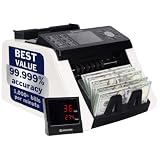
- MIXED-BILL READY: Count mixed $1–$100 stacks without pre-sorting — this money counter machine totals mixed denomination bills in USD,CAD,BRL,MXN,ARS and PEN, ideal for tills, back office and busy retail cash counting.
- 3 SPEED OPTIONS: Process 800 or 1000 notes/min in mixed-value modes, or up to 1200 notes/min in simple CNT mode — three speed levels keep daily cash handling fast, accurate and gentle on worn bills.
- DEPOSIT-READY REPORTING: Face/orient and sort by denomination in one run; on-screen breakdown plus Batch and Add functions simplify balancing. USB and RS232 printer links give clear, audit-ready deposit reports.
- COUNTERFEIT SAFEGUARD: UV, MG, MT, IR and CIS sensors scan every bill as you count, turning this cash counting machine into a dependable counterfeit detector machine that reduces manual checks and protects your business.
- LARGE DISPLAY & PORTABLE: 3.5" TFT and external customer display keep totals visible, while a 300-note hopper and 200-note stacker let this portable money counter machine fit registers, safes and tight back-office spaces.
A base letter followed by a combining accent can display as one visible character while containing two code points. Some emoji are also made from multiple code points. A grapheme-cluster count is often closer to the visible-character count, but publishing platforms may apply their own rules. The interface should name its unit—such as code points or grapheme clusters—instead of presenting an ambiguous “characters” total. Foxger’s guide discusses these distinctions and the limits of assuming compatibility with another counter: Foxger’s word-counter guide.
How can a client-side counter stay responsive?
For short text, recalculating on each input event may be sufficient, but that is a design hypothesis—not a performance result for this tool. Debouncing can reduce how often work runs while someone types quickly; moving expensive work to a worker can keep computation off the main thread, with its own implementation trade-offs. Neither optimization should be added just to support a speed claim.
Rank #4

- PROTECTIVE HINGED COVER: Features a hinged, hard cover that protects the keys and display when stored, making this handheld calculator durable and easy to carry safely.
- DUAL-POWER SOURCE: Runs on solar energy with a battery backup, ensuring consistent and reliable use in any lighting condition or environment.
- LCD SCREEN SIZE: The 2-inch screen size, 8-digit LCD screen clearly shows each digit, helping to prevent reading errors and making numbers easy to read at a glance.
- CONVENIENT FUNCTION KEYS: Includes a 3-key independent memory, square root key, change sign key, automatic power down, and more to provide efficient, reliable everyday math.
- TRUSTED BY WORKPLACES FOR DECADES: Sharp has been a dependable name in office calculation for generations — practical tools built around the way people actually work.
A credible “fast” claim needs a repeatable measurement that states the browser, device, input size, and timing method. Tests should include representative short and long text, and record the results rather than relying on the fact that the interface appears responsive. No benchmark for this specific tool is established here, so I do not attach a speed figure to it.
Does client-side counting mean text stays private?
Running the counting operation in the browser can avoid sending text to a server for that operation. It does not, by itself, establish that the complete page never transmits or stores entered text. Analytics, other scripts, network requests, or browser storage can change the answer.
Best Value
Before promising that text stays on the device, inspect the finished implementation: review its code, observe network requests while entering text, and check whether input is written to storage. A third-party counter’s privacy description is evidence only about that service’s stated behavior, not this project’s. The project’s complete network and storage behavior has not been verified here, so a stronger privacy promise would be unwarranted.
What I would verify before calling the counter finished
- Document the word-count convention, including whitespace, punctuation, apostrophes, hyphens, and numeric formats.
- Test scripts that use spaces and scripts that do not routinely separate words with spaces; state locale and fallback behavior if using
Intl.Segmenter. - Label the character-count unit and test combining marks and multi-code-point emoji.
- Measure update times on named browsers and devices with stated input sizes before describing the tool as fast.
- Check the complete page’s network and storage behavior before saying user text is never sent or saved.
Those checks make the result easier to understand and trust. They also keep the story honest: AI can help produce code, but the definitions, tests, and claims still need to match what the finished tool actually does.
Quick Recap
Product prices and availability are accurate as of the date/time indicated and are subject to change. Any price and availability information displayed on Amazon at the time of purchase will apply.




