For the Acer Aspire 5 A515-45, the best-supported starting point for a primary-drive upgrade is an M.2 2280 NVMe SSD. But A515-45 is a model family, not a complete configuration identifier: check the laptop’s full SKU and region before ordering, especially if you want to add a second 2.5-inch SATA drive.
What SSD should you look for?
For the primary drive, start by filtering for M.2 2280 form factor and NVMe/PCIe interface. Acer specifies those details, including PCIe 3.0 x4, for its A515-45-R478 configuration in its Brazil product listing.
As an Amazon Associate I earn from qualifying purchases.
That specification is a useful match for the R478, not proof that every A515-45 variant has the same storage arrangement or limits. Acer’s US listing for the A515-45-R74Z identifies a 256 GB PCIe SSD but does not state the M.2 length on that page.
Do these 3 things before closing this tab:
1Scan for outdated or missing drivers - takes under a minute2Repair Windows errors before they cause bigger problems3Fix the driver behind crashes, sound loss and screen glitchesCheck the full model number before buying
Find the complete SKU on the laptop’s label, packaging, invoice, or system information screen, and match it to the Acer support or product page for your country. Acer’s Aspire 5 manual covers A515-45, A515-45G, A515-45S, and A515-46. That shared manual coverage does not establish that all of those variants have identical storage bays, hardware, or capacity limits.
#1 Best Overall

- Efficient Multitasking Power: Driven by the AMD Ryzen 5 7520U processor and 16GB of high-speed LPDDR5 RAM, this laptop delivers responsive performance for productivity, streaming, and demanding web-based applications.
- Vibrant FHD Touch Display: The 15.6-inch Full HD (1920 x 1080) LED-backlit touchscreen provides intuitive navigation and crisp visuals, featuring narrow bezels for an immersive viewing experience.
- Rapid PCIe Gen3 SSD Storage: Equipped with a 512GB NVMe Solid State Drive, ensuring near-instant boot times, accelerated file transfers, and ample space for professional documents and high-resolution media.
- Advanced Connectivity & Battery: Stay connected with Wi-Fi 6 (802.11ax) and Bluetooth technology. The optimized power management offers up to 12-15 hours of battery life, perfect for all-day portability.
- Modern Port Selection: Features a comprehensive array of inputs, including USB Type-C (DisplayPort & Charging support), HDMI 2.1, and USB 3.2 ports, allowing for seamless integration with external monitors and peripherals.
Before checkout, verify the drive’s length and interface against the exact configuration. The available specifications establish PCIe 3.0 x4 for the R478, but they do not establish a maximum NVMe generation or maximum primary-drive capacity for every A515-45.
Can you add a second 2.5-inch SATA SSD?
Some configurations may support a second drive, but verify the bay and installation hardware for your individual laptop. Acer’s Brazil listing for the A515-45-R478 describes an occupied M.2 slot and a free SATA 3 bay for a 2.5-inch drive. It lists up to 2 TB for that secondary drive; treat that capacity and bay description as applying to the regional R478 listing, not as a family-wide guarantee.
Rank #2

- PCIe 4.0 Gen4: The high-performance Predator GM7 delivers uncompromising speeds up to 7400 MB/s read- and 6500 MB/s write-speeds using the PCIe 4.0 interface and NVMe 2.0. It is the ideal SSD for enthusiasts to ace their games, enabling content creation without any hassle.
- HMB+SLC Cache: Predator GM7 supports HMB (Host Memory Buffer) and is equipped with SLC Cache to provide next-level performance, enabling faster game loads and files transmission.
- Powerful controller and NAND Flash: Equipped with the latest PCIe controller technology and state-of-the-art flash, the Predator GM7 boasts an excellent performance at lower power consumption creating less heat.
- Excellent temperature control: Predator GM7 adopts Thermal Throttling, and Power Management to achieve automatic temperature control, overcoming heat issues even under heavy workload.
- Biwin Intelligence is multifunctional management software, designed to support Predator branded storage products. For a more convenient and more secure storage experience, this software helps users manage their drives with features like performance test, data migration, drive cloning, and more.
An Acer Community accepted answer about the A515-45-R74Z also describes one M.2 PCIe 3×4 slot and one 2.5-inch SATA-3 space. This is community guidance for the discussed unit, rather than an Acer product specification. Neither source confirms that your particular laptop includes the SATA cable or mounting bracket.
- Choose a 2.5-inch SATA SSD only after confirming that your exact SKU has the bay.
- Check whether the SATA cable and mounting hardware are present or need to be obtained separately.
- Do not confuse a 2.5-inch SATA drive with an M.2 NVMe drive; they use different form factors and interfaces.
How to compare compatible drives
Once compatibility is established, compare drives on the factors that matter for your budget and use. A higher advertised speed or larger capacity does not make an incompatible drive suitable.
Quick Recap
Rank #4
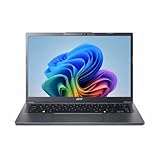
- Next‑Gen Performance with AI Power – Equipped with the Intel Core Ultra 5 226V processor (2.1GHz), delivering smooth multitasking, fast responsiveness, and built‑in AI acceleration for smarter productivity and everyday computing.
- Stunning 14” WUXGA IPS Display – Enjoy ultra‑vivid colors, deep blacks, and sharp detail on a 14-inch WUXGA IPS screen, perfect for content creation, streaming, and immersive visual experiences.
- Fast & Efficient Memory – 16GB of LPDDR5X RAM ensures seamless multitasking, quicker app launches, and improved power efficiency for all‑day performance.
- Massive 1TB SSD Storage – Store large files, photos, videos, and applications with ease while benefiting from lightning‑fast boot times and rapid data access.
- Modern, Portable Windows 11 Experience – Preloaded with Windows 11 Home, combining a clean, intuitive interface with enhanced security features in a sleek, lightweight design ideal for work, school, or travel.
Rank #3

- 𝐋𝐢𝐠𝐡𝐭𝐧𝐢𝐧𝐠-𝐅𝐚𝐬𝐭 𝐆𝐞𝐧𝟓 𝐏𝐞𝐫𝐟𝐨𝐫𝐦𝐚𝐧𝐜𝐞: The Predator GM9 SSD delivers top speeds of up to 14,500 MB/s sequential read and 11,000 MB/s sequential write, thanks to a PCIe 5.0 interface and the latest NVMe 2.0 standard. Designed for demanding applications, the Predator GM9 ensures smooth performance for tasks that require fast data access, such as AAA gaming, 4K/8K video production and AI computing.
- Capacity: Choose enough space for your files and applications, but confirm the laptop’s supported limit for the exact SKU rather than assuming a family-wide maximum.
- Price: Compare the cost of drives with the same form factor and interface.
- Endurance and warranty: Check the manufacturer’s stated endurance rating and warranty terms for the specific model.
- Performance: Match expectations to the laptop’s interface. Acer specifies PCIe 3.0 x4 for the R478; that does not establish the interface limit of every A515-45 configuration.
- Installation needs: For a second 2.5-inch drive, include any required cable or mounting hardware in your plan.
Quick buying checklist
- Identify the full model SKU, such as A515-45-R478 or A515-45-R74Z, and confirm the country or regional configuration.
- For a primary-drive replacement or upgrade, use M.2 2280 NVMe as the starting filter, then confirm the exact laptop specification.
- For a second drive, confirm the 2.5-inch SATA bay and required cable and bracket for your unit.
- Compare capacity, price, endurance, warranty, and performance only among drives that match the verified interface and form factor.
Product prices and availability are accurate as of the date/time indicated and are subject to change. Any price and availability information displayed on Amazon at the time of purchase will apply.




