Recommended Free Tools
There is no universal ceiling-fan remote reset sequence. The right steps depend on the fan and remote model: a reset may mean cycling power, pairing the remote with its receiver, matching DIP switches, or resetting a smart-home connection. Start with the model-specific manual; do not try button combinations from another fan.
Identify what kind of reset your fan needs
A power cycle and a remote pairing are not necessarily the same thing. Turning the fan off and back on may prepare a receiver for pairing, but it does not automatically pair every remote. A smart-home factory reset is different again: it can remove connected configurations rather than simply restore handheld remote control.
As an Amazon Associate I earn from qualifying purchases.
Find the fan’s model number and the remote’s model number, then check the fan manual for the matching procedure. Look inside the remote’s battery compartment for a PAIR button or DIP switches. A button’s function and required press duration vary by model.
Quick wins for a faster PC:
Clear out junk files and repair common Windows errorsFree Scan →Scan for outdated or missing drivers - takes under a minuteDriver Scan →Hunter Fan Canada says most of its fans produced since 2016 are 5 Series and older models are typically 2 Series. That is Hunter-specific guidance, not a way to identify other manufacturers’ systems. Its pairing instructions also caution that specific steps can vary by fan model.
#1 Best Overall

- ☞Easy Installation - Installation of the Universal Ceiling Fan Remote Controls Kit is a breeze, and the looks of the remote are second to none. No need to take off the light kit and blades. Only a 5-wire hookup. All we need to do is loosen the collar at the ceiling, let it slide down to reveal the wires, and access the electrical can. Two wires out of the ceiling connect the remote to electricity, and three wires into the fan control the fan.
- 🛑 STRICT COMPATIBILITY CHECK — AC MOTORS ONLY! DO NOT BUY if your ceiling fan has a DC motor! This universal kit is designed strictly for traditional AC motor fans. How to tell? If your original remote has more than 3 speeds (e.g., 4, 5, 6 speeds) or features a natural wind/reverse button on the remote, it is a DC fan and NOT compatible. Not compatible with Sofucor, CARRO, Merra, Home Decorators Collection, or any DC motor brands.
- 📏 MEASURE BEFORE BUYING — RECEIVER SIZE 4.53"x1.97"x1.06" CRITICAL: Please measure your ceiling fan canopy (top base) space before ordering! The receiver dimensions are 4.53 x 1.97 x 1.06 inches. If your fan is a slimline, hugger, or flush-mount model, this standard-size receiver WILL NOT FIT. *Too tight? If your canopy space is limited, please slide down to our comparison chart below and choose our "Ultra-Small Size Receiver" version instead!
- ☞3-in-1 Replacement Ceiling Fan Remote Control: No more getting up to turn the lights/fan off after reading in bed/sleeping with the replacement remote control. Includes separate buttons for 3 fan speeds, designed to separately ceiling fan remote control speed and light; Includes a wall cradle for a handheld remote control. This kit converts a regular ceiling fan into a remotely controllable one.
- ☞THE PULL-CHAIN RULE: Your fan's original pull chain MUST be pulled to MAXIMUM SPEED and the light turned ON before installing this Ceiling Fan Remote Control, otherwise the remote will not receive power."
Pairing examples for Hunter remotes
These are model-specific examples from Hunter Fan Canada, not universal instructions. If your fan’s manual gives different steps, follow that manual. Hunter describes its remote pairing as a toggle: the same command can pair an unpaired control or unpair one that is already paired.
Hunter 5 Series remote with FAN and SPEED 3 buttons
- Turn fan power off at the wall switch for at least 10 seconds, then restore power.
- Within three minutes, press and hold FAN and SPEED 3 together for at least four seconds.
- If the remote was unpaired, the fan should start at low speed and the light should blink three times, then stay on. If it was already paired, the command unpairs it; the light blinks twice and turns off.
- If pairing does not work, Hunter advises turning power off for one minute and trying again.
Hunter 5 Series remote with a PAIR button
- Turn fan power off for 5–10 seconds, then restore it.
- Within three minutes, quickly press and release PAIR.
- For a previously unpaired remote, successful pairing is indicated by low speed and three light blinks. If it was already paired, the command can unpair it; the light blinks twice and turns off.
Do not hold PAIR for this pairing procedure. Hunter says holding the button sends a separate Wi-Fi reset command.
Rank #2

- Universal Ceiling Fan Remote Control Kit:it works well with 95 percent of ceiling fan light,This wireless controller kit converts traditional ceiling fan with lights into a remote controllable one.So please enjoy the convenience of adjusting fan speed and turning on/off without having to struggle out of bed.
- Multi-Fuctions:Designed with separate buttons which can control fan and light on/off separately.4 independent fan control buttons: 3 speed (high/medium/low) and OFF; 4 separate buttons for timing remote setting and control: 1H, 2H, 4H, 8H
- Good Signal:Strong Signal and timely tech support.If you encounter any problems while using this product, please feel free to contact us.This is likely to be an operational issue rather than a product quality issue.
- Package Included:The remote control kit includes a transmitter and a receiver, Batteries are not included.And the size of the receiver is 4.56*2.08*1.06 inches,please confirm in advance whether the ceiling fan canopy CAN ACCOMMODATE the receiver before buying.
- Easy Installation: No need to take off the light kit and blades,only 5 wire hookup. All we need to do is loosen the collar at the ceiling, let it slide down to reveal the wires and access into the electrical can. Two wires out of the ceiling connect the remote to electricity, and three wires into the fan control the fan.
Hunter 5 Series remote with FAN and LIGHT buttons
Turn fan power off for 5–10 seconds and restore it. Within three minutes, press and hold FAN and LIGHT together for at least four seconds. As with the other listed 5 Series procedures, the command pairs an unpaired remote or unpairs a previously paired one, with the corresponding three-blink or two-blink light indication.
Hunter 2 Series remote with DIP switches
- Turn fan power off at the wall switch or breaker.
- Remove the remote’s batteries.
- If the transmitter and receiver both have DIP switches, set them to matching positions. Hunter notes that not all receivers contain DIP switches.
- Restore fan power and reinstall the batteries.
- Within 30 seconds, press HIGH, MEDIUM, and LOW together.
- Test the fan and light.
Troubleshoot before replacing parts
If the remote still does not control the fan, check the simple causes first. Hunter’s manuals include battery installation, a fresh battery, pairing, and canopy wire connections among possible checks when a fan will not start or a remote behaves erratically.
Rank #3

- Will it work with your fan? This universal kit replaces FAN-53T, FAN-35T, L3HFAN35T, L3HFAN35T1, FAN-HD5, FAN-11T and KUJCE9103 remotes on Hampton Bay, Harbor Breeze, Hunter, Westinghouse and Honeywell fans. It is for standard AC motor pull-chain fans and does not support the reverse function.
- Will it fit inside your canopy? The mini receiver measures 2.8 x 2.15 x 1 inches, which is shorter than a standard receiver. Measure the inside of your canopy before ordering. This is the step most buyers skip, and the most common reason these kits do not fit.
- What can you control? Three fan speeds (high, medium, low) plus off, and a light button that dims incandescent bulbs. Dimming does not work on LED or CFL bulbs, which will only turn on and off. This remote has no timer and no reverse function.
- How hard is the install? About 10 minutes and 5 wires. The remote and receiver are matched with four DIP switches, so you set the code once and never pair them again. The kit includes wire nuts, a wall mount holder and a visual guide.
- What if the light turns on by itself? That can happen after a power cut, and the fix takes 10 seconds. Turn the wall switch off and back on to reset the receiver. The remote uses alkaline batteries, which are not included. This kit does not work with DC motor fans.
- Check that the breaker and wall switch provide power to the fan.
- Reseat the remote battery, confirm its orientation, and replace it if needed. Check the remote label or manual for the correct battery type; remotes vary.
- Verify that the pairing procedure matches the exact fan and remote models. Do not assume one Hunter 5 Series button sequence applies to every remote, or that it applies to another brand.
- For an older system, check whether DIP switches are present and whether the transmitter and receiver settings match.
- If you suspect a wiring issue, do not handle the canopy or wiring while power is on. Turn power off first; get qualified help if you are unsure how to proceed.
- If you suspect frequency interference, Minka Group directs owners to the instruction manual for their particular model rather than offering a universal reset code. See its FAQ.
When power, the battery, and the correct pairing method have been checked but the fan still will not respond, a remote, receiver, or wiring fault may require diagnosis. The available manufacturer guidance does not establish a symptom-to-part test that works across brands. A replacement remote or remote-and-receiver kit must be compatible with the fan’s model and control system; consult the manufacturer’s controls information or support before buying. Hunter lists replacement controls in its ceiling-fan controls catalog.
Independent reader supportYour contribution helps us test, update, and keep practical guides available for everyone.Keep handheld pairing separate from a smart-home factory reset
Use a handheld remote’s pairing procedure to restore communication between the remote and fan receiver. A smart-home factory reset can have broader effects. Minka Group says to use factory reset after troubleshooting fails, when transferring ownership, or when removing a fan from all smart-home ecosystems. It removes connected configurations, and setup must be paired again using the original setup code. Check the fan’s own instructions before taking that step.
Quick Recap
Best Value
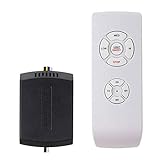
- AC Motor Fans Only – This remote kit is for standard AC motor ceiling fans only. It is not compatible with DC motor fans, smart fans, or fans that require a proprietary control system. This ceiling fan remote can convert traditional ceiling fan lights into wireless control ones. No dimming and no reverse function.
- Check Receiver Space Before Purchase – Receiver size is 2.99 x 2.13 x 0.98 inches. Please measure the canopy space before buying. These ceiling fan remote receivers are a bit smaller than standard receivers and easier to fit in the canopy. Very compact, slimline, hugger, or low-profile fan housings may not have enough room for the receiver.
- Important Installation Setup – Before testing the remote, make sure the wall switch is ON, the fan pull chain is set to HIGH, the light is set to ON, and the receiver wiring is connected correctly. Installation of the ceiling fan remote kit is straightforward and fast, with only 5 wires to be hooked up. Additionally, it comes with wire nuts, an installation guide, and a straightforward remote tray that can be easily attached to the wall.
- ☞Multi-Functions- This universal fan remote converts a regular ceiling fan into a remote-controllable one(NO dimming, NO reverse). The remote control features 4 buttons for fan speed control (High/Medium/Low) and an OFF button, along with a switch for the light ON/OFF control. 4 separate buttons for timing remote setting and control: 1H, 2H, 4H, 8H.
- ☞Compatibility Check Before Buy: For AC Motor Fans Only – Not for DC Motors, please check your ceiling fan light motor type before buying! Receiver Dimensions: 2.99*2.13*0.98 inches – Verify Canopy Space Before Purchase! If your ceiling fan light canopy is very compact, this standard-size fan remote can not fit in!
Rank #4

- 【 Universal Ceiling Fan Remote Control Kit 】 This CENMING ceiling fan remote kit works most 120V 3-speed AC ceiling fans, compatible with Harbor Breeze, Hampton Bay, Hunter, Litex and other ceiling fans. This fan remote kit is suitable for replacement or upgrade your ceiling fans, compatible with most downrod style fans, not recommended for use with hugger style fans. It not for wall mounted fans or exhaust-type fans, and also not for DC motor ceiling fans.
- 【 Ceiling Fan Remote Control Replacement 】 This CENMING model FAN-53T ceiling fan remote controller is designed to separately control your ceiling fan speed and light brightness. The fan remote controller have High/Medium/Low 3-speed and OFF for fan speed control, The light button will control the light brightness dimmer and On/Off. This remote NOT has reverse button, but compatible the fans that has reverse switch itself.
- 【 Fan Remote with Light Dimmer 】 Light dimmer compatible with incandescent light bulbs and some dimmable LED lights. Most LED lights and all CFL lamps are non-dimmable, light dimmer only supports the ON/OFF function in that case, and it may cause to flicker when using the dimming function. The green luminous button can help you find the remote in the dark.
- 【 Powerful and Long-lasting Fan Receiver 】 The rated power of the FAN28R receiver is 240W, which far beyond the general carrying power capacity, it allows you to access more light bulbs, greatly increase the life of the receiver. This FAN28R receiver is suitable for Harbor Breeze, Hampton Bay, Hunter and most 110V 3-speed AC ceiling fans.
- 【 Packing 】 Includes Remote Control *1, FAN28R Receiver *1, Wall Mount Holder *1, User Manual *1, Wire Nuts *6, Screws *2. This remote use a 9V battery (NOT INCLUDE) for power supply.
Product prices and availability are accurate as of the date/time indicated and are subject to change. Any price and availability information displayed on Amazon at the time of purchase will apply.
Free tools Windows power users keep installed
One-click scans. No signup required.




