Outdated Drivers Are Slowing You Down
One free scan finds every outdated or missing driver and matches the right update for your exact hardware.Free scan · exact hardware matchPC Slower Than It Used to Be?
A free scan shows the junk files, broken settings and background clutter dragging Windows down - then fixes them in one click.Free scan · Windows 10 & 11For cassette playback, run a stereo RCA cable from the deck’s LINE OUT/PLAY jacks to an available analog stereo input on the AV receiver, matching left to left and right to right. Select that input on the receiver, then start the tape. To record from the receiver onto cassette, you need a separate connection from the receiver’s REC OUT jacks to the deck’s LINE IN/REC jacks—and the receiver must have recording outputs.
Choose the receiver input for cassette playback
Use an analog stereo input, not a digital input. If your receiver has dedicated TAPE PB or TAPE IN jacks, connect the deck’s playback outputs there. Otherwise, use a compatible, available analog stereo RCA input labeled something like AUDIO or AV. Labels and available connections vary by receiver, so check its rear panel and manual. Yamaha’s RX-A4A manual, for example, describes analog audio connections for devices such as a CD player: Yamaha RX-A4A manual.
As an Amazon Associate I earn from qualifying purchases.
A deck’s line output is not a turntable-level signal. Do not connect it to a receiver’s PHONO input; nor will an optical or coaxial digital input accept the deck’s analog RCA output directly. The manuals distinguish these connection types: Yamaha KX-690 manual and Yamaha RX-A4A manual.
Recommended Free Tools
Connect the deck for playback
- Turn off both components. Yamaha’s KX-690 manual specifically instructs users to switch off the deck and amplifier or receiver before making connections.
- Find the output and input pairs. On the deck, locate LINE OUT/PLAY L and R. On the receiver, choose the analog stereo input you plan to select for listening.
- Connect left to left and right to right. Use a stereo RCA cable: deck LINE OUT/PLAY L to receiver input L, and deck LINE OUT/PLAY R to receiver input R. On the Yamaha KX-690’s paired cables, white is left and red is right.
- Power on and select the input. Turn on both components, choose the receiver input you connected, and press play on the deck. The input-selection wording depends on the receiver model.
The Yamaha KX-690 manual shows the playback path from the deck’s LINE OUT/PLAY jacks to the receiver’s Tape PB (Playback/Input) jacks: Yamaha KX-690 manual. If your receiver uses another analog input, the same left/right matching principle applies.
#1 Best Overall
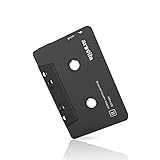
- 【Why do you need me?】 When you have a vintage car with a tape player, the cassette Bluetooth receiver will let you continue to enjoy the music on your phone! You don't need to replace or refit your car to avoid destroying his original classic!
- 【 Premium Sound Quality for Music】 The Arsvita Cassette Bluetooth receiver is compatible with most smartphones and is ideal for home or car audio systems. This is a box-type Bluetooth receiver for cars or devices that don't have Bluetooth and want to receive Bluetooth signals.Just adjust the audio equalization settings on the player and you'll get the music classics!
- 【Strong Compatibility】 No phone call function but support any phones, tablets, car stereo, or other devices equipped with standard Bluetooth tech. Seamlessly transmits stereo audio for high quality sound, making you enjoy your music anywhere and anytime!
- 【 Extra-Long Play Time 】 Built-in battery provides up to 8 hours’ play time, 168 hours’ standby time, only takes 1.5 hours to fully charge it.Premium Chip supply more stable and faster transmission with less power consumption, which can represent a superior audio performance to spoil your ear and never feeling boring while driving.
- 【What You Get】 1 Pack Bluetooth Receiver Cassette adapter. Product manual and customer service card. 12 Months Replacement if there is any dissatisfaction with our Bluetooth Receiver Cassette Adapter, please contact us firstly.
Add a recording connection only if you need it
Playback and recording use separate signal paths. To record audio from the receiver onto cassette, connect the receiver’s REC OUT or tape recording outputs to the deck’s LINE IN/REC inputs with another stereo RCA cable. Denon’s AVR-2106 and Yamaha’s KX-690 manuals illustrate the separate playback and recording connections: Denon AVR-2106 manual and Yamaha KX-690 manual.
This recording path works only if the receiver actually has recording outputs. Check the receiver’s rear panel and exact model manual before buying a second cable. A playback input such as TAPE IN does not by itself provide the receiver output needed to record.
Quick Recap
Best Value

- 【Why do you need me?】When you have a vintage car with a tape player, the cassette Bluetooth receiver will let you continue to enjoy the music on your phone! You don't need to replace or refit your car to avoid destroying his original classic!.
- 【Premium Sound Quality for Music】The Arsvita Cassette Bluetooth 5.0 receiver is compatible with most smartphones and is ideal for home or car audio systems. This is a box-type Bluetooth receiver for cars or devices that don't have Bluetooth and want to receive Bluetooth signals.Just adjust the audio equalization settings on the player and you'll get the music classics!
- 【Easy Control for Music】You can answer phone calls or control music on the receiver. Change volume, play /pause / skip music, answer calls.Support any phones, tablets, MP3 players, car stereo, headphones, Hi-Fi, portable speaker or other devices equipped with standard Bluetooth tech . Seamlessly transmits stereo audio for high quality sound, making you enjoy your music anywhere and anytime!
- 【Extra-Long Play Time】Built-in battery provides up to 8 hours’ play and talk time, 168 hours’ standby time, only takes 1.5 hours to fully charge it.Premium Chip supply more stable and faster transmission with less power consumption, which can represent a superior audio performance to spoil your ear and never feeling boring while driving.
- 【What You Get】1 Pack Bluetooth 5.0 Receiver Cassette adapter. Product manual and customer service card. 16 Months Replacement if there is any dissatisfaction with our Bluetooth 5.0 Receiver Cassette adapter, please contact us firstly.
Rank #4
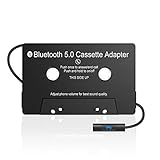
- 【Cassette To Aux Adapter】This bluetooth 5.0 Cassette Aux adapter is compatible with most smartphones and is ideal choice for home or car audio systems. You don't need to modify the car's original classic!It's a cheapest and easiest way to use than replacing a whole radio.
- 【Tape audio adapter】This bluetooth tape cassette adapter is equipped with a stereo two-channel audio transmitter to achieve stereo surround, which can effectively improve the playback quality. Just turn on your phone's bluetooth and adapter connections, adjust the audio balance settings, and you're ready for classic music!
- 【Extra-Long Play/Talk Time】Cassette tape bluetooth adapter advanced chip power supply is more stable, faster transmission speed, lower power consumption. The built in lithium ion batteries provides up to 8 hours of playback and talk time, and can be fully charged in 1.5 hours. When the adapter is charging. The red light turns blue to indicate that the charge is full.
- 【Answer Calls with One Key】The Cassette Bluetooth Adapter also has wide compatibility with all Bluetooth enabled devices, such as Android and IOS SmartPhones, MP3 Player, Tablet; Also it will fit all of cars/trucks that have cassette player.This tape converter has a built-in microphone and is equipped with a call button. Hands-free call is possible.You can answer a call with one key on the handset of the Bluetooth tape adapter.Press once to connect the call, press again to hang up the call.
- 【What You Will Get】1 Pack of Bluetooth 5.0 Cassette Adapter Receiver, Product Manual and 1 USB Charging Cable. After receiving the goods, if you are not satisfied, please feel free to contact customer service. We will try our best to solve any problem for you.
Rank #3

- SPECS: 3.5mm to 3.5mm Male to Male Connection AV Cable (Audio+Video)
- Seamlessly transmits audio and video, while ensuring reliability and reducing signal loss and noise
- With an 1000+ ultra-durable bend lifespan several times longer than original audio cables. You can wind it without having to worry about knots or kinks.
- 5FT Long Audio Cable: This 3.5mm male to male cable is an excellent solution that can be freely extended to the place you want to use. You can use it in car, outdoor, home, office and other places.
- 3.5mm Aux cable Male to Male Stereo Audio Cable Fits for All Your 3.5mm Devices,Connects Your PC,Tablets,Smartphones and MP3 players to a car stereo or portable speaker
Rank #2

- DUAL SPEED DUBBING: The dual cassette tape deck provides normal & high-speed audio cassette dubbing.
- MORE CONTROL OVER PRODUCTION: The cassette deck includes an integrated 3-digit tape counter, CrO2 tape selector and auto tape selector. It provides excellent recording level command for increased production level. The auto stop function provides further regulation over end result
- SEAMLESS INTERFACE CONNECTIONS: The dual cassette deck provides a digital link interface for connecting to the PT600A amplifier. Amplifier not included. Included are RCA line inputs and outputs
- MULTI-FUNCTION DISPLAY: The audio cassette deck has a dual color multi-purpose fluorescent display for ease of use.
- VOLUME CONTROL: Enjoy dynamic noise reduction and control over record and play level meters with the dual cassette radio.
If the connection does not work
- No sound: Confirm the receiver is set to the analog input used, the deck is playing, and both RCA plugs are fully seated. Check that the deck’s output is connected to a receiver input, not another output.
- Only one channel: Check both RCA connections and match L to L and R to R. A loose or disconnected plug can interrupt one side.
- Hum: Denon’s AVR-886 manual recommends first moving the tape deck farther away from the source of the noise. That is a model-specific troubleshooting suggestion, not a guaranteed fix for every cause of hum: Denon AVR-886 manual.
- No suitable analog input: Check both manuals for the actual connector types before choosing an adapter or converter. The manuals do not establish one universal conversion solution for receivers without a compatible analog input.
Product prices and availability are accurate as of the date/time indicated and are subject to change. Any price and availability information displayed on Amazon at the time of purchase will apply.




