Yes. YouTube says it scans all live streams for matches to third-party content, so speeding up a copyrighted song or repeating it in a loop is no guarantee it will go undetected. YouTube’s monetization policy also identifies otherwise-identical songs changed in speed or pitch as an example of content that is not allowed to monetize. That policy example does not prove that every altered track will match or receive a claim, but changing playback speed is not a safe way to use music without permission.
What can happen during a live stream?
YouTube says, “All live streams are scanned for matches to third-party content, including copyrighted content in the form of another live broadcast.” If YouTube identifies third-party content, it may replace the stream with a placeholder image and warn the creator to stop using it. If the content continues, YouTube may temporarily interrupt or terminate the stream. YouTube’s live-stream copyright guidance describes these possible interventions.
| # | Preview | Product | Price | |
|---|---|---|---|---|
| 1 |
|
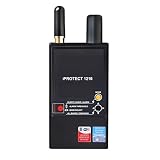
Discover It - iProtect 3 Band RF Anti-Spy Counter Surveillance Radio Frequency Bug Detector - Detect... | $874.99 | Buy on Amazon |
As an Amazon Associate I earn from qualifying purchases.
A live interruption is separate from a Content ID claim on an archived stream. If a creator archives the live stream, YouTube says a claim may be made after the stream ends. A claim can affect the video differently depending on the rights holder’s policy and geography.
Do these 3 things before closing this tab:
1Repair Windows errors before they cause bigger problems2Scan for outdated or missing drivers - takes under a minute3Clear out junk files and repair common Windows errorsDoes speeding up a song bypass Content ID?
No reliable bypass can be assumed. Standard Content ID compares uploaded videos with audio and visual reference files provided by copyright owners; a match may lead to blocking, monetization by the rights holder, or viewership tracking, with outcomes that can vary by territory. YouTube does not publish a detection probability or a speed-change threshold for a particular track. A specific sped-up recording might or might not match, but its alteration does not make it authorized.
#1 Best Overall
- Detects all types of RF transmissions including analog and digital, audio and video
- Separation into 3 bands helps to avoid loss of sensitivity near strong interference
- High sensitivity to 3G and wireless protocols (Wi-Fi, Bluetooth, etc.)
- Shock-resistant CNC milled duralumin housing
- Controlled by microcontrollers, 2x built-in OLED displays
YouTube’s channel monetization policy explicitly gives “Songs modified to change the pitch or speed, but are otherwise identical to the original song” as an example of content that is not allowed to monetize under its reused-content examples. This is a monetization-policy point, distinct from whether a live match occurs or a copyright claim follows. Read YouTube’s channel monetization policies.
Does looping change the copyright risk?
Repeating a recording does not grant permission to use it. A live loop still contains the underlying song, and YouTube’s general live-stream scanning statement applies to live streams. Do not rely on a loop, speed change, pitch shift, or other edit to evade matching. A rights holder may also object to an otherwise permitted use if the license does not cover the way you are using the music.
What music is safer to use in a live loop?
Use music that is public domain or for which you have permission covering your intended use. YouTube recommends its Audio Library and points to Creator Music for monetized videos in certain regions. The availability and terms of any option depend on your location and use case. YouTube’s tips to find safe music explain its recommendations.
What’s actually slowing this PC down?
Pick the symptom - the matching free tool is one click away.
For a third-party library or direct license, verify the actual terms before going live. Check whether they cover:
- Live broadcasts, not just videos uploaded after the fact.
- Archived livestreams or VODs, including monetization if you plan to earn from them.
- Your platforms and the territories where viewers may watch.
- The specific recording as well as the underlying composition.
- Content ID handling, including whether the rights holder can add your channel to an allowlist.
Even licensed music may interrupt a live stream if the channel has not been allowlisted by the rights holder, according to YouTube’s live-stream guidance. Confirm the process with the rights holder before relying on a license for a continuous broadcast.
What to do if a song is flagged during a stream
- Stop the disputed audio. If YouTube warns that third-party content has been identified, remove the song rather than trying another speed or pitch.
- Check the rights and scope. Confirm that your permission covers live use, the archive, monetization, territory, and the particular recording.
- Resolve allowlisting if you are licensed. Ask the rights holder whether your channel must be added to its Content ID allowlist, then follow its process before restarting the music.
- Use music you can document. Replace the track with original music you control, public-domain music, or music whose license clearly covers the planned stream and archive.
How live Content ID matching differs
YouTube separately documents a real-time live Content ID matching feature for certain Content Manager partners, which lets eligible rights holders match copies of their live streams. That partner tool is not the same as YouTube’s general statement that all live streams are scanned, nor is it the same as a post-stream claim on an archived video. YouTube’s guide to Content ID matching on live streams describes the partner feature. Information about who may qualify to submit reference content is available in YouTube’s Content ID eligibility guidance.
Keep a YouTube loop running without leaving a computer on
If your goal is to keep a YouTube stream running around the clock, StreamNeo is a cloud option for looping videos you upload. It does not provide permission to use copyrighted music or prevent YouTube from identifying third-party content; only stream music you are authorized to use.
Quick wins for a faster PC:
Scan for outdated or missing drivers - takes under a minuteDriver Scan →Repair Windows errors before they cause bigger problemsFix Now →Or let it run in the cloud
With StreamNeo, upload your recording or build a playlist, add your YouTube stream key once, and go live. The cloud keeps the stream running without a computer or home internet connection staying on. Each slot streams the uploaded video as made, up to 4K 60fps, at one flat price per slot; it can recover automatically if YouTube drops the stream. The first day is free with no card required. Monthly service is $9.99 per month. Start your free day with StreamNeo.
Quick Recap
Product prices and availability are accurate as of the date/time indicated and are subject to change. Any price and availability information displayed on Amazon at the time of purchase will apply.




