Googlebook does not require you to use web versions instead of Android apps. Google says the new laptop category supports Android apps from Google Play as well as desktop Chrome with extensions. But early reports point to specific differences from Chromebook workflows—including PWA installation rules and less integrated Linux apps—so the experience is not simply “every app works the same.”
Googlebook offers both Android apps and desktop Chrome
Google’s September 21, 2026 launch announcement describes Googlebook as “built on the Android technology stack and paired with desktop foundations from ChromeOS.” The company’s stated direction is a hybrid laptop, not a web-only replacement for Android apps. Its launch materials say users can install Android apps from Google Play and use a desktop-class Chrome browser with extensions.
As an Amazon Associate I earn from qualifying purchases.
Google lists apps including Adobe Photoshop, Lightroom, CapCut, Netflix and HBO Max as examples. Its FAQ also says users can stream apps from a connected phone into a laptop window without installing those apps locally. Availability and features can vary by app, region or subscription, so an example in Google’s announcement is not a promise that every feature or service is available everywhere.
Recommended Free Tools
That gives you several possible ways to use a service such as Gmail, YouTube or YouTube Music: visit its website in Chrome, install a web app where supported, or use an Android app if one is available for your account and region. Phone-app streaming is another route for supported apps, but it is distinct from installing an Android app on the laptop.
#1 Best Overall

- The Best of Google, in a Laptop: Chromebooks run ChromeOS, the fast, secure operating system from Google, with built-in Google apps like Gmail, Gemini, Docs, Photos, YouTube, and more.
- Try Google AI Pro, with 5TB of Storage, and more for 12 Months at No Cost: Boost your productivity and creativity with higher access to the best of Gemini including Nano Banana, Veo, Gemini in Gmail, Docs, and more. Plus get 5TB of storage - all in one plan.
- The Power To Do More : A 2x faster Intel Core i3-1315U processor and up to double the memory and storage, so you can edit files while watching your favorite shows in WUXGA (1900 x 1200)* with up to 17 hours of battery life**. (*When compared to top selling Chromebooks in 2024 | **Actual battery life may be lower and will vary significantly based on factors like network conditions, location, settings, and usage.)
- The Magic of Gemini: Convert handwriting into editable text, simplify jargon-filled content, remove photo distractions, and get questions answered by Gemini*. (*Check responses for accuracy. Internet connection. Availability may vary by device, country, and language.)
- Advanced Apps for Work and Play: Stay productive with Microsoft 365, create with Adobe Photoshop, edit videos with LumaFusion, and get your game on with GeForce NOW. All your favorite apps and more are just a click away.
Why the web-app criticism has some basis
The concern is less that Google has announced a policy against Android apps and more that web, Android and desktop workflows do not behave identically. A website in Chrome, an installed progressive web app (PWA), a locally installed Android app and a streamed phone app have different capabilities and installation paths. Google has not said it is replacing Android apps with web apps on Googlebook.
There is a related platform nuance: Google’s official ChromeOS guidance says it remains committed to web apps for organizations and web developer APIs while it builds support for Android apps. That describes work across ChromeOS and Android app support; it is not evidence that Googlebook blocks Android apps.
Rank #2

- Runs ChromeOS, with Google AI — Write like a pro, design unique backgrounds, and reimagine photos with generative AI.
- Best of google ai for 12 months at no cost* — 12 months of the Google One AI Premium plan including Gemini Advanced and Gemini in Gmail, Docs, and more. Plus, you get 2 TB of cloud storage.
- Double the speed. Double the memory. Double the storage** with the new ASUS Chromebook Plus
- Chromebook Plus exclusive AI-powered Google features, including Magic Eraser, noise cancelation and lighting enhancement for video calls
- Powered by Intel Core i3-1215U Processor
What early reports found about app compatibility
PWA installation rules were different from Chromebook
On October 6, 2026, 9to5Google reported that it could not install Slack as a PWA on Googlebook. Google told the publication Slack was not a “compliant” PWA, and said that while Chrome on ChromeOS permits manual installation of apps that are not PWAs, the same manual-install capability would be coming to Googlebook Chrome. That is a dated report about an early installation path, not proof that Slack’s website cannot be used in Chrome or that the limitation remains in place now. Google described the manual-install feature as forthcoming, so check the current browser behavior before buying on the assumption that it has arrived.
Linux apps can run, but the workflow was less integrated
The same report found Linux app support less accessible than on Chromebook. Google’s cited help text describes a Debian command-line environment for developer tools and Linux applications. The reported issue was that installed graphical apps were not integrated into the app drawer in the same way as Chromebook Linux apps. This is a usability and discoverability difference; it should not be mistaken for evidence that Linux software cannot run at all.
Rank #3
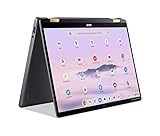
- 14” WUXGA Touch Display, A Touch of Magic: Witness magic on the 14” WUXGA (1920 x 1200) Antimicrobial Gorilla Glass display with touch. See more on the 16:10 narrow bezel display and dive into a whole new visual and audio experience with DTS audio.
- Intel Core Ultra 5 Processor, Unlock New AI experiences: Whether you're working, collaborating, creating or playing, the Intel Core Ultra 5 processor delivers a dedicated engine to help unlock AI experiences on the PC, the next level in immersive graphics, and high-performance low power processing, so you can confidently perform longer while unplugged.
- The Magic of Gemini, Convert handwriting into editable text, simplify jargon-filled content, remove photo distractions, and get questions answered by Gemini
- The Best of Google, in a Laptop, keyboard, a crystal clear 120Hz high-resolution display, and enjoy the freedom of fast Wi-Fi 6E to
- 8GB LPDDR5 Memory and 256GB PCIe Gen 4 SSD
Most Android apps are expected to work, with an Intel caveat
Android Central reported on October 5 that Google said “the vast majority of Android apps run smoothly” on Intel and Qualcomm Googlebook models, while “a small handful of complex apps or games need some developer tuning to run their best on Intel-based platforms.” This is Google’s statement as quoted in the report, not a broad independent compatibility test. The report identified Acer, ASUS and Lenovo models using Intel Core Ultra 5, and HP and Dell models using Snapdragon X Elite.
A Tom’s Guide hands-on review of the Lenovo Googlebook 15 reported early operating-system bugs and compatibility issues, but also described successful use of Chrome and Android versions of Firefox, Telegram and Instagram. That is one reviewer’s experience with one model, not a platform-wide benchmark; it illustrates why checking the exact model and the apps you rely on matters.
Rank #4

- THE BETTER WAY TO LAPTOP – Imagine a Chromebook that’s as flexible as your day: thin and lightweight with built-in Google apps and stress-free security.
- TAKE HITS KEEP MOVING – Sleek, light, and built to last- the Chromebook Plus 2-in-1 14" is just 0.69” thick and 3.3lbs. Enjoy long-lasting battery life, fast charging, and military-grade durability for nonstop productivity wherever life takes you.
- PERFORMANCE THAT MATCHES YOUR HUSTLE – Fuel your ideas with an Intel Core processor and 8GB memory. Boot up in under 10 seconds to start the day powerfully efficient.
- FLEX YOUR CREATIVITY ANYWHERE, ANYTIME – Create, work, or unwind your way with a versatile 2-in-1 design. Flip easily between laptop, tent, and tablet modes with a responsive touchscreen built for flexibility.
- BRILLIANT VIEWS AND IMMERSIVE AUDIO – See, hear, and create with awesome clarity. The WUXGA display brings rich detail to your work and play, while audio tuned by Waves MaxxAudio provides immersive, balanced sound.
Phone integration is a benefit, with software-version dependencies
Google highlights three cross-device features: Continue On for moving a task from phone to laptop, Files for accessing phone files and photos, and Cast My Apps for using phone apps in a laptop window. Google’s FAQ cautions that some features require the latest software on both devices.
What’s actually slowing this PC down?
Pick the symptom - the matching free tool is one click away.
In its review-period guidance, Tom’s Guide said the best experience depended on having an Android phone and noted Android 17 for several cross-device features. Treat that as the reviewer’s guidance for the features they tried, not as a universal minimum phone requirement established for every Googlebook feature.
Best Value

- YOUR DAY SIMPLIFIED – Enjoy crisp calls, vibrant views, and real connection. The Lenovo Chromebook m 14” laptop features a stunning WUXGA 16:10 screen, a full set of ports, and a lightweight yet tough, military-grade build.
- BRILLIANTLY IMMERSIVE – The vibrant WUXGA 1920x1200 display lets you see, hear, and create your world in thrilling new ways. Audio that's tuned with MaxxAudio delivers rich, balanced sound that pulls you deeper into every scene, playlist, and project.
- TOUGH, LIGHT, READY FOR LIFE – Carry with confidence. At just under 3lbs, the Chromebook m 14” laptop is easy to handle and reinforced with military-grade durability to withstand daily bumps, drops, and spills.
- LOOK SHARP STAY SECURE – Take charge of your privacy with the webcam’s physical privacy shutter. Open it confidently for video calls or livestreams and close it securely when you’re done, hassle-free.
- CONNECT MORE TO DO MORE – Switch between devices and displays effortlessly while collaborating, studying, and sharing your screen. The built-in USB-C, USB-A, and HDMI ports let you charge, connect and present dongle-free.
Launch price, availability and stated specifications
Google announced a starting price of $899. It said devices would reach shelves beginning October 4, 2026, in the United States and October 5 in Canada, the United Kingdom, Ireland, France, Germany and Australia. These are launch announcements, not a guarantee of current retailer price, stock or availability. Verify the configuration and local listing before purchasing.
- Google says Googlebook models offer over 45 TOPS and up to 14 hours of battery life across the product range. These are announcement specifications; they do not establish that every configuration will deliver the same performance or runtime.
- Google states an OS update commitment of up to 10 years. “Up to” is the company’s stated maximum, not a claim that every model receives an identical period under identical conditions.
Googlebook is not yet a Chromebook replacement for managed fleets
Google’s September 23, 2026 Chrome Enterprise and Education guidance says the 2026 Googlebook launch is designed for personal consumer use and does not yet support domain enrollment or centralized fleet management. Google said a comprehensive Googlebook management experience would start rolling out in the second half of 2027.
The same guidance says current ChromeOS devices will continue to receive updates through their supported lifetimes, that Chromebooks remain available for school and enterprise deployments, and that ChromeOS devices will continue receiving regular updates and security patches through mid-2034. Google has not yet detailed which devices may be eligible for a Googlebook OS migration. Organizations should make decisions using their actual management needs, current device support and confirmed migration eligibility—not an assumption that Chromebook support is ending with the consumer launch.
The Tool Desk
Outbyte Driver Updater FREEFix the driver behind crashes, sound loss and screen glitchesFind Drivers →Outbyte PC Repair FREEClear out junk files and repair common Windows errorsFree Scan →How to decide whether Googlebook fits your apps
- List the apps and workflows you depend on. For each, check whether you need a browser site, an installed PWA, an Android app, Linux software or a phone app streamed to the laptop. Those are separate paths.
- Check the exact Googlebook model and processor. Google’s reported Intel tuning caveat applies to a small number of complex apps or games; the available evidence does not establish a model-by-model compatibility matrix.
- Test installation and discovery, not only whether a page opens. If a PWA or Linux graphical app is central to your routine, verify that it installs and appears where you expect on the model and software version you plan to use.
- Confirm phone requirements for cross-device features. Review the current software requirements on both laptop and phone if Continue On, Files or Cast My Apps matters to you.
- For school or work, verify management support first. Google says comprehensive centralized Googlebook management is planned to begin rolling out in the second half of 2027; the 2026 launch does not yet support domain enrollment or centralized fleet management.
What the launch does—and does not—show
The supported conclusion is that Googlebook launches with both Android apps and desktop Chrome, while some early app-installation, Linux integration and Intel compatibility details may frustrate people expecting Chromebook behavior to carry over unchanged. The available reporting documents those specific issues and one reviewer’s experience; it does not measure how many users are unhappy or establish a representative public-opinion trend.
Quick Recap
Product prices and availability are accurate as of the date/time indicated and are subject to change. Any price and availability information displayed on Amazon at the time of purchase will apply.




