Yes. PyCharm supports data-science work in Python, including Jupyter notebooks, data inspection, and plots. You’ll need to configure a Python interpreter and install the libraries your project uses; PyCharm is the development environment, not a replacement for those libraries.
What you can do for data science in PyCharm
Work with Python scripts and project libraries
PyCharm can be used to build and maintain Python data projects. Configure an interpreter for the project, then install the required packages into that environment. The available features depend in part on which packages are installed there. JetBrains’ Python support guide covers interpreter setup.
As an Amazon Associate I earn from qualifying purchases.
Edit, run, and debug Jupyter notebooks
PyCharm supports editing and executing Jupyter notebooks, displaying outputs such as text streams and images, and debugging notebook code. See the Jupyter notebook support guide for setup and workflow details.
Recommended Free Tools
Inspect data and view plots
PyCharm’s scientific features include data views for NumPy arrays and pandas dataframes, with table views, column statistics, and charts. Its Plots tool window supports visualization workflows with Matplotlib and Plotly. Install the relevant libraries in the selected interpreter to use them. The scientific features documentation and data science and machine-learning tools overview describe the available tools.
#1 Best Overall

- 【14.0-inch diagonal, HD Display】Enjoy vibrant images and a comfortable viewing area that enhances productivity and entertainment on the go.
- 【Intel Processor N150】Deliver dependable speed for daily computing, paired with optimized power efficiency to keep your tasks running seamlessly.
- 【4GB DDR4 RAM】Get high-bandwidth performance for resource-intensive tasks. Run multiple applications at once and stay responsive.【1.12TB Storage】128GB UFS + 1TB Docking Station Set. Benefit from lightning-fast storage with a large capacity, allowing you to store a vast collection of files, applications, and multimedia content.
- 【Intel Graphics】Enjoy vibrant colors and sharp details that bring your everyday content to life.【Wi-Fi 6】Experience blazing-fast speed, reduced latency, and uninterrupted performance for seamless online gaming.【1 Year Office 365】Take your productivity and work mobility to the next level with the Microsoft 365 Office Suite (1 year subscription included).
- 【Windows 11 S】【Dimensions & Weight】12.76 x 8.86 x 0.71 inches, 3.24 lbs.【Ports】1x USB Type-C, 2x USB Type-A, 1x Headphone/microphone combo, 1x Media card reader, 1x HDMI 1.4b, 1x AC Smart pin. Wi-Fi 6, Bluetooth 5.4.【Bonus Docking Station Set】1x 7-in-1 Docking Station with 1TB Storage, 1x 32GB MicroSD Card with Adapter, 1x Type-C Data Cable, 1x 3-in-1 Charging Cable, 1x Suede Cleaning Cloth.
How to get started
-
Install Python and create or open a PyCharm project.
-
Configure the project’s Python interpreter and environment.
Rank #2
 100Pcs Data Science Stickers for Water Bottle, Laptop, Phone - Funny Data Science Gifts for Scientist, Party Supplies - Gift for Women & Men
- Sticks Well on Multiple Surfaces – Premium vinyl data science stickers designed to stick securely to water bottles, laptops, journals, phone cases, luggage, skateboards, and even car windows. Durable adhesive grips smooth and slightly textured surfaces with ease.
- Sticker Sheets – This data science sticker pack contains several sheets with colorful stickers. The sheet format is convenient for use and storage. Stickers can be reused several times by placing them back on the sheet.
- Long-Lasting & Waterproof – Made from outdoor-rated vinyl, these data analytics stickers are waterproof, scratch-resistant, and UV-resistant to keep colors bright and crisp through rain, sunlight, and everyday use.
- No Residue Left Behind & Easy to Remove – These data science decals peel off easily without leaving sticky residue or damaging surfaces. Although they hold securely, each sticker can be gently lifted and repositioned during application for smooth, accurate placement. Great for decorating notebooks, planners, scrapbooks, and other personal items.
- Great Gift Idea – Funny data scientist stickers make thoughtful data science gifts for coworkers, data analysts, data scientists, and anyone who works with data, statistics, analytics, coding, or programming. A fun choice for birthdays, graduations, new jobs, or team celebrations.
-
Install the packages needed for the workflow, such as NumPy, pandas, Matplotlib, or Plotly, into that interpreter.
What’s actually slowing this PC down?
Pick the symptom - the matching free tool is one click away.
Special offer. See more information about Outbyte and uninstall instructions. Please review EULA and Privacy policy. -
Use a Python file for script-based work or create/open a Jupyter notebook for cell-based exploration. Run code, inspect supported data structures, and view plots in the IDE.
Rank #3
 Lenovo ThinkPad P14s Gen 6 14" FHD+ Laptop, AMD Ryzen AI 7 350, 64GB/1TB
- [AI-OPTIMIZED POWER IN A COMPACT BUILD] The 14” Lenovo ThinkPad P14s Gen 6, a thin and light mobile workstation, boasts unmatched power with AMD Ryzen AI PRO 300 Series processors, delivering supreme AI performance for real-time workload optimization. This Copilot+ PC features AMD Radeon integrated graphics for intensive AI workflows for amplified productivity and efficiency. Features Zen 5 Gen Ryzen AI 7 350 2.00GHz Processor (upto 5 GHz, 16MB Cache, 8-Cores, 16-Threads) and AMD Radeon 860M Integrated Graphics
- [CLEAR AND COMFORTABLE VIEWING ALL DAY] Features 14.0" IPS WUXGA (1920x1200) 60Hz Display; 65W PSU, Type-C Power-In, 4-Cell 57 WHr Battery; Black Color
- [HIGH-SPEED COLLABORATION WITHOUT THE HASSLE] Stay ahead and connected with advanced WiFi with seamless speed. Designed with a robust port selection and lightning-fast memory, this device ensures you enjoy seamless, high-speed collaboration and rapid data transfers, making it perfect for juggling demanding tasks. Tailored for power users, it delivers reliable performance without any compromises. Features 64TB DDR5 SODIMM, 1TB PCIe NVMe SSD; 802.11be, Bluetooth 5.4, RJ-45, Webcam, 1 x HDMI 2.1, 2 Thunderbolt 4, Headphone/Microphone Combo Jack.
- [PROFESSIONAL-GRADE OPERATING SYSTEM] Windows 11 Pro 64-bit provides advanced security tools, business-class management features, and AI-powered Copilot to simplify everyday tasks. Ideal for professionals, educators, creators, remote workers, and anyone needing a dependable platform for virtual meetings, streaming, and multitasking.
- [PROFESSIONAL UPGRADE] The original seal has been opened only to perform authorized hardware upgrades. The upgraded RAM/SSD is covered by a 3-year warranty from MichaelElectronics2, while all remaining components continue under the original 1-year manufacturer warranty.
JetBrains’ scientific project tutorial walks through a sample setup using conda, NumPy, and Matplotlib.
Which PyCharm features are free?
JetBrains combined the former Community and Professional editions into unified PyCharm starting with version 2025.1. Core functionality, including Jupyter Notebook support, is free; Pro adds advanced features, and the current unified-product overview describes a 30-day Pro trial. If a particular capability matters to your workflow, check the current PyCharm overview and quick start guide rather than assuming it is included in the free core.
Rank #4

- Intel Core i9-13950HX Processor for demanding professional applications and multitasking workloads. Includes Dell Manufacturer Warranty through March 2031.
- Professional Workstation Configuration – Designed for engineering, design, software development, data analysis, and other business applications.
- NVIDIA RTX 3500 Ada Generation: Featuring 12GB of VRAM, this professional-grade GPU delivers the stability and power required for advanced engineering, architectural design, and intensive content creation.
- Built for Business & Connectivity – Features HDMI, USB-C, Wi-Fi, Bluetooth, and Windows 11 Pro with AI Copilot for productivity, security, and modern workflows.
- ISV-Certified Workstation Performance – Optimized and tested for professional software applications used in design, engineering, and data science.
Check integrations before relying on them
Some older guides may describe integrations that have since changed. In its PyCharm 2026.2.1 release notes, JetBrains said Data Wrangler, Hugging Face, and Google Colab support were unbundled and were no longer bundled or actively maintained by the PyCharm team. Compatible versions may still be available from JetBrains Marketplace, but check their current availability and maintenance status before making them part of your workflow. Read the PyCharm 2026.2.1 release notes.
When PyCharm is a good fit
PyCharm is a reasonable choice if you want to develop and maintain Python data projects in an IDE that also supports code navigation, debugging, notebooks, and data inspection. Decide based on the work you actually do:
Best Value
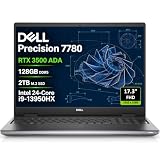
- POWERFUL FOR CREATIVITY - The Dell Precision 7000 series stand at the top of the Precision lineup, delivering higher performance and expandability than the 3000 and 5000 series for demanding professional workloads. As a flagship model, the Precision 7780 showcases Dell’s high‑end workstation design with powerful, scalable capabilities, aligned with the evolution of the Dell Pro Max series. Equipped with an NVIDIA RTX 3500 Ada 12GB GPU, it delivers the performance and stability required for professionals in design, architecture and photography.
- HIGH PERFORMANCE - Powered by Intel Core i9-13950HX vPro Processor (up to 5.5GHz) for superior efficiency and speed. 128GB DDR5 CAMM RAM and 2TB PCIe NVMe M.2 SSD for seamless multitasking and fast storage. CAMM was designed specifically to overcome the performance limits of SODIMM while reducing both Z height and routing traces on the PCB to ultimately allow for laptops with both faster RAM and thinner profiles.
- CRISP DISPLAY - The 17.3" FHD (1920×1080) IPS anti‑glare display with 99% DCI‑P3 color gamut and 500‑nit brightness delivers sharp, vivid visuals for professional work. Support for up to four external monitors via HDMI, USB‑C, and Thunderbolt ports at 4K@60Hz (without docking station), enables flexible multi‑screen setups. A built‑in 1080p FHD IR webcam with privacy shutter supports facial recognition ensures clear, reliable video calls and security.
- VERSATILE CONNECTIVITY - Equipped with two Thunderbolt 4, USB-C, two USB-A, HDMI, Ethernet (RJ-45), and an Audio combo jack for flexible connections. Wi-Fi 6E and Bluetooth ensure fast wireless connectivity and compatibility with a wide range of peripherals, while the numeric keypad enables quick and efficient data entry.
- OPERATING SYSTEM - Windows 11 Pro 64‑bit, with AI‑powered Copilot, offers intelligent assistance to streamline complex professional workflows, enhance productivity, and support advanced multitasking across demanding applications. Built for workstation‑class computing, it delivers enterprise‑grade security and IT manageability.
-
Whether notebook editing and debugging meet your needs.
-
Whether its data views and plotting workflow suit the way you inspect results.
-
Whether you can manage the interpreter and packages for each project.
Free tools Windows power users keep installed
One-click scans. No signup required.
Special offer. See more information about Outbyte and uninstall instructions. Please review EULA and Privacy policy. -
Whether a required feature is part of free core PyCharm, requires Pro, or depends on an external integration.
These capabilities make PyCharm suitable for many Python data-science workflows, but they do not establish that it is better than every other environment.
Quick Recap
Product prices and availability are accurate as of the date/time indicated and are subject to change. Any price and availability information displayed on Amazon at the time of purchase will apply.




