Yes—four RAM sticks can work together if your motherboard and processor support their memory type, total capacity, and four-module arrangement. On a typical four-slot desktop board with two memory channels, four sticks use two DIMMs per channel; they do not create quad-channel memory. The exact slot order and supported speed depend on your board, CPU, modules, and BIOS.
What four RAM sticks do—and do not—change
Memory channels are determined by the processor’s memory controller and platform, not by the number of sticks. On a mainstream dual-channel system, the two channels each connect to memory; a four-slot board commonly has two sockets per channel. Filling all four sockets is therefore typically a two-DIMM-per-channel (2DPC) configuration, still operating across two channels. See Intel’s RAM guide and Kingston’s memory population reference.
As an Amazon Associate I earn from qualifying purchases.
Slot names and channel assignments vary by motherboard. For example, the 2021 ASUS PRIME B560-PLUS manual identifies DIMM_A1 and DIMM_A2 as Channel A and DIMM_B1 and DIMM_B2 as Channel B. That layout is specific to this board; use your own manual’s diagram rather than assuming the same labels or order.
PC Slower Than It Used to Be?
A free scan shows the junk files, broken settings and background clutter dragging Windows down - then fixes them in one click.Free scan · Windows 10 & 11Crashes, No Sound, or Screen Glitches?
Random freezes, missing sound and display glitches usually trace back to one bad driver. Find and replace yours safely.Free scan · under a minuteThat manual also explains that memory sizes can differ between channels: its system maps the lower-sized channel for dual-channel operation, with capacity beyond that operating in single-channel mode on the larger channel. This is another reason to follow the board’s capacity and population guidance rather than treating four occupied slots as proof that all memory operates identically.
#1 Best Overall

- Disclaimer: Maximum Speed requires overclocking/PC BIOS adjustments. Maximum speed and performance depend on system components, including motherboard and CPU
- Hand-sorted memory chips ensure high performance with generous overclocking headroom
- VENGEANCE LPX is optimized for wide compatibility with the latest Intel and AMD DDR4 motherboards
- A low-profile height of just 34mm ensures that VENGEANCE LPX even fits in most small-form-factor builds
- A solid aluminum heatspreader efficiently dissipates heat from each module so that they consistently run at high clock speeds
Will four sticks run slower?
They can, but there is no single speed penalty that applies to every system. A CPU and motherboard may support a lower memory transfer rate with more DIMMs per channel, and the result also depends on the modules and their rank configuration. Check the CPU and motherboard specifications for the intended population; a kit’s advertised profile is not a guarantee that the profile will be supported with four modules installed.
Kingston’s published example for AMD Ryzen 9000 with an 800-Series chipset lists DDR5 UDIMM support at 5600 MT/s with one DIMM per channel and 3600 MT/s with two DIMMs per channel (Kingston Technology; publication date not stated on page). These are figures for that manufacturer’s specified CPU/chipset pairing, not universal limits or a promise for every board and processor. Consult Kingston’s population tables for the relevant platform.
Rank #2
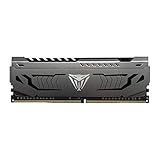
- Capacity: 16GB (1 x 16GB) DDR4 Module
- Aluminum heat spreader with unique and specific design element
- Feature Overclock: XMP 2.0 Support for Automatic Overclocking
- Compatibility: Tested across the latest Intel and AMD platforms for reliable and fast performance
- Tested Timings: 16-20-40
Mixing memory speeds or modules can add uncertainty. Intel says mixed memory speeds may lead the motherboard to operate at the lowest supported DIMM frequency; the actual outcome depends on CPU and motherboard compatibility. Do not assume every mixture will boot or settle at one predictable speed. See Intel’s frequency guidance, last reviewed 2025-03-24.
Quick wins for a faster PC:
Scan for outdated or missing drivers - takes under a minuteDriver Scan →Clear out junk files and repair common Windows errorsFree Scan →Should you use four sticks or two?
Choose based on capacity, supported configuration, and upgrade plans—not on the assumption that more sticks are inherently faster. If you are buying memory, a matched kit is the simpler choice because it reduces uncertainty about module compatibility. A two-module kit can also preserve expansion room: Intel notes that using 2×16 GB rather than 4×8 GB on a four-slot desktop board leaves two slots open.
Rank #3

- Dynamic Multi-Zone RGB Lighting: 10 Ultra-bright RGB LEDs per module.
- Take control in CORSAIR iCUE software and synchronize lighting with other CORSAIR RGB products, including CPU coolers, keyboards and fans.
- Custom Performance PCB provides the highest signal quality for the greatest level of performance and stability.
- Tightly Screened Memory: Carefully screened ICs for extended overclocking potential.
- Maximum Bandwidth and Tight Response Times Optimized for peak performance on the latest Intel and AMD DDR4 motherboards.
| Consideration | Two modules | Four modules |
|---|---|---|
| Capacity | Depends on module size and platform support. | Depends on module size and platform support; confirm the board’s maximum and population rules. |
| Memory channels | Can use both channels when installed in the recommended paired slots. | Does not add channels on a dual-channel platform; commonly places two DIMMs on each channel. |
| Supported speed | Check CPU and motherboard specifications for the selected modules. | Check support specifically for two DIMMs per channel and the module configuration. |
| Compatibility confidence | Check the exact kit against the board’s current QVL and population guidance. | Check the QVL and whether it lists the intended number of modules; four separate modules may not behave like a kit validated together. |
| Upgrade room on a four-slot board | Two slots remain open. | All four slots are occupied. |
How to check compatibility before installing or buying
- Identify the exact CPU and motherboard models. Similar board names can have different memory support, so use the full model and revision where applicable.
- Open the motherboard manual. Confirm the supported DDR generation, maximum capacity, DIMM slot names, and diagram for four-module population. Memory generations are not interchangeable; for example, the PRIME B560-PLUS manual says its DDR4 slots do not accept DDR, DDR2, or DDR3 modules.
- Check the current memory QVL. Search for the module or kit model and, where listed, the number of modules validated. A QVL records tested configurations; it does not prove that every unlisted kit will fail or that a listed setup cannot have compatibility issues. ASUS describes its QVL process in its memory QVL guidance and notes that stability or compatibility issues can still occur with QVL-listed parts.
- Check CPU memory support and BIOS notes. Verify the supported speed for the planned DIMMs per channel and review the motherboard maker’s current BIOS guidance. Updating BIOS may be appropriate when the manufacturer recommends it for compatibility.
- Install in the sequence shown by the manual. Use the manual’s exact slot diagram and population order. Confirm the module notch matches the slot; do not force a stick into place.
When mixing modules is especially risky
Compatibility guidance is platform-specific. For Intel 600-series motherboards supporting 12th-generation Intel Core processors, Intel recommends identical DIMM part numbers for targeted speed with two DIMMs per channel. Its guidance applies to DDR4 and DDR5 modules; mixed part numbers within a channel may reduce speed or prevent the system from booting. This is not a universal rule that every platform requires identical sticks, but it is a concrete reason to avoid assuming that separately purchased modules will work together as a matched set. See Intel’s installation guidance, last reviewed 2022-01-20.
Quick Recap
Best Value

- [Capacity] 32GB Kit (2x16GB) UDIMM Compatible with Select Gaming Desktop PCs
- [Speed] PC Speed (PC4-25600), DDR4 3200MHz
- [Specification] ECC Type = Non-ECC, Form Factor = Unbuffered UDIMM, CL=16, Number of Pins = 288 Pins, Voltage = 1.35V
- [Overclocking] Intel XMP 2.0 and AMD Ryzen
Rank #4

- Disclaimer: Maximum Speed requires overclocking/PC BIOS adjustments. Maximum speed and performance depend on system components, including motherboard and CPU
- Hand-sorted memory chips ensure high performance with generous overclocking headroom
- VENGEANCE LPX is optimized for wide compatibility with the latest Intel and AMD DDR4 motherboards
- A low-profile height of just 34mm ensures that VENGEANCE LPX even fits in most small-form-factor builds
- A solid aluminum heatspreader efficiently dissipates heat from each module so that they consistently run at high clock speeds
If the system does not boot after adding sticks
- Power down and check that every module is fully seated in the slots specified by the manual.
- Confirm that all modules match the board’s memory generation and that the total capacity and population are supported.
- Recheck the manual’s slot map and population order; do not rely on a generic four-slot layout.
- Consult the motherboard’s QVL, CPU support information, and BIOS notes for the exact modules and configuration.
- If the system boots only after removing modules, test a supported configuration and seek board-specific guidance before concluding that the modules themselves are defective.
Product prices and availability are accurate as of the date/time indicated and are subject to change. Any price and availability information displayed on Amazon at the time of purchase will apply.




