Quick wins for a faster PC:
Scan for outdated or missing drivers - takes under a minuteDriver Scan →Repair Windows errors before they cause bigger problemsFix Now →Sometimes—but no AI security tool is inherently safe to run against a live application. Production testing is appropriate only when the organization has authority to test the target, can tightly bound the scope and intensity, and is ready to monitor and respond to unintended effects. If those conditions are not in place, start in staging or another dedicated test environment.
What does “AI security testing” mean here?
The phrase can refer to two different things: using an AI-enabled tool to test an application, or testing an application that itself uses AI. The first raises questions about what the tool will send or do against a live target. The second also requires checking AI-specific behavior, such as retrieval, tool calling, and safe error handling. Some teams face both questions at once.


![The Cybersecurity Bible: [6 in 1] The Complete Guide to Mastering Cyber Threat Detection & Digital Asset Protection – Excel in Safeguarding Mobile & Web Apps with Lessons & Practical Tests](https://m.media-amazon.com/images/I/51OaNnbhrnL._SL160_.jpg)
As an Amazon Associate I earn from qualifying purchases.
A scan or red-team exercise is one part of a verification program, not a safety guarantee. NIST’s minimum software verification recommendations include threat modeling, automated testing, static code scanning, fuzzing, checking included components, and web application scanners “if applicable.” NIST also says the guidance is not a complete account of software verification. NIST IR 8397 was published on October 6, 2021.
Free tools Windows power users keep installed
One-click scans. No signup required.
When should a team test production?
Use a live environment only if the team can authorize the activity, define its boundaries, observe its effects, and stop the run. A test that is acceptable in a controlled environment may be unsuitable for production if its scope is unclear, its actions cannot be bounded, or no one is available to handle an incident.
#1 Best Overall

- Dual USB-A & USB-C Bootable Drive – works on almost any desktop or laptop (Legacy BIOS & UEFI). Run Kali directly from USB or install it permanently for full performance. Includes amd64 + arm64 Builds: Run or install Kali on Intel/AMD or supported ARM-based PCs.
- Fully Customizable USB – easily Add, Replace, or Upgrade any compatible bootable ISO app, installer, or utility (clear step-by-step instructions included).
- Ethical Hacking & Cybersecurity Toolkit – includes over 600 pre-installed penetration-testing and security-analysis tools for network, web, and wireless auditing.
- Professional-Grade Platform – trusted by IT experts, ethical hackers, and security researchers for vulnerability assessment, forensics, and digital investigation.
- Premium Hardware & Reliable Support – built with high-quality flash chips for speed and longevity. TECH STORE ON provides responsive customer support within 24 hours.
Establish authority and boundaries
Before the run, identify who approves it and record the systems, endpoints, accounts, data, and third-party dependencies that are in scope. Specify permitted methods and intensity, exclusions, timing, and conditions that require an immediate stop. Confirm who is monitoring the run, who can halt it, and whom to contact if something goes wrong. These are practical safeguards synthesized from NIST’s direction to scope and document testing and the UK AI Cyber Security Code’s guidance on risk assessment, permissions, monitoring, incident management, and recovery—not a verbatim universal checklist from either source.
Decide whether production is the right environment
If the team cannot confidently control the scope, observe the system during testing, and respond to unexpected effects, use staging or a dedicated test environment first, or involve a qualified independent assessor. The UK Code says system operators should test before deployment with developer support and recommends independent testers with relevant technical skills for security testing. NIST’s verification FAQ says verification should happen as early in the software development life cycle as possible. These recommendations support moving poorly controlled or risky work earlier; they do not prohibit every production test. The UK Code is UK guidance, so organizations should distinguish its recommendations from any separate legal or contractual obligations that apply to them.
How should teams cover AI-specific and ordinary security?
For an AI system, a general web application scan alone will not evaluate all AI-specific controls. Conversely, an AI-focused checklist does not replace ordinary application, infrastructure, or supply-chain security checks.
Use an AI-specific standard alongside general verification
OWASP’s Artificial Intelligence Security Verification Standard (AISVS) 1.0 is a vendor-neutral, community-driven set of testable requirements. Its project documentation describes 191 requirements across 12 chapters and three appendices, with verification levels 1, 2, and 3. OWASP says Level 2 contains 95 requirements and is the standard level for production systems, customer-facing AI, and systems handling personal data or consequential decisions; it recommends that most production systems aim for at least Level 2. AISVS is deliberately limited to AI/ML-specific controls, so general application, infrastructure, and supply-chain security need parallel verification. Read the OWASP AISVS project documentation.
Add LLM-focused checks when the application uses an LLM
For applications integrating large language models, OWASP LLMSVS v2.0 provides requirements and tests that include retrieval, tool calling, logging, and safe error handling. It is an LLM-specific resource, not a substitute for broader application security verification. Read OWASP LLMSVS v2.0.
Revisit tests when the system changes
NIST SP 800-218A describes possible verification activities including unit, integration, penetration, red-team, use-case, and adversarial testing. It recommends scoping, designing, performing, and documenting tests, then recording and triaging findings and remediation in the team’s workflow. It also recommends retesting AI models when they are retrained or new data sources are added. The document is NIST’s July 2024 SSDF community profile for generative AI and dual-use foundation models. Read NIST SP 800-218A.
Independent reader supportYour contribution helps us test, update, and keep practical guides available for everyone.How do testing approaches compare?
The right approach depends on what must be verified and how much operational impact the team can safely manage. These approaches can complement one another; none is a guarantee against incidents.
The Tool Desk
Outbyte PC Repair FREEClear out junk files and repair common Windows errorsFree Scan →Outbyte Driver Updater FREEScan for outdated or missing drivers - takes under a minuteDriver Scan →| Approach | What it can contribute | What to assess before use |
|---|---|---|
| Web application or automated scanner | Automated checks for applicable application issues as part of broader verification. | Confirm target allowlists, exclusions, credentials, rate or concurrency controls, and a reliable stop mechanism. NIST recommends web application scanners only “if applicable” and does not define a universal safe production profile. |
| AI or LLM security evaluation | Checks focused on AI/ML or LLM-specific requirements and behaviors. | Pair it with general application, infrastructure, and supply-chain checks; establish which behaviors and integrations the test covers. |
| Manual or independent assessment | Can examine system-specific risks and test cases that need technical judgment. | Choose assessors with skills relevant to the system, and agree on authorization, scope, methods, and reporting expectations. |
| Staging or dedicated test environment | Allows verification earlier in the lifecycle or when live-system controls are not adequate. | Check how closely the environment represents production and whether its data, integrations, and configuration are suitable for the test. |
Across any approach, compare coverage, test intensity, scope controls, repeatability, evidence quality, triage, remediation ownership, and incident readiness. This comparison framework follows from NIST’s range of verification methods and documentation and triage guidance, together with the UK Code’s operational controls; it is not a product ranking.
Best Value
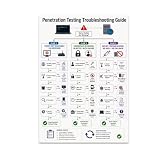
- PENETRATION TESTING VISUAL GUIDE: Features a detailed flowchart covering target reachability, credential failures, and payload troubleshooting.
- GLOSSY 13x19 PRINT: Vibrant, high-quality glossy paper poster printed in portrait orientation; frame and hanging hardware are not included.
- IDEAL FOR CYBERSECURITY PROFESSIONALS: Perfect for ethical hackers, red team members, security students, and tech workshop participants.
- VERSATILE DISPLAY: Great for classrooms, home offices, study spaces, and tech workshops to inspire and educate at a glance.
- LIGHTWEIGHT AND EASY TO HANG: Weighs only 0.3 pounds, making it simple to display on any wall without heavy mounting hardware.
What should happen after a test?
Keep a record of the approved scope, methods, timing, observations, findings, and recommended fixes. Assign findings to owners, triage them through the normal workflow, and verify remediation with an appropriate retest. For AI systems, reassess after material changes such as model retraining or the addition of data sources; do not assume an earlier result applies unchanged to the new system state.
The UK Department for Science, Innovation and Technology’s Code of Practice for the Cyber Security of AI also addresses least-privilege permissions, dedicated development environments, security assessment, monitoring, incident management, and recovery planning. It is UK government guidance, not a universal product certification or proof that a particular testing configuration is safe. Read the UK AI Cyber Security Code of Practice.
Quick Recap
Product prices and availability are accurate as of the date/time indicated and are subject to change. Any price and availability information displayed on Amazon at the time of purchase will apply.
Recommended Free Tools




