Python can help check IEC 61850 configuration, compare expected GOOSE flows with captured traffic, and organize repeatable lab tests. It should not be treated as a replacement for a validated protection IED or as proof that a protection scheme will operate correctly. The right pipeline depends on the project’s IEC 61850 editions, SCL files, equipment, network design, and protection requirements.
Decide what the Python pipeline is responsible for
“Using Python for GOOSE” can mean several different things. Separate the task into an assurance boundary before choosing libraries or designing interfaces.

As an Amazon Associate I earn from qualifying purchases.
| Pipeline use | What Python can support | Boundary |
|---|---|---|
| Offline configuration checks | Inspect project SCL/SCD information and report missing, inconsistent, or unexpected references. | Passing a configuration check does not establish that the protection application is correct. |
| Capture analysis | Compare observed GOOSE traffic with the expected flows derived from project configuration. | A successfully parsed packet does not establish that a subscriber IED acted correctly. |
| Lab or controlled-system testing | Organize test cases, record observations, and support repeatable functional verification. | Test design and acceptance criteria must be based on the project’s protection requirements. |
| Operational monitoring | Help identify traffic or paths that appear inconsistent with the configured system. | Monitoring is not a protection decision path. Do not turn a general-purpose Python process into a trip function without an explicit engineering and assurance basis. |
Keep protection decisions and trip outputs within the validated IED scheme unless the project’s engineering and assurance process explicitly establishes a different arrangement.
Quick wins for a faster PC:
Clear out junk files and repair common Windows errorsFree Scan →Scan for outdated or missing drivers - takes under a minuteDriver Scan →Understand the GOOSE relationship you are checking
GOOSE is horizontal publisher/subscriber communication over Ethernet multicast. A publisher sends a message representing a configured IEC 61850 data set; other IEDs can be configured to use that information for functions such as interlocking or blocking. ABB’s relay engineering guide describes this workflow in the context of its equipment, so model-specific configuration details must be checked against the relevant relay manuals and project standard editions.
For a Python pipeline, the useful unit of analysis is not simply “a packet.” It is the relationship between a configured publisher, its GOOSE control block and data set, the network path, and the intended subscriber input. A traffic observation is meaningful only when matched to that expected relationship.
Use the SCD to establish expected behavior
Treat the project’s SCL/SCD configuration as the baseline for what the network should carry. IEC TR 61850-90-22:2024 discusses SCD-based management of GOOSE and sampled-value routing and monitoring network and message paths, including finding flows or IEDs that are unexpected under the configuration.
Rank #2
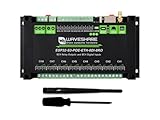
- Industrial 8-Channel ESP32-S3 WiFi Relay Module, based on ESP32-S3 microcontroller, built-in 32-bit LX7 dual-core processor, up to 240MHz, integrated 2.4GHz Wi-Fi and Bluetooth LE dual-mode wireless communication, supports Arduino IDE
- Industrial 8-Ch WiFi Network Relay Module, onboard digital input, RS485, and ethernet port interfaces. Built-in multiple isolation protection circuits such as power isolation and optocoupler isolation, more safe, stable and reliable
- Supports RS485 and Bluetooth / WIFi Remote Control, onboard 8-ch relays and 8-ch digital inputs, contact rating of the onboard relay up to 10A 250V AC / 30V DC, directly controlling 220VAC home appliances, or devices below 30V DC
- Digital Input, supports passive (dry contact) and active (wet contact) digital input, with bi-directional optocoupler isolation
- Built-in PoE module, providing both network connection and power supply in one cable
- Identify the governing project profile. Record the IEC 61850 editions and amendments, SCL profile, vendor devices, and protection use case the project actually uses. IEC’s 2026 series listing inventories constituent editions and amendments, including parts 6, 8-1, and 10; it is not a substitute for the applicable normative text.
- Read the project configuration. Extract the configured GOOSE control blocks, data sets, publisher/subscriber relationships, and relevant network information from the project’s SCL/SCD files. Validate references and interpretation against the applicable standard and vendor documentation; project profiles and vendor behavior may affect what a generic parser can safely infer.
- Create an expected-flow inventory. Represent each configured relationship in a reviewable report, including enough configuration context to trace an expected flow back to its source. Flag unresolved references or assumptions rather than silently treating them as valid.
- Compare captures with expectations. Analyze observed GOOSE traffic and report matches, missing expected flows, and unconfigured or otherwise unexpected observations. Keep the raw capture and configuration version associated with the report so reviewers can reproduce the comparison.
- Review exceptions with the system engineer. A mismatch is a prompt to investigate the project configuration, capture point, network path, or device behavior—not an automatic instruction to alter protection settings.
Account for the network, not just message decoding
A correct-looking GOOSE message does not show that the complete network is suitable for the protection application. IEC TR 61850-90-4:2020 covers substation LAN topology, redundancy, synchronization, and protection trip data transported by GOOSE. It also makes clear that the responsible integrator must analyze the actual application configuration to establish a dependable system.
Crashes, No Sound, or Screen Glitches?
Random freezes, missing sound and display glitches usually trace back to one bad driver. Find and replace yours safely.Free scan · under a minutePC Slower Than It Used to Be?
A free scan shows the junk files, broken settings and background clutter dragging Windows down - then fixes them in one click.Free scan · Windows 10 & 11- Topology and multicast paths: assess whether the designed network carries the expected traffic to the intended subscribers, and whether capture points provide enough visibility to interpret missing or unexpected observations.
- Redundancy: review the project’s redundancy design as an end-to-end network property; a Python check of observed packets cannot establish that the intended redundancy behavior is dependable.
- Synchronization: determine whether the application requires synchronization and assess it against the project design rather than assuming one generic requirement.
- Monitoring: align monitoring with the SCD-based expected paths and the network design. An observed flow alone is not proof of correct application behavior.
Separate software checks from protection validation
Configuration linting and packet analysis are supporting evidence, not end-to-end acceptance tests. IEC TR 61850-10-3:2022 provides guidance for functional verification and validation of substation applications, including protection and control testing that uses GOOSE or sampled values. Its scope is distinct from device conformance testing.
Rank #3

- 1‑Channel 5V Low‑Level Trigger Solid‑State Relay Module with built‑in resistive‑type fuse, rated 240V AC 2A output. Supply Voltage: 5V DC Load Voltage: 240V AC
- It has low control‑side current and supports up to 240V AC 2A load, built‑in reverse‑polarity, short‑circuit, overload and over‑temperature protection for safe operation.
- The output terminal itself has no internal voltage output. This module functions like a switch to turn your load circuit ON or OFF.
- Can independently trigger and control your load circuit. The built‑in status indicator LED lets you easily check the working state at a glance.
- Note:This is an AC‑type solid‑state relay. It can only control AC loads instead of DC loads. Since it is designed for alternating‑current circuits, the output terminals are non‑polarized and connection‑direction‑free.
Build the test plan from the project’s requirements: identify the protection or control function, the expected input and output behavior, the conditions to exercise, and the evidence needed to judge the result. Run functional checks in the lab or another controlled environment appropriate to the project, using the actual IEDs and network arrangement where required. A Python report can help record configuration and observations, but it cannot replace the engineering judgment or acceptance evidence required for the application.
Independent reader supportYour contribution helps us test, update, and keep practical guides available for everyone.Choose standards and tooling for the actual project
IEC 61850 has multiple editions and amendments. Confirm which ones apply to the equipment and project requirements before relying on a parser, SCL interpretation, or test procedure. IEC’s 2026 series package is an edition inventory; consult the relevant part and applicable project documents for requirements.
Rank #4

- 2PCS 5A Overcurrent Protection Relay Module AC Current Sensor Detection Board 12V Relay Current Transformer
- Working voltage: DC 12V
- Frequency range: 20Hz~400Hz
- Working current: <20mA
- Output mode: switching signal output,Current detection range AC0.3A-5A
No particular Python library or production architecture is established here as suitable for safety-critical protection operation. Before adopting tooling, verify that it handles the project’s relevant configuration and traffic, test interoperability with the actual IEDs, and establish timing behavior against project requirements if timing is part of the intended use. Do not infer dependable trip timing from a successful decode or a software-only test.
Quick Recap
Best Value

- Industrial 8-Channel ESP32-S3 WiFi Relay Module, based on ESP32-S3 microcontroller, built-in 32-bit LX7 dual-core processor, up to 240MHz, integrated 2.4GHz Wi-Fi and Bluetooth LE dual-mode wireless communication
- Industrial 8-Ch WiFi Network Relay Module, onboard digital input, RS485, and ethernet port interfaces. Built-in multiple isolation protection circuits such as power isolation and optocoupler isolation, more safe, stable and reliable
- Supports RS485 and Bluetooth / WIFi Remote Control, onboard 8-ch relays and 8-ch digital inputs, contact rating of the onboard relay up to 10A 250V AC / 30V DC, directly controlling 220VAC home appliances, or devices below 30V DC
- Digital Input, supports passive (dry contact) and active (wet contact) digital input, with bi-directional optocoupler isolation
- Supports Arduino IDE, comprehensive SDK, online development resources, tutorials, and technical support are provided, please feel free to contact us if you need
Product prices and availability are accurate as of the date/time indicated and are subject to change. Any price and availability information displayed on Amazon at the time of purchase will apply.




