PC Slower Than It Used to Be?
A free scan shows the junk files, broken settings and background clutter dragging Windows down - then fixes them in one click.Free scan · Windows 10 & 11Crashes, No Sound, or Screen Glitches?
Random freezes, missing sound and display glitches usually trace back to one bad driver. Find and replace yours safely.Free scan · under a minuteOpenRGB is the best starting point if you want cross-platform, open-source RGB control; SignalRGB is a Windows-only alternative to consider if your exact devices are listed and you are comfortable with its online sign-in requirement. Neither is guaranteed to control every product. Check compatibility by exact model before installing, because support varies by device and tool.
How to choose an RGB control alternative
Start with your hardware, not the feature list. Record the exact model numbers of the devices you want to control and check them against the current compatibility information for each option. A product family name alone may not be enough: support can vary by model, revision, or software build.
As an Amazon Associate I earn from qualifying purchases.
Then compare the operating systems you use, whether you need internet access or an account, how much control you want over effects, and whether you prefer stable releases or are willing to try development builds. No single option is established as the best choice for every RGB setup.
Recommended Free Tools
At a glance
| Option | Platform and approach | Compatibility check | Important trade-off |
|---|---|---|---|
| Windows 11 Dynamic Lighting | Built-in Windows controls for compatible devices | Check Microsoft’s current HID LampArray device information | Device support depends on the compatible HID LampArray ecosystem; another prioritized lighting app may take control |
| OpenRGB | Free, open-source software for Windows, Linux, and macOS, with an SDK and plugin interface | Check the project’s device support list for the exact device and status | Support status differs by device; experimental pipeline builds may be unstable |
| SignalRGB | Windows-only RGB control software | Check the live device list for the exact model and revision | Requires internet access and an account sign-in on first launch, according to its published requirements |
Windows 11 Dynamic Lighting: the built-in option
Dynamic Lighting is built into Windows Settings and provides global and device-specific lighting controls for compatible hardware. Microsoft documents brightness and effects controls, as well as settings for deciding which apps control lighting. A device’s individual settings can override the global settings. See Microsoft’s Dynamic Lighting controls guide for the current settings and behavior.
#1 Best Overall

- 【44 Keys Remote Controller】You can choose 20 static colors, adjust brightness, turn On/Off, control modes: Flash, Strobe, Fade, RGB Smooth-change, Static, DIY frequently-used modes as you like.
- 【2-IN-1 Connectors】Work with DC 12V-24V power supply, the other 4-pin ends for 2 reel LED RGB strip lights. One remote can control 2 reels of strips at the same time.
- 【IR Remote】The IR remote has about 30 feet effetive control distance. Please note: IR remote must be pointed directly at the devices you are trying to control.
- 【Easy to Use】If you want a straight-forward, simple to use, cost-effective remote, our this 2-IN-1 remote is the way to go.
- 【For RGB Strip Light】Special for 5050 3528 4-pin LED strip light, work with 12V power supply (Package will Not come with power or strip)
Why compatibility is limited
Microsoft’s native route is based on the open HID LampArray standard. Compatible devices implement it in firmware or through a VHF driver; the standard is intended to make lighting control more interoperable, not to guarantee that every RGB product works with Windows. Confirm your precise model against Microsoft’s current device documentation.
When Dynamic Lighting is a good fit
- You want controls built into Windows rather than another RGB application.
- Your exact device appears in Microsoft’s compatibility information.
- You need straightforward brightness, color, or effect settings rather than a separate integration or plugin ecosystem.
OpenRGB: best for cross-platform control and extensibility
OpenRGB describes itself as free and open source, with versions for Windows, Linux, and macOS. Its project overview also documents an SDK and plugin interface for extending or integrating control. That makes it a strong candidate if you use more than one operating system or want other software to interact with your lighting. Start at the OpenRGB project site.
Rank #2
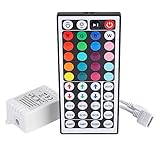
- Multi-Functions-- There are 20 colors and 5 light pattern: Static/Flash/Strobe/Fade-change/RGB Smooth-change. Easy for you to turn ON/OFF strip lights, DIY colors as you like and adjust brightness
- Compatible with RGB Strip-- Work with SMD 5050 3528 2835 RGB led light strips with 4-Pin connectors. Not for RGBW strips which has 5-pin connectors. This product will not work while the led strip is not 4-pin, nor it uses other than 12V or more than 6A.
- Safe to Use---Input DC 12V, Max output current is 6A. The remote controller has been approved CE, RoHs, Fcc certification, Low voltage, Low heat, no radiation, it is safe and touchable
- IR Remote --- IR remotes have a performance range of about 30 feet. Please note: IR remotes must be pointed directly at the devices you are trying to control
- Easy to Use --- If you want a straight-forward, simple to use, cost-effective remote, our this 44 keys IR remote controller dimmer is the way to go
Check each device’s support status
OpenRGB’s device pipeline does not reduce compatibility to a simple yes or no. Its entries distinguish statuses such as fully supported, partially supported, problematic, unsupported, automatic, or inapplicable. Read the entry for every device you plan to control on the supported devices page; broad project coverage is not a guarantee for an unlisted model.
Do these 3 things before closing this tab:
1Clear out junk files and repair common Windows errors2Scan for outdated or missing drivers - takes under a minute3Repair Windows errors before they cause bigger problemsStable releases versus pipeline builds
OpenRGB’s releases page lists version 1.0 dated September 11, 2026. The project describes pipeline builds as unreleased development versions that often have better device compatibility but may be less stable than released versions. Prefer a released build when reliability matters. Consider a pipeline build only when the support information gives you a reason to try it and you accept the stability trade-off. Check the releases page before downloading.
Rank #3

- 【RF (Radio Frequency) Wireless Dimmer】: This powerful RF (Radio Frequency) dimmer allows you to control the RGB Touch Wireless Dimmer from another room, functioning as an effective LED controller. It operates via radio frequency (RF) instead of infrared, making it superior to traditional LED light remotes.
- 【Advanced Technology】:The wireless touch remote RGB controller utilizes advanced capacitive touch technology for quick adjustments. With the touch remote, you can easily control brightness, change colors, or modify effects, suitable for all 12V to 24V RGB LED strips, including SMD 5050, 3528, 2835, 5630, 5730, 3014, 2216, 1608 and 2010. This makes it an excellent RGB controller for your lighting needs.
- 【Easy Installation】: This LED dimmer switch is compact, flexible, and easy to install, designed for both homes and other environments. Quality is guaranteed, making it your best choice. Before powering on, ensure all wiring connections are correct and secure to avoid damaging the LED strips. It serves as a great LED light remote replacement for your existing setup.
- 【Memory Function】: The LED dimmer features a memory function, recalling the last color settings when turned on via a wall switch. There’s no need for tedious adjustments each time, unlike other dimmers. This makes it an efficient LED light controller.
- 【Short-Circuit Protection】: The dimmer includes short-circuit protection. In the event of a short circuit during installation or use, the indicator light will flash to notify you, and the controller will automatically shut off power output for safety. It also features automatic recovery, ensuring hassle-free operation.
Optional integrations
The OpenRGB SDK page lists integrations including Artemis for location-based effects, Project Aurora for game lighting, and Keyboard Visualizer for audio-reactive effects. These add-ons can control OpenRGB devices, but support varies by integration; their existence does not mean every device, game, or platform is covered. See OpenRGB’s SDK and integrations page.
SignalRGB: a Windows-only option with online setup requirements
SignalRGB is worth checking if your setup is Windows-based and its device list includes your exact hardware. Its published system requirements recommend Windows 11 64-bit, at least 8 GB of memory, about 500 MB of free SSD space, an available USB 2.0 port, internet connectivity, and a local administrator account. The page also says that signing in on first launch requires an active connection. These are SignalRGB’s published requirements, not independent performance measurements; consult its current system requirements and device catalogue before installing.
Rank #4
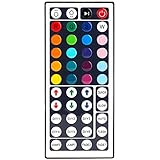
- 6 DIY keys, you adjust the R/G/B color freely. Infrared remote control, very easy to control LED RGB light strip.
- Adjust brightness, turn lights on or off, 16 multicolored options, 5 light patterns: Static/ Flash/ Strobe/ Fade-change/ RGB Smooth-change.
- LED light remote are 20 colors and 5 light pattern, Static/Flash/Strobe/Fade-change/RGB Smooth-change. Easy for you to turn ON/OFF strip lights, DIY colors as you like and adjust brightness.
- Remote control doesn’t work. First, pull out the plastil piece before use(see Figure 6). When used, the remote control must be aligned with the indicating sensor (see picture 7).If the remote control still does not work, please take out the battery and reinstall it (the battery may have moved during transportation)-(see Figure 6).
- If the buttons don't control the right colors. First, you can press the remote control switch button , turn off the light strip.Then press the FADE7 button(the last button below the right), The light strip will flash.Then press the switch button to turn on the light strip, the buttons can control the correct color. If not, repeat the above steps until the button can control the correct color.If not, repeat the above steps.
Because SignalRGB is Windows-only and requires internet access for first-launch sign-in, it is not a match for someone who needs cross-platform software or an offline first launch. The requirements page does not establish that every listed device has identical feature support.
Quick wins for a faster PC:
Repair Windows errors before they cause bigger problemsFix Now →Fix the driver behind crashes, sound loss and screen glitchesFind Drivers →Fix control conflicts before switching software
If Dynamic Lighting settings appear to do nothing, another lighting app may be taking precedence. Microsoft documents a priority setting for background lighting apps and notes that a foreground compatible app can override background effects when that behavior is enabled. Review the app priority under Windows Dynamic Lighting settings and avoid running several RGB controllers that may compete for the same device. Microsoft’s Dynamic Lighting announcement explains app priority and ambient device behavior.
Best Value

- 【Smart Bluetooth Controller】You can download the "Happy Lighting" APP from iTunes/Google Play, or scan the QR code on the controller to download the APP, after that you become able to control the light changes through the APP.
- 【Rich Functions】you can adjust the brightness of the light strip, the color of the light, as well as the music mode, voice control mode, 20 kinds of jumping modes to choose from, and you can also timer. Just Bluetooth controller, you can realize the wonderful rotten atmosphere.
- 【Scope of application】the controller is suitable for RGB and RGBW light strips, the input and output voltage are DC12V-24V. it is suitable for hotel, bar, KTV, family, and other leisure and entertainment scene lighting.
- 【Supported OS】For Android 4.3 or higher / IOS 6.0 or higher.
- LED Bluetooth controller is directly through the cell phone remote control, the remote distance can reach 15M, no need to set up, easy to connect, open the software within 5 seconds can automatically connect to the controller!
Windows ambient settings associate a device with its USB port. If an ambient controller stops recognizing a device after you move it, check its association in Windows settings; changing ports can make it appear as a different device to the controller.
Quick Recap
A practical selection checklist
- Write down exact device models. Include revisions where the manufacturer identifies them.
- Check native support. Look for the model in Microsoft’s current HID LampArray information if you want to use Dynamic Lighting.
- Check alternative support. Review OpenRGB’s per-device statuses or SignalRGB’s live device list; do not assume a brand-level listing covers every model.
- Choose by setup needs. Prefer OpenRGB if cross-platform support or an SDK matters. Consider SignalRGB if you use Windows, your devices are listed, and its sign-in and internet requirements work for you.
- Install and test one controller at a time. If lighting does not respond, check app priority and close competing control software before concluding the device is unsupported.
- Use development builds deliberately. For OpenRGB, weigh a possible compatibility benefit against the project’s warning that pipeline builds may be unstable.
Product prices and availability are accurate as of the date/time indicated and are subject to change. Any price and availability information displayed on Amazon at the time of purchase will apply.




