What’s actually slowing this PC down?
Pick the symptom - the matching free tool is one click away.
First check whether your bank lets you download the statement as CSV or Excel. A direct export avoids reconstructing transaction rows from a PDF. If the bank offers only PDF, export a text-based statement to XLSX, review the result against the original, and save a CSV copy only if your next step requires one. Scanned statements need OCR, and every conversion should be checked before you use it for bookkeeping, tax preparation, or an import.
1. Check your bank’s download options first
Sign in to your bank’s official website or app and look for the same statement in its download or export options. If CSV or Excel is available, use that instead of converting a PDF: the bank’s export avoids the extra step of extracting rows from a document. Options vary by bank, account, and region. For example, Emirates NBD’s businessONLINE guide documents PDF, Excel, and CSV downloads for that service; it does not mean every bank provides the same choices.
As an Amazon Associate I earn from qualifying purchases.
2. Identify what kind of PDF you have
Try selecting a transaction description or amount and copying it. If the text can be selected, the PDF is text-based and may be suitable for direct export. If selecting text does not work and the page behaves like a photograph, it is image-only: use OCR (optical character recognition) to turn the image into text before reviewing or exporting. OCR can misread characters, so scanned statements may need more correction.
Quick wins for a faster PC:
Clear out junk files and repair common Windows errorsFree Scan →Fix the driver behind crashes, sound loss and screen glitchesFind Drivers →3. Convert a text-based PDF to Excel
Adobe’s documented workflow exports a statement PDF to an Excel workbook; it does not offer a direct PDF-to-CSV converter. The exact labels may vary with the application version, but the documented steps are:
#1 Best Overall

- Convert your PDF files into Word, Excel & Co. the easy way
- Convert scanned documents thanks to our new 2022 OCR technology
- Adjustable conversion settings
- No subscription! Lifetime license!
- Compatible with Windows 11, 10, 8.1, 7 - Internet connection required
- Open the PDF in Adobe Acrobat.
- Choose Export a PDF.
- Select Microsoft Excel or Excel Workbook (.xlsx), then convert the file.
- Open the resulting workbook and check its rows and columns against the statement before using it.
For an image-only PDF, run OCR first or use a conversion workflow that includes OCR. Do not assume that a file exported successfully just because a spreadsheet was created; the extracted content still needs checking.
4. Decide whether you need XLSX or CSV
| Format | Best for | What it preserves |
|---|---|---|
| XLSX | Reviewing, editing, filtering, formatting, or analyzing transactions before sharing or importing them. | Spreadsheet formatting and the ability to use multiple worksheets. |
| CSV | Importing or sharing plain rows and columns when the receiving system asks for CSV. | Plain-text data; it does not retain workbook formatting, formulas, or multiple worksheets. |
When you are unsure, review and clean the data in XLSX first, then export a separate CSV copy for the system that needs it. In Excel, open the reviewed workbook and use Save As to select CSV. Keep the reviewed XLSX if you need its formatting or multiple sheets, and retain the original PDF as your source record.
Rank #2
![PDF Extra 2024| Complete PDF Reader and Editor | Create, Edit, Convert, Combine, Comment, Fill & Sign PDFs | Lifetime License | 1 Windows PC | 1 User [PC Online code]](https://m.media-amazon.com/images/I/41eZq4aiipL._SL160_.jpg)
- EDIT text, images & designs in PDF documents. ORGANIZE PDFs. Convert PDFs to Word, Excel & ePub.
- READ and Comment PDFs – Intuitive reading modes & document commenting and mark up.
- CREATE, COMBINE, SCAN and COMPRESS PDFs
- FILL forms & Digitally Sign PDFs. PROTECT and Encrypt PDFs
- LIFETIME License for 1 Windows PC or Laptop. 5GB MobiDrive Cloud Storage Included.
5. Check the converted statement before relying on it
Compare the spreadsheet with the original PDF, not just the first few rows. Look for shifted columns, missing or duplicated transactions, and OCR substitutions in descriptions or amounts. Pay particular attention to:
Free tools Windows power users keep installed
One-click scans. No signup required.
- Dates: confirm they match the statement and have not been interpreted in the wrong date order.
- Amounts and signs: check decimal separators, currency conventions, and whether debits and credits have the correct direction.
- Descriptions: confirm transaction details were not cut off, merged, or placed in the wrong column.
- Balances: where a running balance is shown, check that the opening balance, transactions, and closing balance reconcile arithmetically.
A balance check can reveal some extraction errors, but a matching balance does not prove that every date, description, or transaction was extracted correctly. Keep an untouched copy of the PDF so you can resolve any questionable row against the original.
Rank #3

- PDF to Excel Converter
6. Choose a converter with privacy and review in mind
Bank statements contain sensitive financial information. The conversion workflows described here operate on the PDF; do not give a converter your online-banking credentials. If a service asks you to upload a statement, check its privacy, retention, and deletion terms before sending the file.
Some tools say they process files locally in the browser rather than uploading them. For example, StatementForge says its parsing and exports stay in the browser; that is the provider’s own claim, not an independent security audit. Check whether both the PDF and extracted rows remain local in the specific workflow you use. Local processing does not protect a compromised computer, unsafe browser extension, or spreadsheet that is later mishandled.
Rank #4
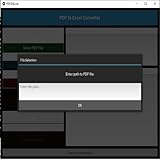
- Dual-panel interface with scrollable PDF viewer and Excel mapping controls
- Supports both text-based and scanned (image-based) PDFs using OCR fallback
- Click-and-highlight selection of text directly from the PDF viewer
- Smart header detection from uploaded Excel templates
- Flexible data mapping using dropdowns for each Excel column
Also check whether the tool supports OCR for scans, lets you review and correct extracted rows before export, and flags low-confidence results or balance inconsistencies. These features can help surface errors, but they do not guarantee perfect extraction. For recurring bookkeeping, a provider may offer accounting-oriented formats such as OFX or QBO, batch processing, or an API; confirm current output options, limits, and terms with that provider. Vendor features and policies can change, and no independent accuracy benchmark or comparative security audit is established here.
Quick Recap
Product prices and availability are accurate as of the date/time indicated and are subject to change. Any price and availability information displayed on Amazon at the time of purchase will apply.




