The best UPS for security cameras is sized for the complete surveillance and network stack—not for camera count alone. For most US 120V home and small-business systems, choose a line-interactive UPS with automatic voltage regulation (AVR), enough watt capacity to keep normal load below about 80%, and runtime calculated from measured watts. A PoE installation must also back up the PoE switch or injector, router, modem or fiber ONT, and any required access point; protecting only the NVR leaves the cameras unpowered.
This guide covers tower and rack options, runtime planning, output waveform, monitoring, installation and long-outage alternatives. Specifications and recommendations are for the United States as of August 18, 2026.
As an Amazon Associate I earn from qualifying purchases.
Quick recommendations
| Use case | Model or class | Key specifications | Main qualification |
|---|---|---|---|
| Most home and small-business systems | APC Back-UPS Pro BR1500MS2 | 1,500VA/900W, AVR, LCD, USB-A and USB-C, 10 NEMA 5-15R outlets, replaceable battery | More capacity than a small 20–50W system needs; runtime still depends on actual load. |
| Compact PoE/NVR stack | Eaton/Tripp Lite SMART750PSRTNC | 750VA/475W, line-interactive, pure sine wave, LCD, 8 outlets | Published runtime is about 2 minutes at full load and 8 minutes at half load; no external-battery support is listed. |
| Larger tower installation | Eaton/Tripp Lite SMART1000PSRTNC | 1,000VA/750W, line-interactive, pure sine wave, LCD, 10 outlets | About 1.8 minutes at full load and 10 minutes at half load; do not read 1,000VA as an hours-of-backup promise. |
| Higher-load prosumer or small business | Eaton/Tripp Lite SMART1500PSRTNC | 1,500VA/1,050W, line-interactive, pure sine wave, LCD, 10 outlets | About 2.5 minutes at full load and 8 minutes at half load; no external-battery support is listed. |
| Long outages or rack deployments | Extended-runtime Eaton/Tripp Lite SmartPro or SmartOnline systems | UPS units paired with external battery packs; examples cover 400W and 800W surveillance loads | Higher cost, weight, heat, maintenance and installation complexity. |
The APC specifications are from its official product page: APC BR1500MS2. Eaton’s capacities, topology, waveform and runtime figures come from its cloud-connected UPS brochure. These are specification-based recommendations, not independent runtime tests.
What a UPS does—and what it cannot do
A UPS keeps connected equipment powered through outages and brief interruptions, corrects some under- and over-voltage conditions, gives an NVR time to shut down cleanly, and can send outage or low-battery alerts. If the modem, ONT, router and required switch remain powered, local systems may also stay reachable remotely.
#1 Best Overall

- 425VA/260W Standby Uninterruptible Power Supply (UPS): Uses simulated sine wave output to provide battery backup power and to safeguard home office, home entertainment including computers, gaming consoles, and broadband routers
- 8 NEMA 5-15R OUTLETS: Four battery backup & surge protected outlets; Four surge protected outlets; INPUT: NEMA 5-15P right angle, 45 degree offset plug with five foot power cord
- ADDITIONAL FEATURES: LED status light indicates Power-On and Wiring Fault, transformer-spaced outlets
- GREENPOWER UPS HIGH EFFICIENCY DESIGN: Reduces power consumption by utilizing a compact charger and power inverter to create an ultra-efficient backup power system for home and office use
- 3-YEAR WARRANTY – INCLUDING THE BATTERY; 75K USD Connected Equipment Guarantee; UL SAFETY CERTIFIED: Product has been tested in a UL certified lab and listed with UL as meeting or exceeding safety standards
It does not guarantee surveillance. A dead or unprotected PoE switch, failed camera or cable, full or corrupted storage, a cloud-provider outage, an electrical fault affecting the UPS circuit, or an NVR that shuts down before the battery is empty can still stop recording. Internet service outside the premises can fail even while every local device is on battery.
Connect the complete power path
PoE NVR system
- UPS battery-backed outlet
- NVR, unless it includes the PoE ports and is the sole camera power source
- Standalone PoE switch or PoE injectors
- Router
- Cable modem or fiber ONT
- Wireless access point when remote viewing or administration depends on it
The cameras draw power through the PoE switch or NVR, so leaving that device on utility power defeats the backup. CyberPower’s surveillance guidance makes the same distinction between analog and IP systems: CyberPower video-surveillance guidance.
Analog DVR
- DVR
- Camera power supply
- Router and modem/ONT when remote access or alerts matter
- Monitor only when local viewing is required during an outage
Cloud or Wi-Fi cameras
- Camera hubs or indoor adapters
- Router, modem/ONT and Wi-Fi access point
- Any local storage appliance
A UPS cannot preserve cloud access when the provider, upstream internet or cellular network is unavailable. Local recording is a separate requirement.
Size by watts, then verify VA
- List every device that must stay online, including switches, hard drives, networking equipment and accessories.
- Read each label or specification and measure operating draw with a plug-in watt meter where practical.
- Add the loads, including the highest expected infrared, heater, motor or analytics state.
- Allow for startup spikes, battery aging, future cameras and accessories.
- Choose a UPS whose watt rating comfortably exceeds the total; target roughly 50–70% normal loading and avoid designing above about 80%.
VA is apparent-power capacity; watts are real power consumption. The UPS must satisfy both ratings. Runtime is driven mainly by battery energy, inverter efficiency and actual watts—not by the VA number alone. Eaton’s desktop guide explains the 80% headroom principle and outlet-selection issues: Eaton desktop UPS buying guide.
| Illustrative system | Approximate planning load | Starting UPS class |
|---|---|---|
| Small DVR/NVR and four cameras | 40–100W | 600–750VA |
| NVR, PoE switch and eight cameras | 80–180W | 750–1,000VA |
| NVR, PoE switch, router/ONT and 12–16 cameras | 150–300W | 1,000–1,500VA |
| Rack NVR, switching and many cameras | 300W or more | 1,500VA or rack UPS after precise measurement |
These are planning classes, not camera specifications. Infrared LEDs, heaters, pan/tilt motors, microphones and analytics can materially change consumption. A third-party illustration of CCTV loads is available at APC eStorewale’s CCTV sizing article, but manufacturer data for your equipment takes precedence.
Rank #2

- Stable and Dependable: This uninterruptible power supply adapter ensures continuous running of your devices, featuring a wide voltage input and stable output for broad compatibility and versatile applications
- Large Capacity: The UPS has a battery capacity of 2600mAh, with the runtime varying based on different devices usage. It provides uninterrupted power supply, allowing you to keep working or playing without interruption
- Intelligent Power Management: The built in battery enters sleep mode once fully charged and activates during power outages. This intelligent system maintains normal device function without requiring a restart, enhancing overall efficiency
- Compatibility: This UPS power supply is suitable for routers, fish tanks, LED light strips, CCTV cameras, web cameras, LED panels, amplifiers, modems, car DVRs, speakers, card readers, mobile phones, and other devices
- Simple to Operate: Supporting 2A devices, simply plug the UPS power supply adapter into a wall outlet, connect our UPS battery, and then plug in your device, is straightforward and convenient to operate
How much runtime do you need?
- Brief ride-through (5–15 minutes): prevent nuisance reboots and bridge short blips.
- Safe shutdown: enough time for the NVR, NAS or server to close files cleanly.
- Short business outage (15–60 minutes): requires a lower protected load or a larger battery system.
- Extended surveillance: use external battery modules, a dedicated DC UPS, generator or solar-plus-battery system.
Manufacturer runtime charts are measured at specified loads. Eaton lists the SMART750PSRTNC at approximately 2 minutes at full load and 8 minutes at half load; the SMART1000PSRTNC at approximately 1.8 minutes full-load and 10 minutes half-load; and the SMART1500PSRTNC at approximately 2.5 minutes full-load and 8 minutes half-load. See the Eaton runtime tables and select the row nearest your measured watts. Do not expect several hours from an ordinary desktop UPS.
Eaton’s security-system flyer shows that long runtimes at 400W and 800W generally require external battery packs.
Recommended Free Tools
Choose the right UPS topology
Standby
Suitable for stable utility power, basic systems and infrequent short outages. It lacks continuous AVR and usually has fewer management features.
Line-interactive
The best default for most camera systems. AVR corrects moderate voltage variation without repeatedly using the battery, making it preferable where brownouts are common.
Online double-conversion
Appropriate for poor-quality power, critical network closets and sensitive commercial equipment. It costs more, may run hotter and louder, and is often excessive for a home NVR.
Rank #3

- for ensure Continuous Monitoring: This 5V UPS for battery backup keeps your security cameras running during power outages, providing 2-5 hours of uninterrupted power for 24/7 recording and peace of mind.
- Automatic Power Switching: Features seamless auto-switch technology that instantly transfers to for battery mode when AC power fails, no footage is lost during unexpected blackouts or surges.
- Flexible Capacity Options: Available in 800mAh, 1200mAh, and 1800mAh models with a fast 3-hour charge time; compact ABS design fits easily behind cameras or in tight spaces.
- Wide Compatibility: for ideal for WiFi cameras, for night vision systems, and low-light surveillance setups; supports human and vehicle detection features without interruption.
- Reliable Performance: Built with ABS material for long-lasting use; includes power adapter for easy DIY installation in home security or small office environments.
Eaton’s topology guidance is summarized in its desktop UPS guide.
The Tool Desk
Outbyte PC Repair FREEClear out junk files and repair common Windows errorsFree Scan →Outbyte Driver Updater FREEFix the driver behind crashes, sound loss and screen glitchesFind Drivers →Output waveform, monitoring and batteries
Pure sine wave output is a sensible compatibility choice for NVRs with active-PFC supplies, servers, NAS units and mixed IT loads. Many camera power supplies work on simulated or stepped sine wave, but verify compatibility rather than assuming every camera requires pure sine wave. The cited Eaton SMARTPSRTNC models specify pure sine wave in battery mode.
Useful management features include USB communication, network-management cards, web or mobile status, email or push alerts, runtime estimates, event logs, scheduled tests, replaceable batteries and configurable low-battery shutdown. Eaton’s cloud-connected range supports app and browser monitoring: Eaton cloud-connected UPS overview. Network cards can provide HTTPS, SNMP and email management for network closets: Eaton network-closet guide.
Verify the exact NVR’s USB protocol and operating-system support before relying on automatic shutdown. Some recorders have no UPS integration; others require vendor software. Lead-acid batteries are common and inexpensive but heavy; lithium-ion units can be lighter and longer-lived but cost more and have model-specific replacement requirements. Keep any UPS cool and ventilated, test it periodically and replace aging batteries before failure.
Installation and commissioning checklist
- Plug the UPS directly into a properly grounded wall outlet; do not daisy-chain UPS units or overloaded strips.
- Charge it according to the model’s manual.
- Connect the recorder, PoE equipment, router, modem/ONT and required access point to battery-backed outlets.
- Check that large transformer plugs do not block neighboring receptacles; outlet count alone is not enough.
- Confirm the UPS display or software reports an acceptable load.
- During a controlled test, unplug utility power.
- Verify every camera remains powered and local recording continues.
- Test remote viewing and notifications if those services are required.
- Test the NVR’s automatic-shutdown behavior and recovery.
- Restore utility power, record measured runtime and schedule periodic retesting.
Use appropriate PoE or coaxial surge protection at building entry points. Outdoor Ethernet can carry surge energy, and AC UPS protection does not automatically protect cabling or guarantee survival from lightning.
Free tools Windows power users keep installed
One-click scans. No signup required.
Rank #4

- KEEP YOUR COMPUTER, WI-FI AND ROUTER RUNNING THROUGH POWER OUTAGES: Supplies short-term battery power during outages to maintain internet connectivity and allow safe shutdown of computer during power interruptions
- POWER PROBLEMS DON'T ONLY HAPPEN DURING STORMS: 23 minutes of runtime (at 100W load) guards against outages, while surge protection shields connected devices from unexpected power events that happen even on a normal day
- PROTECT EVERYTHING ON YOUR DESK: 5 well-spaced outlets with full battery backup and surge protection, plus 2 surge-only outlets for less critical gear
- PHONE CHARGER: Keep your phone charged even when the power's out. The built-in 1.5A USB port works during outages
- EASY BATTERY REPLACEMENT KEEPS COSTS LOW: Swap the internal battery in minutes when it ages out, no need to replace the whole unit (APC replacement battery APCRBC154, sold separately)
When a desktop UPS is the wrong solution
- More than 30–60 minutes required: evaluate external battery modules, a DC UPS, generator or solar-battery system instead of merely increasing VA.
- Low-voltage camera-only installation: a 12V, 24V or 48V DC UPS can avoid repeated AC-to-DC conversion, but requires a system designed for that voltage.
- Remote unmanned site: prioritize network management, alerts, cellular failover and local recording.
- Rack or commercial facility: consider rack UPS hardware, ventilation, electrical-code compliance and installer review.
Final buying decision
Start with measured watts and required runtime. Then confirm that the UPS has enough watt capacity, AVR or online conditioning appropriate to your power quality, a compatible waveform, monitoring and battery support, suitable outlets and a safe installation location. For a typical home or small-business PoE stack, the BR1500MS2 is a strong general-purpose choice; Eaton’s SMART750PSRTNC, SMART1000PSRTNC and SMART1500PSRTNC provide compact pure-sine managed alternatives. Choose an extended-runtime or rack system only when the outage objective and load justify its added cost and complexity.
Frequently Asked Questions
Do security cameras need a UPS?
A UPS is valuable when recording, remote access or alerts must survive outages and voltage disturbances. It is not a substitute for reliable cameras, storage, internet service or surge protection.
Should the PoE switch be connected to the UPS?
Yes. If the switch or injector loses power, PoE cameras stop even when the NVR remains on.
How many cameras can a 1,000VA UPS support?
There is no fixed camera count. Add the NVR, PoE switch, networking equipment and worst-case camera draw, then stay below the UPS watt rating with headroom.
How long will a UPS run an NVR?
Use the manufacturer’s runtime chart at your measured watt load. Published full- and half-load figures for desktop models can be only a few minutes.
Best Value
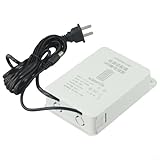
- 【Mini UPS Battery Backup】This uninterruptible power supply is designed with a compact size, making it portable and easy to carry. It provides a backup battery power source for your devices, ensuring continuous even during power outages.
- 【Battery Protection Board】Equipped with an advanced battery protection board, this UPS offers multiple protections including over-current, over-voltage, over-charge, and over-discharge protection. Your devices are kept safe and secure.
- 【High-performance Lithium Battery】The built-in high-performance lithium battery automatically enters sleep mode after being fully charged, ensuring long-lasting power supply. It seamlessly switches to battery power during power cuts, ensuring uninterrupted device functionality without the need for restarts.
- 【Stabilizing Pin Current Power Supply】With a wide voltage input range of 110V-240V, this UPS is compatible with various devices. Its 12V2A stabilizing pin current ensures a steady power supply to protect your equipment from potential damage.
- 【 Interface】The interface is designed with an outer diameter of 5mm and an inner diameter of 2.1mm. It is suitable for 12V outdoor cameras and provides a reliable connection for different devices.
Is pure sine wave necessary?
Not for every camera system, but it improves compatibility with active-PFC NVRs, servers, NAS units and sensitive mixed IT equipment.
Can a UPS power outdoor cameras?
Yes, indirectly through the backed-up PoE switch or camera supply. Protect outdoor Ethernet and grounding separately; a UPS does not provide complete lightning protection.
Will cameras work if the internet goes down?
Local recording can continue if the cameras, switch and recorder remain powered. Cloud viewing, remote alerts and uploads will not work without connectivity.
Do these 3 things before closing this tab:
1Fix the driver behind crashes, sound loss and screen glitches2Clear out junk files and repair common Windows errors3Scan for outdated or missing drivers - takes under a minuteCan I use a power station instead?
Potentially, if its output, transfer behavior, capacity, recharging method and always-on compatibility meet the recorder and networking equipment’s requirements. Verify those specifications before deployment.
How often should I replace the battery?
There is no universal interval. Heat, cycling and chemistry affect life; monitor battery health, test runtime and replace the battery when capacity declines.
Can I connect a monitor to the UPS?
Only if local viewing during an outage is necessary and the UPS has sufficient watt capacity. The recorder and camera power path take priority.
Is a rack UPS better than a tower UPS?
A rack UPS suits rack-mounted, higher-load or managed installations. A tower model is usually quieter, simpler and more practical for a home or small office.
How do I know whether my NVR supports automatic shutdown?
Check the exact NVR manual for USB UPS protocols, supported software and shutdown settings. Do not assume that every recorder can receive UPS commands.
Quick Recap
Product prices and availability are accurate as of the date/time indicated and are subject to change. Any price and availability information displayed on Amazon at the time of purchase will apply.




