The Tool Desk
Outbyte Driver Updater FREEFix the driver behind crashes, sound loss and screen glitchesFind Drivers →Outbyte PC Repair FREEClear out junk files and repair common Windows errorsFree Scan →The best ROG headset depends on the device you play on and whether you want wired, analog, or wireless audio. ASUS’s range includes all three, but compatibility and features vary by model. Start with your platform, then compare the connection and design details that fit your setup; manufacturer specifications alone do not establish which headset sounds or feels best.
How to choose a ROG headset for gaming
- Check your platform. Confirm compatibility for the exact headset and device, not just the ROG family. For example, ASUS lists the Delta S for PC, Mac, PS4, PS5, and Nintendo Switch, with adapter-specific notes. See the Delta S specifications.
- Choose the connection. ROG’s catalog includes 3.5 mm, USB, and wireless headsets. A USB headset, an analog headset, and a wireless model suit different ports and preferences. Browse ASUS’s headset categories.
- Compare model-specific features. Consider listed weight, microphone design, battery claim, and open- or closed-back construction only insofar as they matter to your setup. These specifications are not independent sound, comfort, or gaming-performance tests.
- Verify the exact model and regional listing. Availability, specifications, and compatibility can vary by market. Check the selected model’s current ASUS product and support pages before buying.
ROG headset models and their documented differences
| Model | Connection and platform notes | Documented features | What to weigh |
|---|---|---|---|
| ROG Delta II | Tri-mode wireless | ROG SpeedNova, 50 mm titanium-plated diaphragm drivers, 10 mm super-wideband boom microphone, DualFlow Audio, listed weight 318 g, and up to 110 hours of battery life | Consider it if you want wireless operation and its listed feature set. The 110-hour figure is ASUS’s stated maximum; the reviewed listing does not state test conditions, so it should not be treated as a guaranteed runtime. |
| ROG Pelta | Tri-mode wireless | ROG SpeedNova, 50 mm ROG titanium-plated diaphragm drivers, 10 mm super-wideband boom microphone, 309 g listed weight, and Aura Sync RGB | Check the exact platform support on the regional listing. Do not confuse it with the wired ROG Pelta Core. |
| ROG Kithara | Wired; dual 3.5 mm input, with 4.4 mm balanced, 3.5 mm, and 6.3 mm plugs | Open-back design, ROG-tuned 100 mm HIFIMAN planar magnetic drivers, and full-band MEMS boom microphone | Its open-back construction and plug options are distinctive design choices, not evidence that it is best for every room, device, or gamer. |
| ROG Delta S | Wired USB-A and USB-C; ASUS lists PC, Mac, PS4, PS5, and Nintendo Switch support | 300 g listed weight without the microphone; USB-C-to-USB-A adapter included | ASUS says the adapter supports PC and PS4/PS5; the page identifies iPad Pro USB-C support as audio-only. These details apply to this model, not the whole range. |
| ROG Pelta Core | Wired USB-C; ASUS describes support for PC, Switch, and PlayStation | USB-C wired headset | It is a different, wired product from the wireless ROG Pelta. Confirm the precise console and device support for your market. |
| ROG Delta S Core | Wired 3.5 mm; ASUS describes compatibility with PC, PS5, Nintendo Switch, and Xbox | 50 mm ASUS Essence drivers and virtual 7.1 sound | Check the exact regional product page for compatibility and availability before choosing it. |
Model features and compatibility above are based on ASUS/ROG product and specification pages accessed on October 7, 2026. Product pages can change, and regional availability may differ. See the ROG headset catalog and the Delta S specification page for current details.
As an Amazon Associate I earn from qualifying purchases.
Which connection type fits your setup?
Wireless
The Delta II and Pelta are listed as wireless models. Choose between them by checking platform support, the features you want, and whether each exact model is available in your region. The Delta II listing includes a maximum battery-life claim, but it does not provide conditions for interpreting that number as typical use.
Free tools Windows power users keep installed
One-click scans. No signup required.
USB
USB models can be a practical match when your device has a supported USB port. The Delta S listing specifies USB-A and USB-C connectors and includes an adapter, while the Pelta Core is described as USB-C wired. Adapter support is model-specific, so do not assume that an adapter or USB connection will work the same way across ROG headsets.
#1 Best Overall

- Versatile Tri-Mode Connectivity: Features Bluetooth, 2.4GHz (via ROG SpeedNova wireless technology), and 3.5mm wired connection options for extensive compatibility
- Multi-Platform Compatibility: Comptaible with PC and Mac, PlayStation (PS4/PS5), Xbox (Series X|S and One), Nintendo (Switch 1/Switch 2), and mobile. The ROG Delta II is also the top ROG xbox Ally / Ally X accessories choice
- DualFlow Audio: Simultaneously connect to two devices via 2.4GHz and Bluetooth. This wireless gaming headset makes it easy to switch between PC, console, and mobile audio or pick up phone calls with a single press of the earcup button
- Immersive High-Fidelity Audio: Over-ear headphones equipped with 50mm titanium-plated diaphragm drivers, delivering high-resolution 24-bit/96 kHz audio (in 2.4GHz mode) to create natural, realistic audio for an gaming, music, and everyday use
- Super-Wideband Microphone: Features a 10mm detachable boom mic with a super-wideband frequency range to ensure your voice is captured with exceptional clarity and detail during intense team battles, streaming, and online calls, including for work
Analog 3.5 mm
The Delta S Core is the documented 3.5 mm option among these models. The Kithara offers multiple plug options, including 3.5 mm and 6.3 mm, as well as a 4.4 mm balanced plug. Match the connector to your device or audio equipment before purchase.
How to interpret design and audio specifications
Specifications can narrow a shortlist, but they do not provide a reliable head-to-head verdict on sound quality, comfort, microphone performance, latency, durability, or competitive advantage. Driver size, material descriptions, and feature names should be treated as manufacturer-published details rather than independent test results.
Rank #2

- Versatile Tri-Mode Connectivity: Features Bluetooth, 2.4GHz (via ROG SpeedNova wireless technology), and USB-C wired connection options for extensive compatibility. Enjoy lag-free audio across gaming, music, and everyday use.
- Multi-Platform Compatibility: Works seamlessly across multiple devices including PC and Mac, consoles such as PlayStation (PS4/PS5), Nintendo (Switch 1/Switch 2), and mobile. The ROG Pelta is also the top choice as a ROG xbox Ally / Ally X accessories and headset.
- Immersive High-Fidelity Audio: 50mm titanium-plated diaphragm drivers ensure rich, detailed sound with wide 20 Hz–20 kHz frequency response.
- Super-Wideband Microphone: Features a 10mm detachable boom mic with a super-wideband frequency range to ensure your voice is captured with exceptional clarity and detail during intense team battles, streaming, and online calls, including for work.
- Ergonomic, Lightweight Comfort: Weighing only 309 grams with a breathable, three-level adjustable elastic headband, this over-ear headset is engineered for maximum comfort during extended gaming without pressure or fatigue.
- Open-back design: Kithara’s open-back construction is a specific design characteristic. Whether it suits your environment and preferences cannot be settled by the specification alone.
- Weight: ASUS lists the Delta II at 318 g, Pelta at 309 g, and Delta S at 300 g without its microphone. These figures describe different products and do not establish which headset will feel most comfortable.
- Microphone features: ASUS lists a 10 mm super-wideband boom microphone for Delta II and Pelta, and a full-band MEMS boom microphone for Kithara. Those descriptions do not substitute for comparable microphone tests.
Make the final choice
- For wireless use, compare Delta II and Pelta against your platform and desired features; treat the Delta II battery figure as an advertised maximum.
- For a USB connection, check the Delta S’s exact connector and adapter notes or the Pelta Core’s USB-C support.
- For a 3.5 mm connection, review the Delta S Core’s regional compatibility listing.
- For an open-back design or more plug choices, examine the Kithara’s connectors and consider whether that design suits your environment.
ASUS’s official catalog and specification pages, accessed October 7, 2026, are the source for these model details: ROG headset catalog, ROG Delta S specifications.
Quick Recap
Best Value
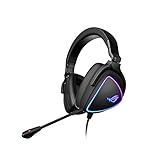
- HEADSET FOR CLEAR, DETAILED AUDIO - ASUS ROG Delta S Gaming Headphones feature high-resolution ESS 9281 with QUAD DAC technology and MQA technology support to deliver impeccably detailed, true-to-life audio that gives you an edge to win!
- Ai NOISE-CANCELLING MICROPHONE - The unidirectional, detachable mic is designed to reduce over 50 million types of background noise, including chatter, keyboard clatter & mouse clicks by up to 95%. The mic is certified by, both, Discord and TeamSpeak
- FPS GAMING ACE - The ROG Delta S can achieve an extraordinary SNR of 130 dB, a level untouched by single-DAC gaming headsets, allowing you to precisely pinpoint the origin of enemy footsteps, location of gunfire or explosions in FPS intense games
- MULTI-PLATFORM GAMING HEADPHONES - This gaming & music headset is as versatile as can be - the USB-C connector ensures high-fidelity audio experience with PCs, MAC, smartphone devices and gaming consoles such as Nintendo Switch and PS4 & PS5
- ERGONOMIC DESIGN - D-shaped ear cups closely match the shape of your ears, and the sloped design ensures superior sound quality. The cushions are made of 100% protein leather & fast-cooling memory foam that provide optimum comfort for long gaming sessions
Rank #4

- Dual-Mode Connectivity: With Bluetooth and low-latency ROG SpeedNova 2.4GHz connectivity, plus USB-C passthrough charging* that powers your phone without interrupting audio. *only provide one-way passthrough charging
- 14.2 mm DLC-coated Diaphragm Drivers: Featuring a 14.2mm DLC-coated diaphragm, deliver crisp highs, deep bass, and a spacious soundstage. Enjoy open-ear comfort or switch to immersive mode.
- IPX5 Water-Resistant Gaming Open Earbuds: With IPX5 water-resistant protection, your music stays with you through rain, sweat, and everyday adventures.
- Extended Battery Life with Fast Charging: Enjoy up to 16 hours of continuous use. Additionally, a quick 15-minute charge provides 3 hours of usage.
- Smart Audio Features: Includes Phantom Bass for enhanced low end, Immersion Mode for noise reduction.
Rank #3

- ROG-tuned 100mm HIFIMAN planar magnetic drivers: Audiophile-grade fidelity across an ultra-wide frequency range with vivid detail and exceptionally low distortion
- Open-back architecture: Spacious, natural soundstage with clear separation across bass, mids, and treble
- On-cable full-band MEMS boom microphone: Accurate voice pickup with a wide 20Hz–20kHz response and high SNR for clean, lifelike communication
- Broad compatibility and plug-and-play convenience: 4.4mm balanced plug included, plus 3.5mm and 6.3mm single-ended plugs, and a USB-C adapter for seamless compatibility with DACs, amps, PCs, consoles, and mobile devices
- Premium build for durability and comfort: Soft, eight-level adjustable headband, robust metal frame, and hinges, and sleek earcup with signature ROG elements
Product prices and availability are accurate as of the date/time indicated and are subject to change. Any price and availability information displayed on Amazon at the time of purchase will apply.




