For a laptop with a documented 3840×2400 OLED option, start with the ASUS ProArt P16 (H7606), Dell 16 Premium (2025), and the Malaysia-market Lenovo Yoga Slim 9i Gen 10, model 83CX0013MJ. They suit different priorities: creator-focused GPU configurations, a large premium screen, and a compact 14-inch design. They are evidence-backed candidates, not a head-to-head ranking; confirm the exact display configuration, local availability, and current price before buying.
What counts as a 4K laptop display?
Check the pixel dimensions in the exact configuration rather than relying on labels such as “OLED,” “high resolution,” or “premium display.” The documented 4K-class panels in this guide are 3840×2400, a 16:10 WQUXGA resolution. That is not the same aspect ratio as 3840×2160 16:9, and it is a higher resolution than 3200×2000 or 2880×1800.

As an Amazon Associate I earn from qualifying purchases.
For example, the Lenovo Yoga Pro 9i Gen 10 has a documented 3200×2000 panel, while the ASUS Zenbook Pro 14 OLED UX6404 has a 2880×1800 option. Both are high-resolution displays, but neither is 3840×2400. Check the precise option on the Lenovo Yoga Pro 9i specifications and ASUS Zenbook Pro specifications.
Do these 3 things before closing this tab:
1Repair Windows errors before they cause bigger problems2Fix the driver behind crashes, sound loss and screen glitches3Clear out junk files and repair common Windows errorsThree 4K-class laptop candidates
ASUS ProArt P16 (H7606): creator-focused configurations
ASUS lists a 16-inch, 16:10 3840×2400 OLED touchscreen option for the ProArt P16, with touch and stylus support. Its premium panel option is specified at 120Hz, up to 1,600 nits HDR peak brightness, 100% DCI-P3 coverage, and DisplayHDR True Black 1000 certification. These are manufacturer specifications, not independent measurements. The family also includes 60Hz 4K and 120Hz 3K display options.
#1 Best Overall

- UNOPENED RETAIL PACKAGING, sold as configured by Lenovo. Includes one year of Courier or Carry-in Lenovo Warranty. Add up to 5 years of Lenovo Premier Onsite Support Plus when you register your computer with Lenovo.
- The ThinkPad P16s Gen 4 is a compact mobile workstation powered by an AMD Ryzen AI 7 PRO 350 processor, offering premium AI performance and real-time workload optimization. It also features a numeric keypad to boost productivity and an extended battery life for all-day power.
- With 32 GB DDR5-5600MT memory and a 1 TB SSD, the Copilot+ mobile workstation's dedicated AI-driven neural processing unit enhances productivity by automating tasks, optimizing workflows, and delivering top-tier performance.
- Plenty of connectivity: 1x USB-A (USB 5Gbps / USB 3.2 Gen 1); 1x USB-A (USB 5Gbps / USB 3.2 Gen 1), Always On; 2x USB-C (Thunderbolt 4 / USB4 40Gbps), with PD 3.0 and DisplayPort 1.4; 1x HDMI 2.1, up to 4K/60Hz; 1x Headphone / microphone combo jack (3.5mm); 1x Ethernet (RJ-45); and 1x Security keyhole.
- The mobile workstation is a visual splendor, whether editing designs or creating content, the OLED touchscreen display is excellent for any project. Equipped with high speed WiFi 7 and a 5MP RGB+IR camera with premium mics.
This is a candidate for creators who want a 4K OLED touchscreen and a choice of discrete-GPU configurations. Do not assume every H7606 configuration has the same panel, memory, or graphics: verify that the exact model code pairs the display you want with the GPU and memory your work requires. See the ASUS ProArt P16 technical specifications.
Dell 16 Premium (2025): large OLED screen, with practical compromises
Tom’s Guide reviewed a configuration with a 16.3-inch 3840×2400, 120Hz OLED touchscreen, Intel Core Ultra 7 255H, RTX 5070 Laptop GPU, 32GB RAM, and 1TB storage. At the time of that review, this configuration was listed at $3,199; the $1,799 starting configuration had a different, lower-resolution display. Those are review-time US prices, not current quotes. Check the Tom’s Guide review for the reviewed configuration and its results.
Rank #2

- UNOPENED RETAIL PACKAGING, sold as configured by Lenovo. Includes one year of Courier or Carry-in Lenovo Warranty. Add up to 4 years Lenovo Premium Care Onsite Plus when you register your computer with Lenovo.
- Powered by the high performing Intel Core Ultra 7 258V processor, the Yoga 9i 2-in-1 laptop is ready to take on any challenge, big or small. It unlocks maximum performance and creative efficiency, it has plenty of memory with 32 GB and even more storage with 1 TB.
- The 14″ 4K OLED touchscreen display brings sharp clarity and bold colors, with 100% DCI-P3 for spot-on color accuracy. With the Anti-fingerprint WQUXGA high resolution OLED touchscreen and up to 600 nits of brightness.
- Ports: 1x USB-A (USB 10Gbps / USB 3.2 Gen 2), Always On; 1x USB-C (USB 20Gbps / USB4 Gen 2x2), with USB PD 3.0 and DisplayPort 1.4; 2x USB-C (Thunderbolt 4 / USB4 40Gbps), with USB PD 3.0 and DisplayPort 2.1; and 1x Headphone / microphone combo jack (3.5mm).
- The Yoga Pen, with tilt and pressure detection, low latency, and magnetic attachment to the lid, extends your flexibility, offering precise control and smooth drawing.
In Tom’s Guide’s 2025 battery test, its reviewed Dell configuration lasted 7 hours 14 minutes. Treat that as one review’s result under its test conditions, not a forecast for every user or configuration. The review also criticizes the limited port selection and the capacitive function row and invisible touchpad design. Its gaming benchmarks were run at 1080p, so those results do not establish gaming performance at the display’s native 3840×2400 resolution. If your peripherals outnumber the built-in ports, check whether a USB-C hub with the connections and power delivery your setup needs would address the shortfall.
Lenovo Yoga Slim 9i Gen 10, model 83CX0013MJ: compact, with a regional caveat
Lenovo’s Q1 2026 Malaysia brochure lists this 14-inch model with a 3840×2400 OLED touchscreen at 120Hz, 750 nits as specified in the brochure, 100% DCI-P3, 32GB soldered LPDDR5x memory, and a 1TB SSD. The brochure is market-specific: confirm that model 83CX0013MJ and its stated panel are sold in your country, along with local stock, warranty, and price. Do not treat its Malaysia-market details as applying to every Yoga Slim 9i Gen 10. See the Lenovo Q1 2026 brochure.
Rank #3
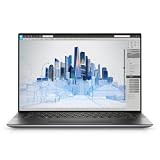
- Dell Precision 5560 Laptop 15.6" Touch Screen
- Intel Core i7 11th Gen i7-11800H Eight-Core Processor 2.3GHz (4.6GHz With Turbo Boost)
- 512GB SSD Hard Drive & 32GB RAM Memory
- 3840x2400 4K resolution Touch with an integrated Webcam and an Nvidia T1200 Graphics Card
- Wireless Wifi & Bluetooth
How to choose the right configuration
- Confirm resolution and aspect ratio. Look for 3840×2400 or WQUXGA if that is the resolution you require. Do not substitute 3200×2000 or 2880×1800 just because a listing calls the display high resolution.
- Check the complete panel specification. Compare OLED or other panel type, refresh rate, touch or stylus support, coating, and HDR claims. A peak HDR brightness specification is not the same as a measured SDR brightness result.
- Match the GPU to the workload. For rendering or GPU-accelerated creative work, verify the discrete GPU on the exact SKU. Screen resolution alone says nothing about application performance.
- Consider battery, size, and weight together. A result from one reviewed configuration is useful context, not a guarantee for another SKU or your usage. Check independent testing for the specific model and configuration when available.
- Count ports against your devices. Compare built-in ports with the peripherals you actually use. Add a hub only if there is a genuine shortfall, and match its connections and power delivery to your setup.
- Verify local price, stock, and warranty. Listings and configurations vary by market and can change. Recheck the manufacturer or retailer for your region before making a purchase.
Which one should you shortlist?
- Choose the ProArt P16 as a candidate if a 4K OLED touchscreen and a choice of creator-oriented discrete-GPU configurations are priorities; verify the panel and GPU on the same SKU.
- Consider the Dell 16 Premium if you want the reviewed large 16.3-inch 4K OLED configuration and can live with the port and control-layout compromises noted in the review.
- Consider the Yoga Slim 9i model 83CX0013MJ if you want a compact 14-inch 4K OLED configuration and can confirm that this Malaysia-listed model is available and supported in your market.
No controlled head-to-head test across these three candidates establishes a universal winner. The useful choice depends on the exact configuration you can buy and whether you prioritize creator GPU options, a larger OLED screen, or a compact 14-inch display.
Quick Recap
Rank #4

- BUILT TO WIN EVERY GAME: Take on competitive esports and AAA games with confidence using the ASUS TUF A18 gaming laptop, equipped with the NVIDIA GeForce RTX 5060 Laptop GPU featuring 8GB GDDR7. DLSS 4 with Multi Frame Generation and Ray Tracing deliver smoother gameplay, enhanced realism, and impressive AI-powered graphics acceleration
- POWER THROUGH WORK, PLAY & STREAMING: Powered by an AMD Ryzen 7 260 processor with 8 cores, 16 threads, and speeds up to 5.1GHz, the ASUS TUF A18 handles gaming, streaming, schoolwork, creative projects, and everyday multitasking with responsive performance and exceptional efficiency
- EXPANSIVE 18-INCH GAMING DISPLAY: Enjoy a larger gaming experience with the 18-inch 144Hz display featuring a rapid 3ms response time. NVIDIA G-SYNC technology reduces stutter and screen tearing, providing fluid visuals that keep you fully immersed in every match on the ASUS TUF A18
- ENGINEERED TO STAY COOL UNDER PRESSURE: Long gaming sessions demand dependable cooling. ASUS TUF A18 combines a full-width heatsink, 2nd Gen Arc Flow Fans, multiple heat pipes, and dust-resistant airflow to maximize thermal efficiency and sustain high-performance gaming
- READY FOR YOUR COMPLETE GAMING SETUP: Whether connecting multiple monitors, gaming accessories, or high-speed networks, ASUS TUF A18 has you covered with HDMI 2.1, dual USB Type-C with DisplayPort, Wi-Fi 6E, Gigabit Ethernet, and ASUS TAS technology for stronger wireless performance over longer distances
Product prices and availability are accurate as of the date/time indicated and are subject to change. Any price and availability information displayed on Amazon at the time of purchase will apply.




