Freedom251 › Network Protocol Analyzers

Zui
What Zui is
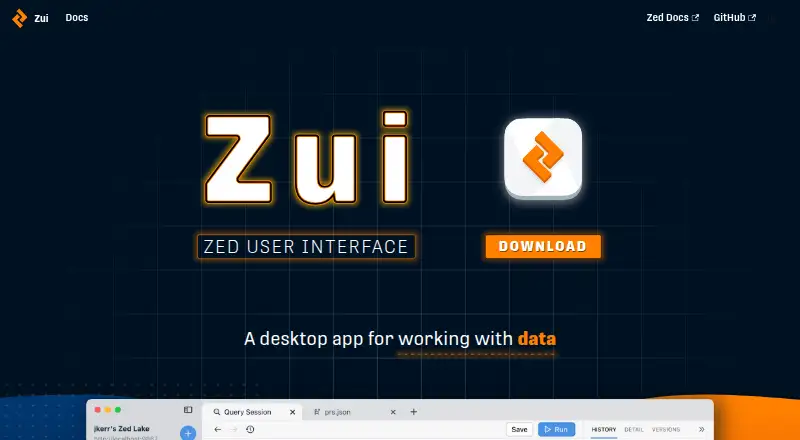
Zui is a desktop application for querying, debugging, and exploring data in Zed lakes. It runs on Linux, macOS, and Windows, and provides drag-and-drop ingest, schema inference, named queries, filters, and pivots. Users can preview and shape data as it is loaded; imported data is stored in a local Zed lake in the Zui data directory. Zui can also connect to a remote Zed lake. For packet captures, bundled Brimcap produces Zeek and Suricata summary logs, while Zui can extract packet flows and correlate Zeek events with Suricata alerts. Right-click actions can query VirusTotal or whois. Suricata uses Emerging Threats Open rules by default and updates them when Zui launches with an internet connection. The free application is available for download and use. Brim Data continues to publish Zed and Zui releases and documentation while developing SuperDB. The maker recommends recent operating system versions, including Windows 10 or newer and macOS Ventura 13.7 or newer; Linux updates require uninstalling and reinstalling.
Who it suits
Zui suits people who need a graphical way to explore Zed lake data or analyze packet captures. It is available across desktop operating systems and supports local or remote lakes.
What it does well
- Free to download and use
- Supports Linux, macOS, and Windows
- Previews and shapes data during loading
- Correlates Zeek events with Suricata alerts
- Can extract packet flows
What to know first
- Linux updates require manual uninstall and reinstall
- Remote lake setup uses TCP port 9867
- Recommended operating system versions are specified
Plans
| Plan | Billed and limits | Price |
|---|---|---|
| Zui | Free to download and use | Free |
As zui.brimdata.io lists them, read 4 Oct 2026. The maker's own page has the final word.
Getting started
- Download Zui for Linux, macOS, or Windows.
- Check that your operating system meets the maker's recommended minimum version.
- Install and launch Zui; releases are signed with a code signing certificate.
- Drag and drop data to ingest it, then preview and shape it as it loads into a Zed lake.
- Connect to a remote Zed lake if needed; the documented setup uses TCP port 9867.
- Consult the troubleshooting documentation or public Slack community if you need help.
Verdict
Zui combines Zed lake exploration with packet capture analysis in a desktop interface. Linux users should account for the manual update process.
Questions
Is Zui free?
Yes. Zui is free to download and use.
Which operating systems does Zui support?
Zui runs on Linux, macOS, and Windows. The maker recommends Windows 10 or newer, macOS Ventura 13.7 or newer, Ubuntu 20.04 or newer, Debian 11 or newer, Fedora 31 or newer, or Rocky 9 or newer.
What can I do with Zui?
Zui provides a graphical interface for querying, debugging, and exploring data in Zed lakes. It also supports packet capture analysis, including packet flow extraction and Zeek and Suricata event views.
Where does Zui store imported data?
Imported data is stored in a local Zed lake under the user's Zui data directory. Zui can also connect to a remote Zed lake.
Does Zui analyze packet captures?
Yes. Bundled Brimcap creates Zeek and Suricata summary logs, and Zui can extract packet flows. Packet views can correlate Zeek events with Suricata alerts.
Who makes Zui, and where can I get help?
Brim Data publishes Zui releases and documentation while developing SuperDB. The installation guide points users to troubleshooting documentation and a public Slack community.
Facts from Zui's own pages
- Data exploration
- Zui is a graphical interface for exploring data in Zed lakes. · zui.brimdata.io, 4 Oct 2026
- Headquarters
- South San Francisco, California, United States · zui.brimdata.io, 28 Sept 2026
- Ingest and query features
- The product page lists drag-and-drop ingest, schema inference, named queries, and filters and pivots. · zui.brimdata.io, 4 Oct 2026
- Local storage
- Imported data is stored in a local Zed lake under the user's Zui data directory. · zui.brimdata.io, 4 Oct 2026
- Maker status
- Brim Data says it is currently developing SuperDB while continuing to publish legacy Zed and Zui releases and documentation. · brimdata.io, 4 Oct 2026
- Notable limitation
- The maker says Linux updates require manual uninstalling and reinstalling. · zui.brimdata.io, 4 Oct 2026
- Packet capture analysis
- Bundled Brimcap generates Zeek and Suricata summary logs from packet captures, and Zui can extract packet flows. · zui.brimdata.io, 4 Oct 2026
- Platform requirements
- The maker recommends Windows 10 or newer, macOS Ventura 13.7 or newer, Ubuntu 20.04 or newer, Debian 11 or newer, Fedora 31 or newer, or Rocky 9 or newer. · zui.brimdata.io, 4 Oct 2026
- Preview and shape data
- Zui lets users preview and shape data while loading it into a Zed lake. · zui.brimdata.io, 4 Oct 2026
- Purpose
- Zui is a desktop application for querying and debugging Zed lakes. · brimdata.io, 4 Oct 2026
- Remote lake support
- Zui can connect to a remote Zed lake, whose service uses TCP port 9867 in the documented setup. · zui.brimdata.io, 4 Oct 2026
- Security
- The maker says Zui releases are signed with a code signing certificate to indicate the installer came from Brim Data and has not been tampered with since it was built. · zui.brimdata.io, 4 Oct 2026
- Security integrations
- Packet capture views can correlate Zeek events with Suricata alerts, and right-click options can query VirusTotal or whois. · zui.brimdata.io, 4 Oct 2026
- Support
- The installation guide directs users who need help to troubleshooting documentation and the public Slack community. · zui.brimdata.io, 4 Oct 2026
- Threat rules
- By default, bundled Suricata applies Emerging Threats Open rules, which are updated when Zui launches while connected to the internet. · zui.brimdata.io, 4 Oct 2026
Where Zui stands on Freedom251
- Network Protocol Analyzers#18 of 30
- Network Packet Analyzer Software#21 of 32