Freedom251 › Network Protocol Analyzers
My Network Consultant
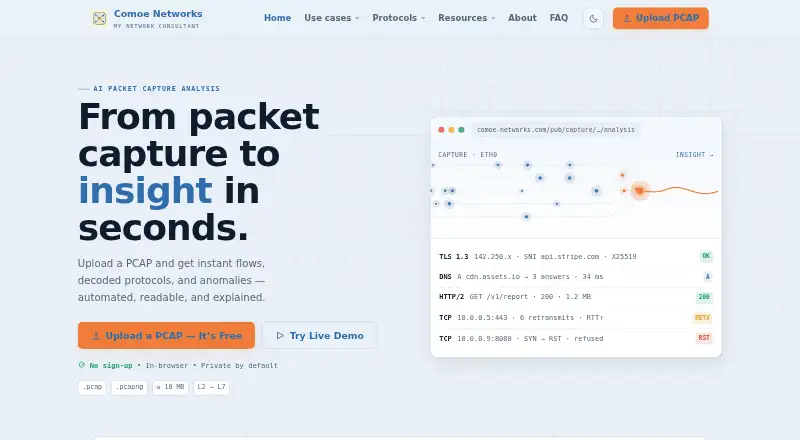
What My Network Consultant is
My Network Consultant is a browser-based network analyzer that turns PCAP and PCAPNG captures into summaries, anomaly findings and visual timelines. Users can upload a capture and view results without creating an account. The maker identifies SOC triage, NOC troubleshooting, incident response and performance analysis as use cases. TCP analysis covers handshake timelines, RTT and RTO trends, retransmissions, window behavior and MSS/MTU hints. DNS analysis includes resolver latency, response statuses, retries, TCP fallbacks, EDNS behavior and tunneling indicators. TLS analysis covers protocol versions, cipher negotiation, SNI, certificate chains, handshake retries, session resumption and ALPN. The FAQ sets a 20 MB limit for demo files and suggests splitting larger captures or contacting the maker. The TCP analysis page describes a 10 MB demo limit. Separate evidence and triage tools perform hashing and IOC extraction in the browser without uploading files for those operations; the maker describes them as free. The service is maintained and owned by Comoe Networks, based in Paris, France.
Who it suits
It suits network and security teams handling capture analysis for triage, troubleshooting, incident response or performance analysis. Browser-based evidence and triage tools may also suit users who need hashing or IOC extraction without uploading files for those operations.
What it does well
- Analyzes PCAP and PCAPNG captures
- Results available without an account
- Includes TCP, DNS and TLS analysis
- Hashing and IOC extraction run in-browser
What to know first
- Demo file limit is 20 MB in the FAQ
- TCP analysis page gives a 10 MB demo limit
- No immediate plans to add other capture formats
Limits
The FAQ states a 20 MB demo-file limit, while the TCP analysis page states a 10 MB demo limit. Larger captures may need to be split or discussed with the maker.
Getting started
- Open https://comoe-networks.com/ in a browser
- Upload a local PCAP or PCAPNG capture
- View the generated summaries, findings, and timelines
- Use the evidence or triage tools for browser-based hashing and IOC extraction
Verdict
My Network Consultant provides capture summaries and protocol-level analysis through a browser workflow. Check the relevant page’s demo size limit before using a large capture.
Questions
Is My Network Consultant free?
Yes. The maker labels the service and its evidence and triage tools as free.
Do I need an account?
No. Captures can be uploaded and results viewed immediately in a browser without signing up.
Which capture formats are supported?
PCAP and PCAPNG are supported. The FAQ says there are no immediate plans to add other formats.
Where does analysis run?
The analyzer is described as private by default and in-browser. Hashing and IOC extraction in the evidence and triage tools run in the browser without uploading files.
What analyses are available?
TCP, DNS, and TLS analysis are available, along with summaries, anomaly findings, and visual timelines.
Facts from My Network Consultant's own pages
- Access
- Users can upload a capture in their browser and see results immediately without an account. · comoe-networks.com, 9 Oct 2026
- Capture formats
- The analyzer supports PCAP and PCAPNG; the FAQ says there are no immediate plans to add other formats. · comoe-networks.com, 9 Oct 2026
- Capture limit
- The FAQ states a 20 MB demo file size limit and suggests splitting larger captures or contacting the maker. · comoe-networks.com, 9 Oct 2026
- Client-side tools
- Its evidence and triage tools say hashing and IOC extraction run in the browser and files are not uploaded for those operations. · comoe-networks.com, 9 Oct 2026
- Company
- The FAQ says My Network Consultant is maintained and owned by Comoe Networks, based in Paris, France. · comoe-networks.com, 9 Oct 2026
- DNS analysis
- DNS analysis covers resolver latency, response status trends, retries, TCP fallbacks, EDNS behavior, and tunneling indicators. · comoe-networks.com, 9 Oct 2026
- Free access
- The maker labels its evidence and triage tools as free and describes the demo as free to use. · comoe-networks.com, 9 Oct 2026
- Headquarters
- Paris, France · comoe-networks.com, 28 Sept 2026
- Privacy
- The maker describes its analyzer as private by default and in-browser, with no sign-up and a 10 MB demo limit on its TCP analysis page. · comoe-networks.com, 9 Oct 2026
- Product
- My Network Consultant is an AI-powered network analyzer that turns PCAP and PCAPNG captures into summaries, anomaly findings, and visual timelines. · comoe-networks.com, 9 Oct 2026
- Supported audience
- The maker describes TCP analysis as useful for NOC troubleshooting, SOC triage, incident response, and performance analysis. · comoe-networks.com, 9 Oct 2026
- TCP analysis
- TCP analysis includes handshake timelines, RTT and RTO trends, retransmissions, window analysis, and MSS/MTU hints. · comoe-networks.com, 9 Oct 2026
- TLS analysis
- TLS analysis covers versions, cipher negotiation, SNI, certificate chains, handshake retries, session resumption, and ALPN. · comoe-networks.com, 9 Oct 2026
- Use cases
- The maker identifies SOC triage, NOC troubleshooting, incident response, and performance analysis as use cases. · comoe-networks.com, 9 Oct 2026
Where My Network Consultant stands on Freedom251
- Network Protocol Analyzers#19 of 30