Freedom251 › Network Protocol Analyzers
termshark
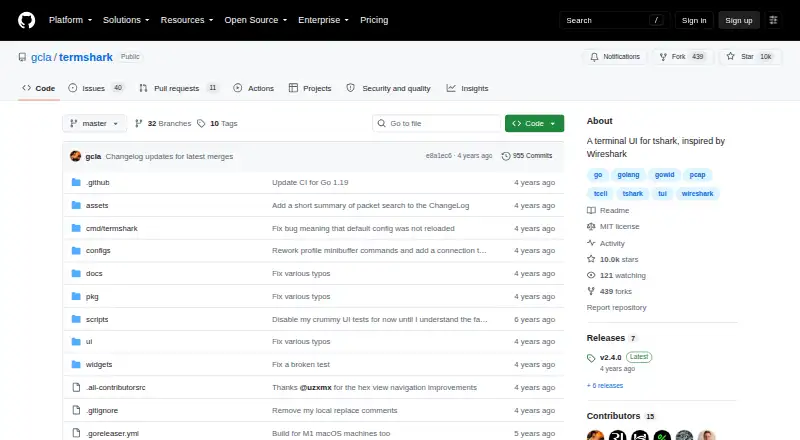
What termshark is
termshark is a terminal interface for tshark that brings packet inspection into a text-based workflow. It can open pcap files or capture traffic from live interfaces when tshark has permission to do so. This can suit analysis on a remote machine, where a capture can be examined without copying it to a desktop. Users can apply Wireshark display filters to saved and live captures, inspect conversations grouped by protocol, and reassemble TCP and UDP streams. Packet search can look across packet lists, structures, and bytes using text strings, regular expressions, hexadecimal input, or display filters. The interface can import a Wireshark column set when it locates the user's Wireshark configuration. Its guide also describes transferring the current capture with Magic Wormhole. termshark is free and open source under the MIT License. Builds are listed for Linux, macOS, BSD variants, Android through Termux, and Windows. The Go implementation compiles as a single executable for each platform. Packet analysis relies on tshark, which must be in the PATH; the listed termshark plan requires tshark 1.10.2 or higher. Some tshark capabilities are not exposed in termshark.
Who it suits
termshark suits people who need to inspect packet captures or live traffic from a terminal, including when working on a remote machine. It is a fit for users who can provide tshark and want Wireshark display filters, conversation views, stream reassembly, and packet search.
What it does well
- Reads pcap files and can sniff live interfaces when tshark is permitted.
- Applies Wireshark display filters to captures.
- Reassembles TCP and UDP streams and groups conversations by protocol.
- Searches packet lists, structures, and bytes in several formats.
- Free and MIT licensed, with builds for multiple platforms.
What to know first
- Packet analysis requires tshark in the PATH.
- Some tshark features are not exposed by termshark.
- Live interface capture depends on tshark being permitted.
Limits
The free MIT-licensed plan requires tshark 1.10.2 or higher. The project notes that some tshark features are not yet available through termshark.
Plans
| Plan | Billed and limits | Price |
|---|---|---|
| termshark | MIT-licensed · Requires tshark 1.10.2 or higher | Free |
As github.com lists them, read 7 Oct 2026. The maker's own page has the final word.
Getting started
- Open the termshark GitHub project page.
- Choose a build for Linux, macOS, a BSD variant, Android through Termux, or Windows.
- Make sure tshark 1.10.2 or higher is available in the PATH.
- Permit tshark to access live interfaces if you plan to sniff live traffic.
Overview
Termshark is a terminal interface for tshark, drawing on Wireshark’s approach to packet inspection. It suits command-line users who need to investigate saved or live traffic, particularly on a remote machine. Its focused analysis tools are useful, but tshark remains a required dependency and some of its capabilities are outside termshark’s interface.
Key features
Termshark reads pcap files and can sniff live interfaces when tshark has permission to capture. Wireshark display filters work on saved and live traffic, and protocol-based conversation views help users narrow an investigation beyond individual packets. TCP and UDP stream reassembly adds a way to follow flows, making the tool more useful for troubleshooting than a simple packet-list viewer.
Search can target packet-list, packet-structure, and packet-byte data, using strings, regular expressions, hexadecimal input, or display filters. Profiles for colors and columns let users tailor the display; termshark can also import a Wireshark column set when it finds the relevant configuration. These are practical conveniences for repeated analysis, though they do not remove the broader limitation that termshark exposes less than tshark.
Remote analysis is a strong fit: users can inspect a capture on another machine without first copying a large pcap to a desktop. The guide also describes transferring the current pcap with Magic Wormhole. Termshark is written in Go and distributed as a single executable per platform, but packet analysis still depends on tshark being installed and available in the user's PATH.
Pricing
Termshark is free and open source under the MIT License. Its plan costs nothing and requires tshark 1.10.2 or higher. There is no paid tier or trial; users should account for the separate tshark dependency and ensure live capture is permitted where they intend to sniff interfaces. The software is provided without warranty.
Platforms
Termshark supports Linux, macOS, BSD variants, Android through Termux, and Windows. The single-executable approach across platforms makes it suited to terminal-based environments, including remote systems, while capture still depends on tshark and its permissions.
Who it's for
Choose termshark if you already work with tshark or Wireshark display filters and want a terminal-based way to inspect captures, especially when the pcap resides on a remote machine. It is less suitable when you require a tshark feature that termshark has not exposed, or cannot install and configure tshark in the required PATH.
Pros and cons
- Pro: It combines pcap reading, permitted live capture, display filters, protocol conversations, and TCP/UDP stream reassembly in a terminal interface, supporting focused investigation without a desktop workflow.
- Pro: Search spans packet summaries, structure, and bytes with several input forms, while profiles and Wireshark column import help adapt the view.
- Pro: Remote inspection avoids copying a large capture to a desktop, and the guide includes a Magic Wormhole transfer option.
- Con: tshark is mandatory and must be in PATH, adding a dependency that can complicate setup.
- Con: Some tshark features are not exposed, so users with workflows that rely on them should use another tool or tshark directly.
Alternatives
Scapy is another free option, with a Python 3.7+ requirement and GPLv2 license; consider it if that tool better fits your platform and workflow needs.
NETCAP has a free Core plan described as an open-source CLI with 66+ audit record types and community support, as well as a paid Pro plan. Consider it when those audit records are a closer fit than termshark’s interactive packet inspection.
NetworkMiner is a freemium alternative with Linux, macOS, and Windows support; consider it if you are comparing packet-analysis options across those platforms.
PacketSnitch is a freemium option for Linux, macOS, and Windows. Consider it if you want to compare another packet tool with a free tier and trial.
Arkime is free and open source, with no paid-only features or license fees; consider it if that model better suits your requirements.
Ettercap is a free open-source project for Linux, macOS, and self-hosted use; consider it if those platforms and its source-code availability match your needs.
Kismet is free and open source, with no paid plan or usage limit stated; consider it if you want to compare another free option.
OpenGrep is a free open-source static analysis CLI; consider it for static analysis rather than packet inspection.
Browse more options in Network Protocol Analyzers and Network Packet Analyzer Software.
Verdict
Termshark is a strong free choice for command-line users who need to analyze captures where they are stored, particularly on remote machines. Its search, filters, conversation views, and stream reassembly cover substantial inspection work, but the required tshark dependency and its unexposed features make it the wrong choice when you need the full tshark feature set or cannot meet that dependency.
Verdict
Choose termshark if you want a free terminal tool for packet capture analysis, especially on a remote machine where copying a pcap is unnecessary. Look elsewhere if you need tshark functionality that termshark does not expose or cannot provide the required tshark dependency.
Questions
How much does termshark cost?
The listed termshark plan is free. It is open source under the MIT License.
Does termshark have a free plan or trial?
It is free, and no free trial is listed.
Which platforms does termshark support?
The project lists Linux, macOS, BSD variants, Android through Termux, and Windows.
Does termshark require another tool?
Yes. Packet analysis depends on tshark, which must be in the PATH; the listed plan requires tshark 1.10.2 or higher.
Can termshark inspect live traffic and remote captures?
It can sniff live interfaces when tshark is permitted and can be used to analyze a capture on a remote machine without copying it to a desktop.
Who makes termshark and what license does it use?
The project is hosted at github.com/gcla/termshark. It identifies the software as MIT licensed.
Facts from termshark's own pages
- Capture and files
- Termshark can read pcap files and sniff live interfaces. · termshark.io, 7 Oct 2026
- Capture permissions
- Live interface sniffing is available where tshark is permitted. · github.com, 7 Oct 2026
- Conversations
- Termshark can show network conversations by protocol. · termshark.io, 7 Oct 2026
- Dependencies
- Termshark depends on tshark for packet analysis, and tshark must be in the user's PATH. · github.com, 7 Oct 2026
- Designed for
- The project describes use for debugging on a remote machine when a large pcap need not be copied back to a desktop. · github.com, 7 Oct 2026
- Filtering
- It filters packet captures and live captures using Wireshark display filters. · github.com, 7 Oct 2026
- Filters
- Termshark supports Wireshark display filters. · termshark.io, 7 Oct 2026
- Flow inspection
- It can reassemble and inspect TCP and UDP flows. · github.com, 7 Oct 2026
- Integration
- Termshark depends on tshark from the Wireshark project for packet analysis and requires tshark in PATH. · github.com, 7 Oct 2026
- Known limitation
- The project says tshark has features that termshark does not yet expose. · github.com, 7 Oct 2026
- License
- The repository identifies the project as MIT licensed. · github.com, 7 Oct 2026
- License and warranty
- The software is distributed under the MIT License and provided without warranty. · github.com, 7 Oct 2026
- Notable limit
- The repository notes that tshark has features that termshark does not yet expose. · github.com, 7 Oct 2026
- Packet input
- It can read pcap files or sniff live interfaces when tshark is permitted. · github.com, 7 Oct 2026
- Packet search
- The user guide says packet search can search packet-list, packet-structure, and packet-byte data using strings, regular expressions, hexadecimal input, or display filters. · github.com, 7 Oct 2026
- Platform builds
- The README lists downloads for Linux, macOS, BSD variants, Android through Termux, and Windows. · github.com, 7 Oct 2026
- Platform support
- The project lists Linux, macOS, BSD variants, Android through Termux, and Windows as supported platforms. · termshark.io, 7 Oct 2026
- Purpose
- Termshark is a terminal user interface for tshark, inspired by Wireshark. · github.com, 7 Oct 2026
- Release
- The latest listed release is v2.4.0, released on July 11, 2022. · github.com, 7 Oct 2026
- Search and profiles
- The v2.4.0 release added packet search and profiles for colors and columns. · github.com, 7 Oct 2026
- Single executable
- The project says its Go implementation compiles to a single executable on each platform. · github.com, 7 Oct 2026
- Streams
- Termshark can reassemble TCP and UDP streams. · termshark.io, 7 Oct 2026
- Support
- The project directs users to GitHub for setup questions, bugs, and feature requests. · termshark.io, 7 Oct 2026
- Transfer
- The user guide lists a command to transfer the current pcap using Magic Wormhole. · github.com, 7 Oct 2026
Where termshark stands on Freedom251
- Network Protocol Analyzers#14 of 30
- Network Packet Analyzer Software#16 of 32