Zoo Design Studio
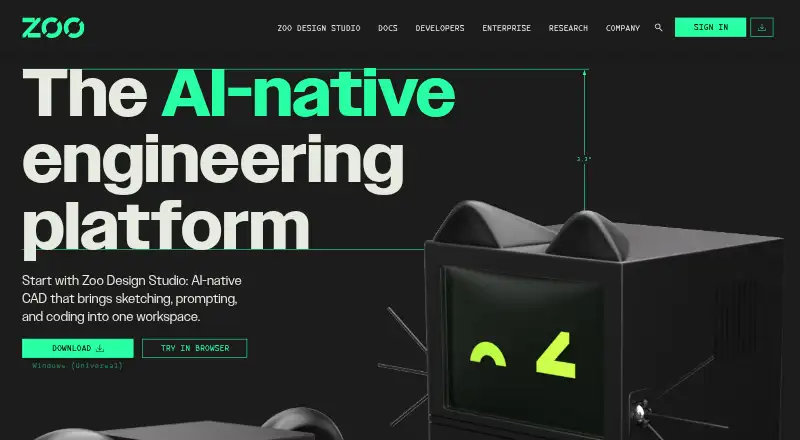
What Zoo Design Studio is
Zoo Design Studio is a hybrid CAD platform for making and editing parametric models, from sketches and feature trees to code and AI-assisted workflows. Its tools include sketching, assemblies, solid and surface modeling, transforms, and construction geometry. The Zookeeper conversational agent can create or edit parametric CAD models from prompts, images, and sketches. KCL, Zoo’s CAD scripting language, is optional. Projects use human-readable KCL files and can be imported, exported, synced, and versioned with Git or other text-based tools. The software runs on Windows, macOS, Linux, and in a web browser. It imports STEP, SLDPRT, SAT, SAB, CATPART, PRT, IPT, X_T, X_B, GLTF, GLB, FBX, OBJ, PLY, STL, and KCL; exports include STEP, STL, GLTF, GLB, OBJ, and PLY. The free plan costs nothing and includes Design Studio access plus a monthly Zookeeper reasoning allowance. Modeling, rendering, Zookeeper, and Personal Cloud sync require an internet connection, even for projects in a local Directory library. Cloud Sync is not live collaboration and provides no version history or backups.
Who it suits
Zoo Design Studio is presented for CAD users ranging from beginners and non-engineers to expert users and enterprise teams. It may suit people who want a choice of sketch-based, parametric, scripting, or conversational-agent workflows.
What it does well
- Free plan includes Design Studio access.
- Available on Windows, macOS, Linux, and web.
- Zookeeper works from prompts, images, and sketches.
- Imports and exports a wide range of listed formats.
- KCL scripting is optional.
What to know first
- Modeling and rendering require an internet connection.
- Cloud Sync lacks live collaboration, history, and backups.
- Assembly Mates remain on the roadmap.
Plans
| Plan | Billed and limits | Price |
|---|---|---|
| Free | Zoo Design Studio access · monthly Zookeeper reasoning allowance | Free |
As zoo.dev lists them, read 8 Oct 2026. The maker's own page has the final word.
Getting started
- Visit the Zoo Design Studio website.
- Choose a supported option: Windows, macOS, Linux, or a web browser.
- Start with the Free plan, which includes Design Studio access and a monthly Zookeeper reasoning allowance.
- Use sketch and feature-tree workflows, or optionally work with KCL.
- Keep an internet connection available for modeling, rendering, Zookeeper, and Personal Cloud sync.
Overview
Zoo Design Studio is a hybrid CAD platform for people who want graphical modeling tools alongside optional scripting and AI-assisted model creation. It suits individual designers and teams working with parametric models and varied file formats, but its reliance on an internet connection makes it a poor fit for offline work.
Sketch and feature-tree workflows sit alongside KCL, Zoo’s CAD scripting language, and the Zookeeper conversational agent. Because KCL is optional, users can work with the conventional CAD tools without adopting code; those comfortable scripting can also work with human-readable KCL project files and text-based versioning tools such as Git.
Key features
Modeling and AI
Design Studio supports sketching, parametric modeling, assemblies, solid and surface modeling, transforms, and construction geometry. Zookeeper can create or edit parametric models from prompts, images, and sketches, giving users another way to start or revise a design. Assembly support has a meaningful gap: Assembly Mates remain on the roadmap, so workflows that depend on them should look elsewhere for now.
Files and integrations
Import formats include STEP, SLDPRT, SAT, SAB, CATPART, PRT, IPT, X_T, X_B, GLTF, GLB, FBX, OBJ, PLY, STL, and KCL. Export supports STEP, STL, GLTF, GLB, OBJ, and PLY. The broad import range can help when bringing existing models into a project, while the export selection covers common model handoffs.
Zoo’s Engine API, Agent API, and File Format API support geometry workflows and file conversion. Zoo MCP connects Design Studio workflows to Claude, Codex, and other MCP-compatible clients. These integrations make the product more compelling for automation-oriented users than for someone seeking only a standalone drafting tool.
Connectivity and security
Modeling, rendering, Zookeeper, and Personal Cloud sync all require internet access, even when a project is stored in a local Directory library. That requirement rules out dependable offline work. Cloud Sync is also not live collaboration and does not provide version history or backups, so it should not be treated as a project-protection system. Zoo says independent auditors verified its security controls through a SOC 2 Type II audit.
Pricing
Zoo Design Studio uses a freemium model. The Free plan costs nothing and includes access to Design Studio plus a monthly Zookeeper reasoning allowance. That makes it a practical starting point for learning the workflow or evaluating the AI-assisted approach, though the reasoning allowance is monthly and may constrain heavier agent use.
Community help is available through the forum or Discord. Paid customers can submit private support tickets, which may matter to teams that need a direct support channel. No paid plan price is provided here, so treat paid access as custom pricing rather than assuming a particular budget.
Platforms
Design Studio runs on Windows, macOS, Linux, and in a web browser. This range gives desktop users several operating-system choices and provides browser access, but every platform remains subject to the product’s internet requirement.
Who it's for
Design Studio is best suited to CAD users who want conventional parametric tools with the option to use KCL or an AI agent, especially those who can benefit from its broad imports, APIs, or text-based project workflows. It can also serve newcomers who want to approach modeling without scripting. It is less suitable for offline environments, teams expecting live cloud collaboration or cloud-based version history, and assembly designers who require Assembly Mates.
Pros and cons
- Pros: Optional KCL supports code-based workflows without making scripting mandatory.
- Pros: Zookeeper can create and edit models from prompts, images, and sketches.
- Pros: Broad import support and multiple export formats help with file exchange.
- Pros: Windows, macOS, Linux, and browser access accommodate different work setups.
- Cons: Core modeling and rendering require internet access, including for locally stored projects.
- Cons: Cloud Sync provides neither live collaboration nor version history or backups.
- Cons: Assembly Mates are not yet supported.
Alternatives
3D CAD Software is a category directory for comparing other options. Consider Onshape if you want a freemium CAD option with a free plan and web, Android, or iOS access; its free plan is limited to non-commercial use and public documents. Rhino 3D is a paid alternative with Windows and macOS support, a free trial, and a listed commercial single-user license at $995 a month; check its terms against your budget and licensing needs.
Shapr3D may fit someone seeking a freemium option for macOS or Windows: its Basic plan is free per month and limited to 2 projects, while Pro is $299 a year. OwlCAD is another freemium choice across Linux, macOS, web, and Windows; its free plan includes commercial rights and import/export for formats including STEP, STL, and DXF. ICEM Surf is a paid Windows option with a free learning edition restricted to personal learning, not commercial or business use, and without support.
SOLIDWORKS is worth comparing if you want a freemium option with a free trial and macOS, web, and Windows platforms; its listed Design Standard with Cloud Services plan costs $2,820 a year. CATIA is a paid web and Windows alternative, with a yearly AEC subscription listed at $6,537 a year. Solid Edge is another freemium option, available for Android, iOS, web, and Windows; its Foundation plan includes design and drafting, sheet metal, frame and weldments, surface modeling, and basic FEA.
Verdict
Choose Zoo Design Studio if you want a flexible parametric CAD workspace that combines conventional modeling with optional KCL, AI-assisted editing, and broad file exchange. Its free entry point makes it approachable, but the internet dependency, limited Cloud Sync safeguards, and missing Assembly Mates are strong reasons to choose another tool when offline access, dependable project history, or complete assembly workflows are priorities.
Verdict
Zoo Design Studio combines conventional CAD tools, optional KCL scripting, and an AI agent, with a free plan and broad file-format support. Its internet requirement and Cloud Sync limitations are important considerations for project workflows.
Questions
Is Zoo Design Studio free?
Yes. The Free plan costs nothing and includes Zoo Design Studio access plus a monthly Zookeeper reasoning allowance.
Which platforms does it support?
Zoo Design Studio supports Windows, macOS, Linux, and web browsers.
Does it support assemblies and surface modeling?
Yes. Its CAD tools include assemblies and both solid and surface modeling. Assembly Mates are still on the roadmap.
Can I use Zoo Design Studio without writing KCL?
Yes. KCL is Zoo’s CAD scripting language, and using it in Design Studio is optional.
Which files can it import and export?
It imports STEP, SLDPRT, SAT, SAB, CATPART, PRT, IPT, X_T, X_B, GLTF, GLB, FBX, OBJ, PLY, STL, and KCL. It exports STEP, STL, GLTF, GLB, OBJ, and PLY.
Does it require an internet connection?
Modeling, rendering, Zookeeper, and Personal Cloud sync require internet access, even when a project is stored in a local Directory library.
Facts from Zoo Design Studio's own pages
- AI agent
- Zookeeper can create and edit parametric CAD models from prompts, images, and sketches. · zoo.dev, 8 Oct 2026
- Assembly design
- Yes · zoo.dev, 19 Sept 2026
- Audience
- Zoo describes Design Studio as CAD software for anyone, from beginners and non-engineers to expert CAD users and enterprise teams. · zoo.dev, 8 Oct 2026
- Cloud collaboration
- Yes · zoo.dev, 19 Sept 2026
- Cloud sync limit
- Cloud Sync is not live collaboration and does not provide version history or backups. · zoo.dev, 8 Oct 2026
- File import and export
- Import: STEP, SLDPRT, SAT, SAB, CATPART, PRT, IPT, X_T, X_B, GLTF, GLB, FBX, OBJ, PLY, STL, KCL. Export: STEP, STL, GLTF, GLB, OBJ, PLY. · zoo.dev, 19 Sept 2026
- File workflows
- Projects use human-readable KCL files and can be imported, exported, synced, and versioned with Git or other text-based tools. · docs.zoo.dev, 8 Oct 2026
- Founded
- 2021 · zoo.dev, 28 Sept 2026
- Free plan
- Yes · zoo.dev, 19 Sept 2026
- Headquarters
- Los Angeles, California, United States · zoo.dev, 28 Sept 2026
- Integrations
- Zoo’s Engine API, Agent API, and File Format API support geometry workflows and file conversion, while Zoo MCP connects to Claude, Codex, and other MCP-compatible clients. · zoo.dev, 8 Oct 2026
- Internet requirement
- Modeling, rendering, Zookeeper, and Personal Cloud sync require an internet connection, including when a project is stored in a local Directory library. · zoo.dev, 8 Oct 2026
- KCL
- KCL is Zoo’s CAD scripting language, and using it in Design Studio is optional. · zoo.dev, 8 Oct 2026
- Modeling
- Its CAD tools include sketching, parametric modeling, assemblies, solid and surface modeling, transforms, and construction geometry. · docs.zoo.dev, 8 Oct 2026
- Modeling method
- hybrid · zoo.dev, 19 Sept 2026
- Notable limit
- Zoo Design Studio supports assemblies, but Assembly Mates are still on the roadmap. · zoo.dev, 8 Oct 2026
- Platforms
- Zoo Design Studio is available as a desktop app for Windows, macOS, and Linux, as well as in a browser. · docs.zoo.dev, 8 Oct 2026
- Product
- Zoo Design Studio is a hybrid CAD platform combining AI generation and editing of boundary-representation models, sketch and feature-tree workflows, KCL code, and the Zookeeper conversational agent. · zoo.dev, 8 Oct 2026
- Security
- Zoo says independent auditors verified its security controls through a SOC 2 Type II audit. · zoo.dev, 8 Oct 2026
- Support
- Users can get community help through the forum or Discord; paid customers can submit private support tickets. · zoo.dev, 8 Oct 2026
- Supported platforms
- Windows, macOS, Linux, web browser · zoo.dev, 19 Sept 2026
- Surface modeling
- Yes · zoo.dev, 19 Sept 2026
Where Zoo Design Studio stands on Freedom251
- 3D CAD Software#8 of 79