Freedom251 › Simulation Software
ICEM Surf
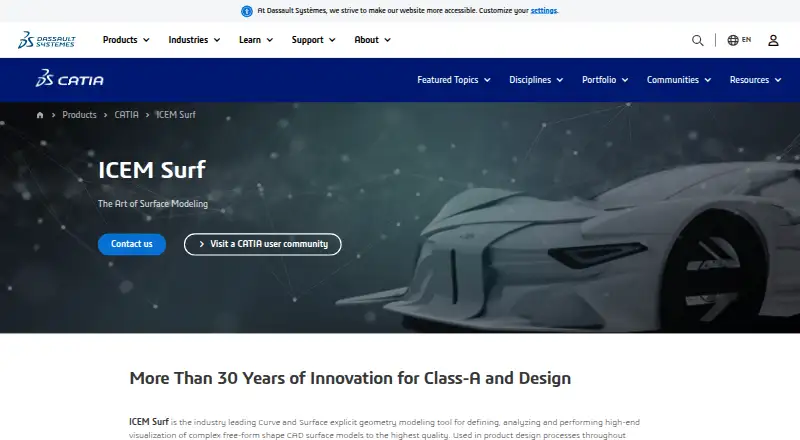
What ICEM Surf is
ICEM Surf is a curve and surface modeling tool for defining, analyzing, and visualizing complex free-form CAD surface models. Its direct modeling tools and dynamic diagnostics support creating and checking Class-A surface geometry. It is used in automotive, aerospace, consumer goods, and press-tool design, and includes surface and sheet-metal tools. Listed modules include Professional, Master, Magic, Advanced Tools, Safety Analysis, Scan Modelling, and Immersive VR Review and Realtime Rendering. Scan Modelling works with dense, ordered, or random point clouds from laser and photo digitizers; Safety Analysis detects sharp edges and corners by simulating a sphere rolling over model geometry. Realtime Rendering includes shadows, environments, materials, lighting effects, and VR design reviews. ICEM Surf supports Windows 10/11 64-bit, though the 2026 support page says Windows 11 H2 or newer is needed for proper visualization and rendering. Commercial pricing is on request; the Learning Edition is free for personal learning only.
Who it suits
ICEM Surf suits design teams in automotive, aerospace, consumer goods, or press-tool work that need free-form surface modeling, Class-A geometry checks, or scan and safety-analysis tools. It is for Windows users; the free Learning Edition is limited to personal learning and has no support.
What it does well
- Direct modeling includes surface and sheet-metal tools.
- Dynamic diagnostics support Class-A surface checks.
- Scan Modelling handles several types of point clouds.
- Realtime Rendering includes VR-based design reviews.
- Imports and exports a broad range of formats.
What to know first
- Commercial pricing is available on request.
- No free commercial plan is listed.
- Learning Edition is not for business use.
- ICEM Surf 2026 needs Windows 11 H2 or newer for proper visualization and rendering.
Limits
The free Learning Edition is for personal learning only, not industrial, commercial, or business use, and it comes without support. Some interfaces and add-on modules require separate licenses; commercial pricing is provided in the related transaction document.
Plans
| Plan | Billed and limits | Price |
|---|---|---|
| ICEM Surf Learning Edition | Personal learning only · Not for industrial, commercial, or business use · No support provided | Free |
| ICEM Surf commercial licenses | Pricing is provided in the related transaction document; some interfaces and add-on modules require additional licenses | On request |
As 3ds.com lists them, read 11 Oct 2026. The maker's own page has the final word.
Getting started
- Open the ICEM Surf product page on the CATIA website.
- For the Learning Edition, sign in or create a 3DEXPERIENCE ID and download it.
- Use a supported Windows system with at least 8 GB of 64-bit memory.
- For commercial use, review the related transaction document for pricing and license details.
- Check whether required interfaces or add-on modules need additional licenses.
ICEM Surf is a specialist direct-modeling environment for complex free-form CAD curves and surfaces. It suits automotive, aerospace, consumer-goods, and press-tool teams that need Class-A geometry, scan-derived forms, and design review capabilities. Its strongest case is surface-focused engineering; buyers needing broad general CAD, transparent commercial pricing, or non-Windows deployment should look elsewhere.
Overview
ICEM Surf combines curve and surface creation with analysis and visualization rather than positioning itself as an all-purpose solid-modeling package. Direct modeling keeps attention on shaping and refining geometry, while dynamic diagnostics help teams check Class-A surfaces during development. Sheet-metal tools add useful coverage for related design work, but the product remains most compelling when exterior or other free-form surfaces determine product quality.
Its industry fit is clear: vehicle styling, aircraft and aerospace components, consumer products, and press-tool design all benefit from precise surface control. Cloud collaboration is supported, and the product connects directly with CATIA and 3DEXPERIENCE. Additional interfaces cover 3DEXCITE DELTAGEN, Siemens NX, and ICEM Surf PLM-Link, helping it sit inside established engineering toolchains.
Key features
Class-A modeling and diagnostic tools are the core advantage. They support both creating and checking high-quality surface geometry, making ICEM Surf a better choice than a generic modeler when continuity and appearance need close attention.
The Scan Modelling add-on accepts dense, ordered, or random point clouds from laser and photo digitizers. That is useful for reverse-engineering captured shapes, although it is an optional module rather than an automatic part of every license. Safety Analysis simulates a sphere rolling over model geometry to identify sharp edges and corners, giving designers a practical way to flag potentially hazardous details.
Realtime Rendering adds shadows, environments, materials, and lighting effects, and Immersive VR Review supports VR-based design reviews. Named modules include Professional, Master, Magic, Advanced Tools, Safety Analysis, Scan Modelling, and Immersive VR Review and Realtime Rendering. File exchange covers ICEMDB, EDF, raw data, ASCII part, CATIA V4/V5, IGES, Unigraphics, VDA/FS, scan, and STL, with output including Inventor, VRML, TIFF, CGM, and PostScript.
Pricing
ICEM Surf Learning Edition
The Learning Edition costs nothing. It is restricted to personal learning, with no industrial, commercial, or business use, and no support. Download requires signing in or creating a 3DEXPERIENCE ID. Dassault Systèmes directs unsupported Student Edition users to its legacy community for technical help, so this is a way to learn the software rather than deploy it professionally.
ICEM Surf commercial licenses
Commercial pricing is custom and provided in the related transaction document. Some interfaces and add-on modules require additional licenses, so teams should confirm the exact configuration and total cost before committing. This model fits organizations that need specialized modules and can manage procurement, not individuals seeking a predictable subscription.
Platforms
ICEM Surf supports Windows 10/11 64-bit. The support guidance says ICEM Surf 2026 requires Windows 11 H2 or newer for proper visualization and rendering, which may affect organizations still standardizing on Windows 10. At least 8 GB of 64-bit main memory is required. The Windows-only footprint rules out native Linux and macOS deployments.
Who it's for
Choose ICEM Surf for professional surface designers and engineering teams working on Class-A forms, scan-based reconstruction, safety checks, or visual and VR reviews. Its CATIA, 3DEXPERIENCE, and Siemens NX interfaces are particularly relevant where those systems already anchor the workflow. It is a poor fit for general-purpose CAD needs, unsupported commercial learning use, or teams that require cross-platform operation.
Pros and cons
- Pros: Specialized Class-A surface creation and diagnostics; scan modeling for laser- and photo-digitized point clouds; sphere-based safety analysis; rendering and VR review options; broad CAD and visualization file exchange.
- Cons: Windows-only deployment; commercial prices are custom; interfaces and add-ons can require extra licenses; the free Learning Edition forbids business use and includes no support; current rendering guidance requires Windows 11 H2 or newer.
Alternatives
For broader CAD discovery, compare 3D CAD Software or CAD software. Readers focused on general 3D form creation can browse 3D modeling software. If requirements traceability matters more than surface modeling, consider ReqView, whose free tier allows one document, 150 objects per document, and one custom attribute, or Doorstop, an open-source free option requiring Python and version control. OSRMT is another free requirements tool that can be used or distributed at no cost, while Innoslate offers free academia access and an enterprise tier. StrictDoc is a free option for requirements work across several platforms. For generative design specifically, see Generative Design Software.
Verdict
ICEM Surf is a strong choice for teams whose differentiator is high-quality free-form surface geometry, especially when scan modeling, safety analysis, or VR review belong in the same workflow. Choose it for that specialized depth and its engineering integrations; look elsewhere if you need a general CAD suite, open platform support, or clearly published commercial pricing.
Verdict
ICEM Surf brings free-form surface modeling together with diagnostics, scan modeling, safety analysis, and rendering options. Buyers should confirm commercial pricing and Windows requirements; the free Learning Edition is restricted to personal learning and is unsupported.
Questions
Is ICEM Surf free?
A free Learning Edition is available for personal learning. Commercial licenses are paid.
What does the Learning Edition allow?
It is for personal learning and cannot be used for industrial, commercial, or business purposes. Dassault Systèmes does not provide support for the Student Edition.
Which operating systems does it support?
It supports Windows 10/11 64-bit. ICEM Surf 2026 requires Windows 11 H2 or newer for proper visualization and rendering.
How much do commercial licenses cost?
Pricing is provided in the related transaction document. Some interfaces and add-on modules require additional licenses.
What integrations are listed?
Direct interfaces are listed for CATIA and 3DEXPERIENCE. Additional interfaces include 3DEXCITE DELTAGEN, Siemens NX, and ICEM Surf PLM-Link.
Who makes ICEM Surf?
It is part of Dassault Systèmes' CATIA product line.
Facts from ICEM Surf's own pages
- Class-A modeling
- Its modeling tools and dynamic diagnostic capabilities support creating and checking Class-A surface geometry. · 3ds.com, 11 Oct 2026
- Cloud collaboration
- Yes · 3ds.com, 23 Sept 2026
- File import and export
- ICEMDB, EDF, raw data, ASCII part, CATIA V4/V5, IGES, Unigraphics, VDA/FS, scan, STL; output also includes Inventor, VRML, TIFF, CGM, PostScript · 3ds.com, 23 Sept 2026
- Free plan
- No · 3ds.com, 23 Sept 2026
- Hardware requirement
- The general requirements state that ICEM Surf needs at least 8 GB of 64-bit main memory. · 3ds.com, 11 Oct 2026
- Industries
- The product is used in automotive, aerospace, consumer goods, and press-tool design. · 3ds.com, 11 Oct 2026
- Integrations
- Direct interfaces are listed for CATIA and 3DEXPERIENCE; additional interfaces include 3DEXCITE DELTAGEN, Siemens NX, and ICEM Surf PLM-Link. · 3ds.com, 11 Oct 2026
- Learning edition
- The Learning Edition is available as a free download after signing in or creating a 3DEXPERIENCE ID. · 3ds.com, 11 Oct 2026
- Learning edition support
- Dassault Systèmes says it does not provide support for the ICEM Surf Student Edition and points users to its legacy community for technical help. · 3ds.com, 11 Oct 2026
- Modeling method
- direct · 3ds.com, 23 Sept 2026
- Modules
- Listed modules include Professional, Master, Magic, Advanced Tools, Safety Analysis, Scan Modelling, and Immersive VR Review and Realtime Rendering. · 3ds.com, 11 Oct 2026
- Purpose
- ICEM Surf is a curve and surface modeling tool for defining, analyzing, and visualizing complex free-form CAD surface models. · 3ds.com, 11 Oct 2026
- Rendering and VR
- Realtime Rendering supports shadows, environments, materials, lighting effects, and VR-based design reviews. · 3ds.com, 11 Oct 2026
- Safety analysis
- The Safety Analysis add-on detects sharp edges and corners by simulating a sphere rolling across model geometry. · 3ds.com, 11 Oct 2026
- Scan modeling
- The Scan Modelling add-on handles dense, ordered, or random point clouds generated by laser and photo digitizers. · 3ds.com, 11 Oct 2026
- Security
- Dassault Systèmes says its 3DEXPERIENCE cloud platform ISMS is certified to ISO/IEC 27001:2022; this certification is stated for the platform, not specifically ICEM Surf. · 3ds.com, 11 Oct 2026
- Sheet-metal tools
- Yes · 3ds.com, 23 Sept 2026
- Support
- The ICEM Surf support page directs users with further hardware or software questions to ICEM Surf support. · 3ds.com, 11 Oct 2026
- Supported OS
- The support page says ICEM Surf 2026 requires Windows 11 H2 or newer for proper visualization and rendering. · 3ds.com, 11 Oct 2026
- Supported platforms
- Windows 10/11 64-bit · 3ds.com, 23 Sept 2026
- Surface modeling
- Yes · 3ds.com, 23 Sept 2026
Where ICEM Surf stands on Freedom251
- Simulation Software#33 of 69
- 3D CAD Software#66 of 79