Freedom251 › Requirements Management Software

ReqView
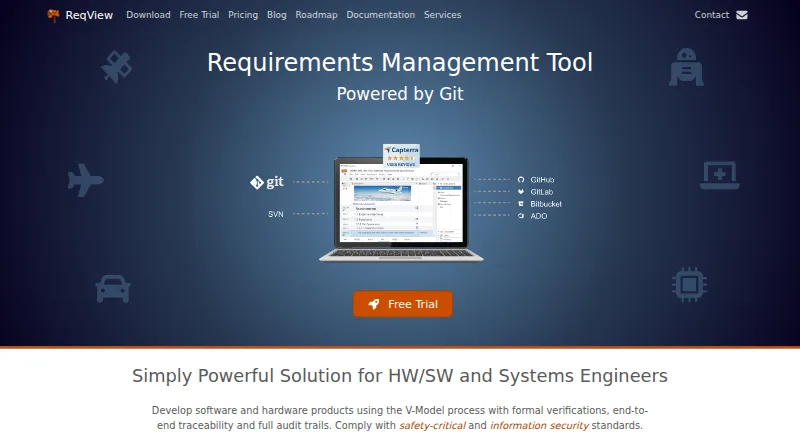
What ReqView is
ReqView manages requirements for hardware, software, and systems engineering projects. It supports V-Model development with formal verification, traceability, and audit trails, and is aimed at safety-critical work in areas such as medical devices, aerospace, automotive, rail, robotics, and electronics. Users can import Word documents and build structured requirements using formatted text, tables, images, PDFs, and other attachments. They can link requirements to verification and validation items and safety risks, examine coverage and change impact, and export reports to Word, Excel, PDF, or HTML.
Projects can be versioned and shared through Git or Subversion, with data stored in human-readable JSON. ReqView says open project data stays in local application storage unless users choose services such as Google Drive, cloud-hosted Git or SVN, or Jira Cloud. The free plan allows one document, 150 objects per document, and one custom attribute. PRO costs €440 per user per year; TEAM costs €600 per user per year and adds dashboards, linked projects, advanced Git, and integrations. A 14-day TEAM trial is available by requesting a license. Supported options include web, Windows, Linux, and macOS, subject to listed version and hardware requirements.
Who it suits
ReqView suits engineering teams managing linked requirements, verification, validation, and safety risks. Its free plan may fit a small evaluation, while teams needing integrations or more capacity can consider paid plans.
What it does well
- Links requirements to verification, validation, and risks.
- Analyzes coverage and change impact.
- Exports reports to Word, Excel, PDF, or HTML.
- Supports Git or Subversion project collaboration.
- Open project data stays local unless connected services are used.
What to know first
- FREE is limited to one document.
- FREE allows 150 objects per document and one custom attribute.
- FREE-plan support is not guaranteed.
- macOS support requires version 15+ on ARM processors M1–M5.
Limits
The FREE plan is limited to one document, 150 objects per document and one custom attribute. PRO costs €440 per user per year; TEAM costs €600 per user per year. ENTERPRISE requires a minimum of three floating clients and starts at €5400 / year.
Plans
| Plan | Billed and limits | Price |
|---|---|---|
| FREE | 1 document · 150 objects per document · 1 custom attribute | Free |
| ENTERPRISE | per floating client · All TEAM features · unlimited users · floating license server · minimum 3 floating clients; starts at €5400 / year | €1,800 a year |
| PRO | per user · Requirements management · end-to-end traceability · Word, Excel, PDF and HTML export · basic Git or Subversion version control | €440 a year |
| TEAM | per user · All PRO features · dashboards and table views · linked projects · advanced Git version control · Jira, Azure DevOps, Sparx EA and ReqIF integrations | €600 a year |
As reqview.com lists them, read 29 Sept 2026. The maker's own page has the final word.
Getting started
- Open the ReqView website.
- Start with the FREE plan, which is activated by default, or request a trial license to evaluate TEAM features free for 14 days.
- Use the web application or download the version for a supported operating system.
- Import a Word document or create structured requirements with supported content and attachments.
- Link requirements to verification, validation and safety-risk items, then export reports as needed.
ReqView is a requirements management tool for hardware, software and systems engineering teams working with structured development processes. Its strongest case is keeping requirements tied to verification, validation and safety risks; the sharp free-plan cap and per-user pricing are meaningful constraints.
Overview
ReqView supports V-Model development, formal verification, end-to-end traceability and audit trails, with use cases spanning medical devices, aerospace and defense, automotive and rail, robotics, and electronics. Teams can import Word documents and build structured requirements from formatted text, tables, images, PDFs and other attachments. This combination suits projects where requirements need to remain connected to evidence and review, rather than a simple list of tasks.
Requirements can be linked to verification and validation items and safety risks, then assessed for coverage and change impact. Reports export to Word, Excel, PDF or HTML. Baselines, version history and approval workflows support controlled changes, while Git or Subversion provides project versioning and collaboration. Human-readable JSON project data is a practical advantage for teams that want inspectable project files; ReqView is less compelling for informal collaboration that does not need this degree of structure.
Key features
Traceability and reporting
Connecting requirements to verification, validation and safety risks gives engineering teams a way to find coverage gaps and understand which linked work may be affected by a change. The export formats make it possible to produce reports in familiar office and web formats. This is the product’s clearest strength for teams with formal review needs, though the structured workflow may be more than a small project requires.
Versioning, integrations and data handling
Git and Subversion collaboration, baselines and version history help teams track project evolution. TEAM adds advanced Git version control and integrations with Jira, Azure DevOps, Sparx Enterprise Architect and ReqIF; Google Drive is also included in the pricing comparison. ReqView stores open project data in secure local application storage. Its documentation says data are not sent to the internet unless users choose Google Drive, cloud-hosted Git or SVN, or Jira Cloud. Eccam’s statement about technical and organizational safeguards concerns personal data, so it should not be read as a broader guarantee about project security.
Pricing
ReqView is freemium, with the FREE plan activated by default and a 14-day TEAM trial available by requesting a trial license. The paid plans are billed per user except ENTERPRISE, which is billed per floating client.
| Plan | Price | What it includes | Best fit |
|---|---|---|---|
| FREE | free | 1 document, 150 objects per document and 1 custom attribute | Individuals assessing the workflow or managing a very small project; the caps make it unsuitable for larger requirement sets. |
| PRO | €440 a year, billed per user | Requirements management, end-to-end traceability, Word, Excel, PDF and HTML export, and basic Git or Subversion version control | Users needing the core requirements and traceability workflow without TEAM’s dashboards, linked projects or integrations. |
| TEAM | €600 a year, billed per user | All PRO features, dashboards and table views, linked projects, advanced Git version control, and Jira, Azure DevOps, Sparx EA and ReqIF integrations | Teams coordinating linked projects or relying on the listed integrations; the per-user charge rises with team size. |
| ENTERPRISE | €1,800 a year, billed per floating client; minimum 3 clients, starts at €5400 / year | All TEAM features, unlimited users and a floating license server | Organizations that need shared floating licenses across unlimited users and can meet the three-client minimum. |
PRO and TEAM prices are per user, so the entry point is not the whole team’s cost. The free tier is tightly limited by document, object and attribute counts; moving to paid plans lifts the product into a per-seat commitment. ENTERPRISE shifts to floating clients, but its minimum makes it a substantial starting commitment rather than a small-team upgrade.
Platforms
ReqView has a web application and desktop downloads for Windows 11+, Ubuntu 22.04+ LTS or Debian 12+ LTS, and macOS 15+ on ARM processors M1–M5. The web app supports current versions of Chrome, Edge and Firefox. These requirements are specific enough to check before adoption, particularly for teams with older computers or non-ARM Macs.
Who it's for
ReqView is best suited to engineering teams that need requirements, verification and safety risks linked through a controlled, traceable process. Its support for V-Model development and audit trails makes it relevant to safety-critical work, while imports, varied requirement content and report exports serve teams working across documentation formats. Solo users can start with the free tier, but its one-document and 150-object limits make it an evaluation option more than a durable home for growing projects.
Pros and cons
- Pros: End-to-end links among requirements, verification, validation and safety risks help teams analyze coverage and change impact.
- Pros: Word, Excel, PDF and HTML reporting, plus Word import and multiple attachment types, support document-heavy engineering workflows.
- Pros: Local project storage and human-readable JSON offer a clear route for teams prioritizing local data handling and inspectable project files.
- Cons: The FREE plan allows only one document, 150 objects per document and one custom attribute, limiting its usefulness beyond small evaluations.
- Cons: PRO and TEAM are priced per user, while ENTERPRISE requires at least three floating clients and starts at €5400 / year.
- Cons: Platform requirements include recent OS versions, and macOS support is limited to ARM processors M1–M5.
- Cons: FREE-plan support is not guaranteed; paid customers can contact support, which usually responds within a few hours but may take up to two business days.
Alternatives
Browse Requirements Management Software for more options in the category.
- MATLAB Grader is a free option across Linux, macOS, web and Windows; its free use requires a MATLAB license current under maintenance, and LMS integration requires a qualifying academic license.
- Innoslate offers a free Academia plan for educators and students with a .edu account, alongside a paid Enterprise plan.
- NETVIBES has a free plan and trial, with web, mobile and self-hosted platform options.
- QSC QS1 is a paid option with Android, iOS and web platforms.
- Siemens Polarion REQUIREMENTS is a paid option with a free trial and Linux, web, Windows, API and self-hosted platforms.
- Doorstop is a free option for Windows, macOS and Linux.
- OSRMT is free to use or distribute, supports several platforms including self-hosting, and requires hardware to run.
- ProR is a free option for Linux, macOS and Windows.
Verdict
Choose ReqView if your engineering work depends on traceable links from requirements through verification and safety risks, with reporting and version control in the same workflow. The free plan is useful for a tightly bounded start, but its caps and the paid plans’ per-user costs make scale a budget decision; teams seeking a looser, less structured tool should look elsewhere.
Verdict
ReqView brings requirements, traceability, and reporting into one project workflow. Review the free-plan caps, platform requirements, and paid-plan pricing before choosing a setup.
Questions
Is there a free plan or trial?
Yes. The FREE plan costs nothing and is activated by default. TEAM features can be evaluated free for 14 days by requesting a trial license.
What does ReqView cost?
PRO is €440 per user per year, and TEAM is €600 per user per year. ENTERPRISE is €1800 per year per floating client, with a minimum of three clients and a stated starting cost of €5400 / year.
Which platforms are supported?
ReqView offers a web application, Windows 11+, Linux on Ubuntu 22.04+ LTS or Debian 12+ LTS, and macOS 15+ on ARM processors M1–M5. The web application supports the latest versions of Chrome, Edge or Firefox.
What integrations are available?
The TEAM plan lists Jira, Azure DevOps, Sparx Enterprise Architect and ReqIF integrations. Google Drive is also listed in the pricing comparison.
Is ReqView open source?
The listed facts do not establish whether ReqView is open source.
Who develops ReqView?
ReqView is developed by Eccam s.r.o., whose contact page lists an address in Prague 2, Czech Republic.
Facts from ReqView's own pages
- Headquarters
- Prague 2, Czech Republic · reqview.com, 28 Sept 2026
- Integrations
- The TEAM plan lists Jira, Azure DevOps, Sparx Enterprise Architect and ReqIF integrations; the pricing comparison also lists Google Drive. · reqview.com, 29 Sept 2026
- Local data storage
- ReqView stores open project data in secure local application storage, and its documentation says project data are not sent to the internet unless users explicitly use Google Drive, cloud-hosted Git or SVN, or Jira Cloud. · reqview.com, 29 Sept 2026
- Maker and headquarters
- ReqView is developed by Eccam s.r.o., whose contact page lists an address in Prague 2, Czech Republic. · reqview.com, 29 Sept 2026
- Privacy and security
- Eccam says it takes appropriate technical and organizational measures to protect personal data and reviews those measures; this statement concerns personal data. · reqview.com, 29 Sept 2026
- Purpose
- ReqView is a requirements management tool for hardware, software and systems engineering projects. · reqview.com, 29 Sept 2026
- Requirements capture
- Users can import Word documents and describe structured requirements with formatted text, tables, images, PDF files and other attachments. · reqview.com, 29 Sept 2026
- Safety critical work
- The product supports V-Model development with formal verification, end-to-end traceability and audit trails, and is presented for medical devices, aerospace and defense, automotive and railways, robotics and electronics. · reqview.com, 29 Sept 2026
- Support
- Paid-plan customers can contact support through the portal or email; ReqView says it usually responds within a few hours and may take up to two business days, while FREE-plan support is not guaranteed. · reqview.com, 29 Sept 2026
- Supported platforms
- The download page lists a web application, Windows 11+, Linux on Ubuntu 22.04+ LTS or Debian 12+ LTS, and macOS 15+ on ARM processors M1–M5. · reqview.com, 29 Sept 2026
- Traceability and reports
- Users can link requirements, verification and validation items, and safety risks, then analyze coverage and change impact and export reports to Word, Excel, PDF or HTML. · reqview.com, 29 Sept 2026
- Trial and free use
- The FREE plan is activated by default, and the TEAM plan's features can be evaluated free for 14 days by requesting a trial license. · reqview.com, 29 Sept 2026
- Version control
- ReqView supports project versioning and collaboration through Git or Subversion, and its project data uses a human-readable JSON format. · reqview.com, 29 Sept 2026
- Web browser support
- The web application supports the latest versions of Chrome, Edge or Firefox. · reqview.com, 29 Sept 2026
Where ReqView stands on Freedom251
- Requirements Management Software#5 of 23