Freedom251 › Simulation Software

CATIA
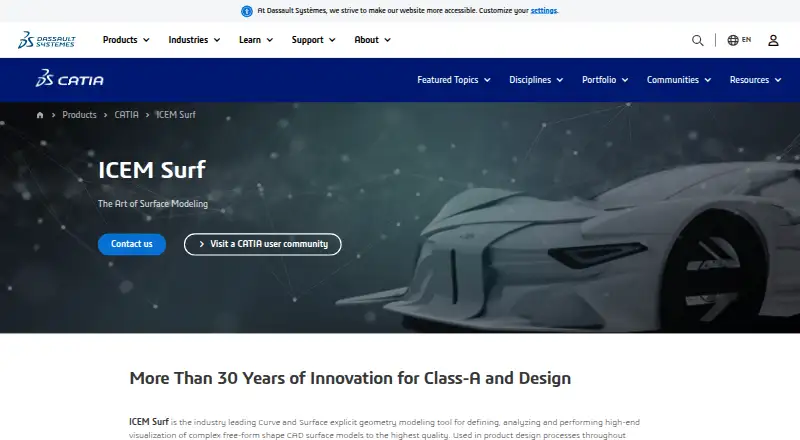
What CATIA is
CATIA is a paid parametric design and engineering product with tools for creating models and assemblies. Its listed capabilities include assembly design, sheet-metal tools, and surface modeling. Cloud collaboration is supported through web browser applications on the 3DEXPERIENCE platform, while CATIA V5 sheet-metal software is available for Windows. File compatibility depends on the particular CATIA product: STEP import and export are listed, while DXF, STL, VRML, and IGES are supported by other CATIA V5 products. The platform options listed are web and Windows, but they do not describe a single identical deployment across all CATIA products. Pricing is available on request. Users evaluating CATIA should match the required modeling work, collaboration arrangement, platform, and file exchange formats to the specific product they are considering.
Who it suits
CATIA may suit design and engineering users who need parametric modeling for assemblies, sheet metal, or surfaces. It is also relevant to teams seeking cloud collaboration through web applications on the 3DEXPERIENCE platform.
What it does well
- Supports parametric modeling and assembly design.
- Includes sheet-metal tools and surface modeling.
- Cloud collaboration is supported.
- STEP import and export are listed.
What to know first
- Pricing is available only on request.
- Platform availability varies by CATIA product.
- DXF, STL, VRML, and IGES support is product-dependent.
Plans
| Plan | Billed and limits | Price |
|---|---|---|
| CATIA for Architecture, Engineering & Construction — Yearly Subscription | $6,537/year · Single-user subscription · Excluding local VAT · 15 Day Money Back Policy | $6,537 a year |
As 3ds.com lists them, read 10 Oct 2026. The maker's own page has the final word.
Getting started
- Visit the CATIA website.
- Review the CATIA products for the modeling capabilities and platform you need.
- For web browser applications, use the 3DEXPERIENCE platform.
- For CATIA V5 sheet-metal software, use Windows.
- Request pricing from CATIA.
CATIA is a parametric design and simulation platform for products and systems, aimed at engineering and design teams working across disciplines. Its broad modeling and collaboration scope is compelling, but buyers should match the specific CATIA offer to their platform and file-format needs.
Overview
CATIA brings 3D modeling together with simulation, verification, and business-process support for cyber-physical product development. Its cloud edition runs through a browser on the 3DEXPERIENCE platform, while CATIA V5 sheet-metal software is available for Windows. That distinction matters: teams should choose an offer based on the workflow they need rather than assume every capability runs in the same environment.
The platform spans design and styling, engineering, systems engineering, and construction. That breadth can serve organizations coordinating work across several disciplines; it may be unnecessary for buyers who need only a narrowly scoped drafting or modeling tool.
Key features
Modeling and product development
CATIA supports parametric modeling, assembly design, sheet-metal work, and surface modeling. Combined with simulation and verification, these capabilities suit teams developing and assessing complex products and systems, not just producing standalone geometry. The range is a strength for multidisciplinary engineering, though buyers should confirm that the specific CATIA product they plan to purchase includes the tools their workflow requires.
Cloud collaboration
The cloud edition supports real-time concurrent design through 3D dashboards and a shared source of truth. That can help distributed teams coordinate changes without treating each designer’s work as a separate endpoint. CATIA for AEC also offers an offline mode for retrieving, opening, and editing offline content while maintaining data integrity with the team.
Architecture, engineering, and construction
CATIA for AEC supports building models from LOD100 to LOD500 and uses visual scripting to automate tasks and optimize geometry. It can import DWG, DXF, Revit, Rhino, IGES, STEP, ACIS/SAT, FBX, Collada, OBJ, Microstation, and IFC files, making it the more specifically grounded choice for teams handling those AEC formats.
Files and trust
STEP import and export are supported; DXF, STL, VRML, and IGES are supported by other CATIA V5 products. Because format support varies by product, teams with established file-exchange requirements should verify the relevant offer before committing. Dassault Systèmes says its cloud platform uses encryption, network monitoring, access controls, and threat detection, follows security frameworks including ISO 27001, and is ISO 27701 certified for privacy information management.
Pricing
CATIA is paid, with custom pricing for offers without a published price. CATIA for Architecture, Engineering & Construction — Yearly Subscription costs $6,537 a year, billed $6,537/year. It is a single-user subscription, excludes local VAT, and includes a 15 Day Money Back Policy. This is the clearest fit for an individual AEC user seeking that online offer; the single-user term is a limit for teams needing multiple seats.
The AEC online offer states a 99.5% service availability SLA. Purchasers can use a support community, ask product experts questions, and receive an onboarding meeting with a platform expert. CATIA for AEC requires a certified machine and good internet bandwidth for installation, considerations that matter before deployment.
Platforms
CATIA cloud applications run in a web browser on the 3DEXPERIENCE platform. CATIA V5 sheet-metal software is available for Windows. These are not interchangeable platform promises, so buyers should confirm the target product’s operating environment as well as its file formats.
Who it's for
CATIA is best suited to engineering organizations and design teams that need parametric modeling, assemblies, sheet metal, surfaces, simulation, and collaboration across product-development disciplines. AEC professionals with multi-level building-model requirements may find the dedicated AEC offer more relevant. It is a weaker fit for buyers who want a simple 2D tool, require a specific desktop platform not covered by their chosen CATIA offer, or cannot justify custom pricing for a broad engineering environment.
Pros and cons
- Pro: Parametric modeling, assembly design, sheet-metal tools, and surface modeling address several core engineering workflows in one product family.
- Pro: Browser-based concurrent design, 3D dashboards, and a shared source of truth support coordinated work across teams.
- Pro: CATIA for AEC combines LOD100–LOD500 building models, visual scripting, and a broad set of import formats for AEC workflows.
- Con: Platform and format support vary by CATIA product, so buyers must match the particular offer to their environment and exchange needs.
- Con: The AEC yearly subscription is a single-user license at $6,537 a year before local VAT, which can be a constraint for multi-seat purchasing.
- Con: The AEC offer requires a certified machine and good internet bandwidth for installation.
Alternatives
For a narrower or different workflow, these alternatives may fit better:
- Onshape is worth considering for non-commercial users who want a free plan and web access, with the trade-off that documents are public.
- Rhino 3D may suit buyers seeking a Windows or macOS option with a permanent commercial license.
- Shapr3D may appeal to users who want a free entry point with a two-project cap or an annual Pro plan.
- AutoCAD is an alternative for buyers seeking a paid CAD product with mobile, web, macOS, and Windows platforms.
- LibreCAD is the better fit for free, open-source 2D CAD without subscriptions or license costs.
- Solid Edge is worth comparing for users seeking sheet metal, frame and weldments, surface modeling, and basic FEA.
- Creo may suit organizations that need a shared concurrent license with support and maintenance included.
- SOLIDWORKS is another paid option with a free plan and trial, and a cloud-services design plan.
Browse more options in CAD software, 3D CAD Software, and 3D modeling software.
Verdict
Choose CATIA if your team needs a broad product-development environment combining parametric modeling, simulation, and cross-discipline collaboration, especially when the AEC offer’s building-modeling tools match your work. Look elsewhere if you need a single clearly scoped platform, a low-cost multi-seat route, or formats and operating systems that your chosen CATIA offer does not support.
Verdict
CATIA brings parametric modeling together with assembly, sheet-metal, and surface capabilities. Buyers should confirm which product supports their target platform and file formats before requesting pricing.
Questions
How much does CATIA cost?
CATIA is paid, and pricing is available on request.
Which platforms support CATIA?
The listed platforms are web and Windows. Web browser applications run on the 3DEXPERIENCE platform; CATIA V5 sheet-metal software is available for Windows.
Does CATIA support cloud collaboration?
Yes. Cloud collaboration is supported.
Which file formats can CATIA import and export?
STEP import and export are listed. DXF, STL, VRML, and IGES are supported by other CATIA V5 products.
Facts from CATIA's own pages
- AEC features
- CATIA for AEC supports building models from LOD100 to LOD500 and uses visual scripting to automate tasks and optimize geometry. · 3ds.com, 10 Oct 2026
- Assembly design
- Yes · 3ds.com, 23 Sept 2026
- Availability
- The CATIA for AEC online offer states a service availability SLA of 99.5%. · 3ds.com, 10 Oct 2026
- Cloud collaboration
- Yes · 3ds.com, 23 Sept 2026
- Cloud use
- The cloud edition is a SaaS solution for designers and engineers, accessible through an internet connection and web browser. · 3ds.com, 10 Oct 2026
- Collaboration
- The cloud edition supports real-time concurrent design and collaboration through 3D dashboards and a shared source of truth. · 3ds.com, 10 Oct 2026
- Design and simulation
- CATIA combines 3D modeling with simulation for product and systems design. · 3ds.com, 10 Oct 2026
- Design disciplines
- The cloud platform includes applications for design and styling, engineering, systems engineering, and construction. · 3ds.com, 10 Oct 2026
- File import and export
- STEP import and export; DXF, STL, VRML and IGES are listed as supported by other CATIA V5 products. · 3ds.com, 23 Sept 2026
- Integrations and formats
- CATIA for AEC can import DWG, DXF, Revit, Rhino, IGES, STEP, ACIS/SAT, FBX, Collada, OBJ, Microstation, and IFC files. · 3ds.com, 10 Oct 2026
- Maker headquarters
- Dassault Systèmes identifies its Paris Campus in Vélizy-Villacoublay as its global headquarters. · 3ds.com, 10 Oct 2026
- Modeling method
- parametric · 3ds.com, 23 Sept 2026
- Offline mode
- CATIA for AEC offline mode allows users to retrieve, open, and edit offline content while maintaining data integrity with the team. · 3ds.com, 10 Oct 2026
- Privacy
- The maker states that its 3DEXPERIENCE cloud platform is ISO 27701 certified for privacy information management. · 3ds.com, 10 Oct 2026
- Product development
- CATIA integrates modeling, simulation, verification, and business process support for developing cyber-physical products. · 3ds.com, 10 Oct 2026
- Purpose
- CATIA supports imagining, designing, and simulating new products and systems. · 3ds.com, 10 Oct 2026
- Security
- Dassault Systèmes says it uses encryption, network monitoring, access controls, and threat detection, and follows security frameworks including ISO 27001. · 3ds.com, 10 Oct 2026
- Sheet-metal tools
- Yes · 3ds.com, 23 Sept 2026
- Support
- Online AEC purchasers can use a support community, ask product experts questions, and receive an onboarding meeting with a platform expert. · 3ds.com, 10 Oct 2026
- Supported platforms
- Web browser applications on the 3DEXPERIENCE platform; Windows for CATIA V5 sheet-metal software. · 3ds.com, 23 Sept 2026
- Surface modeling
- Yes · 3ds.com, 23 Sept 2026
- Technical requirement
- CATIA for AEC requires a certified machine and good internet bandwidth for installation. · 3ds.com, 10 Oct 2026
Where CATIA stands on Freedom251
- Simulation Software#27 of 69
- Engineering Design Software#14 of 24
- Requirements Management Software#14 of 23
- Computer-Aided Design & Manufacturing Software#11 of 18
- 3D CAD Software#49 of 79
- Engineering CAD Software#19 of 27
- CAD software#25 of 31
- 3D modeling software#123 of 147
- Generative Design Software#17 of 20
- 3D Design Software#24 of 26