Shapr3D
by Shapr3D
What Shapr3D is
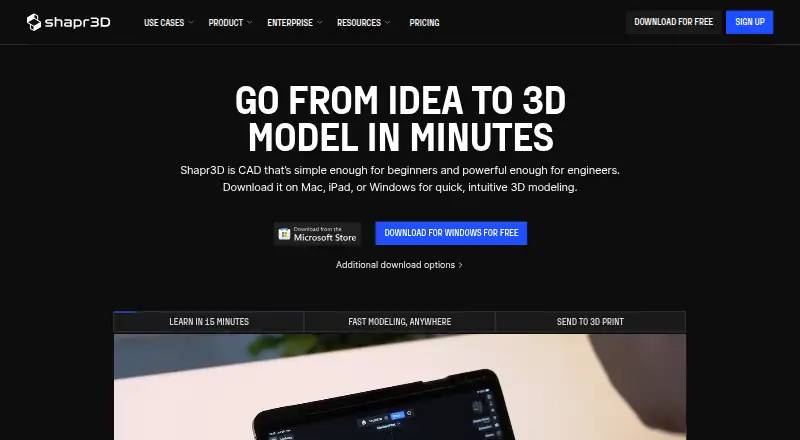
Shapr3D is a 3D CAD application for direct and history-based parametric modeling. It includes a built-in render engine and supports exporting designs for 3D printing. The Free plan, listed as Basic, costs nothing and allows two projects with 20 generations. Pro costs $299 a year, billed annually excluding VAT, per Editor seat, and allows unlimited projects. A 14-day Pro trial provides access to all features without limits, but requires a credit card and charges on day 14 unless canceled at least 24 hours beforehand. Shapr3D runs natively on Windows, macOS, iPadOS, and visionOS, and can work offline, saving designs locally and syncing them to Shapr3D Cloud when connected. It imports and exports native CAD formats and supports formats including XT, STEP, IGES, DWG, STL, 3MF, and OBJ. Review Links let people view and comment on models, drawings, and visualizations in a browser. Pro also supports shared team projects, contributors, centralized storage, and secure review links. Listed system requirements include Windows 10 version 2004 or later, macOS Sonoma 14.0 or later, and iPadOS 17 or later.
Who it suits
Shapr3D suits people who need direct or parametric 3D CAD modeling, including those working offline or exchanging CAD files. Pro may suit teams that need shared projects and browser-based review.
What it does well
- Direct and history-based parametric modeling
- Works offline and syncs designs when connected
- Built-in render engine and 3D-print export
- Imports and exports many CAD and visualization formats
What to know first
- Basic plan is limited to two projects
- Pro costs $299 a year per Editor seat
- Trial requires a credit card and charges unless canceled in time
Limits
Basic allows two projects and includes 20 generations. The 14-day Pro trial has access to all features without limits, but requires a credit card and charges on day 14 unless canceled at least 24 hours beforehand.
Plans
| Plan | Billed and limits | Price |
|---|---|---|
| Basic | billed monthly · 2 projects | Free |
| Pro | Billed annually, excluding VAT · Unlimited projects | $299 a year |
| Enterprise | Granular access control · Flexible data storage options · Self-hosted and on-premises deployment options · PLM integration · SSO | On request |
| Free | — | Free |
| Solo | — | On request |
| Studio | — | On request |
As shapr3d.com lists them, read 28 Sept 2026. The maker's own page has the final word.
Getting started
- Visit the Shapr3D website.
- Choose the Basic plan or review the Pro plan and its 14-day trial.
- Install Shapr3D on Windows or macOS; native apps are also available for iPadOS and visionOS.
- Check the operating system requirement for your device before installing.
- For the Pro trial, provide a credit card and cancel at least 24 hours before day 14 to avoid the charge.
Overview
Shapr3D is a 3D CAD tool for direct and history-based parametric modeling, with native CAD file exchange and a built-in render engine. It suits designers and engineers who want to work across desktop and Apple devices, including offline; the two-project Free plan is better for trying the workflow than for ongoing multi-project work.
Its modeling breadth, broad format support and local offline work make it a capable option for individual CAD work and team review. Check the Pro seat cost and trial’s automatic charge before committing.
Key features
Shapr3D combines direct modeling with history-based parametric modeling, so users can work directly on geometry or retain a feature history. The Siemens Parasolid kernel underpins the modeling engine. There are no sculpting or animation tools, so this is a CAD-focused choice rather than an all-purpose 3D creation suite.
The built-in render engine and 3D-print export cover visualization and a common route to fabrication. Import and export span native CAD formats and exchange formats including PRT, SLDPRT, CATPART, XT, STEP, IGES, DWG, STL, 3MF, OBJ, USDZ, DXF, SVG and PDF, among others. That breadth is useful when handing work to other CAD, simulation or manufacturing systems.
Offline use is a practical strength: designs save locally and sync to Shapr3D Cloud when connectivity returns. Review Links let others view and comment on models, drawings and visualizations in a browser. Pro adds shared team projects, contributors, centralized storage and secure review links, making it more suitable for coordinated work than the free tier.
Vision Pro support enables immersive reviews and model editing in XR. For security-conscious teams, collaboration tools provide SOC2 Type II and ISO 27001-level security, and data can be stored on Shapr3D infrastructure or a customer’s own infrastructure.
Pricing
The Basic plan costs nothing and is downloadable for free. It allows two projects and includes 20 generations. That is enough to explore the product, but the project cap is restrictive for users managing several active designs.
Pro costs $299 a year, billed annually and excluding VAT, per Editor seat. It includes unlimited projects and a 14-day trial with access to all features without limits. The trial requires a credit card and charges on day 14 unless canceled at least 24 hours before; set a reminder if you are evaluating rather than ready to subscribe. The per-seat structure also matters when budgeting for a team.
Solo and Studio have custom pricing; Studio is priced per Editor and both exclude tax. Enterprise uses custom pricing and adds granular access control, flexible data storage, self-hosted and on-premises deployment options, PLM integration and SSO. These tiers are aimed at buyers whose needs go beyond an individual Pro seat.
Platforms
Shapr3D runs natively on Windows, macOS, iPadOS and visionOS. Windows requires version 10 2004 or later, macOS requires Sonoma 14.0 or later, and iPadOS requires version 17 or later; Apple Pencil is preferred on iPad. The broader device support gives users room to move between desktop, tablet and immersive review, while the stated desktop minimums may rule out older systems.
Who it's for
Shapr3D is a strong fit for CAD users who need parametric and direct modeling, broad CAD exchange, 3D-print export or offline work. Pro makes more sense for regular work across multiple projects or teams that need shared storage and browser-based review. The Free plan suits a limited trial or small number of projects; users seeking sculpting or animation should look elsewhere.
Pros and cons
- Pros: Offline editing with local saves and later cloud sync supports work away from a connection.
- Pros: Extensive native and exchange-format support eases handoffs to other CAD and production systems.
- Pros: Pro team projects and browser review links support collaboration without requiring reviewers to edit models.
- Cons: The Free plan’s two-project cap limits ongoing work, even though it includes 20 generations.
- Cons: Pro’s annual, per-Editor pricing and trial charge deadline require care when evaluating or scaling seats.
- Cons: No sculpting or animation tools means it is not a fit for those workflows.
Alternatives
Onshape is worth considering for users who want Android, iOS or web access; its Free Plan is for non-commercial use and makes documents public, a significant trade-off for private or commercial work. Rhino 3D is another paid option for Windows and macOS users, with a permanent commercial license listed at $995 a month; compare its licensing approach with Shapr3D’s annual per-seat Pro plan.
OwlCAD may suit users who want Linux or web access and a free plan with commercial rights and parametric editing. SOLIDWORKS is an alternative for buyers considering its Design Standard with Cloud Services plan at $2,820 a year. nTop offers a free non-commercial education version for students, educators and academic researchers.
CATIA is another paid option for web or Windows users. AVEVA E3D Design is a paid alternative with enterprise pricing for contracts spanning three years or more. build123d is a free, open-source Python CAD library for users comfortable installing a library with pip.
Browse more options in 3D CAD Software, CAD software and 3D modeling software.
Verdict
Choose Shapr3D if you need a CAD-centered modeling workflow that works offline, moves across desktop and Apple devices, and exchanges files widely. Its main appeal is that combination of parametric and direct modeling with practical collaboration and export options. Look elsewhere if two free projects are too few, you need sculpting or animation, or the annual Pro seat and trial terms do not suit your budget or buying process.
Verdict
Shapr3D combines 3D CAD modeling, offline work, and broad file-format support. Review the Free plan limit and Pro trial billing terms before choosing a plan.
Questions
How much does Shapr3D cost?
Basic is free. Pro is $299 a year, billed annually excluding VAT, per Editor seat. Enterprise pricing is available by contacting sales.
What does the free plan include?
Basic allows two projects and includes 20 generations.
Which platforms does Shapr3D support?
It runs natively on Windows, macOS, iPadOS, and visionOS. Windows 10 version 2004 or later, macOS Sonoma 14.0 or later, and iPadOS 17 or later are required for those platforms.
Can I use Shapr3D offline?
Yes. It works offline and saves designs locally, then syncs them to Shapr3D Cloud when connected.
What does the Pro trial include?
The 14-day trial provides instant access to all features without limits. A credit card is required, and the user is charged on day 14 unless they cancel at least 24 hours beforehand.
Who makes Shapr3D?
Shapr3D is made by Shapr3D, founded in 2014 and headquartered in Budapest, Hungary.
Facts from Shapr3D's own pages
- Animation tools
- No · shapr3d.com, 21 Sept 2026
- User base
- Shapr3D says it is used by over 1 million users from companies. · shapr3d.com, 28 Sept 2026
- Data storage
- Data can be stored on Shapr3D infrastructure or the customer’s own infrastructure. · shapr3d.com, 28 Sept 2026
- Founded
- 2014 · shapr3d.com, 28 Sept 2026
- Free plan
- Yes · shapr3d.com, 21 Sept 2026
- Free plan
- Free plan includes most modeling features, two projects, and basic-quality 3MF and STL export. · shapr3d.com, 28 Sept 2026
- Free generations
- The Free plan includes 20 generations. · shapr3d.com, 28 Sept 2026
- Free project limit
- The Free plan allows 2 projects. · shapr3d.com, 28 Sept 2026
- Headquarters
- Budapest, Hungary · shapr3d.com, 28 Sept 2026
- CAD integrations
- It imports and exports native CAD formats plus XT and STEP for other CAD, simulation, and manufacturing systems. · shapr3d.com, 28 Sept 2026
- iPadOS requirement
- iPadOS 17 or later is required, preferably with Apple Pencil. · shapr3d.com, 28 Sept 2026
- macOS requirement
- macOS Sonoma 14.0 or later is required. · shapr3d.com, 28 Sept 2026
- Modeling kernel
- Shapr3D is built with the Siemens Parasolid kernel. · shapr3d.com, 28 Sept 2026
- Offline use
- Shapr3D works offline, saves designs locally, and syncs them to Shapr3D Cloud when connected. · shapr3d.com, 28 Sept 2026
- Parametric modeling
- Yes · shapr3d.com, 21 Sept 2026
- Platform access
- both · shapr3d.com, 21 Sept 2026
- 3D print export
- Yes · shapr3d.com, 21 Sept 2026
- Render engine
- built-in · shapr3d.com, 21 Sept 2026
- Sculpting tools
- No · shapr3d.com, 21 Sept 2026
- Security certifications
- Collaboration tools provide SOC2 Type II and ISO 27001-level security. · shapr3d.com, 28 Sept 2026
- Sharing collaboration
- Review Links allow browser-based viewing and commenting on models, drawings, and visualizations. · shapr3d.com, 28 Sept 2026
- Supported platforms
- Shapr3D runs natively on Windows, macOS, iPadOS, and visionOS. · shapr3d.com, 28 Sept 2026
- Support options
- Plans include basic, priority, or enterprise support depending on the plan. · shapr3d.com, 28 Sept 2026
- Team management
- Pro supports shared team projects, contributors, centralized storage, and secure review links. · shapr3d.com, 28 Sept 2026
Where Shapr3D stands on Freedom251
- 3D CAD Software#9 of 79
- 3D modeling software#22 of 147
- CAD software#8 of 31
- Engineering CAD Software#9 of 27
- 3D Design Software#13 of 26