
nTop
by nTop
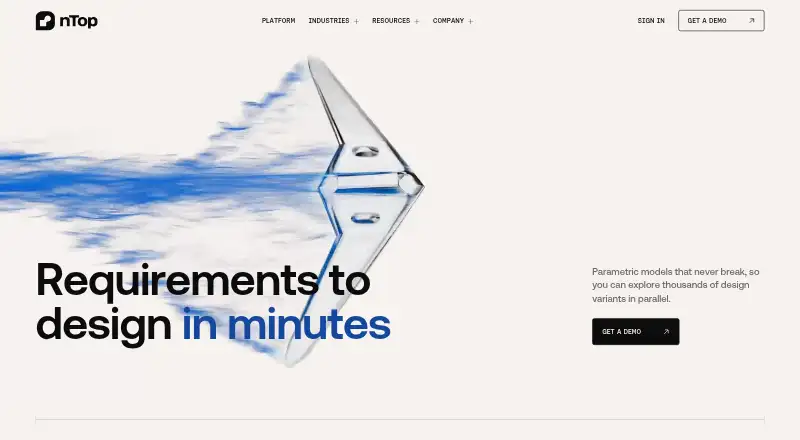
What nTop is
nTop is an engineering design platform for generating parametric geometry and exploring design variants. Its implicit modeling method represents geometry mathematically, allowing models to remain stable through large parameter changes. Design logic can run automatically across thousands of variants, from desktop computers to distributed cloud compute. nTop describes GPU compute and machine learning as ways to shorten simulation feedback cycles from hours to minutes. The platform supports assembly and surface modeling.
nTop imports CAD, mesh, CAE, and other formats, including STEP, Parasolid, CATIA V5, Creo, Inventor, Siemens NX, SolidWorks, ACIS, STL, OBJ, PLY, 3MF, Abaqus, and ANSYS. Listed exports include STEP, Parasolid, STL, and 3MF. The interactive desktop application supports 64-bit Windows 11 Enterprise, Professional, and Education editions; nTop Automate also supports Red Hat Enterprise Linux 8.9. The system requirements guide specifies at least 64 GB RAM and an NVIDIA GPU with Volta architecture or newer and 8 GB VRAM. Commercial licenses are available as named-user, cloud floating, or FlexNet floating, with pricing on request. Students, educators, and academic researchers can apply for a free non-commercial education version, learning resources, and community access. nTop was founded in 2015 and is headquartered in New York City.
Who it suits
nTop suits engineering designers who need parametric geometry, design variant exploration, and support for CAD, mesh, or CAE files. Students, educators, and academic researchers can apply for its free non-commercial education version.
What it does well
- Design logic can run across thousands of variants.
- Implicit modeling is designed to stay stable through large parameter changes.
- Supports assembly and surface modeling.
- Imports CAD, mesh, CAE, and other formats.
- Free non-commercial education access is available by application.
What to know first
- Commercial pricing is available only on request.
- The interactive desktop application supports Windows 11 editions.
- System requirements specify at least 64 GB RAM and an NVIDIA GPU with 8 GB VRAM.
Limits
The free Education plan is for non-commercial use by students, educators, and academic researchers. Commercial pricing is on request; the listed system requirements specify at least 64 GB RAM and an NVIDIA GPU with Volta architecture or newer and 8 GB VRAM.
Plans
| Plan | Billed and limits | Price |
|---|---|---|
| nTop Education | Free non-commercial version for students, educators, and academic researchers | Free |
| Commercial nTop license | Price not stated; named-user, cloud floating, or FlexNet floating license | On request |
As ntop.com lists them, read 8 Oct 2026. The maker's own page has the final word.
Getting started
- Visit the nTop website.
- If you are a student, educator, or academic researcher, apply for the free non-commercial education version.
- For commercial use, request pricing and select a named-user, cloud floating, or FlexNet floating license.
- Use the interactive application on a supported Windows 11 edition, or nTop Automate on Red Hat Enterprise Linux 8.9.
- Check that the system meets the listed RAM and NVIDIA GPU requirements.
nTop is an engineering design platform for generating parametric geometry and examining large numbers of design variants. It is aimed at engineers and organizations whose workflows combine geometry generation, simulation, and optimization rather than one-off modeling. Its most compelling advantage is mathematically stable implicit modeling paired with automated exploration; the trade-offs are a commercial price inquiry, demanding hardware, and a Windows focus for the interactive application.
Overview
Founded in 2015 and headquartered in New York City, nTop combines parametric, assembly, and surface modeling with simulation-oriented design exploration. Its implicit approach represents geometry mathematically, helping models remain stable when parameters change substantially. That matters when a team must generate and compare families of designs instead of repeatedly rebuilding a single shape.
The desktop application connects to cloud services for license authentication and software updates, and usage data can be sent according to user preference. Organizations with strict support needs can use nTop Support guides, troubleshooting resources, a knowledge base, and request channels that include an ITAR-support path.
Key features
Implicit parametric modeling
Mathematical geometry representation is the platform's central differentiator. It is well suited to engineering processes where dimensions, constraints, or other inputs change widely, because the model is designed to remain stable through those changes. Assembly and surface modeling extend it beyond a purely volumetric workflow. Conventional CAD users who mostly maintain fixed, manually authored parts may gain less from this approach.
Design exploration and simulation
nTop can run design logic across thousands of variants, either on a desktop or through distributed cloud compute. That makes it a strong choice for systematic optimization and trade-off studies, where evaluating many alternatives is the work rather than an occasional exercise. GPU compute and machine learning are positioned to reduce simulation feedback cycles from hours to minutes, but the platform's minimum hardware requirement—64 GB of RAM and an NVIDIA GPU with Volta architecture or newer and 8 GB of VRAM—puts it beyond modest workstations.
Formats and integrations
Import coverage is broad. CAD inputs include STEP, Parasolid, CATIA V5, Creo, Inventor, Siemens NX, SolidWorks, and ACIS. Mesh support includes STL, OBJ, PLY, 3MF, and OFF, while CAE imports include Abaqus, ANSYS, LS-DYNA, Nastran, Patran, CGNS, and UNV. Additional formats include implicit, LTXC, CSV, VDB, PNG, CLI, and manufacturing slice files. Exports include STEP, Parasolid, STL, and 3MF. Listed integrations include nTop Automate, a PLM connector, and MDO tools such as ModeFrontier, ModelCenter, and ProcesComposer.
Pricing
| Plan | Price | What it suits |
|---|---|---|
| nTop Education | free | Students, educators, and academic researchers using a free non-commercial version, with learning resources and community access. |
| Commercial nTop license | Custom pricing | Organizations requiring commercial use through named-user, cloud floating, or FlexNet floating licensing. |
The education edition is the clear entry point for academic, non-commercial work, but it is not a commercial deployment option. Commercial buyers must request pricing and choose a licensing model suited to individual users, shared cloud access, or FlexNet-managed environments. No published seat quotas, trial period, or renewal terms accompany the commercial plan, so procurement teams should settle those conditions before committing.
Platforms
The interactive nTop application supports 64-bit Windows 11 Enterprise, Professional, and Education editions. nTop Automate also supports Red Hat Enterprise Linux 8.9, making that component relevant to Linux-based automation workflows. The hardware baseline of 64 GB RAM plus a Volta-or-newer NVIDIA GPU with 8 GB VRAM is substantial and should be checked before purchase.
Who it's for
nTop is for engineering teams exploring many parametric geometry variants, optimization specialists connecting simulation to design logic, and organizations that need to move between CAD, mesh, and CAE data. Students, educators, and academic researchers have a practical low-cost route through the free non-commercial education edition. It is less suitable for users seeking a lightweight general-purpose CAD tool, modest hardware deployment, or a native interactive experience outside Windows.
Pros and cons
- Pro: Implicit mathematical modeling is designed to stay stable through major parameter changes, supporting broad design families.
- Pro: Automated runs across thousands of variants suit optimization-heavy engineering work.
- Pro: Extensive CAD, mesh, CAE, and manufacturing-format compatibility eases mixed-tool workflows.
- Con: The 64 GB RAM and specified NVIDIA GPU requirement raises workstation costs.
- Con: The interactive application supports Windows 11, limiting desktop platform choice.
- Con: Commercial pricing requires a sales inquiry, making direct budget comparison difficult.
Alternatives
For a free optimization-oriented option, TopOpt provides free MATLAB code for minimum-compliance and buckling optimization. Dakota is a free, open-source GNU LGPL package for users who prefer that licensing model across Linux, macOS, and Windows. OpenLSTO is another free open-source choice, with its first light version focused on 2D compliance minimization under a volume constraint. OpenMDAO suits teams wanting a free Apache 2.0 framework on Linux or self-hosted systems. Plato offers a free open-source version with a limited set of objectives and constraints, plus a separately licensed version for U.S. government work. Z88Arion is free Windows freeware, but commercial use requires a separate license. ICEM Surf is the alternative to consider for surface-focused work; its learning edition is free for personal learning only, while commercial licenses use custom pricing. Avocado is a free early-development application with varying game compatibility, so it is not a substitute for nTop's engineering workflow.
For broader category browsing, see Generative Design Software and 3D CAD Software.
Verdict
Choose nTop when your engineering work depends on parametric geometry, simulation-linked optimization, and evaluating many variants across a broad set of file formats. Its implicit modeling and scalable exploration are the main reasons to choose it. Look elsewhere if you need a low-spec workstation tool, a macOS or Linux interactive desktop application, or transparent commercial pricing.
Verdict
Choose nTop if your work involves parametric geometry and exploring many engineering design variants, with support for a broad range of import formats. Students, educators, and academic researchers can apply for free non-commercial access; commercial buyers need to request pricing and should check the listed hardware requirements.
Questions
Does nTop have a free plan?
A free non-commercial Education version is available by application to students, educators, and academic researchers.
How much does a commercial nTop license cost?
Commercial pricing is available on request. The listed license models are named-user, cloud floating, and FlexNet floating.
Which operating systems does nTop support?
The interactive application supports 64-bit Windows 11 Enterprise, Professional, and Education editions. nTop Automate also supports Red Hat Enterprise Linux 8.9.
What file formats can nTop import and export?
Imports include CAD, mesh, CAE, and other formats, such as STEP, SolidWorks, STL, Abaqus, and ANSYS. Listed exports are STEP, Parasolid, STL, and 3MF.
What hardware does nTop require?
The system requirements guide specifies at least 64 GB RAM and an NVIDIA GPU with Volta architecture or newer and 8 GB VRAM.
Where is nTop based?
nTop was founded in 2015 and is headquartered in New York City.
Facts from nTop's own pages
- Assembly design
- Yes · ntop.com, 19 Sept 2026
- Company
- nTop says it was founded in 2015 and is headquartered in New York City. · ntop.com, 8 Oct 2026
- Design exploration
- The platform supports automatically running design logic across thousands of variants, from desktop to distributed cloud compute. · ntop.com, 8 Oct 2026
- Desktop and cloud connections
- nTop is a desktop application that connects to cloud services for license authentication and software updates, and may send usage data according to user preference. · support.ntop.com, 8 Oct 2026
- Education access
- Students, educators, and researchers can apply for a free non-commercial version, learning resources, and community access. · ntop.com, 8 Oct 2026
- File formats
- The platform page says nTop imports standard CAD and mesh formats and exports STEP, Parasolid, STL, and 3MF. · ntop.com, 8 Oct 2026
- Founded
- 2015 · ntop.com, 23 Sept 2026
- Hardware requirements
- The system requirements guide specifies at least 64 GB RAM and an NVIDIA GPU with Volta architecture or newer and 8 GB VRAM. · support.ntop.com, 8 Oct 2026
- Headquarters
- New York City, United States · ntop.com, 23 Sept 2026
- Implicit modeling
- Its implicit modeling approach represents geometry mathematically so models can remain stable through large parameter changes. · ntop.com, 8 Oct 2026
- Integrations
- The integrations page lists nTop Automate, a PLM connector, and MDO integrations including ModeFrontier, ModelCenter, and ProcesComposer. · ntop.com, 8 Oct 2026
- Licensing
- The maker lists named-user, cloud floating, and FlexNet floating licensing models. · support.ntop.com, 8 Oct 2026
- Modeling method
- parametric · ntop.com, 19 Sept 2026
- Purpose
- nTop is an engineering design platform for generating parametric geometry and exploring many design variants. · ntop.com, 8 Oct 2026
- Simulation
- nTop describes GPU compute and machine learning as ways to shorten simulation feedback cycles from hours to minutes. · ntop.com, 8 Oct 2026
- Support
- nTop Support offers guides, troubleshooting, a knowledge base, and support requests, including a request path for ITAR support. · support.ntop.com, 8 Oct 2026
- Supported platforms
- Windows 11; Red Hat Enterprise Linux 8.9 for nTop Automate · ntop.com, 19 Sept 2026
- Supported systems
- The interactive nTop application supports 64-bit Windows 11 Enterprise, Professional, and Education editions; nTop Automate also supports RHEL 8.9. · support.ntop.com, 8 Oct 2026
- Surface modeling
- Yes · ntop.com, 19 Sept 2026
Where nTop stands on Freedom251
- 3D CAD Software#16 of 79
- Generative Design Software#7 of 20