Freedom251 › Desktop Organization Software
Zones
What Zones is
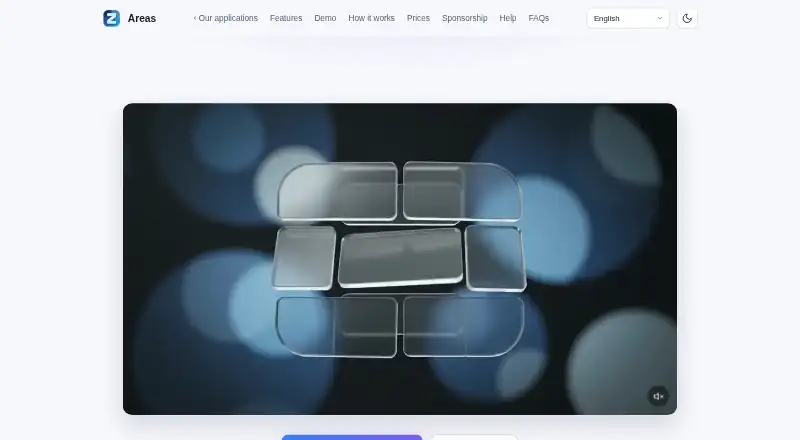
Zones is a Windows desktop organizer from independent developer Fortis Apps Studio. It places desktop items into containers called zones, helping you group files and shortcuts on the desktop. Licensing is offered as either a single purchase limited to one major version or a subscription; prices and station limits depend on the offer shown at purchase. Activation needs an internet connection once, after which the software can operate offline. License checks transmit the license key, purchase email, and a station identifier derived from hardware characteristics. The publisher says Zones does not perform advertising profiling or resell user data. License and support data are hosted by Cloudflare, email is sent through Resend, and payments use providers including Stripe and PayPal. Updates may include corrections, improvements, and new features, and may be needed for operation or security. Support is available in French and English for installation, activation, operation, and reproducible bugs. Uninstalling removes the software and shortcuts but retains files stored in zones in your profile.
Who it suits
Zones suits Windows users who want to organize desktop items into visual containers. It is intended for personal or internal professional use under its license terms.
What it does well
- Groups desktop items into zones
- Works offline after one activation
- Single-purchase or subscription licensing
- Files remain after uninstalling
- French and English technical support
What to know first
- Windows only
- No free plan
- Activation requires internet once
Plans
| Plan | Billed and limits | Price |
|---|---|---|
| Single purchase | Limited perpetual license for one major version · station limit depends on offer | On request |
| Subscription | Duration and renewal terms are specified at purchase · Access to licensed features and updates during the subscription · station limit depends on offer | On request |
As fortis-apps-studio.com lists them, read 5 Oct 2026. The maker's own page has the final word.
Verdict
Zones provides container-based desktop organization on Windows, with offline operation after initial activation. Choose between a one-major-version purchase and subscription, while noting the platform limit and license-check data transmission.
Facts from Zones's own pages
- Activation data
- For license checks, Zones transmits the license key, purchase email, and a station identifier derived from hardware characteristics. · fortis-apps-studio.com, 5 Oct 2026
- Authorized use
- The license covers personal or internal professional use; other uses require the publisher's prior written consent. · fortis-apps-studio.com, 5 Oct 2026
- Data handling
- The publisher says the software does not perform advertising profiling or resell user data. · fortis-apps-studio.com, 5 Oct 2026
- Data processors
- License and support data are hosted by Cloudflare, email is sent via Resend, and payments are processed by providers such as Stripe and PayPal. · fortis-apps-studio.com, 5 Oct 2026
- License options
- The license is offered as a single purchase limited to one major version or as a subscription. · fortis-apps-studio.com, 5 Oct 2026
- Offline use
- Activation requires an internet connection once; after activation, the software can operate offline. · fortis-apps-studio.com, 5 Oct 2026
- Privacy rights
- The terms describe GDPR rights including access, correction, deletion, restriction, objection, and portability. · fortis-apps-studio.com, 5 Oct 2026
- Publisher
- Zones is published and developed by Fortis Apps Studio, which describes itself as an independent developer. · fortis-apps-studio, 5 Oct 2026
- Purpose
- Zones is a Windows desktop organizer that stores desktop items in containers called zones. · fortis-apps-studio.com, 5 Oct 2026
- Support
- Technical support for installation, activation, operation, and reproducible software bugs is available in French and English through in-app support or email. · fortis-apps-studio.com, 5 Oct 2026
- Support limits
- Support excludes training, deployment, integration, network configuration, data recovery, and issues caused by hardware or third-party software. · fortis-apps-studio.com, 5 Oct 2026
- Uninstall behavior
- Uninstalling removes the software and shortcuts, while files stored in zones are retained in the user's profile. · fortis-apps-studio.com, 5 Oct 2026
- Updates
- The publisher may provide updates for corrections, improvements, and new features, and says installation may be necessary for proper functioning or security. · fortis-apps-studio.com, 5 Oct 2026
Where Zones stands on Freedom251
- Desktop Organization Software#43 of 47