Freedom251 › Desktop Organization Software
BentoDesk
What BentoDesk is
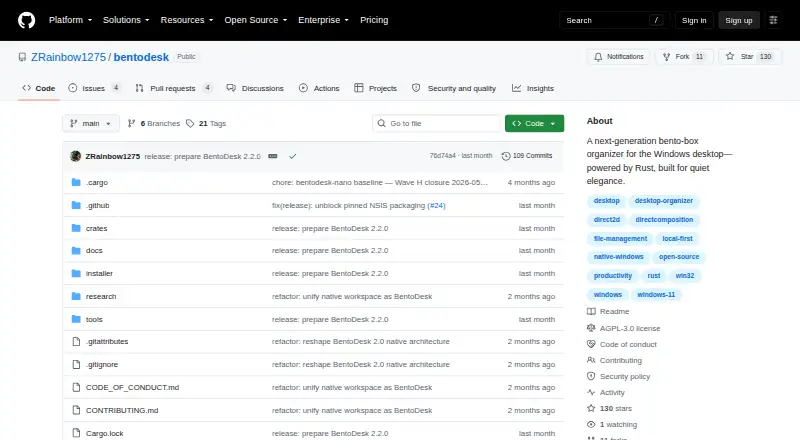
BentoDesk is a free, open-source Windows application for arranging ordinary files into desktop Zones. A Zone opens as a grid, and multiple Zones can be combined into Stacks. Windows Shell drag and drop supports files, folders, and shortcuts with move or copy behavior. Users can filter a Zone or search across all Zones, choose smart-grouping suggestions, and create local rules for repeatable organization. Live folders synchronize a bound directory with its Zone. Layouts can be arranged in several ways, saved as snapshots, reviewed through a timeline of structural changes, and restored to earlier states. Plugins come from validated local packages and can be enabled, disabled, or removed with confirmation. BentoDesk requires Windows 10 version 1809 or later, or Windows 11, on x86-64. The maker describes it as local-first, without cloud-account sync or Explorer replacement. It says there is no account system, telemetry, analytics, advertising, cloud storage, or crash-upload service.
Who it suits
It suits Windows users wanting local desktop file organization with Zones, saved layouts, rules, and live folders. It is intended for local-first workflows rather than cloud synchronization or replacing Explorer.
What it does well
- Free and open source
- Supports Zones, Stacks, and smart grouping
- Provides cross-Zone search
- Saves and restores layout snapshots
- No account, telemetry, or cloud storage
What to know first
- Windows-only
- Requires Windows 10 version 1809 or later
- Does not replace Explorer
- No cloud-account sync
Limits
BentoDesk works only on supported Windows x86-64 systems. It does not provide cloud-account sync and is not an Explorer replacement.
Getting started
- Open the BentoDesk GitHub website
- Use a Windows 10 version 1809-or-later or Windows 11 x86-64 system
- Install the Windows application
- Arrange files, folders, and shortcuts into Zones using Shell drag and drop
- Create live folders, local rules, layouts, or Stacks as needed
- Install validated local plugins when required
Verdict
BentoDesk organizes files locally through Zones, search, rules, live folders, and recoverable layouts. Its Windows-only design and lack of cloud synchronization define its scope.
Questions
Is BentoDesk free?
Yes. BentoDesk is free and open source, with source code licensed under GNU AGPL-3.0-or-later.
Which systems run BentoDesk?
It requires Windows 10 version 1809 or later, or Windows 11, on an x86-64 processor.
Does BentoDesk upload desktop files?
The maker says desktop paths, names, icons, and contents are not uploaded, and the app has no cloud storage or crash-upload service.
Does it synchronize with a cloud account?
No. BentoDesk is designed for local-first organization and does not provide cloud-account sync.
How are updates handled?
The default updater checks weekly by contacting GitHub over HTTPS, verifies the official setup's SHA-256 digest, and requires explicit action to install.
Facts from BentoDesk's own pages
- Automation
- Live folders synchronize a bound directory with its Zone, while local rules support repeatable organization without an online service. · github.com, 11 Oct 2026
- Data handling
- The privacy policy says application data and user files are not collected, sold, or shared, and desktop paths, names, icons, and contents are not uploaded. · github.com, 11 Oct 2026
- File handling
- It supports Windows Shell drag and drop for files, folders, and shortcuts, with move and copy behavior. · github.com, 11 Oct 2026
- Intended fit
- The maker positions BentoDesk for local-first desktop organization and says it does not provide cloud-account sync or replace Explorer. · github.com, 11 Oct 2026
- Layouts and recovery
- Users can arrange Zones in several layouts, save snapshots, review structural changes on a timeline, and restore earlier arrangements. · github.com, 11 Oct 2026
- License
- The source code is licensed under GNU AGPL-3.0-or-later. · github.com, 11 Oct 2026
- Limitations
- BentoDesk is Windows-only, does not replace Explorer, and does not provide cloud-account sync. · github.com, 11 Oct 2026
- Local operation
- The maker says BentoDesk has no account, project-operated server, telemetry, analytics, advertising, cloud storage, or crash-upload service. · github.com, 11 Oct 2026
- Organization
- Features include filtering and cross-Zone search, selectable smart-grouping suggestions, live folders, and local organization rules. · github.com, 11 Oct 2026
- Platform requirements
- BentoDesk is Windows-only and requires Windows 10 version 1809 or later, or Windows 11, on x86-64. · github.com, 11 Oct 2026
- Plugins
- Plugins can be installed from validated local packages, enabled, disabled, persisted, and removed with confirmation. · github.com, 11 Oct 2026
- Privacy
- BentoDesk says it has no account system, telemetry, analytics, advertising, cloud storage, or crash uploads, and does not upload desktop file names, paths, icons, or contents. · github.com, 11 Oct 2026
- Purpose
- BentoDesk organizes ordinary Windows files into desktop Zones that open as grids and can be combined into Stacks. · github.com, 11 Oct 2026
- Recovery
- Users can save and load layout snapshots, inspect structural changes on a timeline, and restore an earlier arrangement. · github.com, 11 Oct 2026
- Requirements
- BentoDesk requires Windows 10 version 1809 or later, or Windows 11, and an x86-64 processor. · github.com, 11 Oct 2026
- Search
- Users can filter one Zone or search across all Zones. · github.com, 11 Oct 2026
- Security
- The maker describes update-package digest or signature verification and local encryption options including DPAPI or a passphrase. · github.com, 11 Oct 2026
- Support
- The maker asks users to report security issues through GitHub's private reporting channel rather than a public issue. · github.com, 11 Oct 2026
- Update network
- The default updater contacts GitHub over HTTPS and verifies the official setup's SHA-256 digest before staging it; installation requires explicit user action. · github.com, 11 Oct 2026
- Updater
- The default updater contacts GitHub over HTTPS, checks weekly by default, and requires explicit user action to install an update. · github.com, 11 Oct 2026
Where BentoDesk stands on Freedom251
- Desktop Organization Software#40 of 47