Freedom251 › Desktop Organization Software
Dasktop
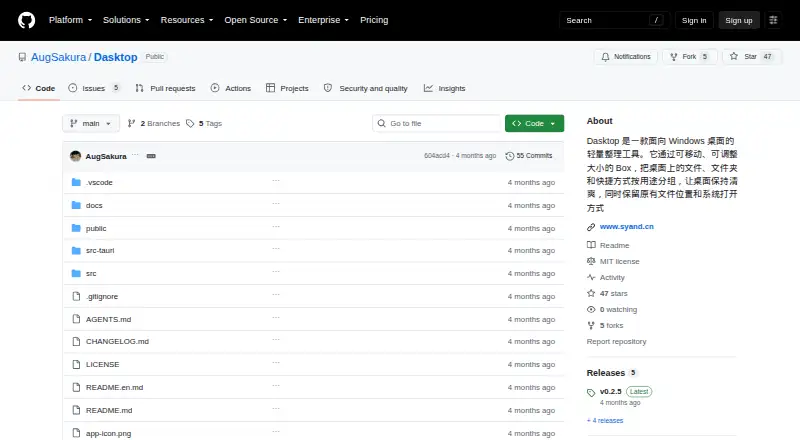
What Dasktop is
Dasktop is a free, open-source Windows organizer that places files, folders and shortcuts into movable, resizable Boxes while keeping their original locations and Windows behavior. Multiple Boxes can separate work, projects, temporary materials, tools, app shortcuts or client documents. Boxes snap near screen edges and other Boxes. They can also collect This PC, Recycle Bin, Network, Control Panel and the user folder. Dasktop stores references to those system icons; hiding native icons does not move, empty or delete desktop files, and the prior visibility state returns when the app exits. Files continue opening with Windows default apps, and native context menus remain available. Appearance options include light, dark and system themes, plus opacity, corner radius, icon size, text size and spacing controls. The app can launch at sign-in, restore the previous layout and provide settings, Box creation, icon visibility and quit controls from the system tray. Deleting a Box follows the current deletion policy for its real collection folder. The project calls itself an early public version.
Who it suits
Dasktop suits Windows users who keep project files, temporary materials, shortcuts, system icons or client documents on the desktop. It is for people who want virtual containers without relocating the underlying files.
What it does well
- Movable and resizable virtual Boxes
- Preserves original file locations
- Retains Windows apps and context menus
- Themes and detailed appearance controls
- Restores layout at sign-in
What to know first
- Windows only
- Early public version
- Deleting a Box affects its collection folder
- Project invites reports about compatibility issues
Verdict
Dasktop organizes a Windows desktop through virtual Boxes while preserving normal file behavior. Its open-source status and safety references are useful, but the project remains an early public release with Windows-specific support.
Facts from Dasktop's own pages
- Appearance
- The app offers light, dark, and system themes and settings for opacity, corner radius, icon size, text size, and spacing. · github.com, 4 Oct 2026
- Box layout
- Boxes can be moved and resized, with snapping near screen edges and other Boxes. · github.com, 4 Oct 2026
- Deletion behavior
- Deleting a Box applies the current deletion policy to its real collection folder, and the README advises checking that policy and any content to keep first. · github.com, 4 Oct 2026
- Distribution
- The latest release page lists x64 Windows NSIS and Chinese-language MSI installers; it describes the MSI as suitable for enterprise or silent-install scenarios. · github.com, 4 Oct 2026
- Intended users
- It is designed for people who keep temporary materials, project files, app shortcuts, system desktop icons, or client documents on their desktop. · github.com, 4 Oct 2026
- License
- The project is open source under the MIT License. · github.com, 4 Oct 2026
- Organization
- Users can create multiple Boxes to group desktop items by work, projects, materials, tools, or other scenarios. · github.com, 4 Oct 2026
- Purpose
- Dasktop is a lightweight Windows desktop organizer that groups files, folders, and shortcuts in movable, resizable Boxes while preserving their original locations and Windows opening behavior. · github.com, 4 Oct 2026
- Safety
- Collecting system desktop icons stores references, and hiding native icons does not move, empty, or delete desktop files; Dasktop restores the previous icon visibility state when it exits. · github.com, 4 Oct 2026
- Startup and tray
- Dasktop can launch at Windows sign-in and restore the previous layout; its system tray can open settings, create a Box, toggle desktop icon visibility, or quit. · github.com, 4 Oct 2026
- Support and maturity
- The project describes itself as an early public version and invites users to report issues, including drag-and-drop, runtime dependency, window layering, uninstall, and Windows compatibility problems. · github.com, 4 Oct 2026
- System icons
- Boxes can collect This PC, Recycle Bin, Network, Control Panel, and the user folder, with native icons hidden or restored based on Box references. · github.com, 4 Oct 2026
- Windows behavior
- Files open with Windows default apps, and file context menus retain native Windows capabilities. · github.com, 4 Oct 2026
Where Dasktop stands on Freedom251
- Desktop Organization Software#41 of 47