Freedom251 › Font Management Software

ZFontManager
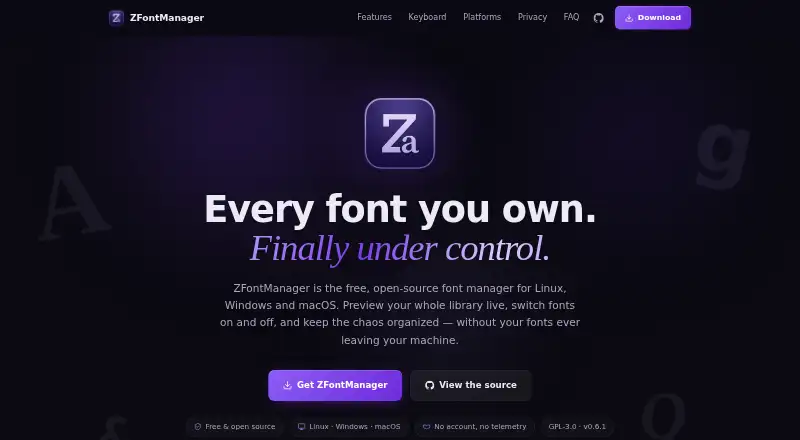
What ZFontManager is
ZFontManager is a free, open-source desktop app for organizing and activating fonts on Linux, Windows, and macOS. It scans system, user, and chosen folders, then displays fonts in grid, list, or waterfall previews. Users can add font files, folders, or ZIP archives by drag and drop and organize them with tags, collections, favorites, and notes. It supports TTF, OTF, TTC, WOFF, WOFF2, and variable fonts, and can compare two to four fonts side by side. Additional tools include variable-font sliders, OpenType controls, a character map, file details, and license information. An optional Google Fonts browser provides previews, license checks, and family downloads. On Windows and macOS, users can apply fonts to selected text in Photoshop or Illustrator; Affinity by Canva can activate document fonts. The app is GPL-3.0 licensed. Its maker says library data stays in local files, with no account, telemetry, analytics, or crash reporting. Linux AppImage use requires FUSE 2.
Who it suits
ZFontManager suits people who manage font libraries on Linux, Windows, or macOS and want local organization tools. It also fits users who work with the listed design applications or Google Fonts.
What it does well
- Free and open-source under GPL-3.0
- Organizes fonts with tags, collections, favorites, and notes
- Supports TTF, OTF, TTC, WOFF, WOFF2, and variable fonts
- Library data can be exported as a backup
What to know first
- Linux AppImage requires FUSE 2
- Download page lists Windows 10/11 x64
- Download page lists macOS 10.15 or newer
Plans
| Plan | Billed and limits | Price |
|---|---|---|
| ZFontManager | Free forever; GPL-3.0 · No paid tier, trial, or unlock · Linux, Windows, macOS | Free |
As zsync.eu lists them, read 4 Oct 2026. The maker's own page has the final word.
Getting started
- Open the ZFontManager website.
- Choose the download for Linux, Windows, or macOS.
- On Linux, ensure FUSE 2 is available for the AppImage.
- Add font files, folders, or ZIP archives by drag and drop.
- Organize fonts with tags, collections, favorites, or notes.
ZFontManager is a free, open-source desktop app for organizing, inspecting, and activating fonts on Linux, Windows, and macOS. It suits designers and font-heavy workflows that need detailed local library tools rather than cloud synchronization. Its broad inspection and organization features come without a paid tier, while Linux AppImage users must have FUSE 2.
Overview
ZFontManager brings system, user, and selected-folder fonts into one searchable-by-view library, with grid, list, and waterfall previews. You can add files, folders, or ZIP archives by drag and drop, then use tags, collections, favorites, and notes to keep a growing library manageable. Duplicate detection and protected system fonts help reduce clutter and avoid risky cleanup; removed fonts go to a restorable trash.
It is notably more than a font catalog: side-by-side comparison, variable-font controls, OpenType toggles, character maps, file details, and license information support both selection and inspection. The trade-off is that it does not sync fonts to the cloud, so it is best for people comfortable managing their library locally.
Key features
- Compare and inspect: Compare two to four fonts at once, adjust variable-font axes, inspect characters and file facts, and review license information. That range is useful when choosing a typeface or checking a specific file before use.
- Activation and design-app workflows: On Windows and macOS, a right-click can apply a font to selected text in Photoshop or Illustrator. Affinity by Canva can automatically activate document fonts, but this integration is off by default.
- Google Fonts browser: The optional in-app browser can preview, check licenses, and download font families from the Google Fonts catalogue. It is a convenient discovery path, not a substitute for cloud font synchronization.
- Format support: TTF, OTF, TTC collections, WOFF, WOFF2, and variable fonts are supported, covering common desktop and web font files.
- Local data and recovery: Fonts, tags, collections, notes, and settings stay in local files, with no account, telemetry, analytics, or crash reporting. With the online font browser and Affinity auto-activation disabled, the maker says the app attempts no network connection. Library data can be exported as one backup file.
Pricing
ZFontManager costs nothing, billed Free forever. The free plan includes the app’s font management features under the GPL-3.0 license; there is no paid tier, trial, or unlock, so there is no feature-based upgrade path to budget for. That makes it a straightforward fit for individuals and teams willing to use a locally managed, open-source tool, but not for anyone who needs cloud font sync.
Platforms
ZFontManager runs on Linux, Windows, and macOS. The download page specifies Windows 10/11 x64 and macOS 10.15 or newer; the Linux AppImage requires FUSE 2. Check that Linux dependency before choosing it. The app’s source code is public under GPL-3.0, and the maker directs bug reports to its GitHub issue tracker, noting that screenshots help.
Who it's for
Choose ZFontManager if you need to organize a local font collection, compare typefaces closely, inspect licensing and file details, or activate fonts in supported design workflows. It is a particularly good fit for users who value local data handling and an open-source license. Look elsewhere if synchronized libraries across devices are essential, or if your Linux environment cannot provide FUSE 2 for the AppImage.
Pros and cons
Pros
- Strong inspection tools: Side-by-side comparisons, variable-font sliders, OpenType toggles, character maps, and license details make selection more informed.
- Flexible library organization: Folder scanning, ZIP imports, tags, collections, favorites, notes, and duplicate detection give substantial control over local collections.
- Privacy-conscious defaults: Local files, no account or telemetry, and optional network features that start disabled suit users who want a desktop tool without routine connectivity.
- No paid feature boundary: The free-forever GPL-3.0 plan has no paid tier or unlock.
Cons
- No cloud font sync: The library is local, which is a limitation for users who need synchronized collections across devices.
- Linux setup caveat: The AppImage requires FUSE 2, adding a dependency Linux users should check first.
- Some integrations are platform-specific: Photoshop and Illustrator right-click activation is for Windows and macOS, not Linux.
Alternatives
Browse font management software for more options. Consider these alternatives when their platform reach, pricing, or stated scope better matches your needs:
- Adobe Fonts is worth considering if you want a basic library of about 5,500 fonts and access through its supported free, team, enterprise, education, or trial subscriptions; it spans mobile, desktop, and web platforms.
- FontBase offers free font-manager features on Linux, macOS, and Windows. Its Awesome Monthly plan is $3 a month for use on up to two personal computers at the same time, which may suit someone seeking a paid option.
- FontCap is another free option across Linux, macOS, and Windows, with every feature and every font included and no subscription tiers.
- Fontist is an open-source option for installing and managing fonts across Windows, Linux, and macOS, and also lists API support.
- Fontmatrix is a free, open-source GPL v2 font manager for Linux, macOS, and Windows.
- Launchpad may fit readers looking for a platform centered on open-source projects, with API, Linux, self-hosted, and web platforms.
- MainType is a Windows-only alternative whose free plan allows up to 2,500 fonts for non-commercial use, with core viewing, installing, and uninstalling.
- AMP Font Viewer is a Windows-only free alternative.
Verdict
ZFontManager is a strong choice for people who want capable, detailed font management on a desktop without paying or handing their library to a cloud service. Its inspection tools, local-first approach, and recovery safeguards make it more compelling than a basic font viewer. Choose another tool if cloud synchronization is a requirement, or if the Linux AppImage’s FUSE 2 dependency is a blocker.
Verdict
ZFontManager provides font organization, inspection, and activation tools across three desktop platforms. It has no paid tier, trial, or unlock, though Linux AppImage users need FUSE 2.
Questions
How much does ZFontManager cost?
It is free, with no paid tier, trial, or unlock.
Which operating systems does it support?
Linux, Windows, and macOS. The download page lists Windows 10/11 x64 and macOS 10.15 or newer; the Linux AppImage requires FUSE 2.
Which font formats can it handle?
Supported formats are TTF, OTF, TTC collections, WOFF, WOFF2, and variable fonts.
Is ZFontManager open source?
Yes. It is released under GPL-3.0, and its source code is public.
Does it connect to the internet?
The optional Google Fonts browser and Affinity auto-activation are off by default. The maker says no connection is attempted when both are off.
Does it integrate with design apps?
On Windows and macOS, a right-click can apply a font to selected text in Photoshop or Illustrator. Affinity by Canva can automatically activate document fonts.
Facts from ZFontManager's own pages
- Compare and inspect
- The app compares two to four fonts side by side and includes variable-font sliders, OpenType feature toggles, a character map, file facts, and license information. · zsync.eu, 4 Oct 2026
- Data handling
- The maker says fonts, tags, collections, notes, and settings stay in local files and are not uploaded; the app has no account, telemetry, analytics, or crash reporting. · zsync.eu, 4 Oct 2026
- Font formats
- The FAQ lists TTF, OTF, TTC collections, WOFF/WOFF2, and variable fonts as supported formats. · zsync.eu, 4 Oct 2026
- Google Fonts
- An optional in-app browser offers the Google Fonts catalogue and lets users preview, check licenses, and download font families. · zsync.eu, 4 Oct 2026
- Install and organize
- Users can add font files, folders, or ZIP archives by drag and drop, then organize fonts with tags, collections, favorites, and notes. · zsync.eu, 4 Oct 2026
- Integrations
- On Windows and macOS, a right-click can apply a font to selected text in Photoshop or Illustrator; Affinity by Canva can automatically activate document fonts. · zsync.eu, 4 Oct 2026
- Library tools
- It scans system, user, and selected folders and offers live grid, list, and waterfall previews. · zsync.eu, 4 Oct 2026
- License
- The app is released under the GPL-3.0 license, and its source code is public. · zsync.eu, 4 Oct 2026
- Network behavior
- Affinity auto-activation and the online font browser are off by default; with both off, the maker says no connection is attempted. · zsync.eu, 4 Oct 2026
- Platform limits
- The download page lists Windows 10/11 x64 and macOS 10.15 or newer; its Linux AppImage requires FUSE 2. · zsync.eu, 4 Oct 2026
- Purpose
- ZFontManager is a free, open-source desktop font manager for organizing and activating fonts on Linux, Windows, and macOS. · zsync.eu, 4 Oct 2026
- Safety and recovery
- System fonts are protected, removed fonts go to a restorable trash, and library data can be exported to a single backup file. · zsync.eu, 4 Oct 2026
- Support
- The maker directs users to report bugs through the GitHub issue tracker and says screenshots help. · zsync.eu, 4 Oct 2026
Where ZFontManager stands on Freedom251
- Font Management Software#13 of 27