Freedom251 › Font Management Software
NexusFile
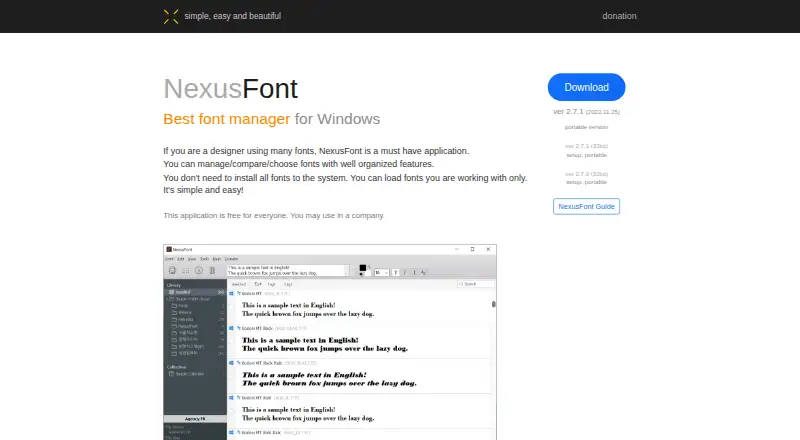
What NexusFile is
NexusFile is a free file manager for Windows with a dual-pane view for working between folders. Users can copy and move files between panels, choose a destination folder, and use keyboard shortcuts. Its batch rename tool supports inserting, replacing, or deleting text, changing case, numbering files, and handling extensions, with a preview before changes are made. The help guide describes built-in ZIP creation and extraction of selected files from archives; other archive formats require an external program. NexusFile also offers duplicate detection, a portable version, favorite and work folders, a folder tree, and keyboard-driven navigation. Users can customize list colors, shortcuts, and function keys, though only two skins are provided. Deletion options include the recycle bin, permanent deletion, and overwriting file contents with zeroes before removal. FTP supports uploads, downloads, renaming, deleting, and folder creation, but the feature is described as incomplete and unstable. Version 5.4.1 is listed with a 2021-04-09 date, and the 64-bit version is marked beta.
Who it suits
NexusFile suits Windows users who want a free file manager with two-pane file operations, batch renaming, and a portable version. Its FTP features may suit users who can work within the stated limitations.
What it does well
- Free for everyone, including company use.
- Dual-pane copying and moving with keyboard shortcuts.
- Batch rename includes a preview.
- Portable version is available.
- Duplicate detection is included.
What to know first
- Other archive formats need an external program.
- FTP is described as incomplete and unstable.
- FTP transfers lack resume and overwrite confirmation.
- The 64-bit version is marked beta.
Plans
| Plan | Billed and limits | Price |
|---|---|---|
| NexusFile | Free for everyone · may be used in a company · version 5.4.1 listed; 64-bit version marked beta | Free |
As xiles.app lists them, read 7 Oct 2026. The maker's own page has the final word.
Getting started
- Visit https://www.xiles.app/ and choose a listed NexusFile download.
- Choose the standard setup or portable version; the maker also lists a 64-bit beta.
- Install or run the version you chose on Windows.
- Use the free plan, which may be used in a company.
Verdict
NexusFile combines two-pane file work with batch renaming, portable use, and duplicate detection at no listed cost. Its older listed release, beta 64-bit version, and stated FTP limitations are worth weighing first.
Questions
How much does NexusFile cost?
The listed NexusFile plan is free, and the software is free for everyone.
Which platforms does NexusFile support?
NexusFile is listed for Windows.
Is there a free trial?
No free trial is listed; NexusFile has a free plan.
Can it work with archive files?
It can create ZIP archives and extract selected files. Other archive formats require an external program.
Is there a portable version?
Yes. The maker lists a portable version.
What is the status of the 64-bit version?
The maker lists a 64-bit version marked beta.
Facts from NexusFile's own pages
- Advanced rename
- Its batch rename tool supports insert, replace, delete, case changes, numbering, and extension actions, with a preview before renaming. · xiles.app, 7 Oct 2026
- Archives
- The help page says ZIP creation is built in and other archive formats require an external program; it also describes extracting selected files from an archive. · xiles.app, 7 Oct 2026
- Archive support
- Yes · xiles.app, 24 Sept 2026
- Batch rename
- Yes · xiles.app, 24 Sept 2026
- Customization
- Users can customize skins, list colors, shortcuts, and function keys; the help page says only two skins are provided. · xiles.app, 7 Oct 2026
- Download versions
- The maker lists version 5.4.1 dated 2021-04-09, a portable version, a 64-bit beta, and version 5.3.3 setup and portable downloads. · xiles.app, 7 Oct 2026
- Dual-pane view
- Yes · xiles.app, 24 Sept 2026
- File deletion
- The help page describes recycle-bin deletion, permanent deletion, and a shred-and-delete option that overwrites file contents with zeroes before deleting. · xiles.app, 7 Oct 2026
- File operations
- It supports copying and moving files between panels, with keyboard shortcuts and destination-folder selection. · xiles.app, 7 Oct 2026
- Free plan
- Yes · xiles.app, 24 Sept 2026
- FTP
- FTP supports renaming, deleting, creating folders, uploading, and downloading, but the help page warns the feature is incomplete and unstable; uploads and downloads lack resume and overwrite confirmation. · xiles.app, 7 Oct 2026
- Navigation
- The help page describes favorite folders, work folders, a folder tree, and keyboard-driven navigation. · xiles.app, 7 Oct 2026
- Supported platforms
- Windows · xiles.app, 24 Sept 2026
- Portable version
- Yes · xiles.app, 24 Sept 2026
- Product
- NexusFile is a fast, dual-pane file manager for Windows. · xiles.app, 7 Oct 2026
- Security and compliance
- No NexusFile-specific security or compliance statement was found on the maker pages opened. · xiles.app, 7 Oct 2026
- Support
- The maker provides a NexusFile help guide and lists [email protected] as its contact email. · xiles.app, 7 Oct 2026
Where NexusFile stands on Freedom251
- Font Management Software#14 of 27
- File Manager Software#54 of 100