Freedom251 › Font Management Software

FontCap
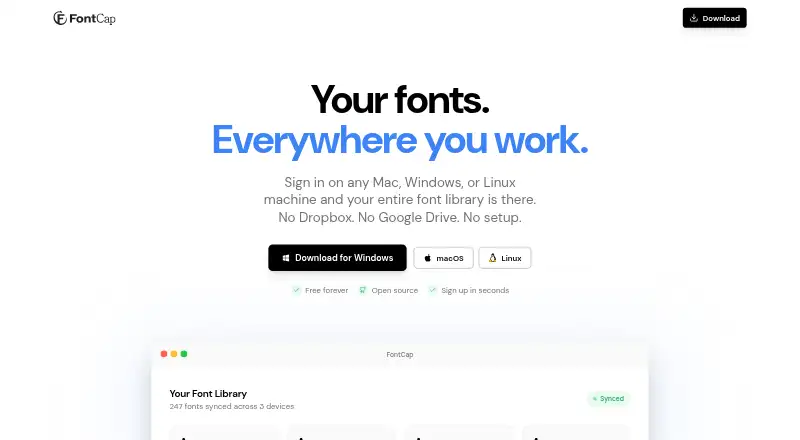
What FontCap is
FontCap syncs a font library across Mac, Windows, and Linux computers through its built-in cloud. It automatically finds installed fonts and supports TTF, OTF, WOFF, and WOFF2 files. After sign-in, fonts missing from a device are downloaded and installed automatically. You can drag font files into the app to upload them, review connected machines and font origins, and manage sync settings for each device. FontCap identifies duplicate fonts using SHA-256 file hashes and supports up to five simultaneous downloads with automatic retry. The maker describes it as suitable for freelancers, design studios, developers, and people who encounter missing-font dialogs. FontCap is free, with every feature and font included and no subscription tiers. Its privacy policy says it collects account, device, and synced-font data, but does not sell data or track behavior. Users can export font files, delete fonts, or remove an account and its associated data. Listed requirements include macOS 10.13 or later, 64-bit Windows 10 or later, and Linux AppImage or .deb builds.
Who it suits
FontCap may suit freelancers, design studios, developers, and others who need fonts synced across Mac, Windows, and Linux computers. Its missing-font downloads and device-level sync settings can help people working across multiple machines.
What it does well
- Free, with every feature and font included
- Supports TTF, OTF, WOFF, and WOFF2
- Automatically installs fonts missing from a device
- Identifies duplicates using SHA-256 file hashes
- Users can export fonts and delete account data
What to know first
- Windows support requires 64-bit Windows 10 or later
- Linux builds are listed as AppImage or .deb
- Collects account, device, and synced-font data
Plans
| Plan | Billed and limits | Price |
|---|---|---|
| Free | Free forever · Every feature and every font; no subscription tiers | Free |
As fontcap.com lists them, read 3 Oct 2026. The maker's own page has the final word.
Getting started
- Visit https://www.fontcap.com/.
- Choose the build for macOS, Windows or Linux that matches the listed requirements.
- Sign in to use FontCap’s cloud sync.
- Drop font files into the app to upload them, or let it scan installed fonts.
- Check connected machines and adjust sync settings for each device.
FontCap is a desktop font manager for people who want one font library available across Linux, macOS, and Windows computers. Its best case is keeping fonts in sync without paying for tiers or limiting access to features; its cloud-based workflow is not for people who want a local-only manager.
Overview
FontCap scans installed fonts and accepts files by drag and drop, supporting TTF, OTF, WOFF, and WOFF2. Once you sign in on another computer, it downloads and installs fonts missing from that device. That makes it useful for projects that need consistent fonts across machines, though using the shared library means relying on an account and cloud sync.
Connected-device controls show which fonts came from which machine and let you adjust sync settings per device. SHA-256 hashing identifies duplicate files, helping prevent repeated copies from accumulating as fonts move between computers.
Key features
Sync and installation
Automatic installation handles the otherwise repetitive task of adding missing fonts on each computer. Up to five downloads can run simultaneously, with automatic retry. These features suit people restoring or maintaining a library across several machines, but do not replace a local-only catalog if cloud syncing is undesirable.
Privacy and security
FontCap collects account, device, and synced-font data. Its privacy policy says it does not sell data or track behavior. It describes TLS/HTTPS encryption for transmission, bcrypt password hashing, JWT authentication, and Supabase row-level security. Users can access their data, export font files, delete fonts, or delete their account and associated data; account data is retained while an account is active and permanently removed from servers after account deletion.
Pricing
The Free plan costs nothing, is billed Free forever, and includes every feature and every font. There are no subscription tiers, so users do not have to trade sync or other features for a cheaper plan. That makes FontCap a straightforward choice for freelancers or studios wanting its full cross-device workflow without a subscription; the plan still uses cloud syncing and an account.
Platforms
FontCap supports Linux, macOS, and Windows. The system requirements are macOS 10.13 or later, Windows 10 or later 64-bit, and Linux AppImage or .deb builds. It is a desktop option rather than a mobile one.
Who it's for
The maker positions FontCap for freelancers, design studios, developers, and anyone who runs into missing-font dialogs. It fits people whose work crosses computers or operating systems and who want fonts installed automatically. It is less suited to someone who needs a local-only library or mobile support.
Pros and cons
- Pros: The free plan includes every feature and every font, without subscription tiers.
- Pros: Automatic downloads and installation, per-device sync controls, and duplicate detection support a shared library across three desktop operating systems.
- Pros: Account deletion removes associated data, and users can export font files.
- Cons: The workflow depends on an account and cloud syncing, which is a poor fit for local-only font management.
- Cons: Its platform support is limited to desktop Linux, macOS, and Windows.
Alternatives
Font Management Software is the broader category for comparing options. Choose Adobe Fonts if a basic library of about 5,500 fonts and support across mobile, web, and desktop platforms better match your needs; its free plan is available with trial subscriptions and some free, team, enterprise, and education accounts. FontBase offers free font-manager features and an Awesome Monthly plan at $3 a month, billed $3 dollars per month, for use on up to two personal computers at the same time.
ZFontManager is a free, GPL-3.0 option for Linux, Windows, and macOS with no paid tier, trial, or unlock. Fontist is open-source font management for Windows, Linux, and macOS, with API support. Fontmatrix is a free, open-source font manager under GPL v2. Launchpad is an alternative for open-source software projects, with API, Linux, self-hosted, and web platforms.
MainType is a Windows-only alternative whose free plan supports up to 2,500 fonts for non-commercial use, with core viewing, installing, and uninstalling; consider it if that capped, non-commercial scope suits your needs. Font Manager is a free GPL-3.0 application for Linux GTK desktop environments.
Verdict
Choose FontCap if you want to keep a font library aligned across Linux, macOS, and Windows and value automatic installation, duplicate detection, and full access without a subscription. Look elsewhere if you need mobile support or prefer to manage fonts without depending on an account and cloud sync.
Verdict
FontCap offers cloud syncing, duplicate detection, and automatic font installation across three desktop operating systems, with no subscription tiers. Check the listed system requirements and the data collected under its privacy policy before using it.
Questions
How much does FontCap cost?
FontCap is free forever. The plan includes every feature and font, with no subscription tiers.
Which operating systems does it support?
FontCap supports Linux, macOS and Windows. The maker lists macOS 10.13 or later, 64-bit Windows 10 or later, and Linux AppImage or .deb builds.
Which font formats can it sync?
It supports TTF, OTF, WOFF and WOFF2 files.
Does FontCap install fonts missing from a device?
Yes. After sign-in, missing fonts are automatically downloaded and installed.
What data does FontCap collect?
Its privacy policy says it collects account, device and synced-font data. It also says FontCap does not sell data or track behavior.
Can I export my fonts or delete my account?
Yes. Users can export font files, delete fonts, access their data and delete an account with its associated data.
Facts from FontCap's own pages
- Audience
- The maker describes FontCap as suitable for freelancers, design studios, developers, and people who encounter missing-font dialogs. · fontcap.com, 3 Oct 2026
- Data controls
- Users can access their data, delete fonts, delete their account and associated data, and export font files. · fontcap.com, 3 Oct 2026
- Device management
- Users can view connected machines, see which fonts came from where, and manage sync settings per device. · fontcap.com, 3 Oct 2026
- Downloads
- FontCap supports up to five simultaneous downloads with automatic retry. · fontcap.com, 3 Oct 2026
- Drag and drop
- Font files can be dropped directly into FontCap for upload and syncing. · fontcap.com, 3 Oct 2026
- Duplicate detection
- FontCap uses SHA-256 file hashing to identify duplicate fonts. · fontcap.com, 3 Oct 2026
- Font scanning
- The app automatically finds installed fonts and supports TTF, OTF, WOFF, and WOFF2 files. · fontcap.com, 3 Oct 2026
- Installation
- After sign-in, missing fonts are automatically downloaded and installed on a device. · fontcap.com, 3 Oct 2026
- Privacy
- The privacy policy says FontCap collects account, device, and synced-font data, and does not sell data or track behavior. · fontcap.com, 3 Oct 2026
- Purpose
- FontCap syncs a font library across Mac, Windows, and Linux computers through its built-in cloud. · fontcap.com, 3 Oct 2026
- Retention
- The privacy policy says account data is retained while the account is active and permanently removed from the servers when the account is deleted. · fontcap.com, 3 Oct 2026
- Security
- The privacy policy says FontCap uses Supabase row-level security, TLS/HTTPS transmission encryption, bcrypt password hashing, and JWT authentication. · fontcap.com, 3 Oct 2026
- Support contact
- The privacy policy lists [email protected] for questions about the policy or user data. · fontcap.com, 3 Oct 2026
- System requirements
- The maker lists macOS 10.13 or later, Windows 10 or later 64-bit, and Linux AppImage or .deb builds. · fontcap.com, 3 Oct 2026
Where FontCap stands on Freedom251
- Font Management Software#4 of 27