Freedom251 › Focus Stacking Software
Zerene Stacker
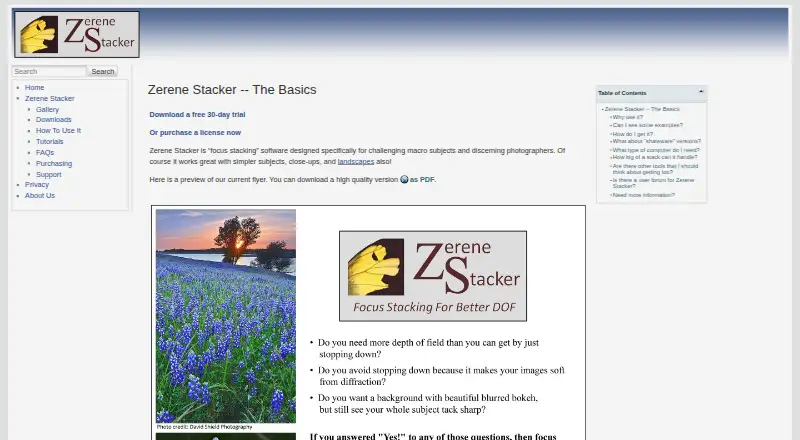
What Zerene Stacker is
Zerene Stacker is focus stacking software for photographers working with macro subjects, including difficult details such as hairs and bristles. It aligns and combines images, and its maker describes algorithms designed to avoid halos and contour lines. Retouching is included in every version. It handles 8-bit and 16-bit files; JPEG and TIFF can be read and written, while PNG and BMP are readable only. The software can also create stereo and 3-D rocking animations from a stack. Prosumer and Professional editions add a Lightroom plugin and a controller for the StackShot automated rail. Zerene Stacker works with image files rather than communicating directly with a camera, though those two editions can ingest and stack images as a USB- or wireless-connected camera shoots. The maker says stack depth has no intrinsic limit and reports users processing more than 1,000 images. It runs on Linux, macOS, and Windows. A full-function 30-day trial is available; afterward, saving is disabled and screen images are watermarked unless a license is installed. Paid editions start at $39 as a one-time purchase.
Who it suits
It suits photographers who need to combine images of macro subjects and retouch stack results. Prosumer and Professional editions may suit users who want Lightroom or StackShot integration.
What it does well
- Retouching is included in every version.
- Reads and writes 8-bit and 16-bit JPEG and TIFF.
- Creates stereo and 3-D rocking animations.
- No intrinsic limit on stack depth, according to the maker.
What to know first
- No free plan; the trial lasts 30 days.
- PNG and BMP files cannot be written.
- Does not communicate directly with a camera.
Limits
The free trial provides full functionality for 30 days from first execution; after that, saving images and projects is disabled and screen images are watermarked unless a license is installed. Student Edition is for eligible students and has personal technical features; Personal Edition is entry-level, with trials of advanced Pro-only features.
Plans
| Plan | Billed and limits | Price |
|---|---|---|
| Prosumer Edition | One-time cost; no periodic charges · Non-professional use · includes Professional technical features | $189, paid once |
| Professional Edition | One-time cost; no periodic charges · For commercial or funded use · advanced technical features · extended support | $289, paid once |
| Student Edition | One-time cost; no periodic charges · For eligible students · Personal technical features · license terms apply while student | $39, paid once |
| Personal Edition | One-time cost; no periodic charges · Entry-level · basic features · trials of advanced Pro-only features | $89, paid once |
As zerenesystems.com lists them, read 3 Oct 2026. The maker's own page has the final word.
Getting started
- Visit the Zerene Stacker website.
- Choose an edition or begin the 30-day free trial.
- Install the software on Linux, macOS, or Windows.
- Import image files to process; Prosumer and Professional editions can also ingest images during a connected camera shoot.
Verdict
Zerene Stacker covers focus stacking, retouching, and 3-D animation, with higher editions adding specific workflow integrations. Check its file-format limits and edition terms against your workflow before buying.
Questions
How much does Zerene Stacker cost?
Student Edition is $39, paid once, Personal Edition is $89, paid once, Prosumer Edition is $189, paid once, and Professional Edition is $289, paid once. These are one-time costs with no periodic charges.
Is there a free plan or trial?
There is no free plan. The free trial has full functionality for 30 days from first execution.
Which operating systems does it support?
It runs on Linux, macOS, and Windows. From 2026, new versions use Java 25 and require a 64-bit processor, Windows 10 or 11, macOS 10.14 or later, or a recent Linux version.
Which image formats can it use?
It supports 8-bit and 16-bit input and output. JPEG and TIFF can be read and written; PNG and BMP can be read but not written.
Does it connect directly to a camera?
The software processes image files rather than communicating directly with a camera. Prosumer and Professional editions can ingest and stack images while they are being shot with a USB- or wireless-connected camera.
What is included in the higher editions?
Prosumer and Professional include a Lightroom plugin and an integrated controller for the StackShot automated rail. Professional is for commercial or funded use and includes extended support access.
Facts from Zerene Stacker's own pages
- 3D output
- It can generate stereo and 3-D rocking animations from a single stack, including difficult subjects with structural overlaps and bristles. · zerenesystems.com, 3 Oct 2026
- Camera workflow
- The software processes image files rather than communicating directly with a camera; Prosumer and Professional editions can ingest and stack images while they are being shot with a USB- or wireless-connected camera. · zerenesystems.com, 3 Oct 2026
- Download security
- The download page says malware protection software may flag the installer as untrusted or falsely identify it as malware, and directs users to download validation instructions or support. · zerenesystems.com, 3 Oct 2026
- Headquarters
- Richland, Washington, United States · zerenesystems.com, 28 Sept 2026
- Image formats
- It supports 8-bit and 16-bit input and output files; the FAQ specifies JPEG and TIFF input/output, with PNG and BMP readable but not writable. · zerenesystems.com, 3 Oct 2026
- Integrations
- Prosumer and Professional editions include a Lightroom plugin and an integrated controller for the StackShot automated rail. · zerenesystems.com, 3 Oct 2026
- Privacy
- The privacy policy says the company does not use personal information for marketing or share it except as required by law or to complete a customer-initiated transaction; the software may collect IP address, version, and license-key information for piracy protection. · zerenesystems.com, 3 Oct 2026
- Purpose
- Zerene Stacker is focus stacking software designed for challenging macro subjects and discerning photographers. · zerenesystems.com, 3 Oct 2026
- Retouching
- Retouching is supported by all versions, including the lowest-price version. · zerenesystems.com, 3 Oct 2026
- Stack depth
- The maker states there is no intrinsic limit on stack depth and reports users processing stacks over 1,000 images. · zerenesystems.com, 3 Oct 2026
- Stacking quality
- The maker describes accurate alignment and interpolation, advanced algorithms, and clean handling of hairs and bristles without halos or contour lines. · zerenesystems.com, 3 Oct 2026
- Support
- The maker provides support by email and says Professional Edition includes extended access to support staff. · zerenesystems.com, 3 Oct 2026
- System requirements
- From 2026, the maker says new versions use Java 25 and require a 64-bit processor with Windows 10 or 11, macOS 10.14 or later, or a recent Linux version. · zerenesystems.com, 3 Oct 2026
- Trial
- The free trial provides full functionality for 30 days from first execution; afterward saving images and projects is disabled and screen images are watermarked unless a license is installed. · zerenesystems.com, 3 Oct 2026
- Updates and licenses
- The maker says program updates are free, and licenses other than Student Edition do not expire. · zerenesystems.com, 3 Oct 2026
Where Zerene Stacker stands on Freedom251
- Focus Stacking Software#21 of 24