Freedom251 › Focus Stacking Software

Rekall Fusion
What Rekall Fusion is
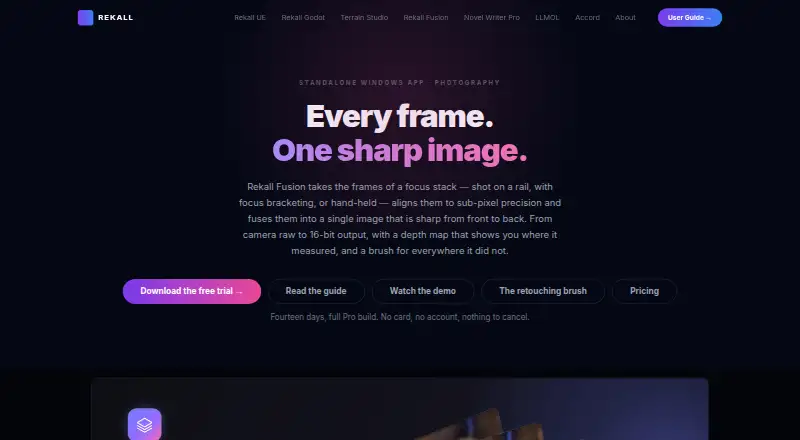
Rekall Fusion is Windows software that aligns focus-stack frames and combines them into an image with sharpness from front to back. It can correct for shifts, rotation, exposure differences, and focus breathing, and offers depth map, pyramid, hybrid, and weighted-average stacking engines. For repeated frames of one scene, it can combine images using sigma clipping, median, or mean methods. Standard accepts JPEG, PNG, and TIFF input and exports 8-bit TIFF, PNG, or JPEG. Pro adds camera raw development, a non-destructive retouching brush, same-scene integration, the hybrid engine, 16-bit output, depth-map export, and a command-line tool for batch and scripted runs. Contribution masks can be used as layer masks in an image editor, and Pro supports EXIF passthrough. Standard costs $20 a year or 79.00 USD once; Pro costs $45 a year or 179.00 USD once. The full Pro build has a 14-day trial. It requires 64-bit Windows 10 version 1809 or Windows 11, .NET 10 desktop runtime, and at least 8 GB RAM.
Who it suits
Rekall Fusion suits Windows users who want to combine focus-stack or repeated-scene images, with Pro tools for raw files, retouching, and scripted processing.
What it does well
- Aligns frames for shifts, rotation, exposure, and focus breathing
- Four focus-stacking engines are available
- Pro includes raw input and 16-bit output
- A license can activate on up to five computers
What to know first
- Windows only
- Requires .NET 10 desktop runtime
- At least 8 GB RAM is specified
- No free plan; trial lasts 14 days
Limits
The Standard plans provide 8-bit output and JPEG, PNG, or TIFF input. Camera raw input, retouching, the hybrid engine, same-scene integration, slab processing, 16-bit output, and the command-line tool require Pro. The full Pro trial ends automatically after 14 days.
Plans
| Plan | Billed and limits | Price |
|---|---|---|
| Pro lifetime | $179 lifetime · Camera raw input · retouching brush · hybrid engine · same-scene integration · slab processing · 16-bit output · command-line tool | $179, paid once |
| Standard | $20/ year · Unlimited frames · no watermark · JPEG, PNG, TIFF input · 8-bit TIFF, PNG, JPEG output | $20 a year |
| Pro | $45/ year · Camera raw input · retouching brush · hybrid engine · same-scene integration · slab processing · 16-bit output · command-line tool | $45 a year |
| Standard lifetime | $79 lifetime · Unlimited frames · no watermark · JPEG, PNG, TIFF input · 8-bit TIFF, PNG, JPEG output | $79, paid once |
As rekall-ai.com lists them, read 7 Oct 2026. The maker's own page has the final word.
Getting started
- Download Rekall Fusion for 64-bit Windows 10 version 1809 or Windows 11
- Install the .NET 10 desktop runtime
- Launch the app and start the 14-day Pro trial without an account or payment card
- Select Standard or Pro, choosing annual or lifetime licensing
- Activate the license on up to five computers
- Load your source frames and choose a focus or same-scene processing method
Verdict
Rekall Fusion covers focus stacking and repeated-scene blending, with additional output and workflow options in Pro. Check the Windows and runtime requirements, and choose between annual and lifetime plans before starting the trial.
Questions
What does Rekall Fusion cost?
Standard is $20 a year or 79.00 USD lifetime. Pro is $45 a year or 179.00 USD lifetime.
Is there a free plan or trial?
There is no free plan. The full Pro build can be tried for 14 days without a payment card or account.
Which platforms are supported?
Rekall Fusion supports 64-bit Windows 10 version 1809 and Windows 11. It also requires the .NET 10 desktop runtime.
Does it support camera raw files?
Yes. Direct raw development is available in Pro for Fujifilm, Canon, Nikon, Sony, DNG, and other formats.
What files can it export?
It exports TIFF, PNG, and JPEG. Pro adds 16-bit output and depth-map export; contribution masks can also be exported for use as layer masks.
How many computers can one license activate?
A license can be activated on up to five computers.
Facts from Rekall Fusion's own pages
- Alignment
- It aligns neighboring frames to sub-pixel precision and handles shift, rotation, exposure differences, and focus breathing. · rekall-ai.com, 7 Oct 2026
- Command line
- Pro includes the fusionstack command-line tool for batch and scripted runs. · rekall-ai.com, 7 Oct 2026
- Focus engines
- The product offers depth map, pyramid, hybrid, and weighted-average focus stacking engines. · rekall-ai.com, 7 Oct 2026
- Integrations
- Contribution masks can be loaded as layer masks in an image editor, and Pro supports EXIF passthrough. · rekall-ai.com, 7 Oct 2026
- License limit
- A license activates on up to five computers. · rekall-ai.com, 7 Oct 2026
- Maker
- The product page identifies the maker as Rekall Software Solutions. · rekall-ai.com, 7 Oct 2026
- Output
- It exports TIFF, PNG, and JPEG, with 16-bit output and depth-map export available in Pro. · rekall-ai.com, 7 Oct 2026
- Purpose
- Rekall Fusion aligns focus-stack frames and fuses them into a single image sharp from front to back. · rekall-ai.com, 7 Oct 2026
- Raw support
- The product develops camera raw formats from Fujifilm, Canon, Nikon, Sony, DNG, and others directly. · rekall-ai.com, 7 Oct 2026
- Requirements
- It requires 64-bit Windows 10 version 1809 or Windows 11 and the .NET 10 desktop runtime; 8 GB RAM minimum is specified. · rekall-ai.com, 7 Oct 2026
- Retouching
- Pro includes a non-destructive brush for changing which source frame supplies a region of the result. · rekall-ai.com, 7 Oct 2026
- Same-scene mode
- It can combine repeated frames of the same scene using sigma clipping, median, or mean methods. · rekall-ai.com, 7 Oct 2026
- Support
- The product page links to a user guide and settings reference that explain setup, settings, and statistics. · rekall-ai.com, 7 Oct 2026
- Trial
- The full Pro build is available for 14 days without a payment card or account; the trial starts inside the app and ends automatically. · rekall-ai.com, 7 Oct 2026
Where Rekall Fusion stands on Freedom251
- Focus Stacking Software#22 of 24