Freedom251 › Focus Stacking Software
PhotoAcute Studio
What PhotoAcute Studio is
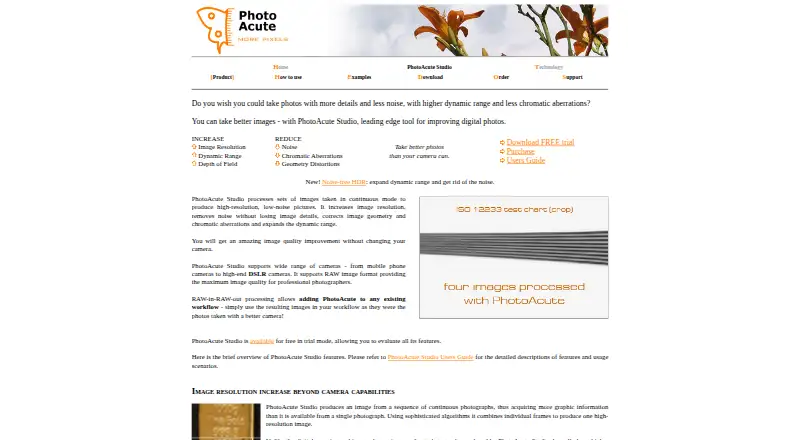
PhotoAcute Studio is paid image-processing software from Almalence for combining sets of photographs into high-resolution, lower-noise images. Superresolution merges multiple frames to increase spatial resolution beyond a single source photo, while multi-frame processing reduces noise while retaining detail. HDR processing can restore shadows and clipped highlights from exposure-bracketed images, including misaligned shots. Focus stacking combines different focus distances to increase depth of field. The software also corrects geometric distortion and chromatic aberrations and can remove unwanted moving objects. It supports automatic alignment, batch processing, and a RAW-in, RAW-out workflow. Supported output formats are RAW, JPEG, TIFF, and OpenEXR. Trial mode includes all image-processing features, places a stamp on saved images, and has no stated time limit. Standard and Portable licenses provide 8-bit processing; Professional adds 16-bit processing and saving images up to 32-bit. It runs on Windows, macOS, and Linux through Wine.
Who it suits
PhotoAcute Studio suits photographers processing bracketed, continuous, multi-focus, or RAW image sets. It is also relevant to users needing batch processing, automatic alignment, and RAW-based workflows.
What it does well
- Combines frames for superresolution
- Reduces noise while retaining detail
- HDR handles misaligned exposures
- Focus stacking increases depth of field
- Supports RAW, JPEG, TIFF, and OpenEXR
What to know first
- No free plan
- Trial saves images with a stamp
- Linux support is through Wine
- Manual retouching is not supported
Limits
Trial mode has no time limit, but saved images receive a stamp. Standard and Portable provide 8-bit processing; Professional adds 16-bit processing and saving up to 32-bit images.
Plans
| Plan | Billed and limits | Price |
|---|---|---|
| Standard license | 8-bit processing · JPEG profiles for SLR-like and compact cameras · profiles for camcorders and other video streams | On request |
| Portable license | 8-bit processing · profiles for mobile camera phones | On request |
| Professional license | Standard features · 16-bit processing and saving up to 32-bit images · DSLR RAW/JPEG profiles · SLR-like RAW profiles | On request |
As photoacute.com lists them, read 4 Oct 2026. The maker's own page has the final word.
Getting started
- Visit the PhotoAcute Studio website.
- Choose among the Standard, Portable, and Professional licenses.
- Use the time-unlimited trial mode to evaluate its image-processing features.
- Install it on Linux, macOS, or Windows; Linux support is via Wine.
- Open images from files or drag them from Windows Explorer or Mac Finder.
- Use Adobe DNG Converter for RAW files other than linear, uncompressed DNG.
Verdict
PhotoAcute Studio brings multi-frame enhancement, HDR, focus stacking, corrections, and batch processing into one desktop workflow. Its license levels distinguish 8-bit processing from Professional 16-bit and higher-depth saving.
Questions
Is PhotoAcute Studio free?
It is paid software, with no free plan. Trial mode allows evaluation of all image-processing features and is time-unlimited, but stamps saved images.
Which operating systems does it support?
The listed platforms are Linux, macOS, and Windows. Linux support is via Wine.
What output formats are supported?
PhotoAcute Studio lists RAW, JPEG, TIFF, and OpenEXR output.
Does it support RAW files?
Yes. It reads linear, uncompressed DNG files directly; other RAW files require Adobe DNG Converter.
What do the license options include?
Standard provides 8-bit processing and JPEG profiles for SLR-like and compact cameras, plus profiles for camcorders and other video streams. Portable provides 8-bit processing and mobile camera phone profiles. Professional adds 16-bit processing, saving up to 32-bit images, and DSLR RAW/JPEG and SLR-like RAW profiles.
Who develops PhotoAcute Studio?
The product is developed by Almalence.
Facts from PhotoAcute Studio's own pages
- Compatibility
- The maker's v2.96 download page lists Windows and Mac OS X downloads and says Linux is supported via Wine. · photoacute.com, 4 Oct 2026
- Focus stacking
- It combines images taken at different focus distances to produce greater depth of field. · photoacute.com, 4 Oct 2026
- HDR
- It can restore shadows and clipped highlights from exposure-bracketed photos, including misaligned photos. · photoacute.com, 4 Oct 2026
- Integrations
- The user guide describes opening images from files or by drag-and-drop from Windows Explorer or Mac Finder. · photoacute.com, 4 Oct 2026
- Maker
- The product page identifies Almalence as the developer. · photoacute.com, 4 Oct 2026
- Noise reduction
- It combines several photographs to reduce noise while retaining image details. · photoacute.com, 4 Oct 2026
- Other corrections
- The product corrects geometric distortion and chromatic aberrations, and can remove unwanted moving objects. · photoacute.com, 4 Oct 2026
- Purpose
- PhotoAcute Studio processes sets of photos taken in continuous mode to create high-resolution, low-noise images. · photoacute.com, 4 Oct 2026
- RAW requirement
- The FAQ says PhotoAcute reads linear, uncompressed DNG files itself and uses Adobe DNG Converter for other RAW files. · photoacute.com, 4 Oct 2026
- RAW workflow
- The maker describes RAW-in-RAW-out processing as a way to add the resulting images to an existing workflow. · photoacute.com, 4 Oct 2026
- Security and purchasing
- The FAQ says online purchasing is provided by Plimus and describes a 30-day full money-back guarantee. · photoacute.com, 4 Oct 2026
- Superresolution
- It combines multiple frames to increase spatial image resolution beyond what a single source photo provides. · photoacute.com, 4 Oct 2026
- Support
- The how-to page directs users to PhotoAcute Support for questions, suggestions, and comments. · photoacute.com, 4 Oct 2026
- Trial
- Trial mode allows evaluation of all image processing features and places a stamp on saved images. · photoacute.com, 4 Oct 2026
- Trial duration
- The user guide says trial mode is time-unlimited. · photoacute.com, 4 Oct 2026
Where PhotoAcute Studio stands on Freedom251
- Focus Stacking Software#20 of 24