Freedom251 › Focus Stacking Software

Macro Studio
What Macro Studio is
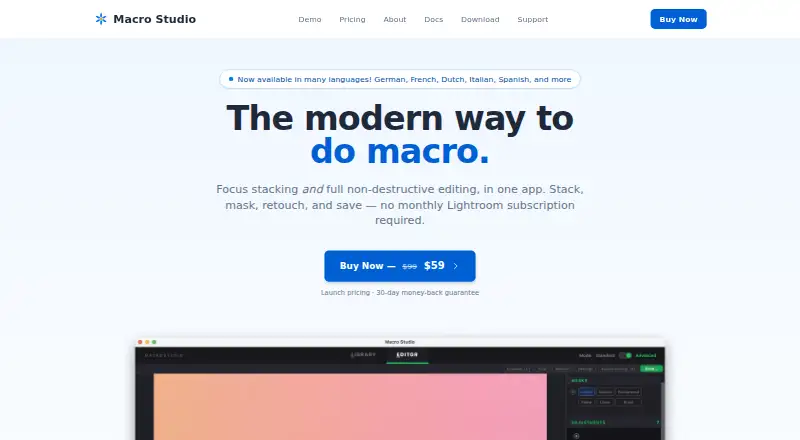
Macro Studio is desktop software for focus stacking and non-destructive editing aimed at macro photography. It analyzes focus-bracket images and combines their sharp regions into one image. Automatic alignment and batch processing are listed, along with RAW file support and TIFF, JPEG, and DNG output.
The built-in editor provides adjustments, masks, retouching, cropping, image comparison, and watermarks. AI-assisted tools offer subject masks, species identification, and draft social posts. Macro Studio runs on Linux, macOS, and Windows. The maker describes it as a native desktop app with local photo processing and says users' images are not used to train AI.
Integrations include Adobe Bridge, Lightroom Classic, DxO PhotoLab, and ON1 Photo RAW. The Lightroom plugin works with Lightroom Classic, not the cloud-based Lightroom app. Macro Studio 2026 is listed at $59.00 USD as a one-time purchase, with the launch price reduced from $99. It includes all features, activation on up to three machines, email support, and updates within the 2026 version. Invite-only free trials last 30 days and unlock every feature.
Who it suits
Macro Studio suits macro photographers who combine focus-bracket images of subjects such as beetles, mushrooms, wildflowers, and water droplets. It may also fit people who want stacking, editing, and listed photo-app integrations in one desktop app.
What it does well
- Combines sharp regions from focus-bracket images.
- Includes automatic alignment and batch processing.
- Supports RAW files and TIFF, JPEG, and DNG output.
- Offers masks, retouching, adjustments, and watermarks.
- Runs on Linux, macOS, and Windows.
- Includes up to three machine activations per license.
What to know first
- No free plan is offered.
- Free trials are invite-only and last 30 days.
- The Lightroom plugin works with Lightroom Classic, not the cloud-based Lightroom app.
- Future major versions may be optional paid upgrades.
Limits
The invite-only free trial runs for 30 days. The Macro Studio 2026 license can be activated on up to three machines; updates are included within the 2026 version, while future major versions may be optional paid upgrades.
Plans
| Plan | Billed and limits | Price |
|---|---|---|
| Macro Studio 2026 | One-time purchase; launch price shown as $59, reduced from $99 · All features · up to 3 machines per license · free updates within 2026 version · macOS, Windows, Linux · email support | $59, paid once |
As macrostudio.pro lists them, read 2 Oct 2026. The maker's own page has the final word.
Getting started
- Visit the Macro Studio website.
- Check that the computer meets the listed minimums of 8 GB RAM and 20 GB free disk space.
- Choose the Macro Studio 2026 one-time license or request an invite-only 30-day trial.
- Download the app for Linux, macOS, or Windows.
- Open focus-bracket images to stack and edit them.
Verdict
Macro Studio is suited to macro photographers who want focus stacking and non-destructive editing in a desktop app, with AI-assisted tools and integrations also available. The listed 2026 license costs $59.00 USD as a one-time purchase. Look elsewhere if you need the Lightroom plugin with the cloud-based Lightroom app or a non-invite trial.
Questions
How much does Macro Studio cost?
Macro Studio 2026 is listed at $59.00 USD as a one-time purchase, with the launch price shown as reduced from $99.
Is there a free plan or trial?
There is no free plan. Free trials are invite-only, last 30 days, and unlock every feature.
Which platforms does Macro Studio support?
It runs on Linux, macOS, and Windows.
Which photo apps does it integrate with?
Listed integrations are Adobe Bridge, Lightroom Classic, DxO PhotoLab, and ON1 Photo RAW. The Lightroom plugin works with Lightroom Classic, not the cloud-based Lightroom app.
Does Macro Studio process photos in the cloud?
The maker describes it as a native desktop app that keeps photos on the user's machine and says it has no cloud. The maker also says users' images are not used to train AI.
How many machines can use one license?
Each license can be activated on up to three machines.
Facts from Macro Studio's own pages
- AI data use
- The maker says it never trains AI on users' images. · macrostudio.pro, 2 Oct 2026
- AI features
- The app offers AI-assisted subject masks, species identification, and draft social posts. · macrostudio.pro, 2 Oct 2026
- Audience
- The maker describes the intended audience as people stacking macro subjects such as beetles, mushrooms, wildflowers, and water droplets. · macrostudio.pro, 2 Oct 2026
- Editing
- The built-in editor includes adjustments, masks, retouching, crop, image comparison, and watermarks. · macrostudio.pro, 2 Oct 2026
- Headquarters
- Austin, Texas, United States · macrostudio.pro, 28 Sept 2026
- Integrations
- The documentation lists integrations for Adobe Bridge, Lightroom Classic, DxO PhotoLab, and ON1 Photo RAW. · macrostudio.pro, 2 Oct 2026
- License limit
- Each license can be activated on up to three machines. · macrostudio.pro, 2 Oct 2026
- Lightroom support
- The Lightroom plugin works with Lightroom Classic; the cloud-based Lightroom app does not support the plugin. · macrostudio.pro, 2 Oct 2026
- Local processing
- The maker says photos stay on the user's machine and describes the product as a native desktop app with no cloud. · macrostudio.pro, 2 Oct 2026
- Minimum requirements
- The download page lists 8 GB RAM and 20 GB free disk space as minimum requirements. · macrostudio.pro, 2 Oct 2026
- Purpose
- Macro Studio is focus stacking software for macro photography that combines stacking and non-destructive editing in one desktop app. · macrostudio.pro, 2 Oct 2026
- Stacking
- It analyzes focus-bracket images and combines sharp regions into a single image. · macrostudio.pro, 2 Oct 2026
- Support
- The pricing page includes email support, and the maker says a real person reads the support email. · macrostudio.pro, 2 Oct 2026
- Trial
- Free trials are invite-only, run for 30 days, and unlock every feature. · macrostudio.pro, 2 Oct 2026
- Updates
- Updates and improvements within the 2026 version are included; future major versions may be optional paid upgrades. · macrostudio.pro, 2 Oct 2026
Where Macro Studio stands on Freedom251
- Focus Stacking Software#18 of 24