Freedom251 › Focus Stacking Software
Open Galileo
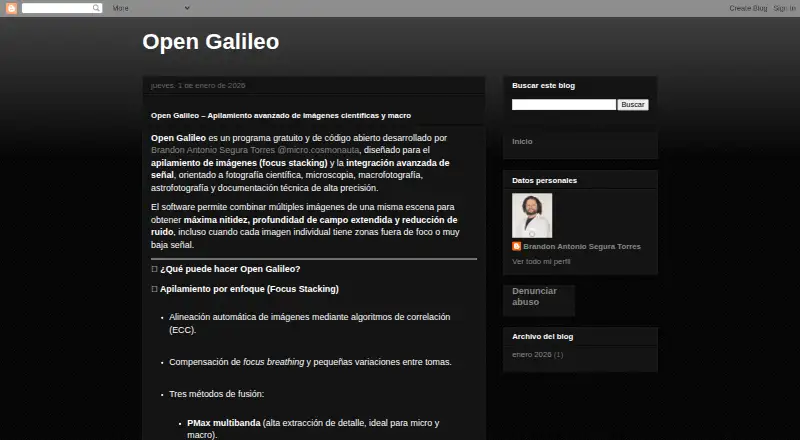
What Open Galileo is
Open Galileo is a free Windows desktop program for focus stacking and signal integration in scientific, microscopy, macro, astrophotography, and technical-documentation work. It aligns images with correlation algorithms and compensates for focus breathing and small shot-to-shot differences. For focus stacking, users can choose PMax multiband, weighted average, or depth-map fusion. Its astronomy mode combines signals by mean, median, sum, or sigma clipping. Processing uses focus measures based on Laplacian, Difference of Gaussians, and variance, with multiscale fusion through Laplacian pyramids. Optional filters include contrast normalization, CLAHE, Unsharp Mask, and noise reduction methods such as BM3D and approximate Noise2Void. It can process folders and save results automatically, and supports JPG, PNG, TIFF, and RAW images. The interface includes live previews, progress bars, parameter sliders, and a window designed for large screens. Open Galileo is free to use; commercial use requires the author's prior permission under its CC BY-NC 4.0 license.
Who it suits
It suits microscopists, laboratory and research teams, students, science educators, and macro, nature, or astrophotography users who need image stacking or signal integration. It runs as a Windows desktop executable.
What it does well
- Automatically aligns images and compensates for focus breathing
- Offers three focus-stacking fusion methods
- Astronomy mode supports four signal integration methods
- Processes folders and saves results automatically
- Supports RAW, JPG, PNG, and TIFF images
What to know first
- The listed desktop release is for Windows
- Commercial use requires the author's prior permission
Limits
The Open Galileo plan is free, with no restrictions stated. Commercial use requires the author's prior permission under CC BY-NC 4.0.
Plans
| Plan | Billed and limits | Price |
|---|---|---|
| Open Galileo | Free; the maker says it will always be free. Voluntary donations are accepted. · No restrictions stated | Free |
| Free | Free without restrictions · commercial use requires prior permission | Free |
As opengalileostacker.blogspot.com lists them, read 8 Oct 2026. The maker's own page has the final word.
Getting started
- Visit the Open Galileo website.
- Use the Windows desktop executable.
- Choose focus stacking or astronomy signal integration for the image set.
- Select supported JPG, PNG, TIFF, or RAW images.
- Adjust processing parameters and review the real-time preview.
Verdict
Open Galileo combines focus stacking and astronomy signal integration with batch processing and optional image filters. Its Windows release is free, while commercial use requires prior permission.
Questions
What does Open Galileo cost?
The Open Galileo plan is free. The maker says it will always be free and accepts voluntary donations.
Is there a free trial?
No. Open Galileo is offered as a free plan.
Which platforms does it support?
The release offers a desktop executable for Windows.
What image formats can it handle?
It supports JPG, PNG, TIFF, and RAW images.
Can it be used commercially?
Commercial use requires the author's prior permission under the CC BY-NC 4.0 license.
Who develops Open Galileo?
The maker names Brandon Antonio Segura Torres as the developer.
Facts from Open Galileo's own pages
- Alignment
- It automatically aligns images using correlation algorithms (ECC) and compensates for focus breathing and small shot variations. · opengalileostacker.blogspot.com, 8 Oct 2026
- Batch processing and formats
- It can process folders automatically, save results automatically, and supports JPG, PNG, TIFF, and RAW files. · opengalileostacker.blogspot.com, 8 Oct 2026
- Developer
- The maker names Brandon Antonio Segura Torres as the developer. · opengalileostacker.blogspot.com, 8 Oct 2026
- Filters
- Optional filters include contrast normalization, CLAHE, Unsharp Mask-style sharpening, and several noise-reduction methods. · opengalileostacker.blogspot.com, 8 Oct 2026
- Focus fusion
- It offers multiband PMax, weighted average, and depth-map fusion methods. · opengalileostacker.blogspot.com, 8 Oct 2026
- Focus stacking
- It offers PMax multiband, weighted average, and depth-map fusion methods. · opengalileostacker.blogspot.com, 8 Oct 2026
- Image alignment
- It automatically aligns images using correlation algorithms (ECC) and compensates for focus breathing and small variations between shots. · opengalileostacker.blogspot.com, 8 Oct 2026
- Image processing
- It uses focus measures based on Laplacian, DoG, and variance, and multiscale fusion with Laplacian pyramids. · opengalileostacker.blogspot.com, 8 Oct 2026
- Intended users
- The maker names microscopists, laboratories, scientists, students, macro and nature photographers, astrophotographers, educators, and science communicators as intended users. · opengalileostacker.blogspot.com, 8 Oct 2026
- Interface
- The interface provides real-time previews, progress bars, slider controls, and a window optimized for large screens. · opengalileostacker.blogspot.com, 8 Oct 2026
- License
- The software is released under CC BY-NC 4.0, and commercial use requires the author's prior permission. · github.com, 8 Oct 2026
- Platform
- The release offers a desktop executable for Windows. · github.com, 8 Oct 2026
- Project model
- The maker describes the project as open, educational, and collaborative, and says it is free without restrictions. · opengalileostacker.blogspot.com, 8 Oct 2026
- Purpose
- Open Galileo is free, open-source software for focus stacking and signal integration in scientific photography, microscopy, macro photography, astrophotography, and technical documentation. · opengalileostacker.blogspot.com, 8 Oct 2026
- Signal integration
- Its astronomy mode supports mean, median, sum, and sigma-clipping integration. · opengalileostacker.blogspot.com, 8 Oct 2026
- Support
- The maker invites voluntary donations to support the project's maintenance and improvement. · opengalileostacker.blogspot.com, 8 Oct 2026
Where Open Galileo stands on Freedom251
- Focus Stacking Software#14 of 24