Freedom251 › Multi-System Emulators
XRoar
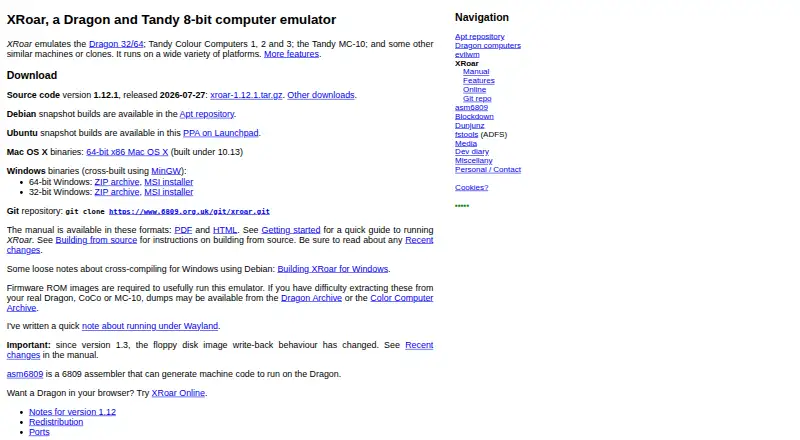
What XRoar is
XRoar emulates Dragon, Tandy Colour Computer, Tandy MC-10 and related 8-bit computers. Its supported systems include Dragon 32/64/200-E, Tandy CoCo 1/2/3, MC-10 and Matra & Hachette Alice 4K. It is free software, available on Android, Linux, macOS, web and Windows, under GNU GPL version 3 or later and without warranty. XRoar reads and writes cassette, floppy disk and block-device images, and supports machine snapshots. It emulates PAL or NTSC video, composite video and multiple sound drivers, along with hardware such as floppy controllers, sound cartridges, Glenside IDE and RAM expansions. Its GDB remote target supports interactive debugging, but 6803 debugging is not implemented. The Becker port supports communication with pyDriveWire or Drivewire 4. XRoar Online can fetch cassette, floppy and hard disk images from the web or accept uploads, though its sandbox keeps accessed files temporarily in memory rather than working directly with local files. Firmware ROM images are needed for useful emulation. Floppy write-back is enabled by default, so changes may overwrite the image when ejected or when XRoar quits.
Who it suits
XRoar suits people who want to emulate the listed 8-bit systems across desktop, Android or browser platforms. Users working with floppy images should note that write-back is enabled by default.
What it does well
- Supports Dragon, CoCo, MC-10 and Alice 4K systems.
- Reads and writes cassette, floppy and block-device images.
- Offers snapshots, PAL/NTSC and composite video emulation.
- Available on Android, Linux, macOS, web and Windows.
What to know first
- Firmware ROM images are required for useful emulation.
- Browser sandbox does not work transparently with local files.
- Floppy write-back may overwrite changed disk images.
- 6803 debugging is not implemented.
Limits
Firmware ROM images are required for useful emulation. XRoar Online keeps accessed files ephemerally in memory, and floppy write-back is enabled by default, so ejecting a disk or quitting may overwrite its image.
Plans
| Plan | Billed and limits | Price |
|---|---|---|
| XRoar | Free software under GNU GPL version 3 or later · no warranty stated | Free |
As 6809.org.uk lists them, read 8 Oct 2026. The maker's own page has the final word.
Getting started
- Visit the XRoar website.
- Choose Android, Linux, macOS, Windows or the browser version.
- Provide firmware ROM images for useful emulation.
- In XRoar Online, fetch images from the web or upload local files.
XRoar is a focused emulator for Dragon, Tandy Colour Computer, Tandy MC-10 and related 8-bit systems. It is best for retro-computing enthusiasts, preservation work and developers who need machine-specific behavior rather than a broad console collection. Its free, open-source distribution is unusually capable, provided you can supply firmware and manage writable disk images carefully.
Overview
The supported family covers Dragon 32, 64 and 200-E, Tandy CoCo 1, 2 and 3, MC-10, and Matra & Hachette Alice 4K. That concentration is useful when compatibility with these particular machines matters; it is not the right choice for someone seeking one emulator for unrelated platforms. XRoar is released under the GNU GPL version 3 or later and carries no warranty, so users should be comfortable with community-developed software and their own support arrangements.
Firmware ROM images are required for useful operation. That prerequisite can be straightforward for owners of the original systems and a significant preparation step for everyone else.
Key features
Media and snapshots
XRoar can read and write cassette, floppy-disk and block-device images, while snapshots preserve machine state. The combination suits software archival, repeatable debugging and pausing a session at a precise point. Floppy write-back is on by default, so ejecting a disk or quitting can write changes over the file on disk. Anyone experimenting with treasured images should make copies or otherwise account for that behavior.
Hardware, video and audio
Emulation includes a floppy controller, sound cartridges, Glenside IDE and several RAM expansions. PAL and NTSC modes, composite-video simulation and multiple sound drivers give users meaningful control over regional and hardware presentation. These options matter to developers checking timing or display behavior and to enthusiasts trying to reproduce a particular setup, though they also add configuration choices that casual users may not need.
Debugging and connectivity
A GDB remote target enables interactive debugging, making XRoar more suitable for 6809 software development than an emulator limited to launching programs. Debugging for 6803 is not implemented, so that specific workflow remains outside its scope. The Becker port can communicate with pyDriveWire or Drivewire 4, extending the emulator into compatible external-drive and development setups.
Browser edition
XRoar Online runs in a browser and can fetch cassette, floppy and hard-disk images from the web or accept local uploads. Its sandbox keeps accessed files ephemerally in memory and does not transparently operate on local files. It is convenient for short sessions and demonstrations, but desktop installations are the better fit for persistent, file-oriented work.
Pricing
| Plan | Price | Includes |
|---|---|---|
| XRoar | free | Free software under GNU GPL version 3 or later; no warranty stated |
There is no paid tier or trial period. The free plan includes the emulator itself across its supported environments, with no published seat or usage charge. Users still need appropriate firmware ROM images and legally usable software images; those requirements are separate from the zero purchase price.
Platforms
XRoar supports Android, Linux, macOS, the web and Windows. The cross-platform reach is valuable for moving a project between desktop and mobile, while the browser version lowers the barrier to a quick session. The web sandbox's ephemeral storage makes it less suitable than native versions for ongoing local-file workflows.
Who it's for
Choose XRoar if your work centers on Dragon, CoCo, MC-10 or Alice 4K software, hardware expansion behavior, image-based media or 6809 debugging. It is a strong fit for preservationists and developers who value snapshots, GDB access and detailed video, audio and peripheral options. Look elsewhere if you want a simple plug-in-and-play catalog of many unrelated systems, or if you cannot obtain the required ROM images.
Pros and cons
- Pros: Focused support for ten related systems; cassette, floppy and block-device image handling; snapshots; substantial peripheral and RAM-expansion emulation; PAL/NTSC and composite-video options; multiple sound drivers; GDB remote debugging; Android, desktop and browser availability; fully free GPL software.
- Cons: Firmware ROMs are mandatory for useful use; default floppy write-back can overwrite disk images; browser files are memory-only and ephemeral; 6803 debugging is absent; no warranty is provided.
Alternatives
Multi-System Emulators is the broader starting point when you want to compare emulators beyond this 8-bit family.
- Foxol is the better fit for a freemium catalog spanning Android, iOS, Linux, macOS, web and Windows, with a free cap of 20 games and limited save-state and controller features.
- RetroArch suits users wanting a free, open-source multi-platform frontend rather than XRoar's dedicated Dragon and CoCo focus.
- Virtual Jaguar is for Atari Jaguar emulation through a libretro frontend such as RetroArch.
- MAME is preferable for a much wider arcade and hardware-emulation remit, though ROMs and copyrighted software are generally not included.
- SkyEmu offers free open-source multi-platform emulation, with DS emulation identified as beta quality.
- VICE is the alternative for Commodore-oriented systems under GPL v2 or later.
- Atari800 targets Atari 8-bit computers and is freely distributable under GPL version 2.
- Dolphin is the choice for GameCube and Wii emulation under GPLv2+.
Verdict
XRoar is an excellent choice for anyone specifically emulating Dragon, CoCo, MC-10 or Alice 4K machines and needing image control, hardware options or 6809 debugging at no cost. Choose another emulator if broad system coverage, simpler setup without firmware, or durable browser-side file handling matters more than this focused accuracy and control.
Verdict
XRoar combines broad 8-bit system emulation with image handling, snapshots and hardware options. Check the firmware requirement and default floppy write-back behavior before using it.
Questions
How much does XRoar cost?
XRoar is free software under GNU GPL version 3 or later.
Which systems does it emulate?
Supported systems include Dragon 32/64/200-E, Tandy CoCo 1/2/3, MC-10 and Matra & Hachette Alice 4K.
Which platforms can I use?
XRoar is available for Android, Linux, macOS, Windows and the web.
Do I need firmware ROM images?
Yes. Firmware ROM images are required to usefully run the emulator.
Can I use local files in the browser version?
XRoar Online accepts local file uploads, but its sandbox keeps accessed files temporarily in memory rather than transparently working on local files.
What happens to changed floppy images?
Write-back is enabled by default, so changes may be saved over the disk image when it is ejected or XRoar quits.
Facts from XRoar's own pages
- Debugging
- XRoar includes a GDB remote target for interactive debugging, with 6803 debugging not implemented yet. · 6809.org.uk, 8 Oct 2026
- Disk write behavior
- Floppy disk write-back is enabled by default, so changed images may overwrite the on-disk file when ejected or when XRoar quits. · 6809.org.uk, 8 Oct 2026
- Emulated systems
- Supported systems include Dragon 32/64/200-E, Tandy CoCo 1/2/3, MC-10 and Matra & Hachette Alice 4K. · 6809.org.uk, 8 Oct 2026
- Hardware emulation
- Supported hardware includes floppy controller and sound cartridges, Glenside IDE, and several RAM expansions. · 6809.org.uk, 8 Oct 2026
- Integrations
- The Becker port supports communication with pyDriveWire or Drivewire 4. · 6809.org.uk, 8 Oct 2026
- License and warranty
- XRoar is free software under GNU GPL version 3 or later and is supplied without warranty. · 6809.org.uk, 8 Oct 2026
- Platforms
- The maker provides Windows and Mac OS X binaries, describes Linux source builds, and offers a browser version compiled to WebAssembly. · 6809.org.uk, 8 Oct 2026
- Prerequisite
- Firmware ROM images are required to usefully run the emulator. · 6809.org.uk, 8 Oct 2026
- Purpose
- XRoar emulates Dragon, Tandy Colour Computer, Tandy MC-10 and similar 8-bit computers. · 6809.org.uk, 8 Oct 2026
- Storage
- It reads and writes cassette, floppy disk and block device images, and supports machine snapshots. · 6809.org.uk, 8 Oct 2026
- Video and audio
- Features include PAL or NTSC emulation, composite video simulation and multiple sound drivers. · 6809.org.uk, 8 Oct 2026
- Web limitation
- XRoar Online runs in a sandbox; files it accesses are held ephemerally in memory, so it does not transparently work on local files. · 6809.org.uk, 8 Oct 2026
- Web version
- XRoar Online runs in a browser and can fetch cassette, floppy and hard disk images from the web or accept local file uploads. · 6809.org.uk, 8 Oct 2026
Where XRoar stands on Freedom251
- Multi-System Emulators#41 of 54