Freedom251 › Business Phone Systems
Xorcom CompletePBX
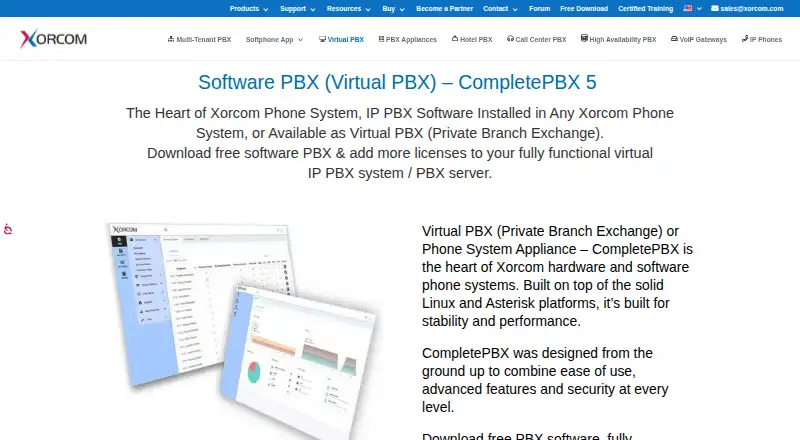
What Xorcom CompletePBX is
Xorcom CompletePBX 5 is PBX software for virtual machines and Xorcom phone system appliances. Built on Linux and Asterisk, it can be deployed on-premise, in a data center, or through a hosting provider as a self-hosted PBX. It supports VoIP alongside legacy telephony interfaces, and works with provisioned IP phones from Xorcom and other brands, as well as the CloudPhone softphone for iOS and Android.
Calling features include forwarding, parking, pickup and transfer, voicemail, video calls, fax support, and AI virtual agents. The Teams Connector enables Microsoft Teams clients to make internal and external calls and use queues and IVRs. Call-center tools include queues, agent login and logout, monitoring, recording, reporting, and visual queues. Administrators can manage the system through a web interface, apply permissions by feature, destination, or calling time, and use remote administration, backup and restore, and disaster recovery. Security features include a firewall, intrusion detection and blocking, encrypted calls using SIP TLS and sRTP, and outbound call restrictions. The free evaluation virtual machine is fully functional but limited to three extensions; additional users require a purchased license. Pricing is on request.
Who it suits
CompletePBX suits organizations that want a self-hosted PBX with options for on-premise, data-center, or hosted deployment. It may also suit teams combining legacy telephony with VoIP or using Microsoft Teams, provided they can work within the evaluation limit or purchase a license.
What it does well
- Supports on-premise, data-center, and hosted self-deployment.
- Combines VoIP with legacy telephony interfaces.
- Includes call-center queues, monitoring, recording, and reporting.
- Connects Microsoft Teams clients for calls, queues, and IVRs.
- Offers granular calling permissions and multiple security controls.
What to know first
- The free evaluation virtual machine is limited to three extensions.
- Additional users require a purchased license.
- Pricing is available on request.
Limits
The free evaluation virtual machine is limited to three extensions. Additional users require a purchased license.
Plans
| Plan | Billed and limits | Price |
|---|---|---|
| CompletePBX 5 evaluation system | Fully functional evaluation virtual machine · limited to 3 extensions · additional users require a purchased license | Free |
As xorcom.com lists them, read 12 Oct 2026. The maker's own page has the final word.
Getting started
- Visit the Xorcom CompletePBX website.
- Choose an on-premise, data-center, or hosting-provider deployment.
- Use the free evaluation virtual machine, limited to three extensions.
- Purchase a license to add users beyond the evaluation limit.
- Use the web interface to administer the PBX.
Verdict
Choose CompletePBX if you need a self-hosted PBX with call-center tools, Teams connectivity, and support for both VoIP and legacy interfaces. Look elsewhere if you need a free setup for more than three extensions or require pricing upfront.
Questions
How much does Xorcom CompletePBX cost?
Pricing is available on request. The evaluation system is free.
Is there a free version?
A free, fully functional evaluation virtual machine is available, limited to three extensions. Additional users require a purchased license.
Which platforms does CompletePBX support?
Listed platforms are Android, iOS, Linux, self-hosted, and web. The CloudPhone softphone is available for iOS and Android.
Can CompletePBX connect to Microsoft Teams?
Yes. Its Teams Connector lets Teams clients place internal and external calls and use queues and IVRs.
Can it run alongside legacy telephony?
Yes. CompletePBX supports legacy telephony interfaces alongside VoIP.
What administration and recovery tools are included?
The feature list includes web and remote administration, backup and restore, scheduled backup, and disaster recovery.
Facts from Xorcom CompletePBX's own pages
- Access controls
- Administrators can apply granular class-of-service permissions, including restrictions on features, destinations, and calling times. · xorcom.com, 12 Oct 2026
- Administration
- The feature list includes remote administration, backup and restore, scheduled backup, disaster recovery, and a web interface. · xorcom.com, 12 Oct 2026
- Auto attendant
- Yes · xorcom.com, 22 Sept 2026
- Call center
- Call center features include queues, agent login and logout, monitoring, call recording, reporting, and visual queues. · xorcom.com, 12 Oct 2026
- Calling features
- Listed call features include call forwarding, parking, pickup and transfer, voicemail, video calls, fax support, and AI virtual agents. · xorcom.com, 12 Oct 2026
- Call routing
- custom · xorcom.com, 22 Sept 2026
- Capacity limits
- The free evaluation virtual machine is limited to three extensions and can be upgraded with a purchased license. · xorcom.com, 12 Oct 2026
- Company
- Xorcom says it has provided telephony and voice communication solutions since 2004 and is ISO 9001 certified. · xorcom.com, 12 Oct 2026
- Deployment
- CompletePBX can run on-premise, in a data center, or with any hosting provider as a self-hosted PBX. · xorcom.com, 12 Oct 2026
- Desktop and mobile apps
- Yes · xorcom.com, 22 Sept 2026
- Founded
- 2004 · xorcom.com, 19 Oct 2026
- Headquarters
- Misgav Industrial Park, Israel · xorcom.com, 19 Oct 2026
- Hybrid telephony
- The system supports legacy telephony interfaces alongside VoIP. · xorcom.com, 12 Oct 2026
- Microsoft Teams
- The Teams Connector lets Teams clients connect to CompletePBX, place internal and external calls, and use queues and IVRs. · xorcom.com, 12 Oct 2026
- Phone compatibility
- CompletePBX supports Xorcom and other brands of provisioned IP phones, plus the CloudPhone softphone for iOS and Android. · xorcom.com, 12 Oct 2026
- Product
- CompletePBX 5 is Xorcom’s PBX software for virtual machines and Xorcom phone system appliances. · xorcom.com, 12 Oct 2026
- Security
- Listed security features include a built-in firewall, intrusion detection and blocking, SIP TLS and sRTP call encryption, and outbound call restrictions. · xorcom.com, 12 Oct 2026
- Support and training
- Xorcom lists technical support, documentation, and free online CompletePBX training. · xorcom.com, 12 Oct 2026
- Technology
- CompletePBX is built on Linux and Asterisk. · xorcom.com, 12 Oct 2026
Where Xorcom CompletePBX stands on Freedom251
- Business Phone Systems#12 of 167