Freedom251 › Cloud PC Services

Workspot Cloud PCs
What Workspot Cloud PCs is
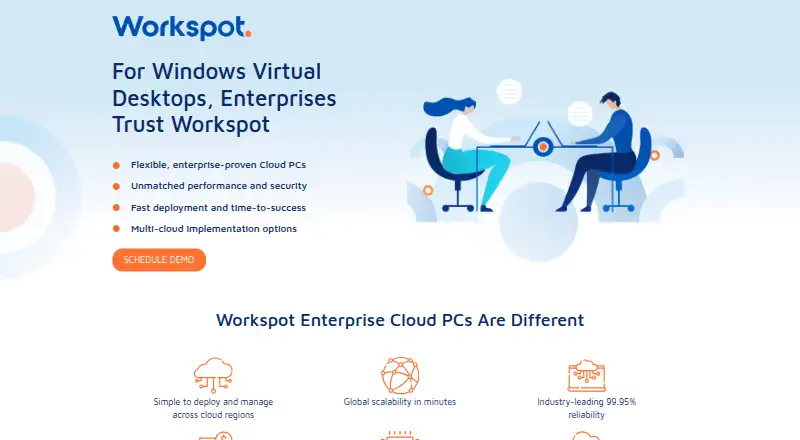
Workspot Cloud PCs provides enterprise virtual desktops and a platform for managing virtual desktops, apps and web apps. Workspot Client connects users to Windows 10/11 desktops hosted in Azure, Google Cloud, AWS or on-premises data centers. Listed uses include secure remote work, high-performance computing, hardware refresh, replacing on-premises VDI, contractor access and business resilience. Workspot Control manages apps and desktops across cloud and on-premises locations from one console, with scaling in minutes. Workspot Watch analyzes session health across clouds, locations and networks, while Workspot Trends reports on historical user satisfaction and issues. Global Desktop supports failover to secondary desktops and advertises up to 99.99% uptime. Security features include device posture checks, encryption, user profiles and permissions, and event logging. Standard support offers weekday-business-hours email access; Premium adds email and phone support 24/7/365 for an additional per-license fee. Pricing is available by contacting Workspot, and the product page offers a demo.
Who it suits
Workspot Cloud PCs is aimed at enterprises managing virtual desktops across cloud and on-premises environments. Its listed use cases include remote work, contractor access and high-performance computing.
What it does well
- Supports Azure, Google Cloud, AWS and on-premises hosting
- One console manages virtual apps and desktops across locations
- Global Desktop supports failover to secondary desktops
- Client platforms include Windows, macOS, iOS and Android
- API can share session insights with SIEM and ITSM systems
What to know first
- Pricing requires contacting Workspot
- Premium support costs an additional per-license fee
- Some API commands are unavailable on Google Cloud
Plans
| Plan | Billed and limits | Price |
|---|---|---|
| Workspot Cloud PCs | Contact Workspot for pricing; the product page offers a demo. · Enterprise service · configurable desktop resources and use-based payment options | On request |
As go.workspot.com lists them, read 4 Oct 2026. The maker's own page has the final word.
Getting started
- Visit the Workspot Cloud PCs page.
- Contact Workspot for pricing or request a demo.
- Choose a hosting location: Azure, Google Cloud, AWS, or an on-premises data center.
- Download Workspot Client for a supported device, or use listed browser access.
- Connect to a Windows 10/11 desktop.
Workspot Cloud PCs delivers managed Windows 10/11 desktops to organizations that need to serve users across cloud and on-premises environments. It is best suited to enterprise IT teams managing varied workloads or a distributed workforce. Its cross-environment control and failover are persuasive; custom pricing and an API gap on Google Cloud make it less compelling for buyers who need predictable costs or uniform automation.
Overview
Users connect through Workspot Client to desktops hosted in Azure, Google Cloud, AWS, or on-premises data centers. Workspot Control manages virtual desktops and apps across those locations from one console and supports scaling in minutes. That flexibility can help organizations replacing on-premises VDI, supporting contractors, or adjusting capacity as needs change. Configurable and dedicated desktop resources, GPU support, and use-based payment options accommodate different workloads, though buyers must weigh that flexibility against a sales-led purchasing process.
The service is aimed at secure remote work, high-performance computing, hardware refresh, and business resilience as well as VDI replacement. Its focus on Windows desktops will suit many enterprise deployments, but organizations seeking a Linux desktop service should look elsewhere.
Key features
Management and monitoring
Workspot Watch analyzes session health across clouds, locations, and networks, while Workspot Trends reports historical user satisfaction and issues. Together with centralized administration, these tools give IT teams ways to investigate service quality across a mixed estate. Session insights can also be shared through the API with SIEM systems such as Splunk and ITSM platforms such as ServiceNow.
Resilience and security
Global Desktop supports failover to secondary desktops and advertises up to 99.99% uptime, a useful provision for organizations that need continuity across desktop environments. The client supports device posture checks, encryption, user profiles and permissions, and event logging for compliance. Workspot says an external audit firm assesses its information security and privacy controls annually against SOC 2 Type 2 and GDPR requirements; customers can request assessment and penetration testing reports annually.
Identity and automation
Authentication integrations include third-party client authentication with Okta and support for Entra ID and other OIDC identity providers through Gateway Plugin. The REST API supports administrative tasks in Azure and Google Cloud deployments, but some commands are unavailable on Google Cloud. That limitation matters to teams automating administration across providers: they should confirm that their required operations work in their target environment.
Pricing
Workspot Cloud PCs uses custom pricing, with buyers directed to contact Workspot; the product page offers a demo. The enterprise service has configurable desktop resources and use-based payment options, which may suit organizations with variable demand or specialized compute requirements. However, without a published rate, it is harder to compare total costs or assess budget fit before engaging with the vendor.
Standard support provides email access to support engineers during weekday business hours. Premium adds email and phone support 24/7/365 for an additional per-license fee. Organizations with round-the-clock operations may value that coverage, while others should account for the extra license cost when comparing support needs.
Platforms
Workspot lists access for Windows, macOS, web, iOS, and Android. Client downloads are provided for Windows 32-bit and 64-bit, macOS, iOS, and Android. Browser access is listed for Chrome on Chromebook or Windows and Edge on Windows, so web access is not described as browser-neutral. The broader platform list can support mixed-device workforces, but teams should check browser and client compatibility for the devices they expect to use.
Who it's for
Workspot is a strong candidate for organizations consolidating desktop administration across public clouds and on-premises data centers, particularly those supporting remote staff, contractors, or GPU-oriented workloads. Its monitoring, failover, and security controls also suit IT teams responsible for resilience and compliance. Smaller teams seeking a transparent self-service price, or administrators dependent on full API command coverage in Google Cloud, may find the buying and automation tradeoffs difficult to justify.
Pros and cons
- Pros: One management console spans cloud and on-premises locations, helping IT teams oversee a varied desktop estate.
- Pros: Dedicated resources and GPU support accommodate workloads beyond basic desktop use.
- Pros: Monitoring, secondary-desktop failover, and security controls address service continuity and oversight needs.
- Cons: Custom pricing makes it difficult to compare costs without contacting Workspot.
- Cons: Some REST API commands are unavailable on Google Cloud, limiting automation consistency between deployments.
- Cons: Premium 24/7/365 support costs extra per license; Standard support is limited to weekday business hours by email.
Alternatives
Cloud PC Services is a useful starting point for comparing desktop-hosting options. Choose Amazon WorkSpaces if a free plan or free trial matters, or if Linux client access is important; its paid offering also includes a per-user monthly option alongside provisioned instance-hour charges.
Dizzion Cloud PC is another paid option, with dedicated persistent desktops and Core or Complete tiers for CPU and GPU workloads. Ace Cloud Hosting Desktop as a Service may suit buyers looking for a published Enterprise Team Desktops plan priced at $352.19 a month for 100 users, with a free trial.
Fantom Cloud PC offers one-time day passes, including a 199.00 INR Neo Day Pass and a 299.00 INR Pro Day Pass, rather than Workspot’s custom-priced enterprise service. Infosaic Cloud Virtual Desktop is worth considering when a published monthly plan is preferable, with its Light plan at $11.95 a month and Basic at $18.95 a month.
MacinCloud may fit buyers seeking pay-by-the-day Mac access; its Pay-As-You-Go plan starts at US$4/day and includes no admin or root access. Shadow PC is a different fit for buyers who want fixed monthly plans with usage and session limits, including Neo Lite at $29.99 a month for 120 hours and sessions up to four hours. Shells is another alternative.
Verdict
Choose Workspot Cloud PCs if your organization needs Windows desktops across cloud and on-premises environments, with centralized administration, monitoring, and failover. Its strongest case is the combination of flexible hosting and enterprise controls; its clearest drawbacks are custom pricing and incomplete API coverage on Google Cloud. Buyers who need exact costs or consistent cross-cloud automation should compare alternatives before committing.
Verdict
Workspot Cloud PCs supports enterprise desktop delivery across multiple cloud and on-premises environments, with monitoring, failover and administrative tools. Buyers should confirm pricing and whether the Google Cloud API limitations affect their deployment.
Questions
How much does Workspot Cloud PCs cost?
Pricing is available on request. The product page offers a demo.
Which platforms can access Workspot Cloud PCs?
Supported client downloads are listed for Windows, macOS, iOS, and Android. Browser access is listed for Chrome on Chromebook or Windows and Edge on Windows.
Where are the virtual desktops hosted?
Workspot Client connects to Windows 10/11 desktops hosted in Azure, Google Cloud, AWS, or on-premises data centers.
What support is included?
Standard support includes email access to support engineers during weekday business hours. Premium adds email and phone support 24/7/365 for an additional per-license fee.
Does Workspot provide an API?
Yes. Its REST API supports administrative tasks for deployments in Microsoft Azure and Google Cloud; some commands are unavailable on Google Cloud.
Which authentication integrations are described?
Documentation describes third-party client authentication with Okta and support for Entra ID and other OIDC identity providers through its Gateway Plugin.
Facts from Workspot Cloud PCs's own pages
- API
- Workspot provides a REST API for administrative tasks, available for deployments in Microsoft Azure and Google Cloud; some API commands are unavailable on Google Cloud. · docs.workspot.com, 4 Oct 2026
- Authentication integrations
- Workspot documentation describes third-party client authentication with Okta and support for Entra ID and other OIDC identity providers through its Gateway Plugin. · docs.workspot.com, 4 Oct 2026
- Browser access
- Workspot Client for the web is listed for Chrome on Chromebook or Windows and Edge on Windows. · docs.workspot.com, 4 Oct 2026
- Cloud and on-premises hosting
- Workspot Client connects to Windows 10/11 desktops hosted in Azure, Google Cloud, AWS, or on-premises data centers. · workspot.com, 4 Oct 2026
- Compliance
- Workspot says an external audit firm assesses its information security and privacy controls annually against SOC 2 Type 2 and GDPR requirements; customers can request assessment and penetration testing reports annually. · workspot.com, 4 Oct 2026
- Headquarters
- Campbell, California, USA · go.workspot.com, 28 Sept 2026
- Integrations
- Workspot says session insights can be shared through its API with SIEM systems such as Splunk and ITSM platforms such as ServiceNow. · workspot.com, 4 Oct 2026
- Management
- Workspot Control manages virtual apps and desktops across clouds and on-premises locations from one console and supports scaling in minutes. · workspot.com, 4 Oct 2026
- Monitoring
- Workspot Watch analyzes session health across clouds, locations, and networks, while Workspot Trends reports on historical user satisfaction and issues. · workspot.com, 4 Oct 2026
- Pricing model
- The product page describes flexible payment options by use case, while Workspot’s consumption documentation lists hourly, monthly, and annual billing rates but does not publish dollar amounts. · go.workspot.com, 4 Oct 2026
- Product
- Workspot provides enterprise Cloud PCs and a cloud-native platform for managing virtual desktops, apps, and web apps. · go.workspot.com, 4 Oct 2026
- Resilience
- Workspot Global Desktop supports failover to secondary desktops and advertises up to 99.99% uptime. · workspot.com, 4 Oct 2026
- Security
- The client supports device posture checks, data encryption, user profiles and permissions, and event logging for compliance. · workspot.com, 4 Oct 2026
- Support
- Standard support includes email access to support engineers during weekday business hours; Premium adds email and phone support 24/7/365 for an additional per-license fee. · workspot.com, 4 Oct 2026
- Supported client platforms
- Workspot Client downloads are listed for Windows 32-bit and 64-bit, macOS, iOS, and Android. · workspot.com, 4 Oct 2026
- Use cases
- The listed use cases include secure remote work, high-performance computing, hardware refresh, on-premises VDI replacement, contractor access, and business resilience. · go.workspot.com, 4 Oct 2026
Where Workspot Cloud PCs stands on Freedom251
- Cloud PC Services#24 of 28