Freedom251 › Audio Restoration Software
Wave Corrector
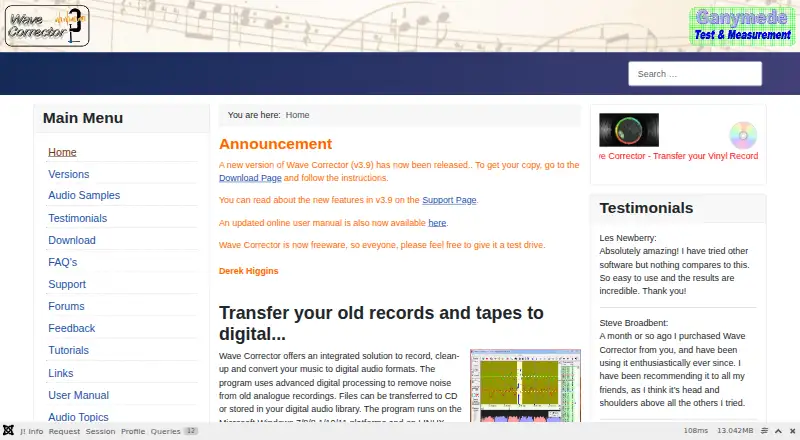
What Wave Corrector is
Wave Corrector is audio software for bringing music from analogue recordings into digital formats. It can record directly and make timed unattended recordings, including radio broadcasts. Digital processing reduces surface noise such as clicks, ticks, and plops, and a separate option removes tape hiss. For track work, Wave Corrector can divide a recording automatically into numbered tracks; users can adjust the boundaries and add fades. The Professional Edition also includes filters, a graphic equaliser, volume normalisation, channel balance, and Cut and Splice tools. Version 3.9 has built-in MP3 encoding and can use track durations from Discogs to guide and check track detection, or from MusicBrainz if Discogs has no duration. Noise reduction, hum removal, batch processing, and a standalone workflow are supported. The personal-use Professional Edition is free, with no registration required. It runs on Linux and Windows, with Professional Edition 3.9 installers available for 64-bit and 32-bit systems. The maker describes it as designed for home music lovers and professional archivists. Getting help is possible through a beginner's guide, FAQ, support forum, user manual, and feedback form.
Who it suits
Wave Corrector suits home music lovers digitising analogue recordings, as well as professional archivists who need noise cleanup and track editing. Its scheduled recording and batch processing may also suit people working with unattended recordings or multiple files.
What it does well
- Free personal use with no registration required.
- Reduces surface noise and includes tape hiss removal.
- Can schedule unattended recordings, including radio broadcasts.
- Automatically divides recordings into numbered tracks.
- Includes hum removal and batch processing.
- Uses Discogs or MusicBrainz durations to guide track detection.
What to know first
- The Standard Edition is no longer available.
- The listed download is Professional Edition 3.9.
Plans
| Plan | Billed and limits | Price |
|---|---|---|
| Wave Corrector Professional Edition (personal use) | No charge for personal use · registration not required | Free |
As wavecor.co.uk lists them, read 7 Oct 2026. The maker's own page has the final word.
Getting started
- Open the Wave Corrector website.
- Choose the Professional Edition 3.9 installer for 64-bit or 32-bit systems.
- Install the version for your system.
- Begin using the personal-use edition; registration is not required.
- Consult the beginner's guide, FAQ, forum, or manual for help.
Wave Corrector is a standalone program for digitising and restoring analogue music. It is best suited to home listeners and archivists who want recording, cleanup and track editing in one place. Its free personal-use edition covers a useful end-to-end workflow, but the discontinued Standard Edition and narrower Professional Edition availability leave fewer choices for other needs.
Overview
Wave Corrector brings recording, restoration and conversion into a focused tool for records, tapes and radio broadcasts. Direct recording and timed unattended recording make it practical both for transfers made at the computer and broadcasts that need to be captured on a schedule. This is a specialist digitising workflow, not a general-purpose production environment.
Cleanup targets clicks, ticks and plops, with a separate hiss-removal option for tapes. Hum removal and batch processing add value when working through a collection, although the tool's emphasis remains restoration rather than broader audio creation.
Key features
Recording and track editing
Automatic track division creates numbered tracks from a recording, and users can refine boundaries and add fades. That combination gives a useful starting point for album transfers without treating automatic detection as final. Version 3.9 can use Discogs track durations to guide and validate detection, and consult MusicBrainz when Discogs has no duration.
Restoration and output
Professional Edition adds filters, a graphic equaliser, volume normalisation, channel balance, and Cut and Splice. Those controls make it the more capable option for users who need to shape or assemble audio as well as clean it. Built-in MP3 encoding in version 3.9 keeps a common output format within the program.
Pricing
The Wave Corrector Professional Edition (personal use) plan costs free. Personal use is free, and registration is not required. The plan offers a low-friction route for home digitising, with noise reduction, hum removal and batch processing among its listed capabilities.
The download page offers Professional Edition 3.9 installers in 64-bit and 32-bit versions, while the Standard Edition is no longer available. There is no separate paid plan to weigh against the free personal-use edition. The Professional feature set is the relevant choice for anyone needing its additional filters and editing tools; the discontinued Standard Edition is not an alternative to select.
Platforms
Wave Corrector is available for Linux and Windows. The download page offers 32-bit and 64-bit installers for Professional Edition 3.9. Users on other platforms will need a different tool.
Who it's for
The maker positions Wave Corrector for home music lovers and professional archivists. It suits people transferring analogue collections who want scheduled or direct recording, noise cleanup and track preparation together. Its free personal-use plan is particularly practical for home listeners; users whose work depends on the Professional Edition's extra tools should first confirm that its platform and edition fit their workflow.
Support is routed through a feedback form, with a beginner's guide, FAQ, support forum and user manual also provided. That range of self-help material is useful for a specialist workflow, though the support route is not a substitute for choosing software with the capabilities and platform you need.
Pros and cons
Pros
- Free for personal use with no registration: home users can access the workflow without a subscription or signup requirement.
- Recording through track preparation: direct and timed recording, automatic track division, boundary editing and fades cover several stages of analogue transfers.
- Collection-oriented cleanup: noise and hum removal plus batch processing address recurring restoration tasks.
- Track-duration references: Discogs and MusicBrainz duration data can support track detection in version 3.9.
Cons
- Standard Edition is discontinued: users cannot choose that edition if they specifically want it.
- Platform reach is limited: Linux and Windows are supported, but other platform users need another option.
- Specialist scope: its published tools centre on analogue restoration and conversion, not general audio production.
Alternatives
Browse Audio Restoration Software to compare more tools in the category.
- Vinyl Restoration Suite is another free option with Linux, macOS and Windows support; choose it if cross-platform availability matters.
- VinylRest offers free plans across Linux, macOS and web, including a public beta with a processing license requirement and up to three active Mac installations; consider it if those formats or its separate player plan suit your setup.
- @audio/denoise is a free browser tool that runs without an account or upload, making it a fit for browser-based denoising rather than Wave Corrector's recording and track workflow.
- PD Cleaner is free, open source and Windows-only; choose it if those terms and platform are the priority.
- Neiro is a free alternative with Linux, macOS, self-hosted, web and Windows platform options.
- Cathar is a free alternative for Linux and macOS.
- CEDAR Cambridge is a paid modular hardware and software system with custom pricing; consider it if a configurable system is a better fit.
- Algorithmix Sound Laundry is a paid Windows alternative.
Verdict
Choose Wave Corrector for free personal-use digitising on Linux or Windows when you want recording, analogue-noise cleanup and track editing in one standalone program. Its main limitation is the narrower edition choice: Standard is discontinued, so look elsewhere if you specifically need that edition or work on another platform.
Verdict
Choose Wave Corrector if you want free software for recording and cleaning analogue music, with track editing and unattended recording included. Look elsewhere if you specifically need the discontinued Standard Edition.
Questions
How much does Wave Corrector cost?
The Professional Edition for personal use costs nothing. No registration is required.
Which platforms does it support?
Wave Corrector runs on Linux and Windows. The download page offers 64-bit and 32-bit Professional Edition 3.9 installers.
Can Wave Corrector remove recording noise?
It reduces surface noise such as clicks, ticks, and plops, and includes a hiss removal option for tapes. Hum removal is also supported.
Can it record on a schedule?
Yes. It supports timed unattended recordings, including radio broadcasts.
What track editing tools does it include?
It can automatically divide a recording into numbered tracks, and users can edit boundaries and add fades. The Professional Edition also includes Cut and Splice.
Where can users get help?
The maker provides a beginner's guide, FAQ, support forum, and user manual, and directs users to a feedback form for support.
Facts from Wave Corrector's own pages
- Download options
- The download page offers Professional Edition 3.9 installers in 64-bit and 32-bit versions; the Standard Edition is no longer available. · wavecor.co.uk, 7 Oct 2026
- Encoding
- Version 3.9 includes built-in MP3 encoding. · wavecor.co.uk, 7 Oct 2026
- Headquarters
- Amersham, United Kingdom · wavecor.co.uk, 28 Sept 2026
- Intended users
- The maker says the software is designed for home music lovers and professional archivists. · wavecor.co.uk, 7 Oct 2026
- Metadata integrations
- Version 3.9 uses Discogs track durations to guide and validate track detection, and can obtain durations from MusicBrainz when unavailable in Discogs. · wavecor.co.uk, 7 Oct 2026
- Noise removal
- It uses digital processing to remove surface noise such as clicks, ticks, and plops, and has a hiss removal option for tapes. · wavecor.co.uk, 7 Oct 2026
- Platforms
- The maker lists Windows 7, 8, 8.1, 10, and 11, and Linux under Wine as supported platforms. · wavecor.co.uk, 7 Oct 2026
- Professional tools
- The Professional Edition includes filters, a graphic equaliser, volume normalisation, channel balance, and Cut and Splice. · wavecor.co.uk, 7 Oct 2026
- Purpose
- Wave Corrector records, cleans up, and converts music from analogue recordings to digital audio formats. · wavecor.co.uk, 7 Oct 2026
- Recording
- The program supports direct recording and timed unattended recordings, such as radio broadcasts. · wavecor.co.uk, 7 Oct 2026
- Security and compliance
- The pages reviewed do not state security or compliance certifications. · wavecor.co.uk, 7 Oct 2026
- Support
- The maker directs users to a feedback form for support and also provides a beginner's guide, FAQ, support forum, and user manual. · wavecor.co.uk, 7 Oct 2026
- Track editing
- It can automatically divide recordings into numbered tracks and lets users edit boundaries and add fades. · wavecor.co.uk, 7 Oct 2026
Where Wave Corrector stands on Freedom251
- Audio Restoration Software#8 of 24