Freedom251 › Digital Waiver Software
Waiverly
What Waiverly is
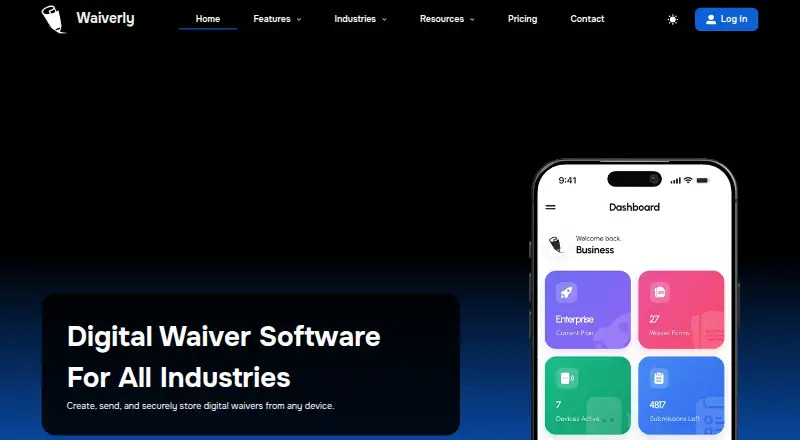
Waiverly lets businesses create, send, and store digital waivers using web, iOS, or Android. Users can start with industry-specific templates or make their own, adjusting wording, fields, and settings. Clients can sign digitally or complete a shareable Form Link in a browser without installing the app. Fields can appear or stay hidden based on earlier answers. Built-in AI can improve, rewrite, or expand template text; Waiverly advises review by a qualified legal professional or appropriate regulatory authority. Analytics cover submission trends, activity heatmaps, acquisition sources, client insights, and industry-specific reports. Signed waivers can be synchronized or backed up to Google Drive, Dropbox, and iCloud. Client Mode locks the app behind a PIN, shows selected templates, and hides administrative tools and sensitive client information. Waiverly supports English, Spanish, and French, and describes use cases in tattoo, fitness, beauty, piercing, and other service-based businesses. Monthly plans range from Standard at $15 a month with 200 submissions to Enterprise at $80 a month with 5,000 submissions. There is no free plan, and a 30-day trial is offered.
Who it suits
Waiverly suits service-based businesses that need clients to complete and sign waivers in person or remotely. Its templates and reporting are relevant to businesses such as tattoo, fitness, beauty, and piercing providers.
What it does well
- Clients can complete Form Links in a browser
- Conditional fields respond to earlier answers
- Client Mode hides administrative tools behind a PIN
- Supports English, Spanish, and French
What to know first
- No free plan
- Standard plan caps submissions at 200 per month
- AI-written waiver text should receive qualified review
Limits
There is no free plan. The $15.00-per-month Standard plan includes one device, five templates, 100 AI generation credits, and 200 submissions per month; higher tiers raise those allowances.
Plans
| Plan | Billed and limits | Price |
|---|---|---|
| Submission Bundle | One Time Purchase: $10 · Never Expire · User Device: 1 · Waiver Templates: 1 · Waiver Submissions: 50 | $10, paid once |
| Standard | $15 /month · User Devices: 1 · Waiver Templates: 5 · AI Generation Credits: 100 · Waiver Submissions: 200/month | $15 a month |
| Pro | $35 /month · User Devices: 3 · Waiver Templates: 15 · AI Generation Credits: 300 · Waiver Submissions: 1000/month | $35 a month |
| Enterprise | $80 /month · User Devices: 10 · Waiver Templates: 50 · AI Generation Credits: 1000 · Waiver Submissions: 5000/month | $80 a month |
As waiverly.net lists them, read 7 Oct 2026. The maker's own page has the final word.
Getting started
- Open Waiverly on the web or use its Android or iOS app
- Start a 30-day trial
- Choose an industry template or create a custom template
- Edit wording, fields, and settings
- Share a Form Link or collect signatures in the app
- Select a plan starting at $15.00 per month
Verdict
Waiverly covers waiver creation, remote signing, conditional forms, analytics, and kiosk-style use across web and mobile. Review submission caps and have AI-assisted legal wording checked by a qualified professional or appropriate authority.
Questions
How much does Waiverly cost?
Paid plans start at $15.00 per month. A one-time Submission Bundle costs $10.00 and includes one device, one template, and 50 submissions that never expire.
Is there a free plan or trial?
There is no free plan. Waiverly lists a 30-day trial.
Which platforms are supported?
Waiverly is available on web, Android, and iOS.
What do the monthly plans include?
Standard is $15.00 per month with one device, five templates, 100 AI credits, and 200 submissions. Pro is $35.00 per month with three devices, 15 templates, 300 credits, and 1,000 submissions; Enterprise is $80.00 per month with 10 devices, 50 templates, 1,000 credits, and 5,000 submissions.
Can clients sign remotely?
Yes. Form Links provide a browser URL for remote completion without installing the app, and the platform supports digital signatures.
Which storage services can connect to signed waivers?
Signed waivers can synchronize or back up to Google Drive, Dropbox, and iCloud.
Facts from Waiverly's own pages
- AI assistance
- Built-in AI can improve, rewrite, or expand waiver template text, and the company advises review by a qualified legal professional or appropriate regulatory authority. · waiverly.net, 7 Oct 2026
- Analytics
- Analytics include submission trends, activity heatmaps, acquisition sources, client insights, and industry-specific reports. · waiverly.net, 7 Oct 2026
- Cloud storage
- Signed waivers can be synchronized or backed up to providers including Google Drive, Dropbox, and iCloud. · waiverly.net, 7 Oct 2026
- Conditional logic
- Template fields can appear or remain hidden based on a client's previous answers. · waiverly.net, 7 Oct 2026
- Digital signing
- The platform supports collecting digital signatures on waivers. · waiverly.net, 7 Oct 2026
- Industries
- Waiverly describes use cases including tattoo, fitness, beauty, piercing, and other service-based businesses. · waiverly.net, 7 Oct 2026
- Kiosk mode
- Client Mode locks the app behind a PIN and displays selected waiver templates while hiding administrative tools and sensitive client information. · waiverly.net, 7 Oct 2026
- Languages
- The platform supports English, Spanish, and French. · waiverly.net, 7 Oct 2026
- Limits
- The monthly plans list submission caps of 200, 1,000, and 5,000 per month for Standard, Pro, and Enterprise respectively. · waiverly.net, 7 Oct 2026
- Product
- Waiverly lets businesses create, send, and securely store digital waivers from any device. · waiverly.net, 7 Oct 2026
- Remote forms
- Form Links provide a shareable URL for clients to complete waivers remotely in a web browser without installing the app. · waiverly.net, 7 Oct 2026
- Security
- Waiverly says it takes reasonable measures to protect collected information from unauthorized access, use, or disclosure. · waiverly.net, 7 Oct 2026
- Support
- Waiverly lists support by email at [email protected] and availability Monday through Friday, 08:00 AM–08:00 PM. · waiverly.net, 7 Oct 2026
- Templates
- Users can start with industry-specific templates or create custom templates and edit their wording, fields, and settings. · waiverly.net, 7 Oct 2026
Where Waiverly stands on Freedom251
- Digital Waiver Software#21 of 25