Freedom251 › Managed File Transfer Software
Waarp R66
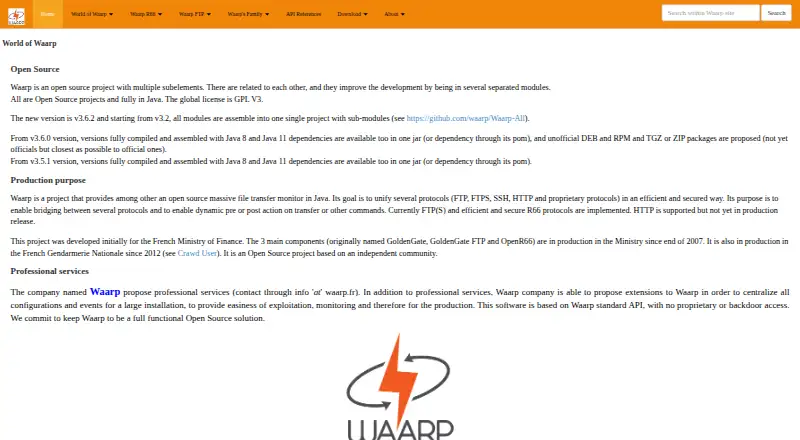
What Waarp R66 is
Waarp R66 is software for large scale file transfers with monitoring. It sends and receives files between identified partners in push or pull mode, and supports transfer persistence, retries, and restarts. Optional integrity checks, SSL connections, optional strong authentication, and partner authentication are among its security controls. Transfer rules can run actions before or after a transfer, or when an error occurs; those actions can include file operations and external procedures. Administrators can manage accounts and specific rights through an HTTPS web interface. For monitoring, R66 provides an HTTP interface and SNMP agent support, and can send events to a remote HTTP(S) REST API. Documented integrations include FTP, S3 file sources and targets, REST APIs, and Java applications. Database options listed by the maker are H2, PostgreSQL, and Oracle; MySQL and MariaDB implementations work but are not recommended. Transfer controls include configurable bandwidth, CPU, and simultaneous-transfer limits. Downloads include an all-in-one package with R66, Proxy, and Gateway FTP. The maker describes Waarp projects as open source under GPL V3 and offers Java JAR downloads. Its listed platforms are API, Linux, self-hosted, web, and Windows.
Who it suits
Waarp R66 suits organizations that need monitored file transfers between identified partners and want control over retries, restarts, security, or transfer limits. It may also suit teams integrating file movement with FTP, S3, REST APIs, Java applications, or transfer-triggered actions.
What it does well
- Supports push and pull transfers between identified partners.
- Can persist, retry, and restart transfers.
- Offers SSL, optional strong authentication, and integrity checks.
- Rules can trigger file operations or external procedures.
- Provides HTTP monitoring, SNMP support, and REST event delivery.
- Open source under GPL V3, with Java JAR downloads.
What to know first
- Heavy and light clients are limited to self-initiated transfers.
- The light client lacks database-backed history and restart capability.
- MySQL and MariaDB implementations are not recommended.
Limits
The heavy and light clients support only transfers initiated by the client. The light client also lacks database transfer history and the ability to restart transfers.
Getting started
- Visit the Waarp website.
- Choose a Java JAR download or the all-in-one package containing R66, Proxy, and Gateway FTP.
- Deploy Waarp R66 on a listed platform such as Linux, Windows, or a self-hosted environment.
- Configure identified partners, transfer rules, security, and any database or integrations you need.
- Contact Waarp about professional installation services if needed.
Overview
Waarp R66 is an open-source managed file-transfer system for moving large volumes between identified partners. It is best suited to organizations that can run and administer transfer infrastructure themselves; its recovery, monitoring, and configurable controls make it capable, but its client restrictions narrow the fit for user- or client-initiated workflows.
Key features
R66 supports push and pull transfers, with database persistence, retries, and restart capability to help recover interrupted jobs. SSL, partner authentication, optional strong authentication, and packet-integrity support address transfer security, while optional integrity checks and adjustable bandwidth, CPU, and concurrent-transfer limits give administrators control over validation and resource use.
Rules can trigger file operations or external procedures before or after a transfer, or when one fails. This is useful for teams integrating transfers into existing processes, but it favors deployments with people ready to configure and maintain those rules over buyers seeking a turnkey file-transfer client.
Monitoring combines an HTTP interface and SNMP agent support with event delivery to a remote HTTP(S) REST API. Documented integrations include FTP, S3 sources and targets, REST APIs, and Java applications. Database choices include H2, PostgreSQL, and Oracle; MySQL and MariaDB implementations work but are not recommended. The HTTPS web administrator can manage accounts with specific rights.
R66 is GPL V3 open-source software, and the maker offers downloadable Java JARs and an all-in-one package that includes R66, Proxy, and Gateway FTP. The heavy and light clients are limited to self-initiated transfers. The light client also lacks database-backed transfer history and restart, a significant drawback where client-side recovery or an audit trail is needed. Professional services could help with installation.
Pricing
R66 is free, with no paid software tier described. The downloads are available at no software price, making it a practical option for teams able to operate it without buying a license. That does not make it a managed service: deployment and administration remain the buyer’s responsibility, and installation help is described as professional services.
Platforms
R66 is available for Linux and Windows, with self-hosted deployment and web and API access. Its downloadable Java packages suit teams planning their own installation; the all-in-one bundle groups R66 with Proxy and Gateway FTP.
Who it's for
Choose R66 if you need partner-based, large-scale transfers with monitoring, recovery controls, configurable security, and limits on resource use—and have the capacity to administer a self-hosted system. Look elsewhere if transfers must be initiated from a client that needs database-backed history and restart, particularly with the light client.
Pros and cons
- Pro: Database persistence, retries, and restart provide useful recovery options for interrupted transfers.
- Pro: HTTP and SNMP monitoring plus REST event delivery support operational oversight and integration.
- Pro: SSL, authentication choices, integrity support, and configurable resource limits give administrators several controls over transfers.
- Con: Both clients are restricted to self-initiated transfers, limiting client-driven workflows.
- Con: The light client has no database-backed history or restart capability, weakening recovery and auditability for those workflows.
- Con: MySQL and MariaDB implementations are not recommended, so teams using them should consider the listed alternatives.
Alternatives
Compare managed file-transfer software if you want to consider other products in the category.
- CompleteFTP is worth considering if you want a free tier with FTP and FTPS, virtual file systems, and unlimited users, or a paid Standard option.
- Kiteworks Managed File Transfer may suit enterprise buyers who want an add-on for secure managed transfers, unlimited users, and a stated maximum file size of 16 TB.
- Progress MOVEit is a paid alternative for buyers who do not require a free plan.
- Cleo Integration Cloud is a paid, custom-subscription alternative for buyers seeking a cloud integration product.
- Fortra ZTNA is a paid alternative if you prefer pricing by quote and a demo option.
- goTransfer offers a free plan and may suit teams specifically seeking a Windows option.
- JSCAPE Managed File Transfer is a paid alternative with Linux, macOS, web, and Windows platforms.
- OpenText Managed File Transfer may suit buyers seeking a cloud-managed service and transfers of 50GB or more.
Verdict
Waarp R66 is a strong candidate for technically capable teams that need free, open-source partner transfers with monitoring, retries, restart, and administrator control over security and resource use. Its self-hosted nature and limited client capabilities are the main reasons to choose another product, especially when users need client-initiated transfers with history and recovery.
Verdict
Choose Waarp R66 if you need partner-based transfers with monitoring, recovery controls, and configurable security or transfer limits. The client restrictions may matter if you need transfers initiated from a client, especially when database history and restart capability are required.
Questions
Is Waarp R66 open source?
Yes. Waarp describes its projects as open source under GPL V3.
What platforms does Waarp R66 support?
Its listed platforms are API, Linux, self-hosted, web, and Windows.
Which databases are listed?
H2, PostgreSQL, and Oracle are listed. MySQL and MariaDB implementations work but are not recommended.
Can transfers be monitored and restarted?
R66 supports transfer restarts and provides an HTTP monitoring interface and SNMP agent support.
What integrations are documented?
The maker documents FTP, S3 file sources and targets, REST APIs, and Java application integration.
Facts from Waarp R66's own pages
- Availability
- Waarp describes its projects as open source under GPL V3 and provides downloadable Java JARs for Waarp all in one, which includes R66, Proxy, and Gateway FTP. · waarp.github.io, 8 Oct 2026
- Client limit
- The presentation says the heavy and light clients are limited to self-initiated transfers, and the light client lacks database transfer history and restart capability. · waarp.github.io, 7 Oct 2026
- Client limitation
- The light client can initiate transfers but has no database-backed history or restart capability. · waarp.github.io, 8 Oct 2026
- Databases
- R66 uses JDBC databases for configuration and transfer logs; the maker lists H2, PostgreSQL, Oracle, MySQL, and MariaDB, and recommends PostgreSQL. · waarp.github.io, 8 Oct 2026
- Deployment
- The downloads page offers an all-in-one package containing R66, Proxy, and Gateway FTP. · waarp.github.io, 7 Oct 2026
- Founded
- 2011 · waarp.github.io, 28 Sept 2026
- Headquarters
- Nanterre, France · waarp.github.io, 28 Sept 2026
- Integrations
- The maker lists SNMP, REST APIs, S3, FTP through Waarp Gateway FTP, and Java application integration. · waarp.github.io, 8 Oct 2026
- Monitoring
- The supervision interface shows transfer information and refreshes every 10 seconds; the maker says it runs in HTTP mode without authentication. · waarp.github.io, 8 Oct 2026
- Open source
- The maker describes Waarp R66 as totally open source. · waarp.github.io, 7 Oct 2026
- Platforms
- The software is written in Java and the maker says it has been tested on Windows, Linux, and AIX. · waarp.github.io, 7 Oct 2026
- Pricing
- The opened maker pages provide download links but do not state a software price. · waarp.github.io, 7 Oct 2026
- Purpose
- Waarp R66 is a Java file transfer monitor for managing and monitoring large-scale transfers. · waarp.github.io, 8 Oct 2026
- Security
- The maker lists SSL connections, optional strong authentication, packet integrity support, and partner authentication. · waarp.github.io, 7 Oct 2026
- Security and administration
- The maker describes SSL support and an HTTPS web administrator that can manage accounts with specific rights. · waarp.github.io, 8 Oct 2026
- Support
- The maker says Waarp offers professional services and extensions for centralizing configuration and events in large installations. · waarp.github.io, 8 Oct 2026
- Transfer actions
- Rules can run pre-transfer, post-transfer, or error actions. · waarp.github.io, 8 Oct 2026
- Transfer controls
- It supports transfer restart, optional integrity checks, SSL, and configurable bandwidth, CPU, and simultaneous-transfer limits. · waarp.github.io, 8 Oct 2026
- Transfer modes
- It supports sending and receiving files between identified partners in push or pull mode. · waarp.github.io, 8 Oct 2026
- Transfer recovery
- Transfers can use database persistence and retries, and the product supports restarting transfers. · waarp.github.io, 7 Oct 2026
- Workflow actions
- Transfer rules can run pre-transfer, post-transfer, and error actions, including file operations and external procedures. · waarp.github.io, 7 Oct 2026
Where Waarp R66 stands on Freedom251
- Managed File Transfer Software#4 of 27