Freedom251 › Managed File Transfer Software
Cerberus FTP Server
What Cerberus FTP Server is
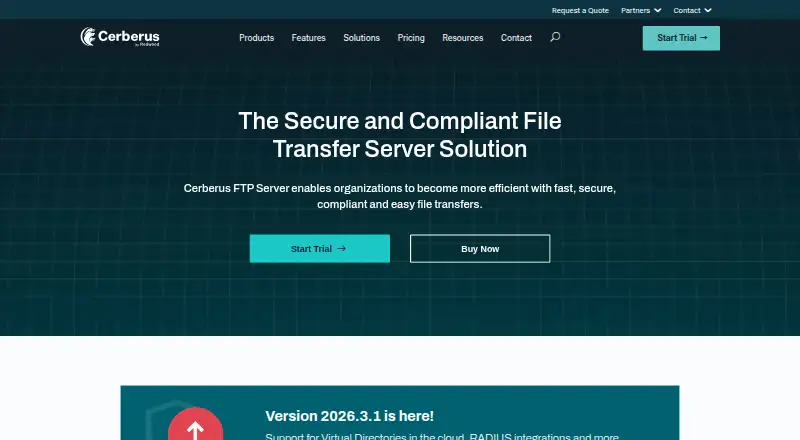
Cerberus FTP Server is a Windows based server for secure file transfers over FTP, FTPS, SFTP, SCP and HTTP/S. Its HTTP/S web client lets people access, edit and transfer files in desktop or mobile browsers. Administrators can manage accounts in Cerberus’s native user database or connect Active Directory or LDAP; version 2026.3 also adds RADIUS authentication and Amazon S3 and Azure Blob Storage as Virtual Directory backends.
Security capabilities include SSH, SSL, FIPS 140-3 and TLS 1.3. Event, alert and synchronization tools support managed file transfer automation, and an automation API is available. File access, user and administrator activity can be logged for auditing and reporting. Cerberus is positioned for PCI DSS, HIPAA, FIPS-140-2 and GDPR requirements.
Professional and Enterprise editions include unlimited phone and email support during business hours. Enterprise Plus adds 24/7/365 Severity 1 support. All three plans specify unlimited users and connections. Commercial use requires a subscription license, and each license covers installation on one machine. There is no free plan, but a 25-day trial is available. Cerberus FTP Server was founded in 2001 and is headquartered in Arlington, Virginia, United States.
Who it suits
Cerberus suits organizations that need a Windows based file transfer server with several transfer protocols, browser access and account management through a native database, Active Directory or LDAP. Its logging, automation and security features are relevant to teams managing file transfers for stated compliance requirements.
What it does well
- Supports FTP, FTPS, SFTP, SCP and HTTP/S transfers.
- Web client supports access, editing and transfers in desktop and mobile browsers.
- Accounts can use the native database, Active Directory or LDAP.
- Amazon S3 and Azure Blob Storage are Virtual Directory backends in version 2026.3.
- Provides automation tools and file, user and administrator audit logs.
- Plans specify unlimited users and connections.
What to know first
- There is no free plan.
- Commercial use requires a subscription license.
- One license permits installation on one machine.
- The 25-day trial is time limited.
Limits
There is no free plan; the available trial lasts 25 days. Commercial licenses permit installation on one machine, and each listed plan specifies unlimited users and connections.
Plans
| Plan | Billed and limits | Price |
|---|---|---|
| Professional | billed annually · unlimited users · unlimited connections · unlimited data/file transfers | $1,599 a year |
| Enterprise | billed annually · unlimited users · unlimited connections · unlimited data/file transfers | $3,499 a year |
| Enterprise Plus | Request a Quote · includes one free DR, test or development license · 24/7/365 Severity 1 support | On request |
As cerberusftp.com lists them, read 1 Oct 2026. The maker's own page has the final word.
Getting started
- Visit the Cerberus FTP Server website.
- Start the 25-day trial.
- Use it on Windows or through its web access.
- Choose Professional, Enterprise or Enterprise Plus for commercial subscription use.
- Install on one machine per license.
Verdict
Choose Cerberus FTP Server if you need a Windows file transfer server with multiple protocols, browser access, automation and audit logging. Its three listed plans allow unlimited users and connections. Look elsewhere if you need a free plan or a license covering multiple machines.
Questions
Does Cerberus FTP Server have a free plan?
No. It offers a 25-day trial.
Which transfer protocols does it support?
FTP, FTPS, SFTP, SCP and HTTP/S.
Can users access it in a browser?
Yes. Its HTTP/S web client supports access, editing and file transfers from desktop or mobile browsers.
What account management options are available?
Accounts can use the native user database, Active Directory or LDAP. Version 2026.3 also adds RADIUS authentication.
What are its plans and licensing terms?
Professional, Enterprise and Enterprise Plus are paid subscription plans, each with unlimited users and connections. Commercial use requires a subscription license, and one license covers one machine.
Who makes Cerberus FTP Server, and where is the maker based?
The maker is Cerberus FTP Server, founded in 2001 and headquartered in Arlington, Virginia, United States.
Facts from Cerberus FTP Server's own pages
- Account management
- User accounts can be managed through the native user database, Active Directory or LDAP integration. · cerberusftp.com, 1 Oct 2026
- Auditing
- It provides file access, user and administrator logging for auditing and reporting. · cerberusftp.com, 1 Oct 2026
- Authentication
- Version 2026.3 adds RADIUS authentication alongside existing LDAP and Active Directory support. · cerberusftp.com, 1 Oct 2026
- Automation
- Cerberus provides event, alert and synchronization tools for managed file transfer automation. · cerberusftp.com, 1 Oct 2026
- Cloud storage
- Version 2026.3 supports Amazon S3 and Azure Blob Storage as Virtual Directory backends. · cerberusftp.com, 1 Oct 2026
- Compliance
- The product is positioned for PCI DSS, HIPAA, FIPS-140-2 and GDPR requirements. · cerberusftp.com, 1 Oct 2026
- Encryption
- The feature set includes SSH, SSL and FIPS 140-3 security, with TLS 1.3 support. · cerberusftp.com, 1 Oct 2026
- Founded
- 2001 · cerberusftp.com, 28 Sept 2026
- Free plan
- No · cerberusftp.com, 20 Sept 2026
- Headquarters
- Arlington, Virginia, United States · cerberusftp.com, 28 Sept 2026
- Licensing
- Commercial use requires a subscription license, and one license permits installation on one machine. · cerberusftp.com, 1 Oct 2026
- Product purpose
- Cerberus FTP Server is a secure file transfer server built for Windows. · cerberusftp.com, 1 Oct 2026
- Protocols
- It supports FTP, FTPS, SFTP, SCP and HTTP/S transfers. · cerberusftp.com, 1 Oct 2026
- Support
- Professional and Enterprise editions include unlimited phone and email support during business hours, while Enterprise Plus adds 24/7/365 Severity 1 support. · cerberusftp.com, 1 Oct 2026
- Web access
- Its HTTP/S web client lets users access, edit and transfer files from desktop or mobile browsers. · cerberusftp.com, 1 Oct 2026
Where Cerberus FTP Server stands on Freedom251
- Managed File Transfer Software#3 of 27
- Managed File Transfer - Enterprise Software#2 of 17
- Managed File Transfer - Midmarket Software#3 of 24
- SFTP Server Software#9 of 32
- Secure File Transfer Software#10 of 28
- FTP Server Software#23 of 33
- File transfer services#83 of 105