Freedom251 › Managed File Transfer Software
goTransfer
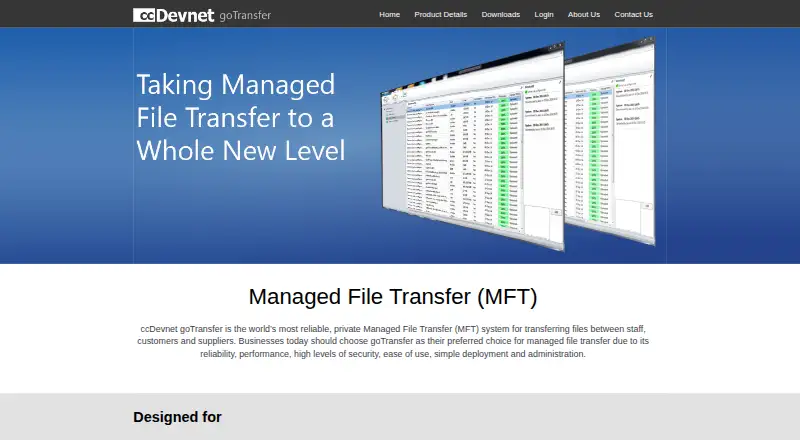
What goTransfer is
goTransfer is a managed file transfer system for sharing files among staff, customers, and suppliers. Organizations install the server on a Windows Server they control and manage users through the Windows console. The maker presents it for confidential documents, large files, frequent transfers, and organizations seeking to avoid public transfer servers. It says files are compressed and encrypted with 256 bit AES before transfer from workstation to server. User privileges and file transfer logs support administration and compliance information. Its multiple-channel transfer design is intended to continue unattended over unreliable internet connections. The download page specifies Windows Server 2003 or higher and says memory and CPU requirements are minimal. Users also need the goTransfer Console on a desktop; the available installer is for Windows, while the Mac version is marked “Coming Soon...”. Professional Server costs £195 a year, billed £195 per year per 25 user pack, and includes a Firebird database. Business Server costs £395 a year, billed £395/year/25 user pack, and can work with SQL Server. Both plans are free for up to five users.
Who it suits
goTransfer suits organizations that want to manage file transfers from a Windows Server they control, including transfers involving staff, customers, or suppliers. It is aimed at organizations handling confidential or large files and needing transfer logs or user privileges.
What it does well
- Free for up to five users
- Files compressed and encrypted with 256 bit AES before transfer
- Provides user privileges and transfer logs
- Designed for unattended transfers over unreliable connections
- Business edition can work with SQL Server
What to know first
- Requires Windows Server 2003 or higher
- Desktop console installer is listed for Windows
- Mac console version is marked “Coming Soon...”
- Paid plans are sold in 25 user packs
Limits
Both listed plans are free for up to five users; additional licences are sold in 25 user packs. The Professional Server plan costs £195 a year, and Business Server costs £395 a year.
Plans
| Plan | Billed and limits | Price |
|---|---|---|
| MFT Professional Server | £195 per year per 25 user pack · Free for up to 5 users · additional licences sold in 25 user packs · built in Firebird database | £195 a year |
| MFT Business Server | £395/year/25 user pack · Free for up to 5 users · additional licences sold in 25 user packs · can work with SQL Server | £395 a year |
As gofiletransfer.com lists them, read 9 Oct 2026. The maker's own page has the final word.
Getting started
- Visit the goTransfer website and obtain the Windows installer.
- Install the server on a Windows Server you control.
- Set up a stable IP address and configure the port, files folder, and SMTP email settings.
- Add users through the Windows console.
- Install the goTransfer Console on users’ Windows desktops.
- Use the free plan for up to five users, or choose Professional or Business Server.
goTransfer is a self-hosted managed file-transfer system for organizations exchanging confidential or oversized files with employees, customers, and suppliers. It is a strong fit for teams that require administrative control and an audit trail and already operate Windows infrastructure. Small groups can start free, while larger teams need to plan around annual 25-user licence packs and Windows-only client software.
Overview
Rather than placing transfers on a public service, goTransfer runs on a Windows Server controlled by the organization. Administrators create users through the Windows console, keeping the transfer environment inside their own infrastructure. That model suits businesses with internal governance requirements or a policy of avoiding third-party transfer servers, but it also makes server ownership and maintenance part of the product decision.
The product is aimed at confidential documents, large files, and regular exchanges with outside parties. The maker says workstation files are compressed and protected with 256-bit AES before transmission to the server. Transfers use multiple channels and are intended to continue without supervision when internet connections are unreliable. User privileges and transfer logs provide operational oversight and an audit trail for compliance work.
Key features
- Private deployment: Install the server on Windows Server 2003 or later, with minimal stated memory and CPU requirements. Setup still calls for a stable IP address plus port, files-folder, and SMTP email configuration, so this is better suited to organizations with someone responsible for infrastructure than to casual users.
- Controlled access and records: Administrators can assign user privileges and review transfer logs. That combination helps separate duties and investigate file movement, making goTransfer more appropriate for managed business workflows than an ad-hoc sharing link.
- Encrypted, compressed transfers: 256-bit AES protection before transfer and compression address confidentiality and transfer efficiency. These claims describe the transfer process; they do not eliminate the need to secure the Windows host and network around it.
- Resilient unattended transfers: Multiple channels are designed to keep jobs moving over unreliable connections, useful for large or recurring exchanges where a dropped session would otherwise require manual intervention.
- Database editions: The Professional edition includes Firebird. Business can work with SQL Server, which is the more natural fit for organizations standardizing on that database platform.
- Desktop console: Users need the goTransfer Console. The current installer is for Windows, while the Mac build is marked as coming soon, making mixed-platform desktop teams a poor fit today.
Pricing
goTransfer uses a freemium model. The free allowance covers up to five users, which is enough for a small internal team or a limited pilot without a licence bill. Additional capacity is sold only in 25-user packs, so an organization just above the free threshold may pay for considerably more seats than it immediately needs.
<| Plan | Price and allowance | Best for |
|---|---|---|
| MFT Professional Server | £195.00 per year, billed at £195 per year per 25-user pack; free for up to five users; additional licences in 25-user packs; built-in Firebird database | Teams needing the standard server edition and a bundled database |
| MFT Business Server | £395.00 per year, billed at £395 per year per 25-user pack; free for up to five users; additional licences in 25-user packs; works with SQL Server | Organizations that need SQL Server compatibility |
Both paid plans are annual, per-pack subscriptions rather than per-seat monthly purchases. Professional is the economical choice when Firebird meets your requirements; Business costs more to gain SQL Server support. Neither plan is a good match for a deployment that needs a handful of extra users but cannot justify a full 25-seat increment.
Platforms
The server runs on Windows Server 2003 or newer, and the goTransfer Console is supplied as a Windows installer. A Mac version is described as coming soon. The deployment model is hybrid: the organization hosts the server while users connect through the desktop console. There is no stated Linux, macOS, or mobile client support to offset the Windows requirement.
Who it's for
Choose goTransfer if your organization exchanges sensitive or very large files frequently, wants its own server, and values privileges plus transfer logs. It is also sensible for teams with a stable IP address and Windows administration capability. Small groups can use the five-user free allowance; growing organizations should price the 25-user packs before committing. Look elsewhere if you need a cloud-only service, broad desktop operating-system coverage, or a deployment that avoids server configuration.
Pros and cons
Pros
- Organization-controlled hosting: Keeps the transfer server under your administration instead of on a public transfer platform.
- Useful governance tools: User privileges and transfer logs support oversight and compliance processes.
- Free entry point: Up to five users can operate without a paid licence.
- Database choice: Business can integrate with SQL Server, while Professional includes Firebird.
- Designed for difficult connections: Multiple channels and unattended transfer behavior target unreliable internet links.
Cons
- Windows dependence: Both server and current desktop console require Windows, with Mac support not yet available.
- Infrastructure burden: Stable IP, port, storage-folder, SMTP, and ongoing server administration are required.
- Coarse paid scaling: Licences are sold in 25-user packs, which can create excess capacity and cost for mid-sized teams.
- Business premium: SQL Server compatibility raises the annual pack price from £195 to £395.
Alternatives
CompleteFTP is the better choice when you need Linux, web, API, or non-Windows users, plus a free plan with unlimited users and a free trial. Choose Waarp R66 instead if a totally open-source, free managed-transfer product is your priority.
Kiteworks Managed File Transfer suits enterprises wanting an Enterprise package with unlimited users and a stated 16 TB maximum file size, while Progress MOVEit is an option for paid deployments spanning Windows, web, iOS, and Android. Cleo Integration Cloud is aimed at organizations seeking a custom-priced integration service tied to ecosystem, transaction, and data volume.
Fortra ZTNA is a quote-based alternative with clients across Android, iOS, Linux, macOS, web, and Windows. JSCAPE Managed File Transfer is another paid option with Linux, macOS, web, and Windows support. OpenText Managed File Transfer offers a contact-priced cloud-managed service for transfers including stated 50GB-plus files. Browse Managed File Transfer Software for the wider category.
Verdict
goTransfer is a sensible recommendation for Windows-based organizations that want to host managed file transfers themselves and need privileges, logs, and encrypted movement for sensitive or large files. The five-user free allowance lowers the entry cost, and Professional is competitively structured when Firebird is acceptable. Choose another platform if your users work across Mac or Linux today, if you prefer cloud-managed operations, or if 25-user licence increments do not fit your growth pattern.
Verdict
goTransfer offers a managed, organization-controlled file transfer setup with logs and user privileges. The free allowance covers up to five users; larger deployments should account for the per-year 25 user pack pricing and Windows requirements.
Questions
Is there a free plan?
Yes. Both Professional Server and Business Server are free for up to five users. Additional licences are sold in 25 user packs.
How much do the paid plans cost?
Professional Server is £195 a year, billed at £195 per year per 25 user pack. Business Server is £395 a year, billed at £395/year/25 user pack.
What platforms does goTransfer support?
The listed platform is Windows. The server download page specifies Windows Server 2003 or higher, and the desktop console has a Windows installer; its Mac version is marked “Coming Soon...”.
Where is the server hosted?
Organizations install the server on a Windows Server they control. Setup requires a stable IP address and configuration of a port, files folder, and SMTP email settings.
What database options do the editions offer?
Professional includes a Firebird database. Business can work with SQL Server.
Who makes goTransfer?
goFileTransfer.com is a wholly owned subsidiary of ccDevnet Ltd, a UK-based software development company with offices in central London.
Facts from goTransfer's own pages
- Administration
- User privileges and file transfer logs are provided for management and compliance information. · gofiletransfer.com, 9 Oct 2026
- Console
- Users need the goTransfer Console on their desktop; the download page provides a Windows installer and labels the Mac version “Coming Soon...”. · gofiletransfer.com, 9 Oct 2026
- Database editions
- The Professional edition includes a Firebird database, while the Business edition can work with SQL Server. · gofiletransfer.com, 9 Oct 2026
- Headquarters
- London, United Kingdom · gofiletransfer.com, 28 Sept 2026
- Maker
- goFileTransfer.com is a wholly owned subsidiary of ccDevnet Ltd, a UK based software development company with offices in central London. · gofiletransfer.com, 9 Oct 2026
- Private platform
- Organizations install the goTransfer server on a Windows Server they control and add users through the Windows console. · gofiletransfer.com, 9 Oct 2026
- Product
- goTransfer is a managed file transfer system for sending and receiving files among staff, customers, and suppliers. · gofiletransfer.com, 9 Oct 2026
- Security
- The maker says files are compressed and encrypted with 256 bit AES before transfer from workstation to server. · gofiletransfer.com, 9 Oct 2026
- Server requirement
- The download page specifies Windows Server 2003 or higher and says the system has minimal memory or CPU requirements. · gofiletransfer.com, 9 Oct 2026
- Setup
- The server setup tour says installation requires a stable IP address and configuration includes port, files folder, and SMTP email settings. · gofiletransfer.com, 9 Oct 2026
- Support/contact
- The maker lists cc Devnet Ltd at 83 Baker Street, London, W1U 6AG, United Kingdom, with a telephone number. · gofiletransfer.com, 9 Oct 2026
- Transfer behavior
- The maker says goTransfer uses multiple channels and is designed to continue transfers unattended over unreliable internet connections. · gofiletransfer.com, 9 Oct 2026
- Use cases
- The maker presents it for confidential documents, large files, frequent file sharing, and organizations that want to avoid public transfer servers. · gofiletransfer.com, 9 Oct 2026
Where goTransfer stands on Freedom251
- Managed File Transfer Software#2 of 27